Your cart is empty.
Browse plugins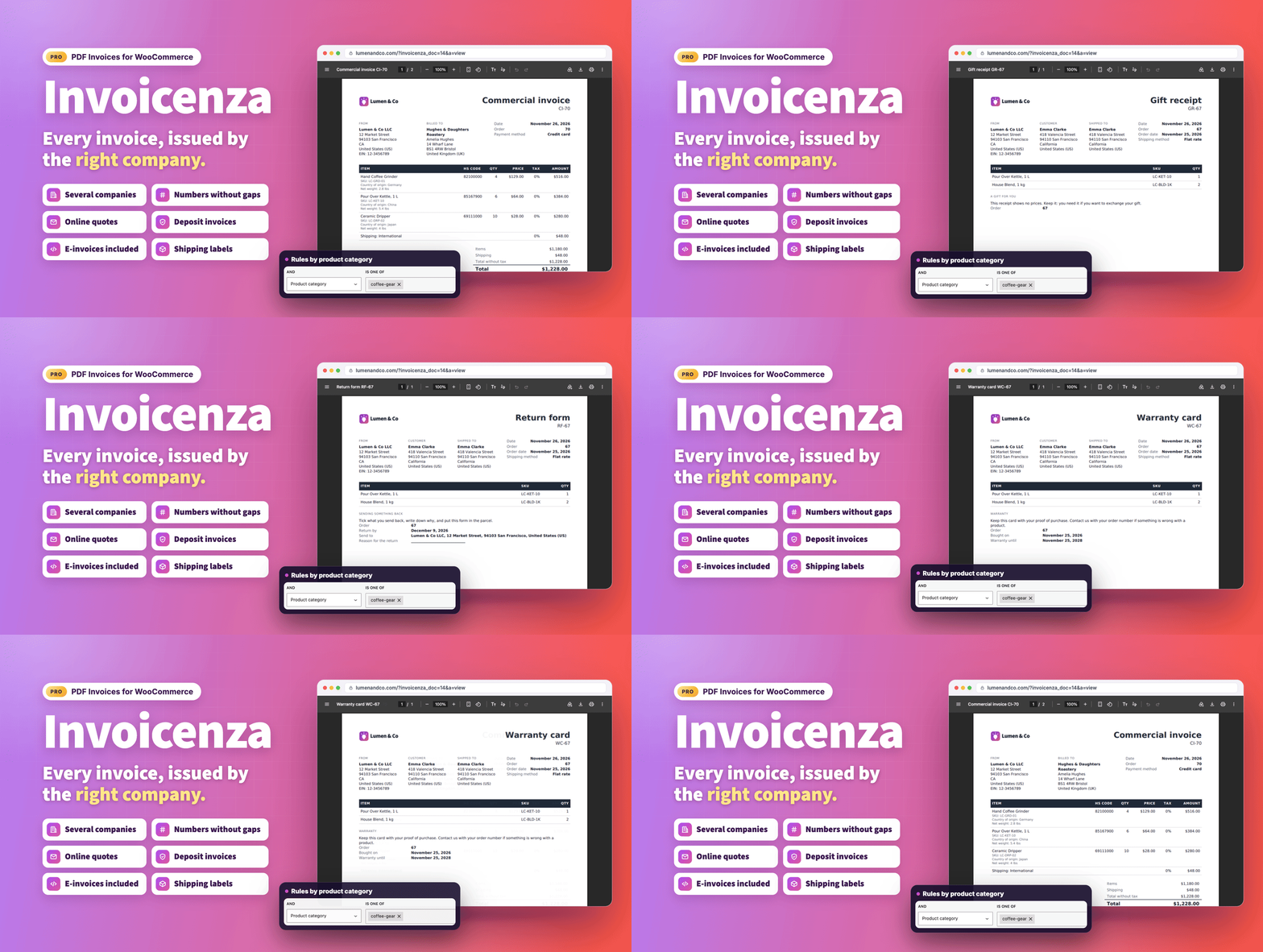
Overview
Invoices From the Right Company, Every Time
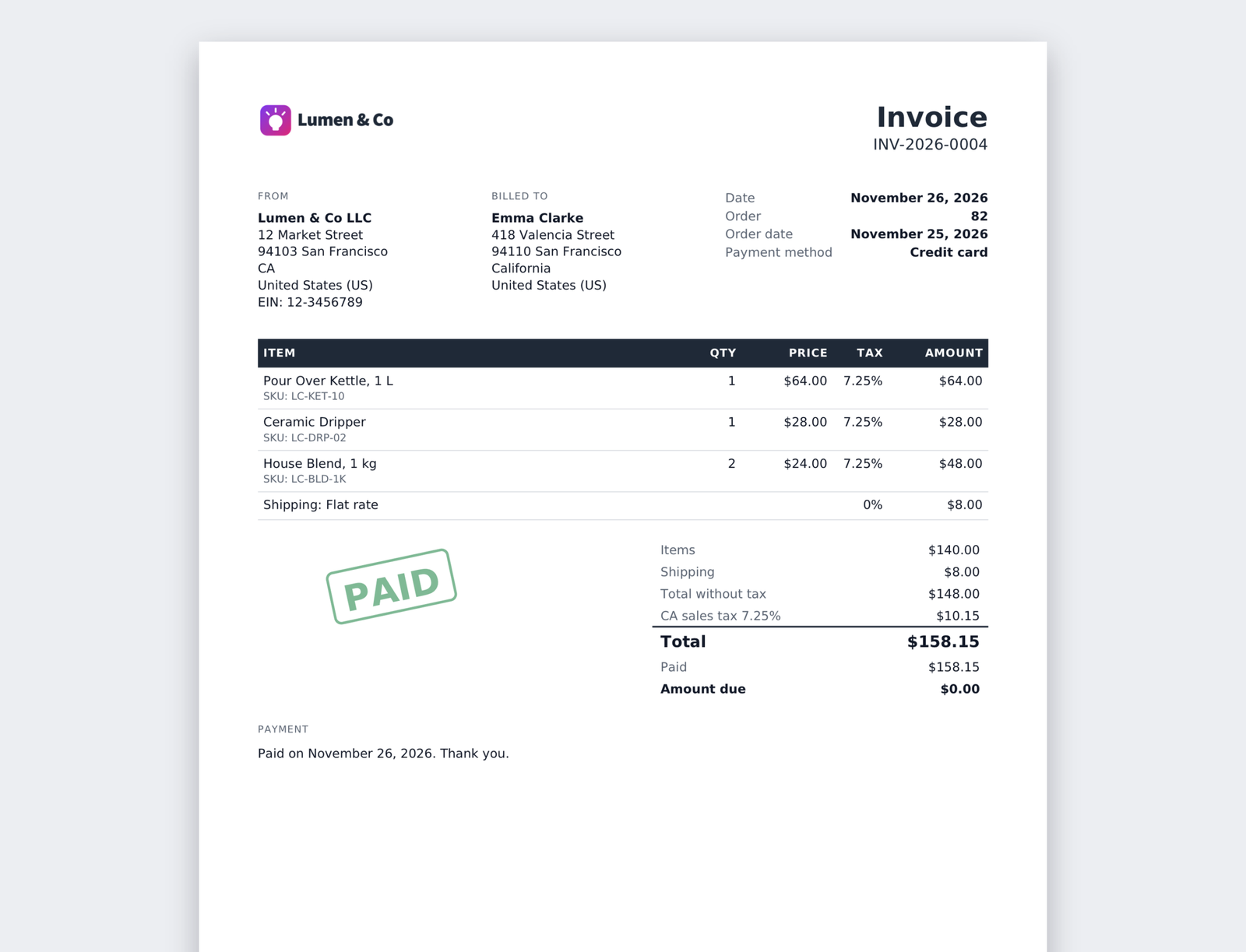
Invoicenza PDF Invoices for WooCommerce Pro creates every document your store has to give its customers and keep for its books: quotes, deposit invoices, invoices, credit notes, e-invoices, customs documents, packing slips and labels. Each one comes from the right legal entity, with a number that is never skipped and never used twice.
It is built for stores that sell from more than one company, to more than one country, in more than one currency. It takes a few minutes to set up for a store with one company too.
Invoicenza is one plugin. There are no add-ons to buy for another document type, another language or another format, and nothing in it depends on the licence: the key only turns on automatic updates.
Who It Is For
- Stores that sell from more than one legal entity and need each order invoiced by the right one
- Shops that sell across borders and need the right details, language and tax wording on each invoice
- Business to business stores that send quotes, ask for deposits and correct invoices
- Stores that need e-invoices: XRechnung, ZUGFeRD, Factur-X, UBL or CII
- Warehouses that print packing slips, picking lists and shipping labels every day
- Anyone moving from PDF Invoices & Packing Slips (WP Overnight), WebToffee's PDF Invoices, Packing Slips, Delivery Notes and Shipping Labels, YITH PDF Invoices & Packing Slips or Germanized Pro: the importers keep your invoices and continue your numbering
Several Companies, One Store
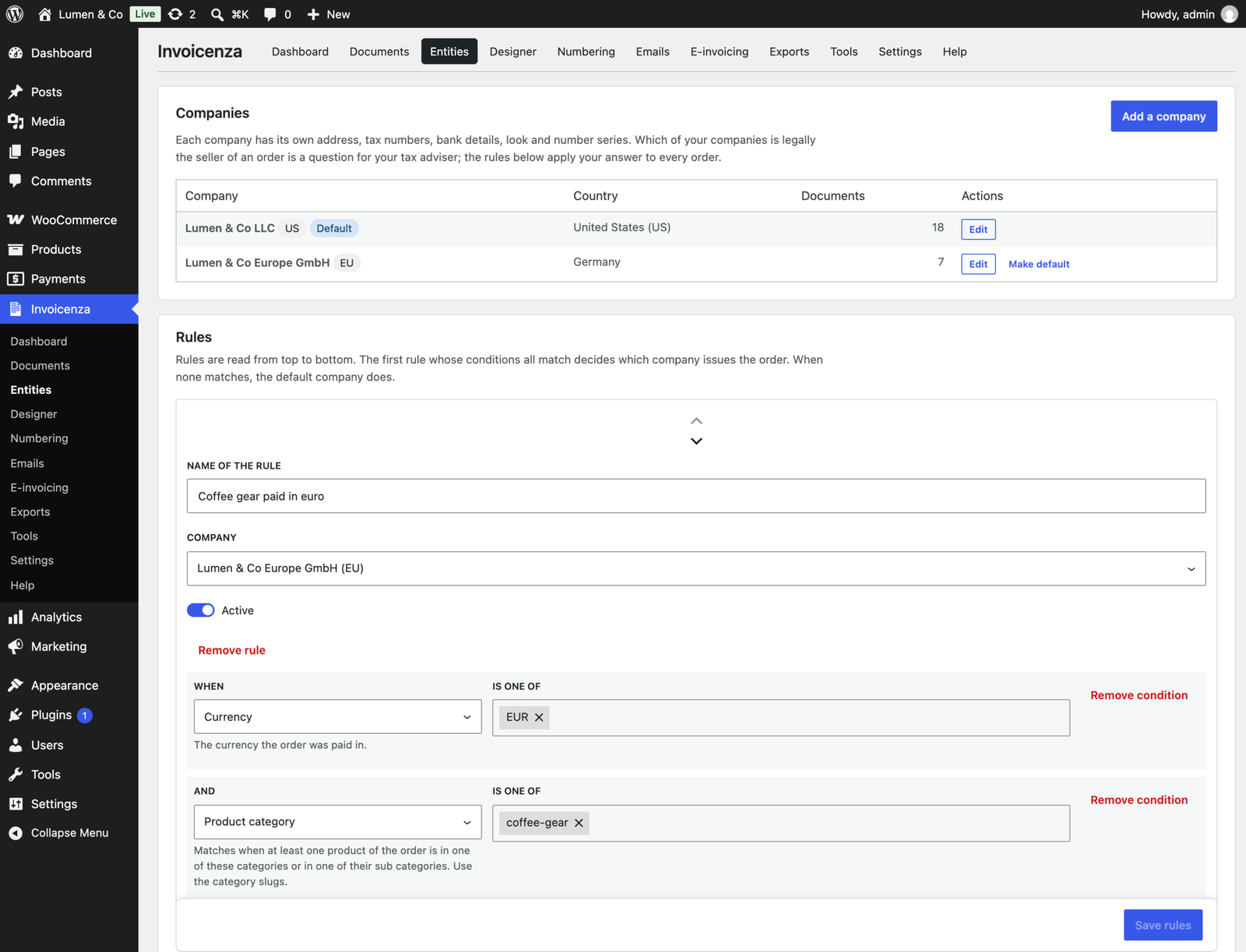
Add each legal entity once, with its address, tax numbers, bank accounts, logo and number series. Ordered rules decide which company issues an order. The first rule that matches wins, and a tester shows which rule decided for any order.
Rules can look at:
- Payment method, billing country, shipping country and currency
- Product and product category: the furniture range belongs to one company, the software to another
- Customer role: wholesale customers are invoiced by your trade company
- Business or private customer: by company name or tax number
- Where the order came from: checkout, staff in the dashboard, another system
- Shipping method: local pickup by the local company
The rules also read the cart, so the "Sold by" line at checkout names the company the invoice will come from.
Once the first legal document of an order is issued, its company is locked. Changing your rules later never moves an old invoice.
Twenty Document Types
| For | Documents |
|---|---|
| Before the sale | Quote, pro forma invoice, deposit invoice |
| The sale | Invoice, final invoice, simplified invoice, payment receipt |
| Changes afterwards | Credit note, cancellation invoice, debit note, corrective invoice |
| The warehouse | Packing slip, delivery note, picking list, shipping label, dispatch label, address label |
| Abroad and after sales | Commercial invoice for customs, gift receipt, return form, warranty card |
Each can be created by hand, on an order status you choose, or when a WooCommerce email needs it.
Numbers Without Gaps, Documents That Never Change
Every company has its own series for every document type. A number is taken and written in one database transaction with a lock on the series: two orders paid in the same second cannot share a number, and a failed attempt uses none. In our test 8 processes issued 200 invoices at the same moment and the numbers ran from 1 to 200 without a gap.
An issued invoice is frozen. No screen, command or API can alter or delete it. Its file is stored with a checksum, and if the file is ever lost it is created again from the frozen data, byte for byte.
Quotes Your Customers Accept Online
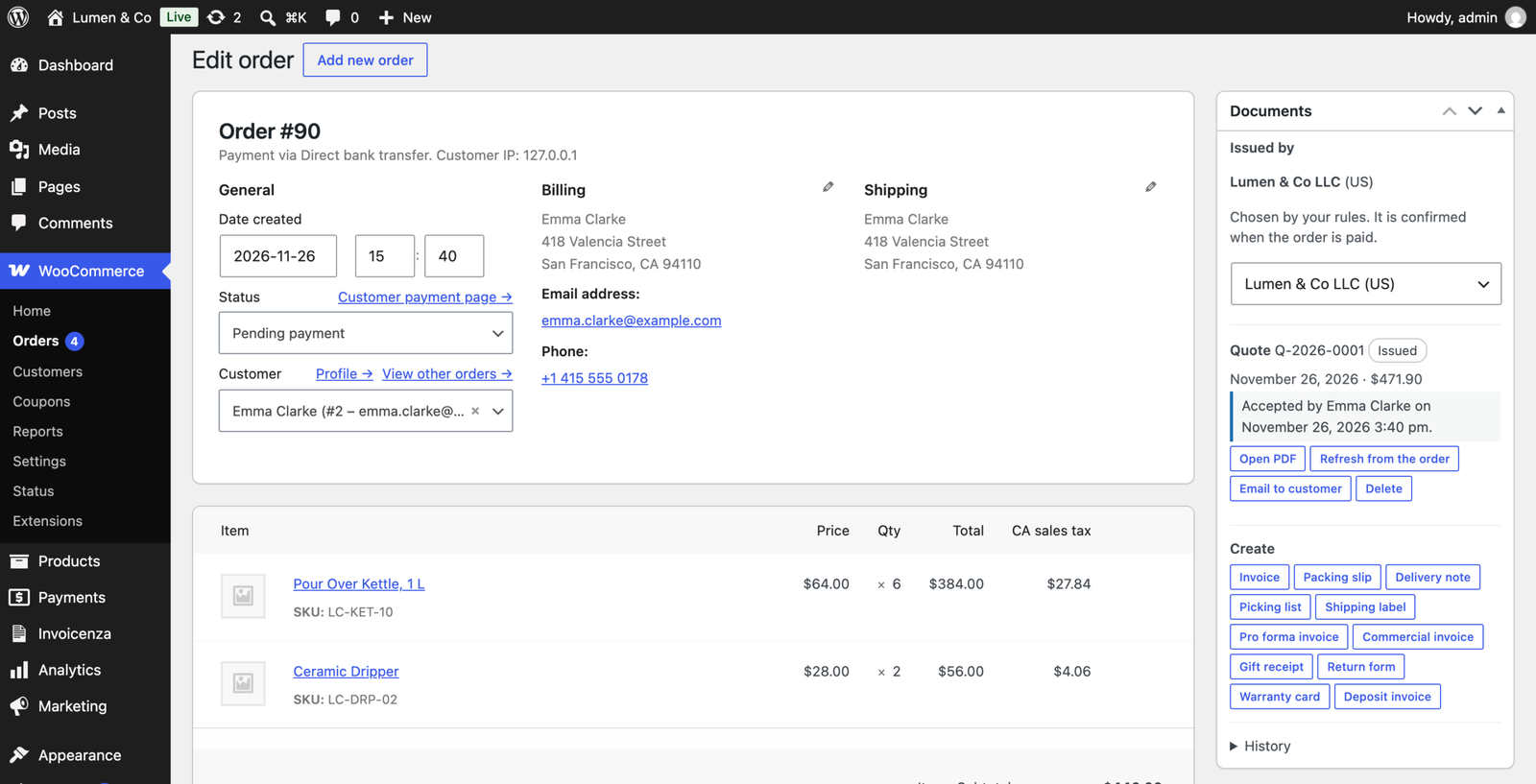
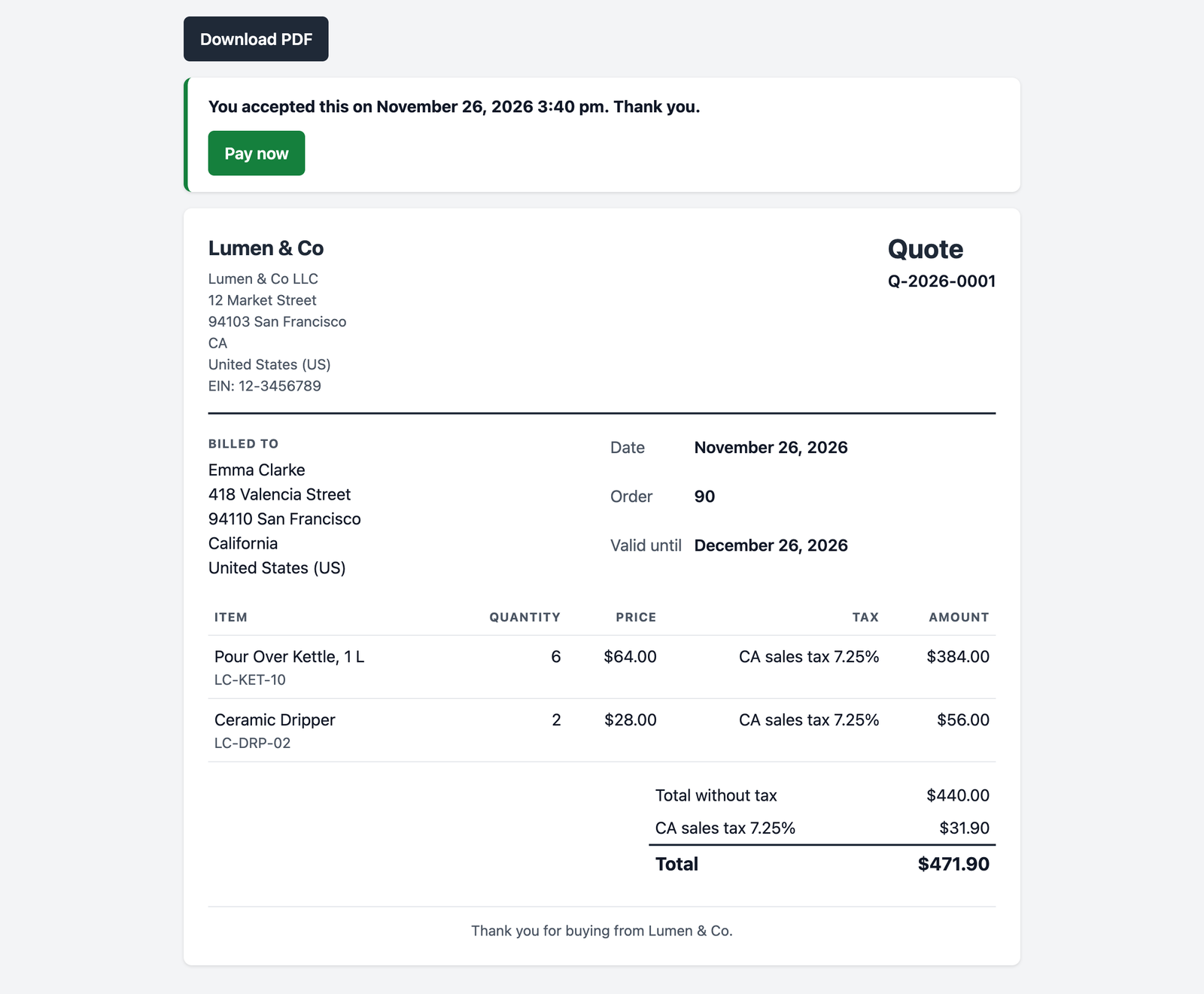
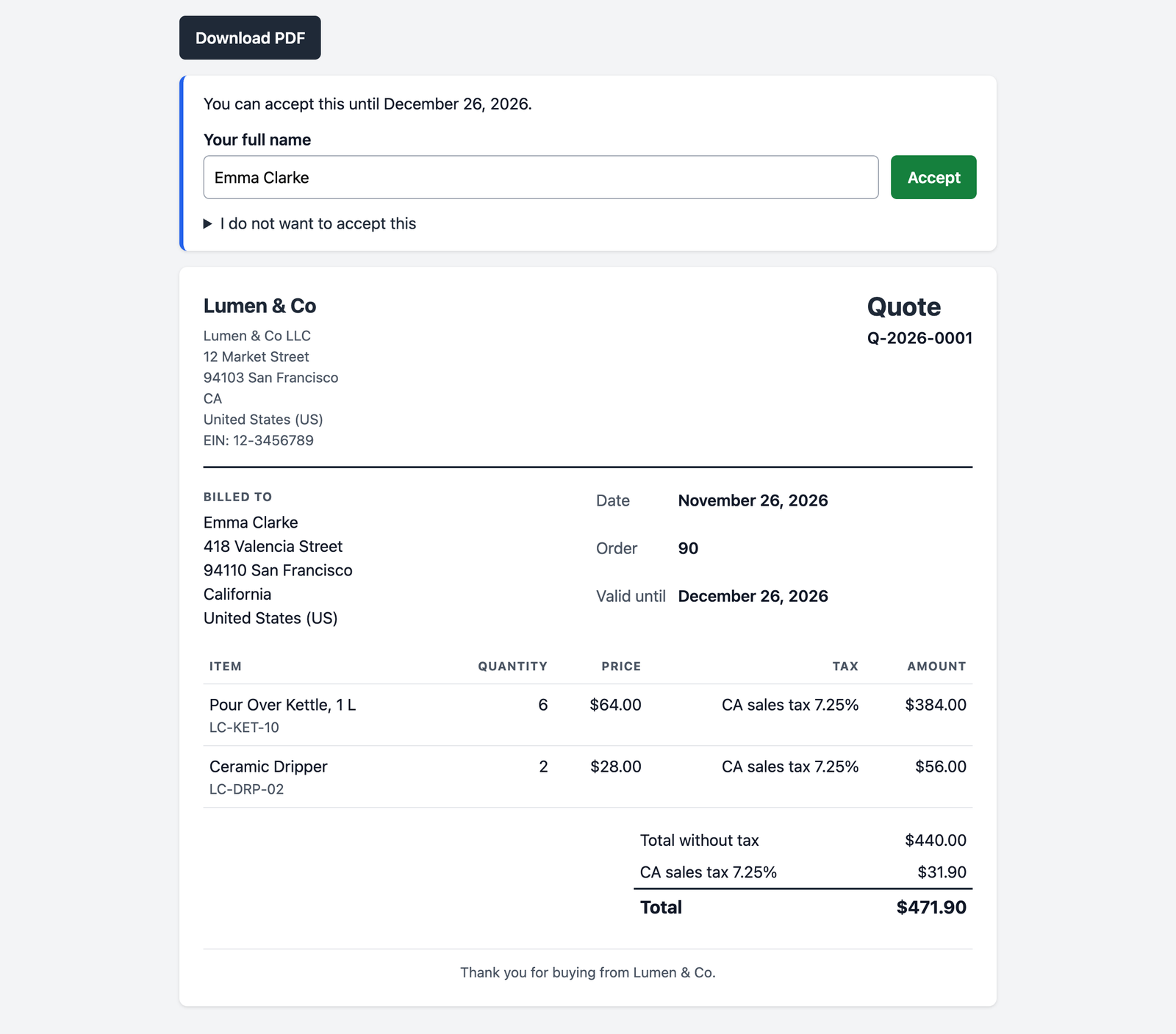
Create an order for a customer, create the quote on it and send it. The email links to a secure page where the customer accepts the quote by typing their name, or declines it and says why. An accepted quote shows "Pay now" and leads to your payment page.
- Its own number series, a validity in days, and the title Quote, Estimate or Offer
- The order shows where each quote stands: waiting, accepted by whom and when, declined, or expired
- An email and an order note when the customer answers
- Change the order and refresh the quote, and it has to be accepted again: an answer always belongs to the products and amounts the customer saw
Deposit Invoices and the Final Invoice
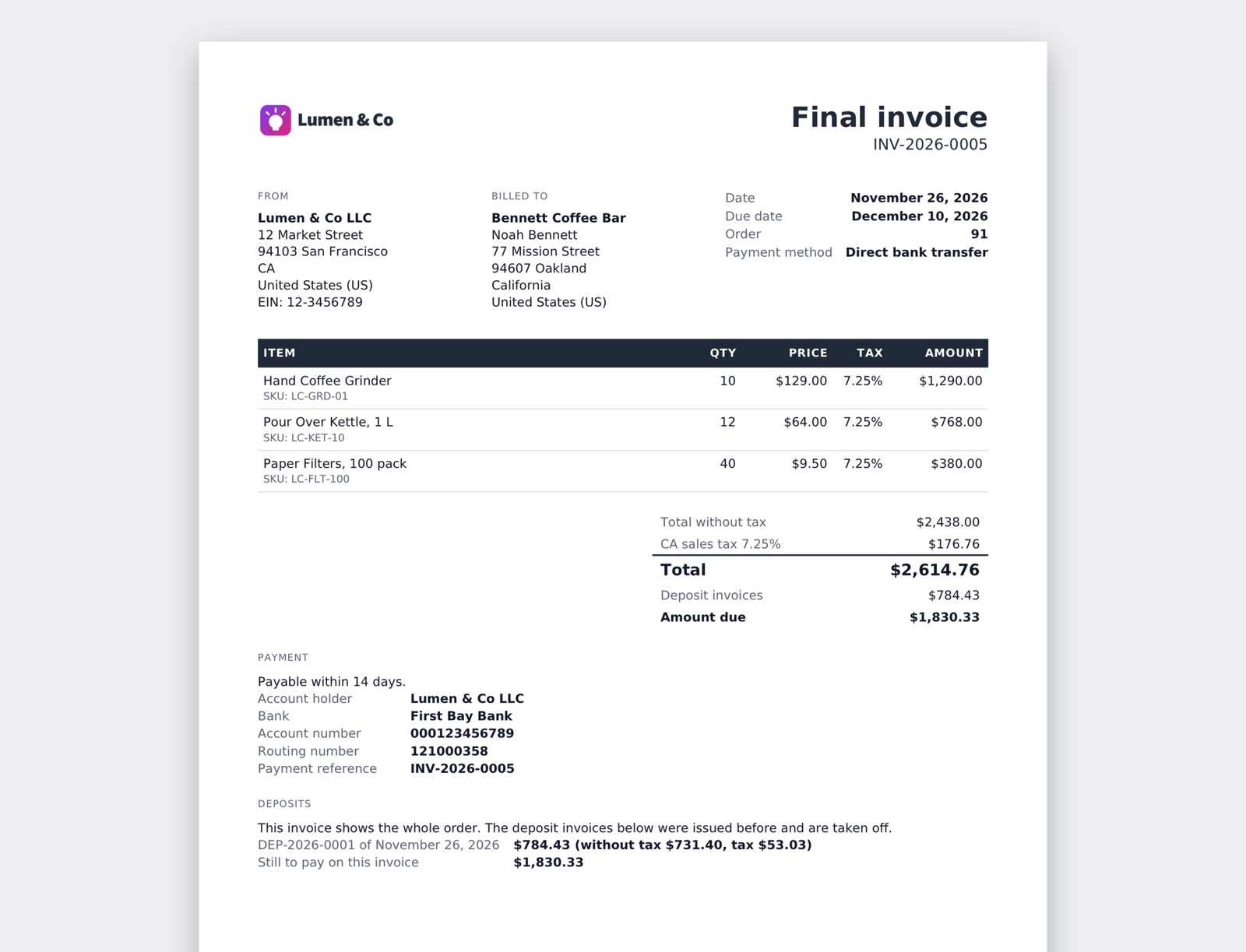
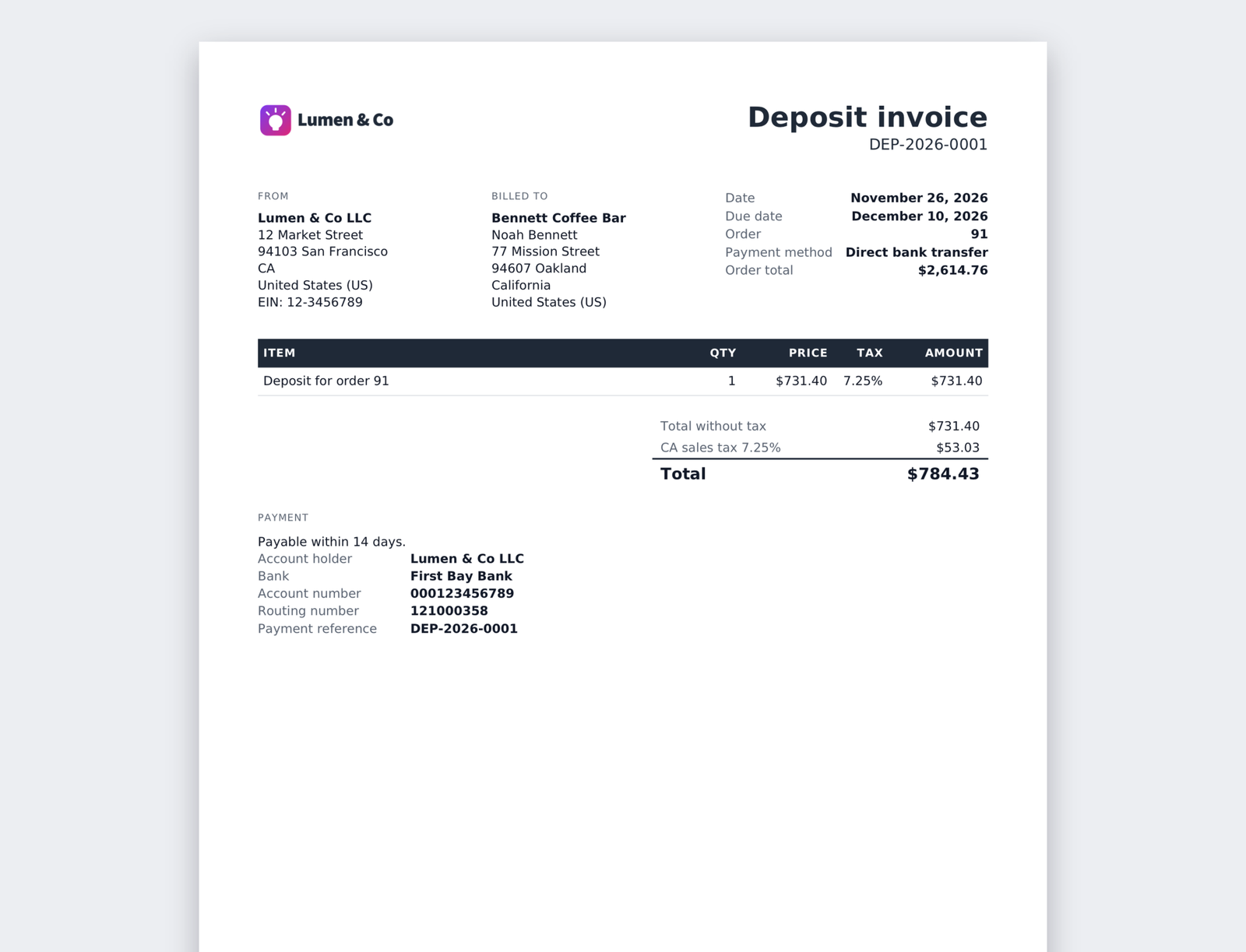
Ask for part of an order in advance with a deposit invoice: type an amount or a share such as 30%, and the deposit is spread over the tax rates of the order. An order can have several, as instalments. The invoice you issue afterwards is the final invoice: it shows the whole order, names every deposit invoice with its tax and asks for what is left. A deposit invoice can be cancelled on its own.
Refunds, Debit Notes and Corrections
- Credit note for every refund in WooCommerce: items, an amount, shipping only, or everything. It refers to the invoice and comes from the same company in the same currency.
- Cancellation invoice where your country cancels an invoice that way.
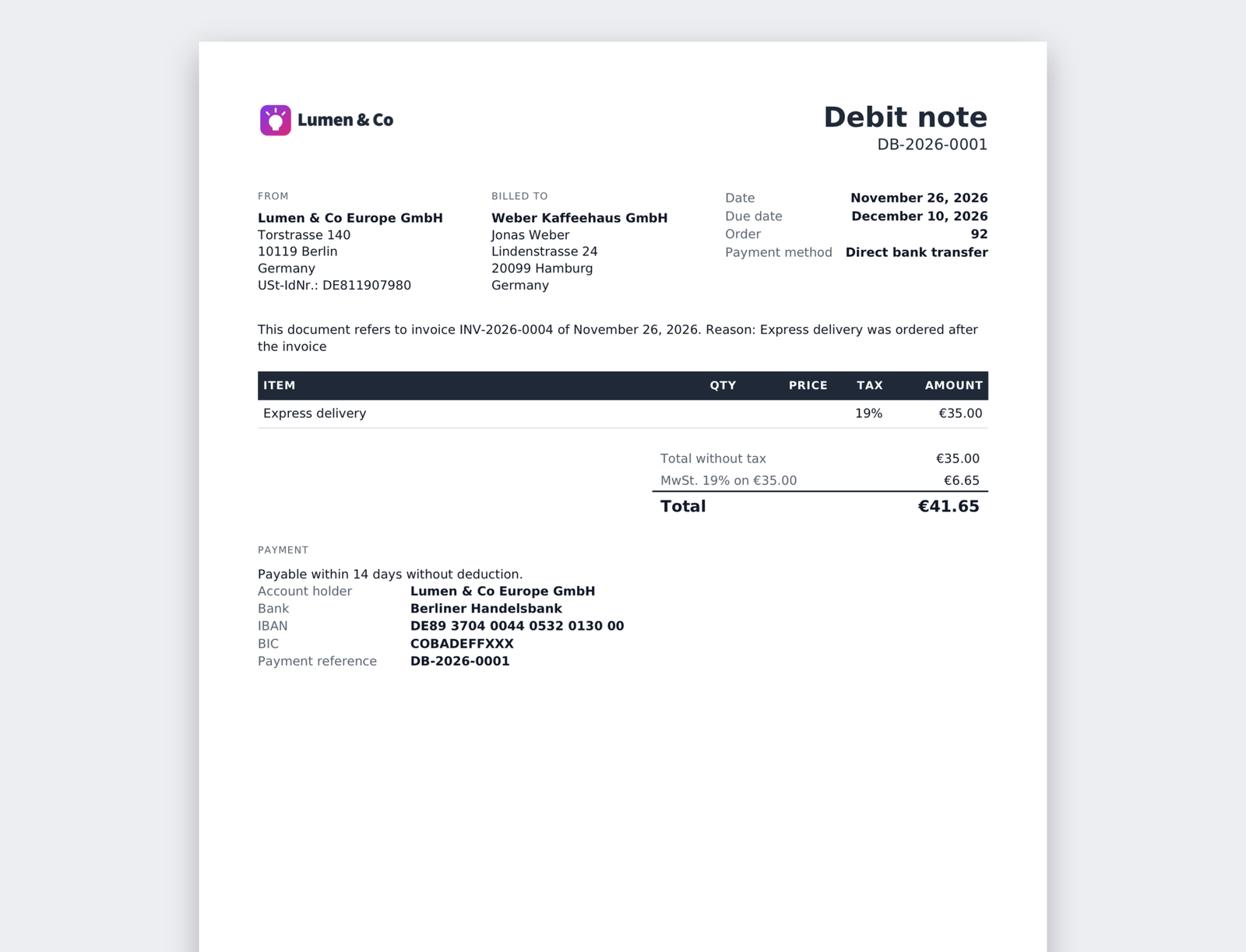
- Debit note for what you added to an order after its invoice: a product, a fee or a shipping line.
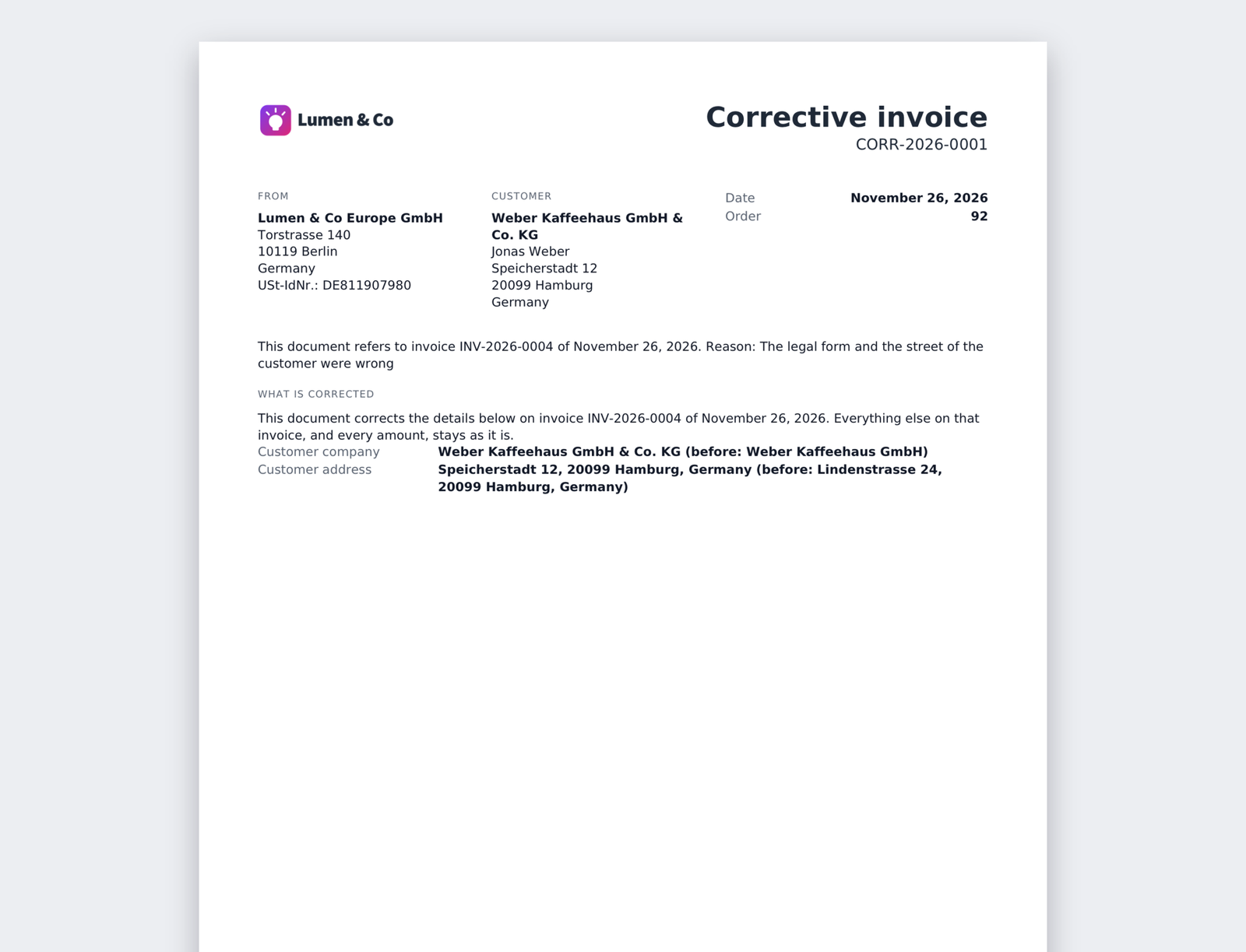
- Corrective invoice that states the corrected name, address, tax number or reference of an invoice, each with the value before, without repeating any amount.
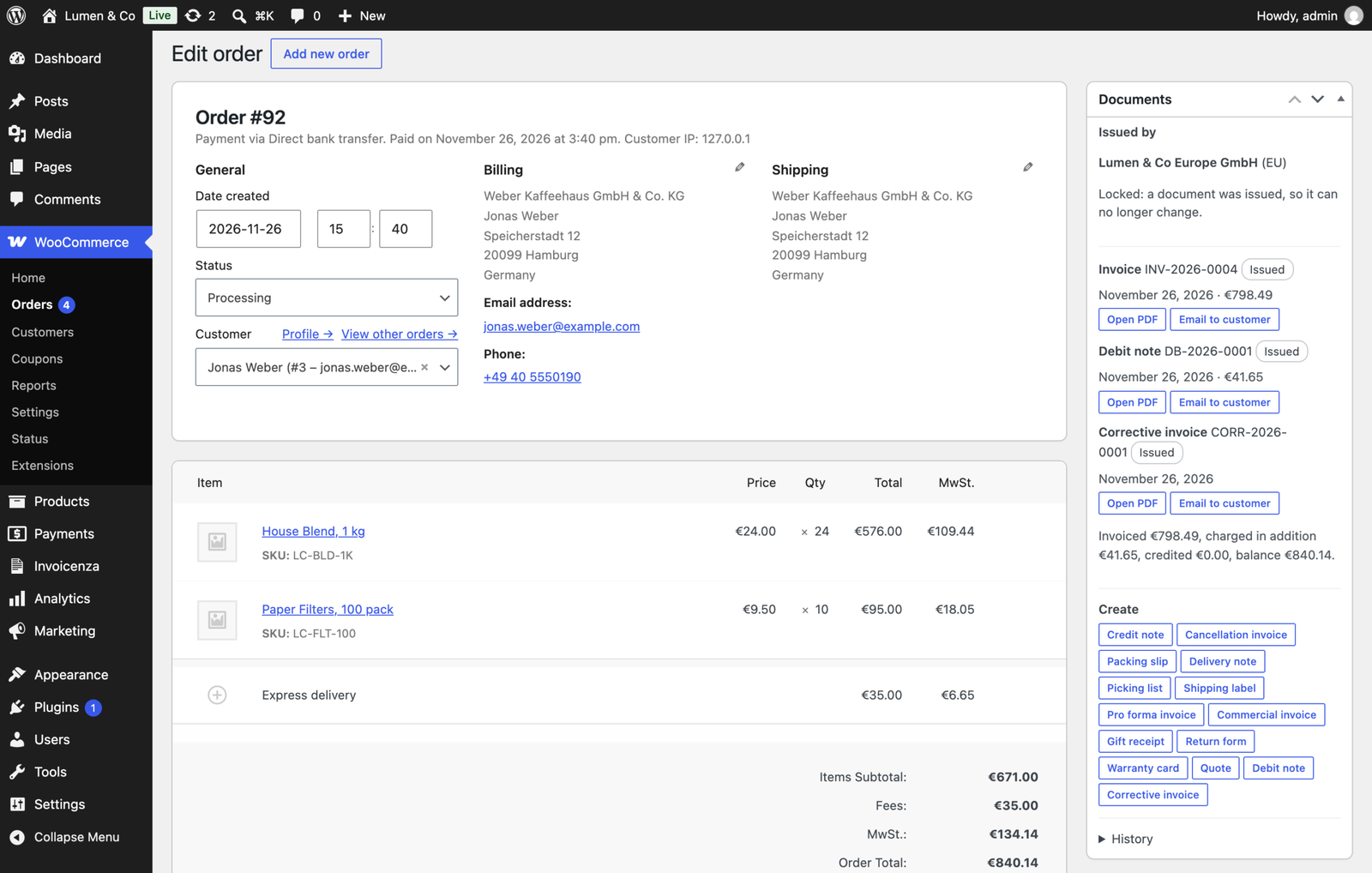
The order shows the running balance: invoice, plus debit notes, less credit notes.
Labels and Picking Lists for the Warehouse
- Shipping labels with your address, the delivery address in the postal format of its country, order number, shipping method, weight and number of pieces. Dispatch labels also list what is in the parcel.
- Address labels for sheets of labels or a label printer.
- Label printers (4 x 6 inches, 100 x 150 mm, A6 and small address rolls) and sheets (A4 with 4, 14 or 24 labels, Letter with 2, 10 or 30 labels). Labels printed together fill a sheet one by one.
- A picking list for each order, sorted by SKU with a box to tick, and one combined picking list that adds up the products of all the orders you select.
Customs, Gifts, Returns and Warranty
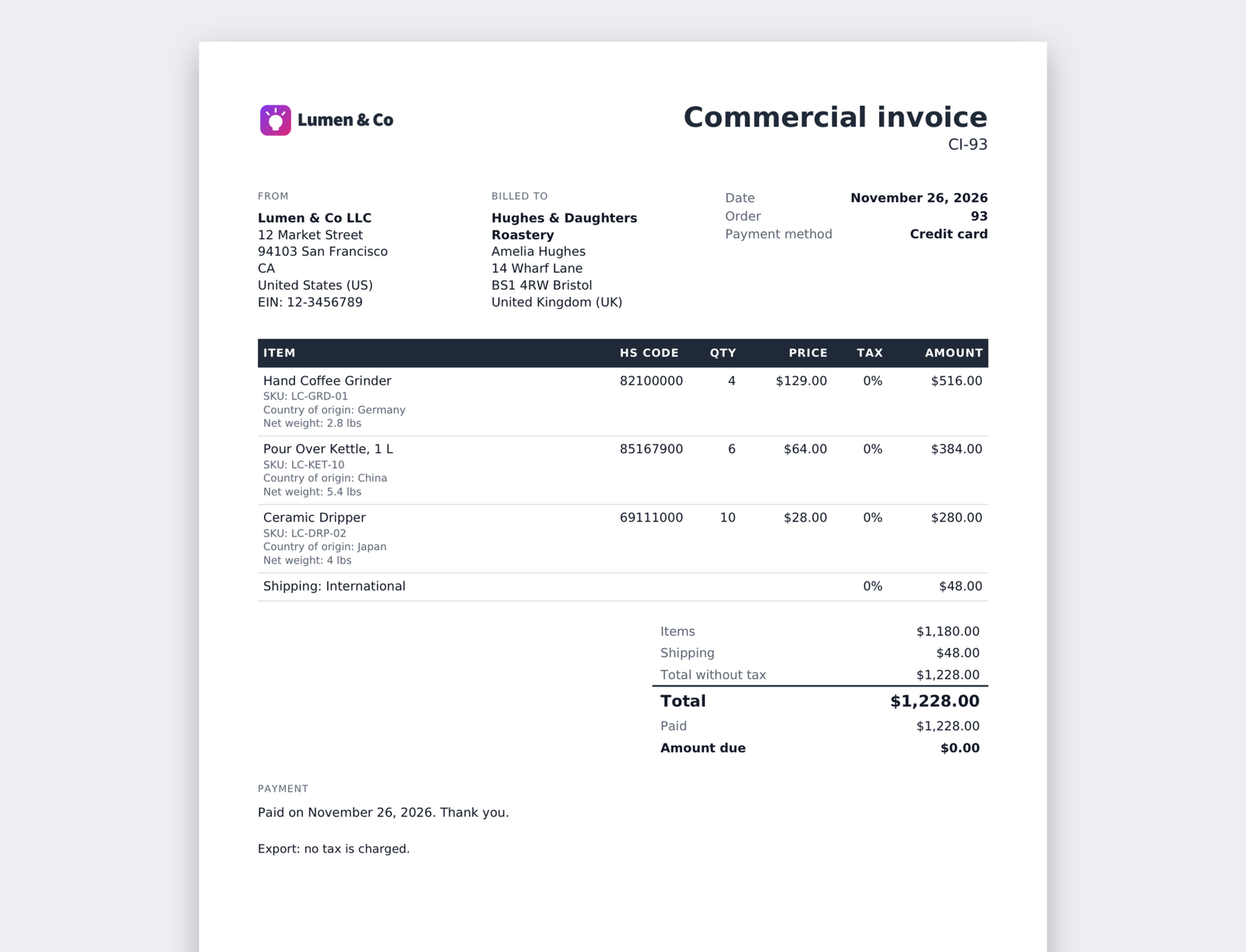
Commercial invoice for customs: customs code, country of origin and weight of every product, Incoterms, reason for export, EORI number, countries of dispatch and destination, total weight and your declaration.
Gift receipt without any price. Return form with the return by date and your return address. Warranty card with the day of purchase and the end of your warranty.
Their details are stored with each document when it is created, so a later change of your settings never alters a document that exists.
A PDF Engine of Its Own
Invoicenza writes PDF files directly, without a large PDF library, a headless browser or a rendering service. On our test server a one page invoice takes about 4 milliseconds and a 300 line invoice with images about 40.
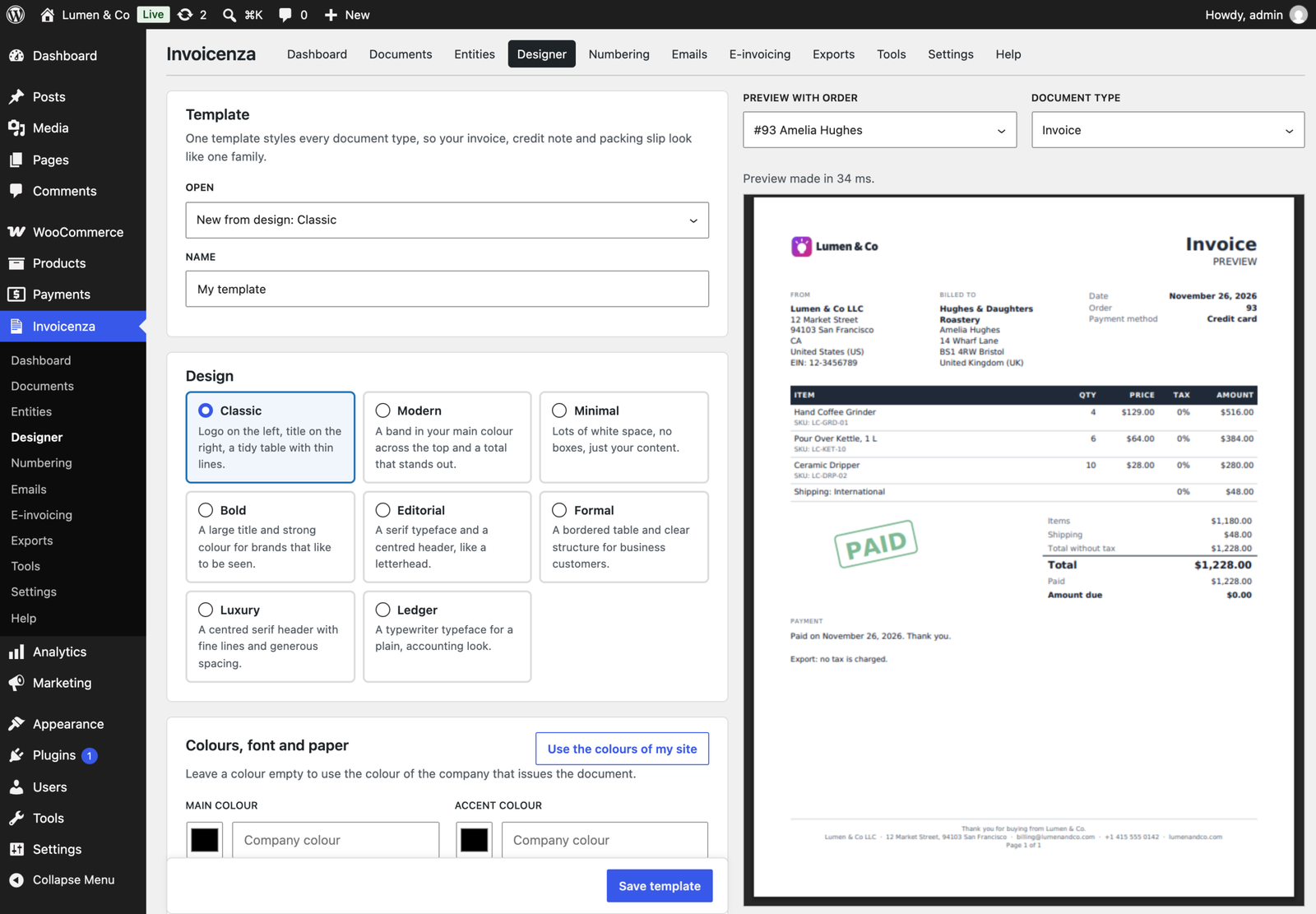
- Eight designs, each fully adjustable, with a live preview that is the real PDF
- Archival PDF/A-3 and tagged, accessible files
- A4, Letter, A5 and receipt rolls of 58 and 80 mm; DIN 5008 window envelopes
- Right to left documents for Arabic and Hebrew, built in
- Amounts are never cut: the item table rearranges itself on narrow paper
Electronic Invoices
UBL 2.1 (Peppol BIS Billing 3.0), UN/CEFACT CII, XRechnung 3.0 in both syntaxes, and Factur-X / ZUGFeRD in five profiles. Factur-X and ZUGFeRD files are embedded in the PDF; the other formats are stored next to it. Before an e-invoice is issued it is checked against the EN 16931 business rules, and a problem is explained in plain words with the place to fix it.
Sending e-invoices to a tax authority or into the Peppol network is not part of version 1.0. You download the file or attach it to the email.
Checks for 34 Countries
Country profiles know what an invoice usually has to show, from the German register court to the Indian GST split. A document that misses something stays a draft, takes no number and tells you what to add. You decide for every check whether it blocks, warns or stays quiet.
The checks are a help, not legal advice. Ask your tax adviser what your invoices must show.
Payment Details and QR Codes
Bank details of the company in the currency of the order, and a QR code the customer can scan to pay: SEPA transfer (EPC), Swiss QR-bill, UPI, Pix, or a link to the payment page. The codes are drawn by the plugin; no image service is called.
For Your Customers
- Attach documents to the WooCommerce emails you choose, or send a secure link
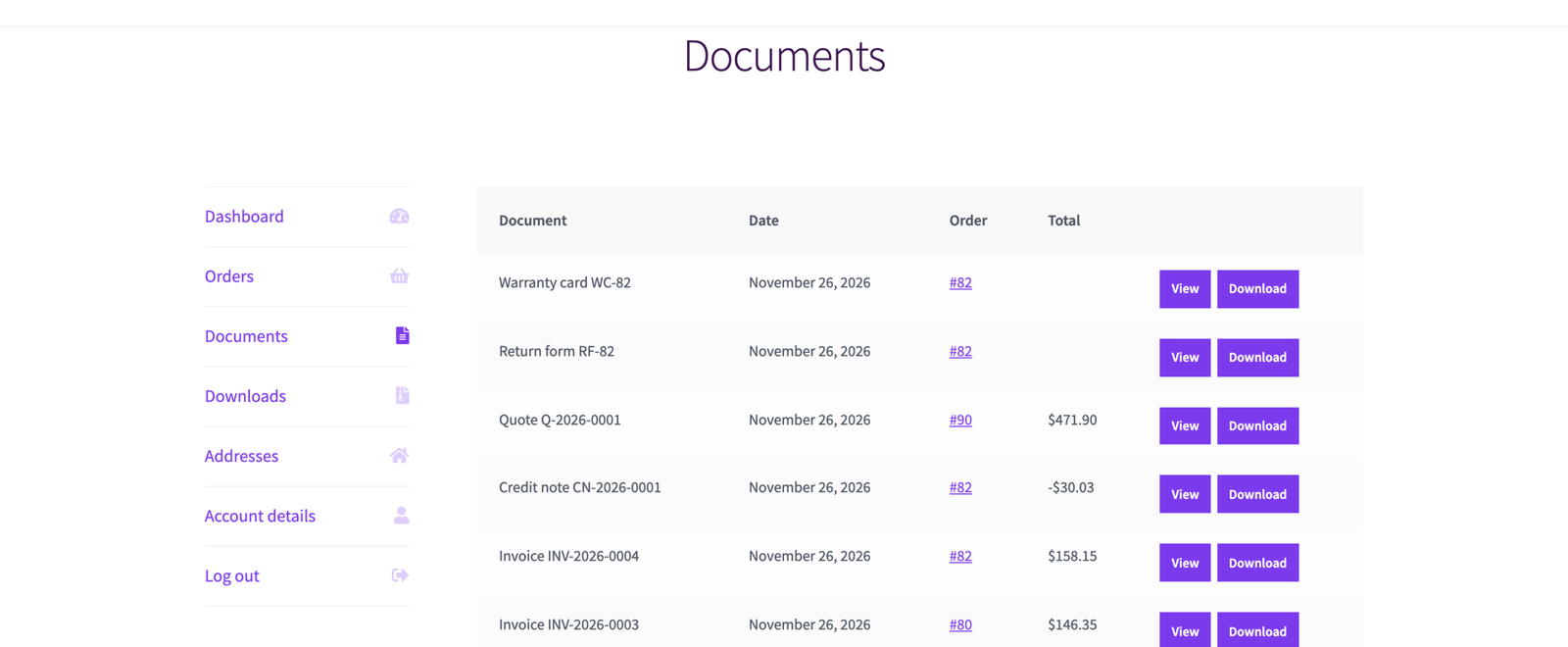
- A Documents page in My Account and a button on each order
- A clean web page for each document with a download button. Links are signed, expire when you want them to, and open one document only
For Your Team
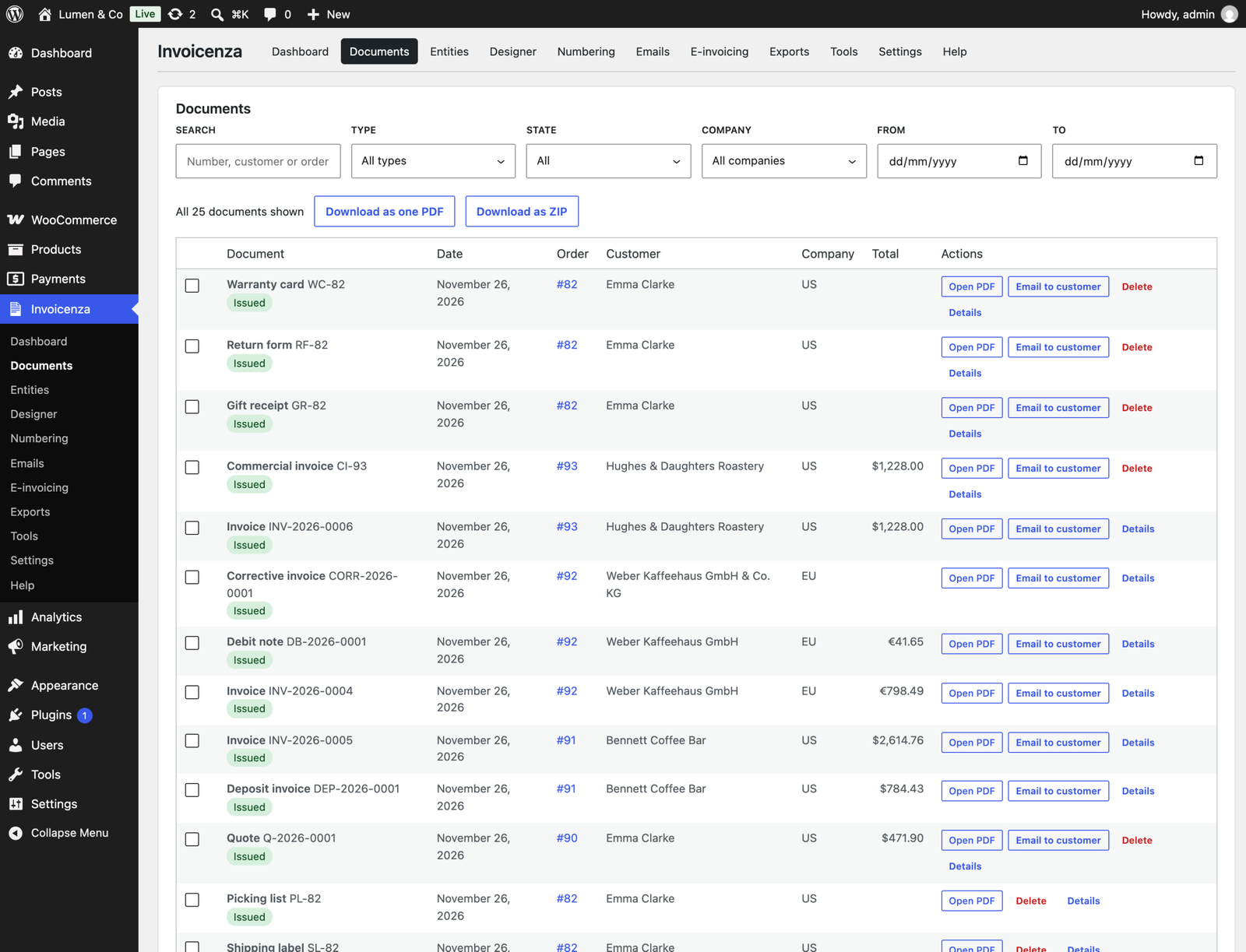
- A panel on every order with all its documents, their status, download, send and history
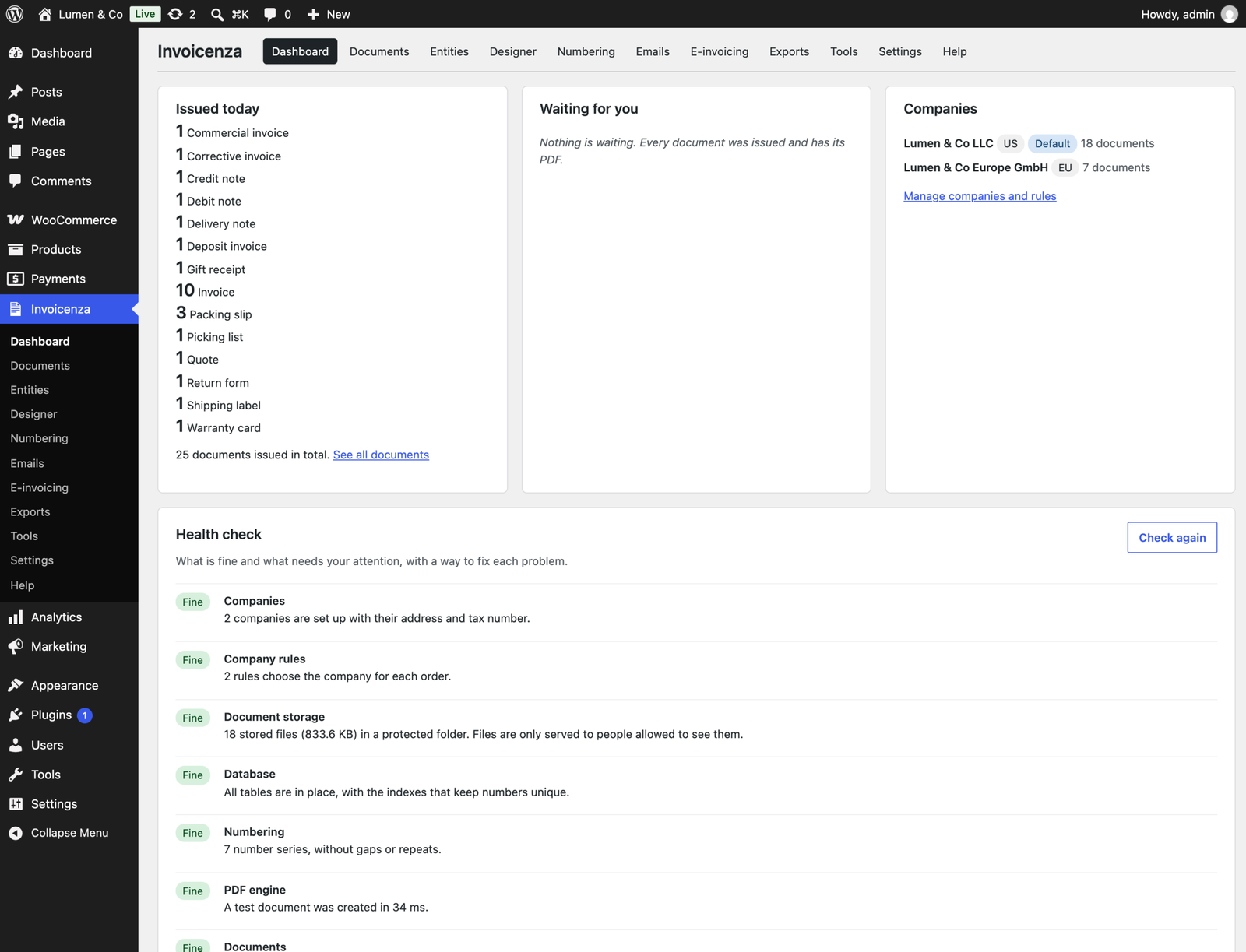
- A Documents screen with filters, bulk creation for a date range, one merged PDF for printing and ZIP downloads
- Bulk actions on the orders list: create and print any document type for the selected orders
- CSV export with one row for every tax rate of every document, and the same file sent to your accountant by email every week or month
- A dashboard with a health check, and a setup wizard that takes a few minutes
Security and Privacy
- Documents are stored in a protected folder and are only served to people who are allowed to see them
- Customers only ever see their own documents
- The plugin calls no outside service. Nothing about your orders leaves your site
- Personal data follows the export and erasure tools of WordPress, within the retention period your country sets for invoices
How Invoicenza Compares
We read the public pages of four well known plugins on 26 November 2026. "Not listed" means we did not find it on their pages; it does not mean it cannot be done. Features and prices change, so check their sites before you decide.
| Invoicenza Pro | WP Overnight PDF Invoices & Packing Slips | WebToffee PDF Invoices, Packing Slips, Delivery Notes & Shipping Labels | YITH PDF Invoices & Packing Slips | Germanized Pro | |
|---|---|---|---|---|---|
| How it is sold | One plugin, everything included | Free plugin plus paid extensions | Free plugin plus several paid plugins | Paid plugin | Free plugin plus Pro |
| Several companies in one store, each with its own number series | Included | Not listed | Not listed | Vendors, with their separate Multi Vendor plugin | Not listed |
| Credit notes | Included | Paid Professional extension | Paid version | Included | Cancellations |
| Pro forma invoice | Included | Paid Professional extension | Separate paid plugin | Included | For shipments abroad |
| Delivery note | Included | Paid Professional extension | Free version | Not listed | Not listed |
| Shipping and dispatch labels | Included (address labels, no postage) | Not listed | Free version | Not listed | Carrier labels with postage |
| Address labels on sheets | Included | Not listed | Separate paid plugin | Not listed | Not listed |
| Picking list | Included, also one for many orders | Not listed | Separate paid plugin | Not listed | Not listed |
| Quotes the customer accepts online | Included | Separate paid extension | Separate paid plugin | Separate plugin | Not listed |
| Deposit and final invoices | Included | Not listed | Not listed | Not listed | Not listed |
| Debit notes | Included | Not listed | Not listed | Not listed | Not listed |
| Corrective invoices | Included | Not listed | Not listed | Mentioned in its changelog only | Not listed |
| Commercial invoice for customs | Included | Not listed | Not listed | Not listed | Included |
| E-invoice formats | UBL, CII, XRechnung, Factur-X, ZUGFeRD | UBL, Peppol BIS, CII, Factur-X, ZUGFeRD | UBL, Peppol, XRechnung | XML for the Italian tax agency | ZUGFeRD, XRechnung, Peppol BIS |
| Arabic and Hebrew (right to left) | Built in | Needs their separate mPDF extension | Full support through their separate mPDF add-on | Not stated | Not stated |
| PDF engine | Its own, no PDF library | dompdf (mPDF by extension) | dompdf (mPDF by add-on) | mPDF | mPDF |
| Invoice numbers | Gap free by design, tested with orders paid at the same moment | Sequential | Order number or own series | Sequential | Consecutive, given when the invoice is finalised |
| Issued invoices cannot be changed | Yes | Not stated | Not stated | Not stated | Yes |
Where others are stronger today:
- Carrier labels with paid postage. Germanized creates labels of DHL, Deutsche Post and other carriers. Invoicenza labels carry addresses; postage comes from your carrier or shipping software.
- Sending e-invoices into the Peppol network. WP Overnight offers this as a separate paid extension. Invoicenza creates and checks the file; you send it.
- German shop law. Germanized is a full toolkit for selling in Germany, far beyond documents. Invoicenza is a document plugin and works beside it.
What Invoicenza Does Not Do
- It does not buy postage or print carrier barcodes
- It does not send e-invoices to a tax authority or into the Peppol network
- It has no customer statements and no single invoice for many orders yet
- Its country checks are a help, not legal advice
Works With
| Tested with | |
|---|---|
| WordPress | 7.1 (requires 6.5 or newer) |
| WooCommerce | 11.3 (requires 8.5 or newer) |
| PHP | 7.4, 8.2 and 8.5 for the PDF engine, e-invoices, checks and QR codes; 8.2 for the full plugin |
| High Performance Order Storage | Yes |
| Cart and Checkout blocks | Declared compatible |
For Developers
WP-CLI commands, four PHP functions and more than fifty documented actions and filters: add document types, template blocks, rule conditions, settings, label formats, importers and health checks. The Help screen inside the plugin lists them all.
Requirements
WordPress 6.5, WooCommerce 8.5 and PHP 7.4 or newer. No other plugin, library or service is needed.
Changelog
1.0.0 First release.
Details
At a glance
- Latest version
- 1.0.0
- Last updated
- November 26, 2026
- Type
- Pro plugin
Requirements
- PHP version
- 7.4
- WordPress (min)
- 6.5
- WordPress (tested)
- 7.1
- WooCommerce (min)
- 8.5
- WooCommerce (tested)
- 11.3.1
Share
You might also like
 Pro
Plusero Extra Fees for WooCommerce
Charge conditional extra fees on WooCommerce products, carts, checkout, shipping and payment methods. Add tiered, optional, scheduled and per currency fees, with reports.
From $49.00 One-time
Live demo-
Pro
Anticipo Pre-Orders for WooCommerce
Sell products before they exist: deposits, pay on release or cards charged on release. Add allocation limits, reports and an automatic release day.
From $49.00 One-time
Live demo -
Pro
Dispatchio Advanced Shipment Tracking for WooCommerce
Shipment tracking for WooCommerce with 285 carriers, Shipped and Delivered statuses, tracking emails and live carrier updates. Works with your existing tracking data.
From $49.00 One-time
Live demo