Your cart is empty.
Browse plugins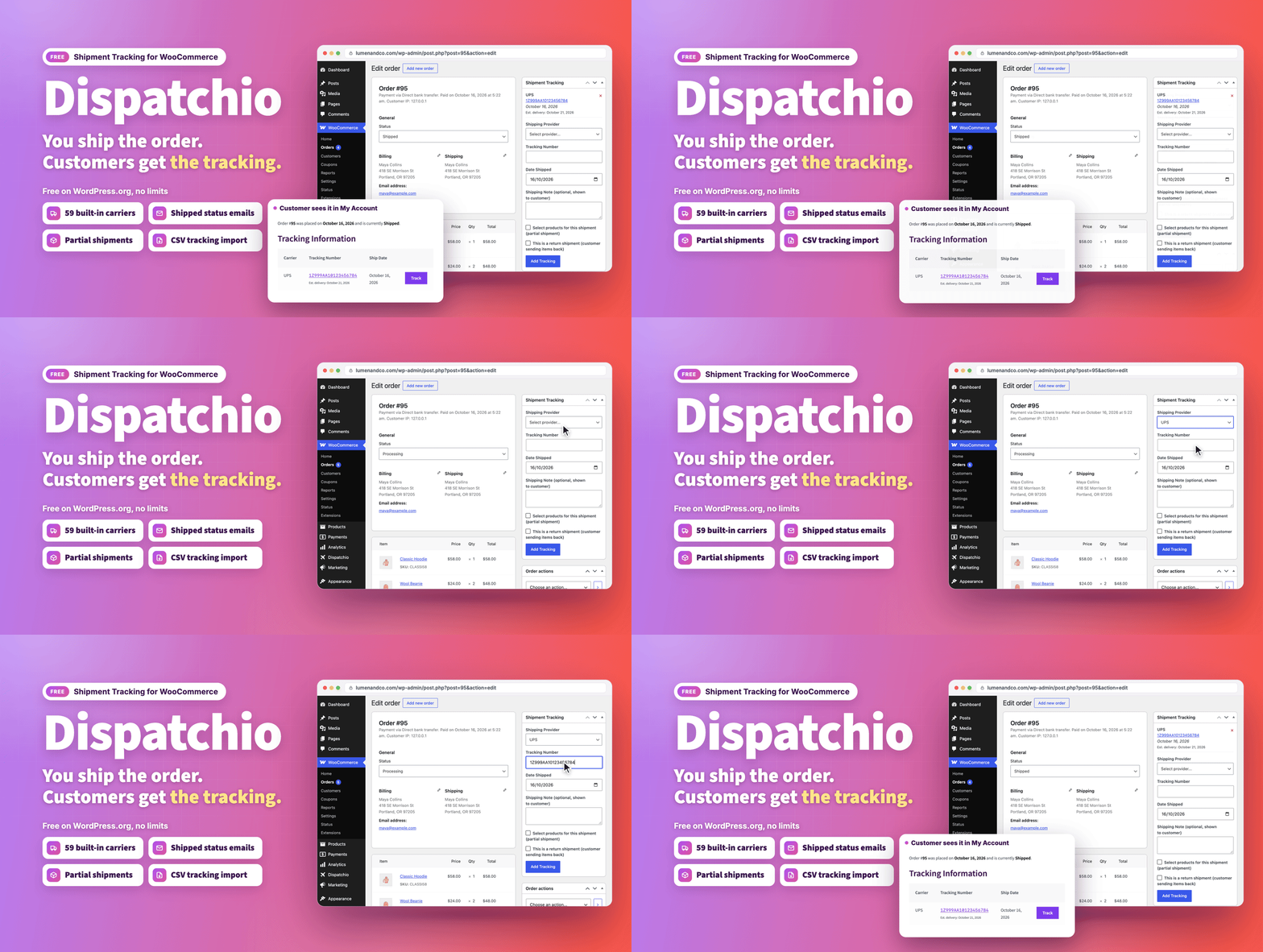
Overview
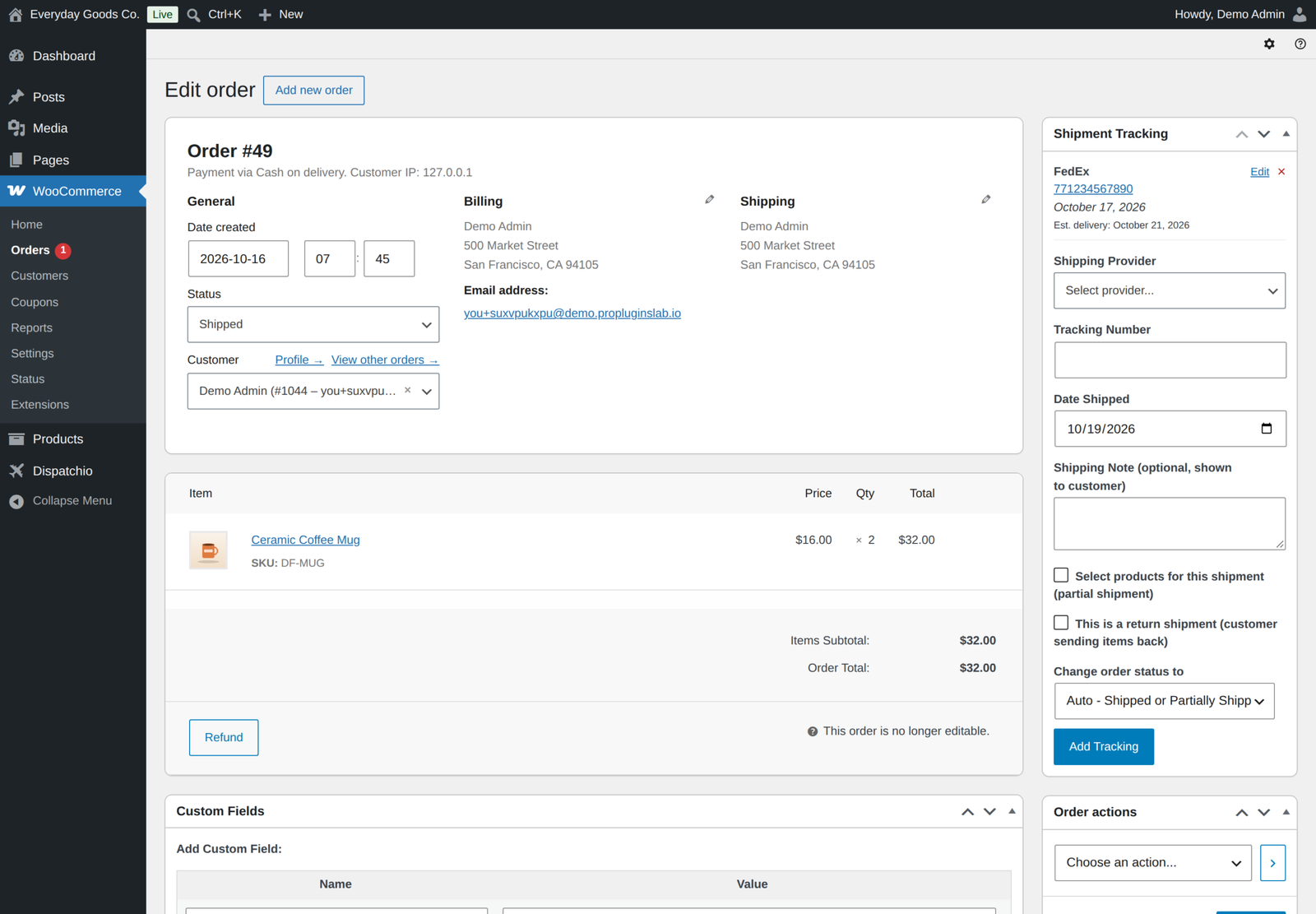
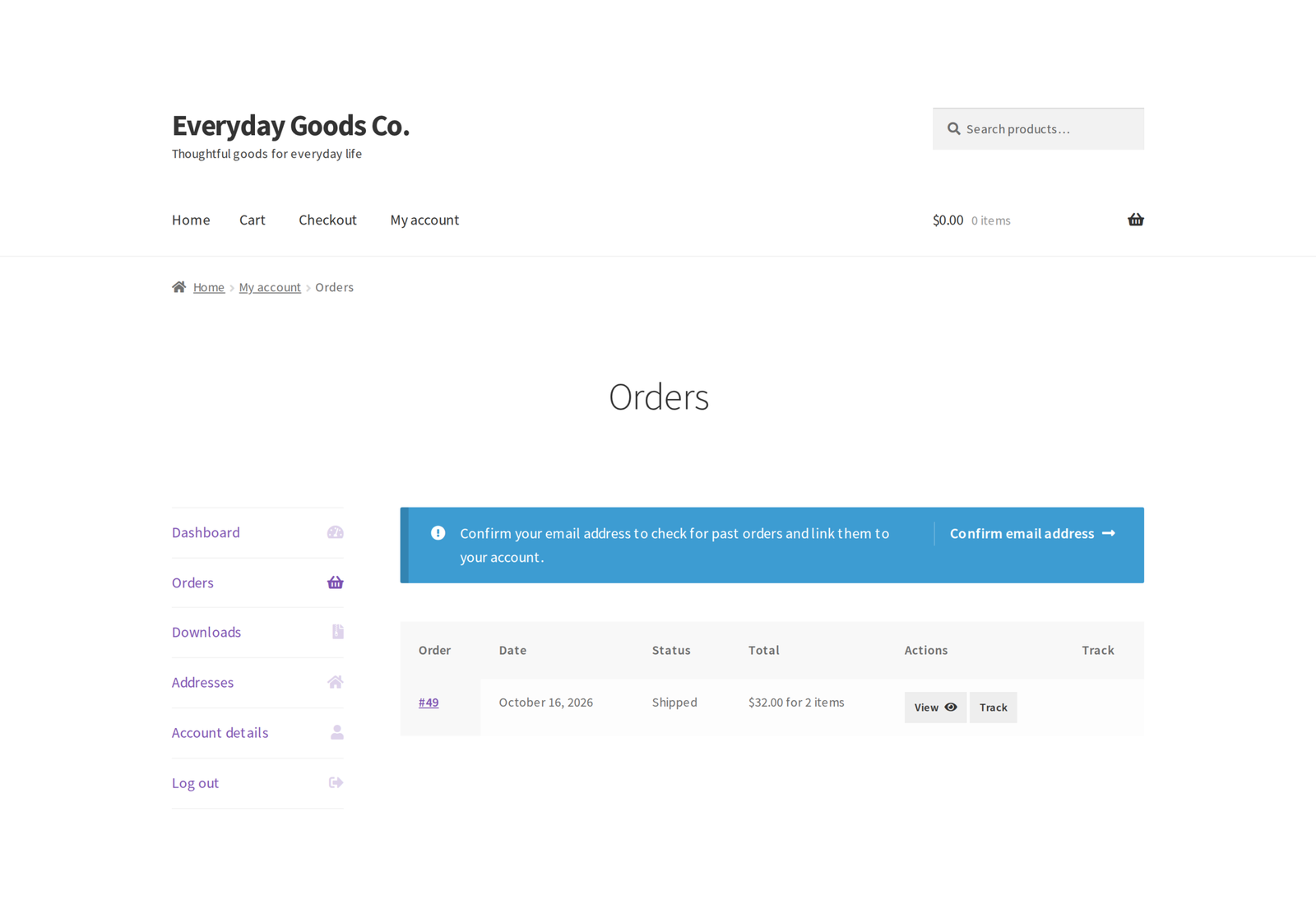
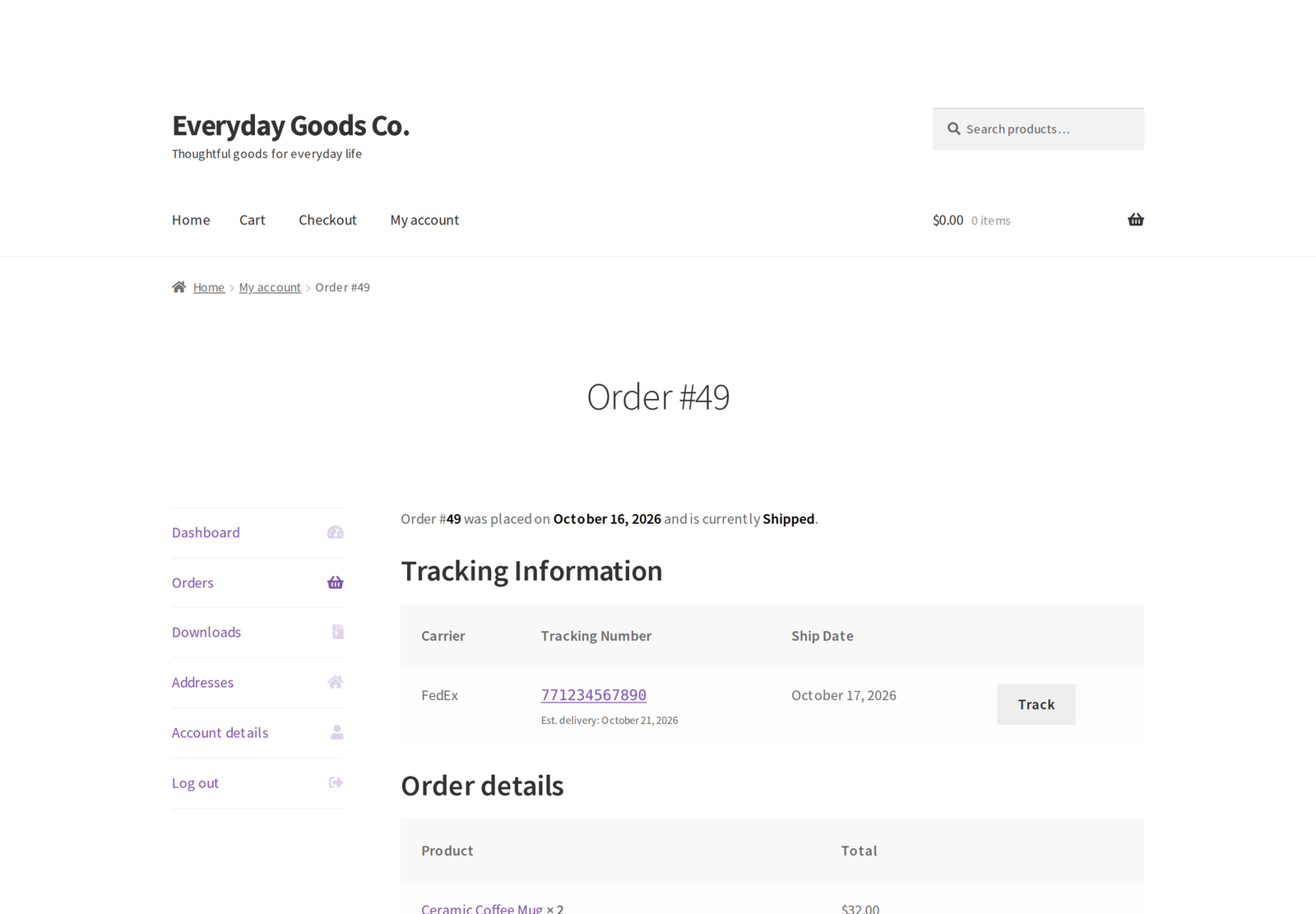
Dispatchio turns order fulfillment into a routine your staff can follow without thinking about it. Add a tracking number to an order, and Dispatchio picks the right order status, emails the customer a working tracking link, and shows the shipment in My Account.
Everything described below is included and fully functional. There is no licence key, no trial period and no usage limit.
What's new in 1.3.0 (October 17, 2026)
- Fix tracking after it is saved. Each tracking number has an Edit link on the order screen, and the REST API accepts PUT to change the number, carrier, date or note without touching the order status.
- Correct tracking in bulk. Set
replace_trackingin a CSV import or REST request to replace an order's existing tracking, while return shipments are kept. - 285 built-in carriers. The 226 new national posts and couriers are added switched off, and new "Activate all shown" and "Deactivate all shown" buttons turn a filtered list on or off at once.
- Customers see what is in each parcel. The items in each parcel of a partial shipment show in My Account, in emails and on the order screen.
- Optional Updated Tracking on new parcels. Tracking added to an order that is already Shipped can move it to Updated Tracking, which sends that status's email.
- Suppliers keep working without changes. The REST API also answers under
wc-shipment-tracking/v3, and tracking sent withoutstatus_shippedkeeps the order's current status. - Tracking from other plugins is picked up. When a supplier or another plugin writes tracking straight into an order, the "Tracking from other plugins" setting decides the status it sets.
- Settings that now take effect. The My Account, orders list column and carrier auto-detect switches work, switched-off statuses are never used, and large CSV imports no longer stop on the PHP time limit.
Add tracking to any order
- Unlimited tracking numbers per order, added from a box on the order edit screen.
- Works with High Performance Order Storage (HPOS) and with the classic post-based order tables.
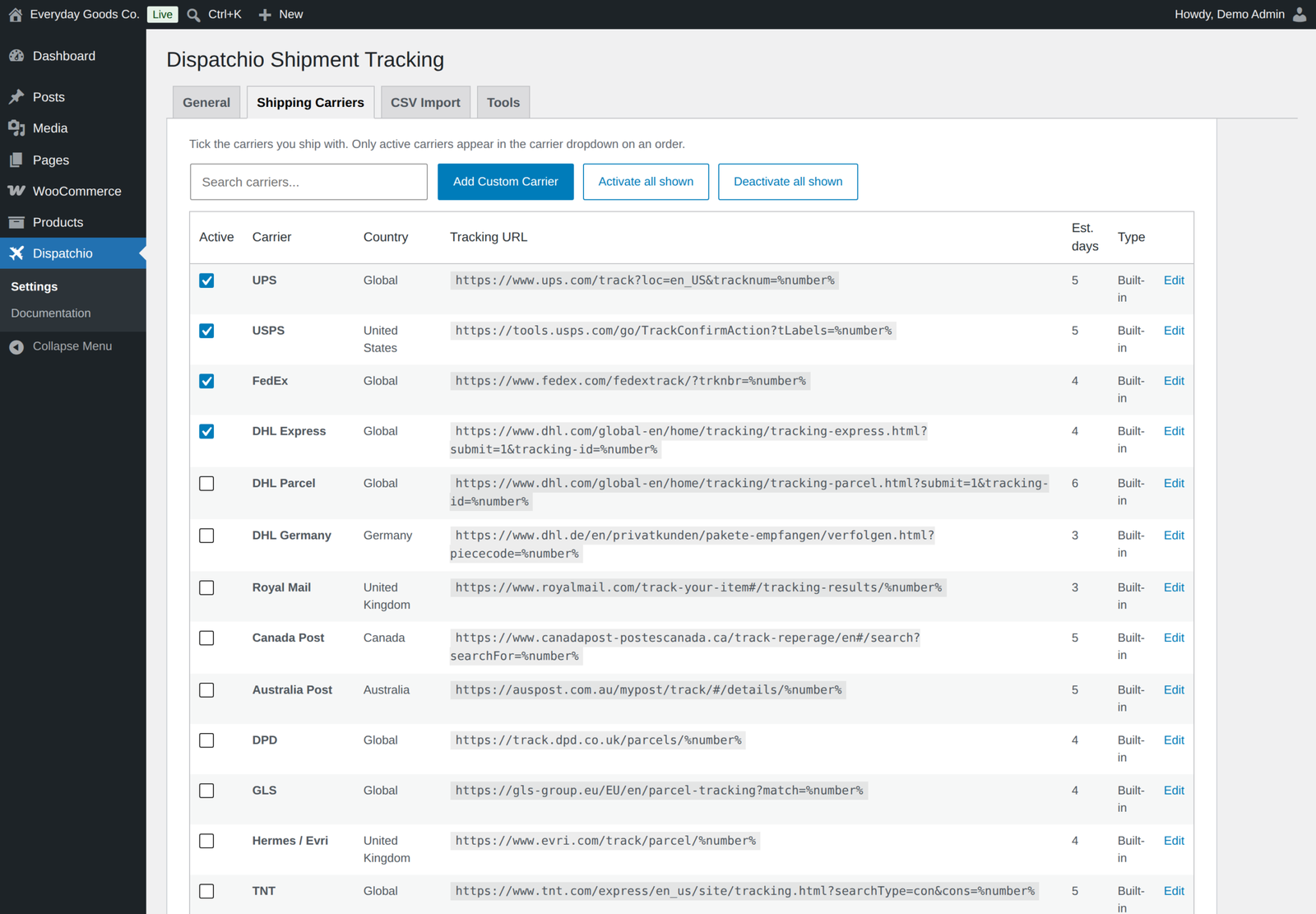
- 285 built-in carriers worldwide with ready-made tracking URLs, plus your own custom carriers.
- Rename any built-in carrier, give it API aliases, and set its own tracking URL.
- Ship part of an order: pick the products and quantities that went in this parcel. Customers see the items in each parcel.
- Edit a tracking number, carrier, date or note after it is saved.
- Add a short note to a shipment that the customer sees alongside the tracking link.
- Carrier auto-detect suggests the carrier from the shape of the tracking number, which makes barcode scanning fast.
- Mark a tracking number as a return so it never changes the outbound order status.
A fulfillment workflow, not just a text field
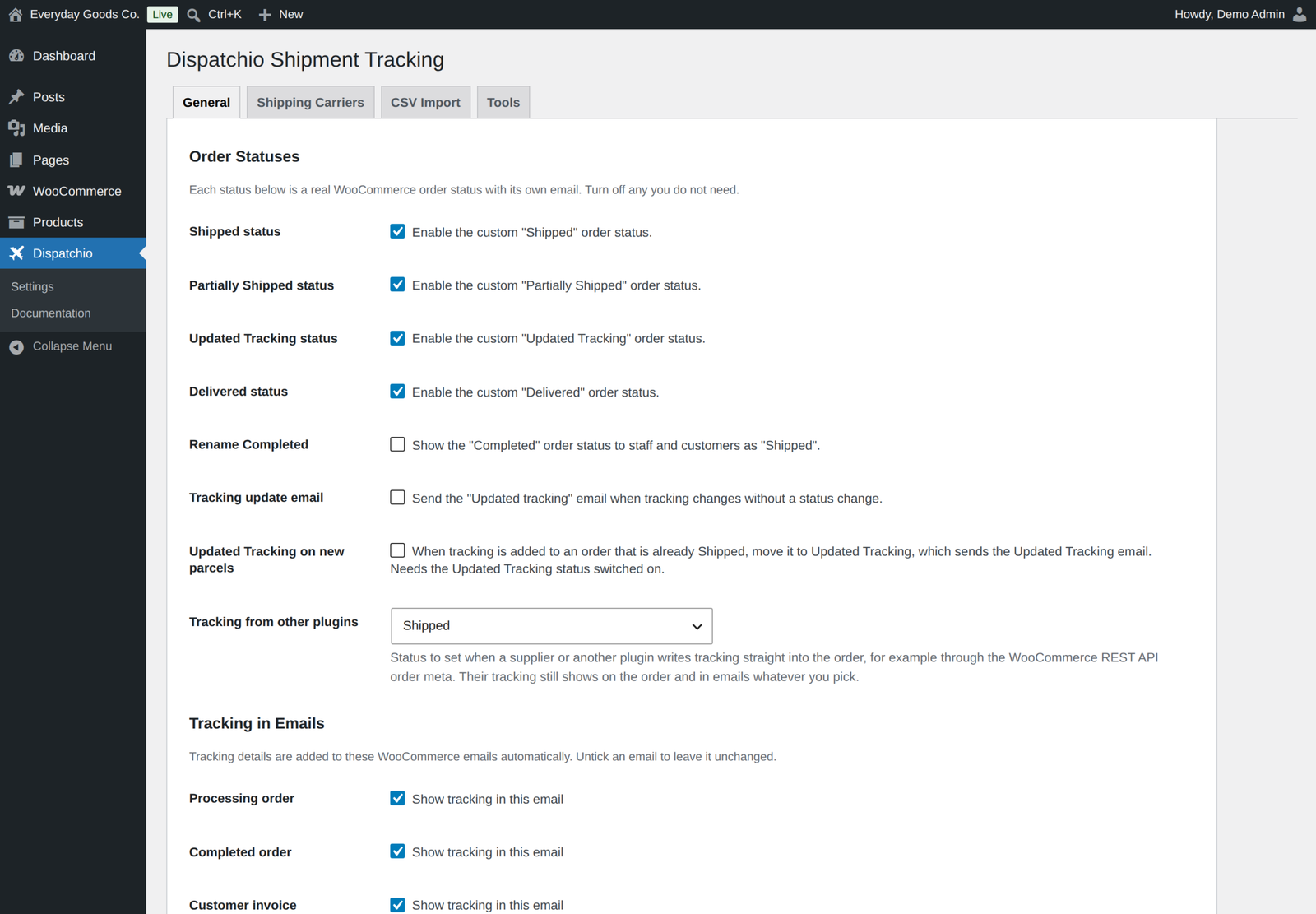
- Four optional order statuses: Shipped, Partially Shipped, Updated Tracking and Delivered.
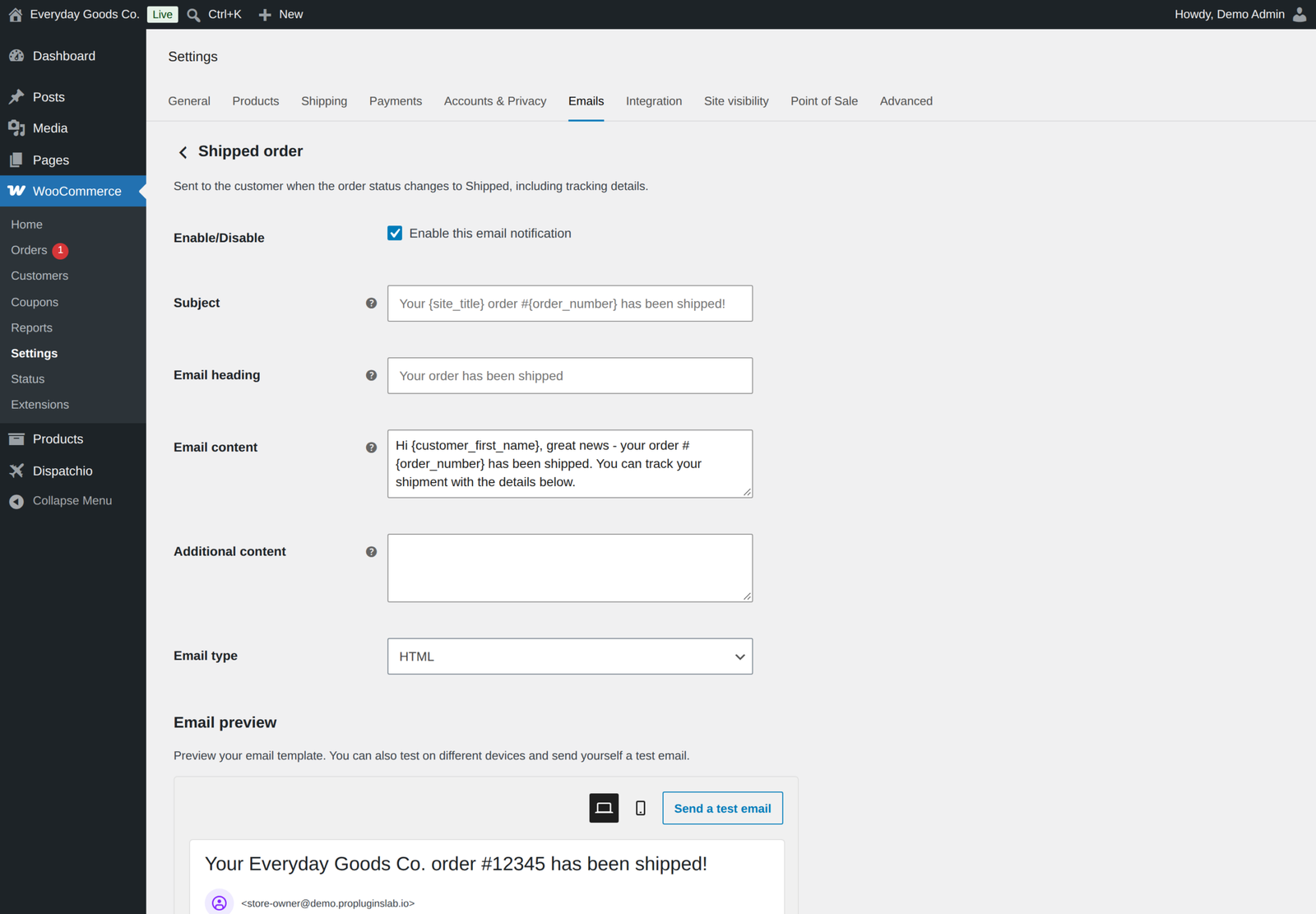
- Each status is a real WooCommerce order status with its own customer email.
- Every email has an editable subject, heading, intro and extra content, with {tracking_number}, {carrier_name} and {tracking_url} placeholders.
- Optionally show the standard "Completed" status as "Shipped" instead.
- Optionally move an order that is already Shipped to Updated Tracking when a new parcel is added.
- Choose the status for tracking added by suppliers and other plugins: Shipped, Shipped or Partially Shipped by the items covered, Completed, or no change.
- Tracking details are appended to your existing WooCommerce emails, and you choose which ones.
- A Tracking column in the orders list shows what has shipped at a glance.
- Filter the orders list to show only orders with tracking, or only those still waiting for it, and search orders by tracking number.
Import and automate
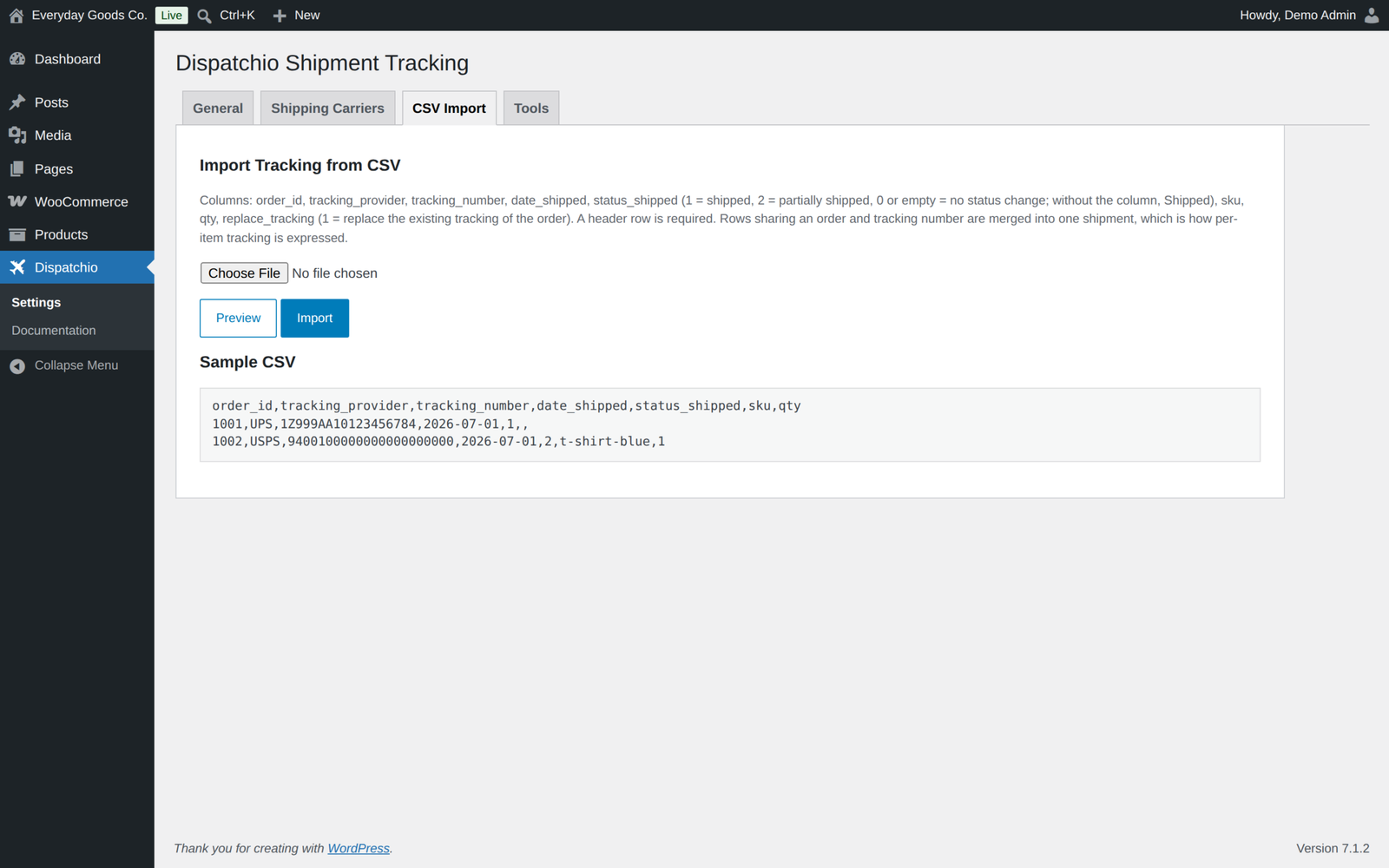
- CSV import with a preview step, per-item SKU and quantity support, duplicate protection and an optional
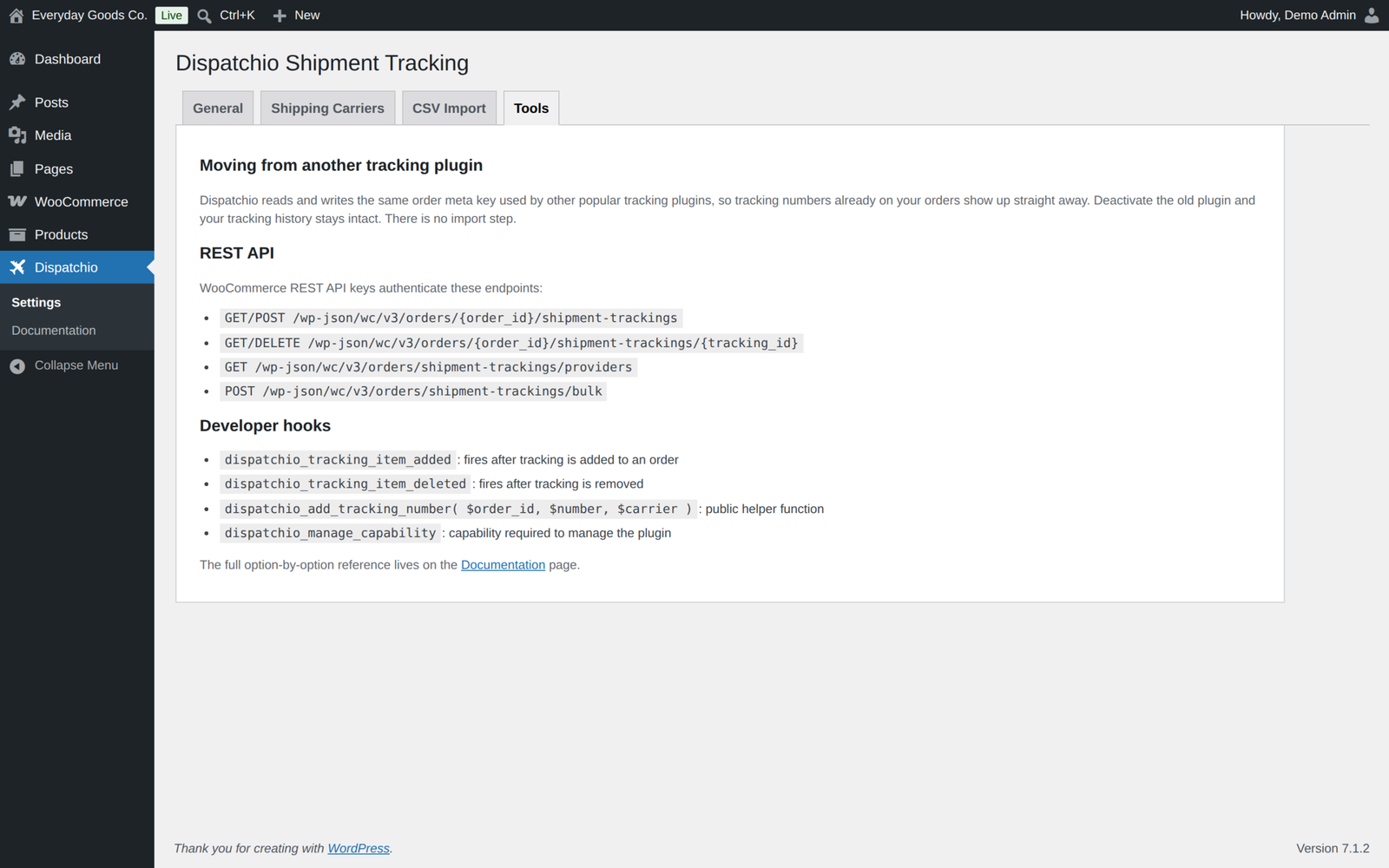
replace_trackingcolumn. - REST API endpoints that match the shape and routes used by other tracking plugins, including a bulk endpoint, editing with PUT and
replace_tracking, authenticated with standard WooCommerce API keys. - Tracking that a supplier or another plugin writes straight into the order is picked up, with a setting for the status it sets.
- Estimated delivery dates, calculated from the days you set per carrier.
Switching from another tracking plugin
Dispatchio reads and writes the same order meta key that other popular tracking plugins use. Tracking numbers already on your orders appear immediately. There is no import step and nothing to migrate. Suppliers that post tracking to your store keep working, and tracking they write straight into an order is picked up too.
Built to be safe
- The plugin makes no outbound connections: no analytics, no licence check and no remote API.
- Every AJAX and admin action verifies a nonce and a user capability.
- Every database query is prepared or uses the WordPress query builder with explicit column formats.
- Uploaded CSV files are size-capped, content-checked, stored in a directory that denies direct web access, and deleted once processed.
- Deleting the plugin leaves your order tracking data alone unless you explicitly ask for it to be removed.
Documentation
A Documentation page is built into the plugin, under Dispatchio, Documentation. It explains every setting, the CSV format, the REST endpoints and the developer hooks, so you never have to leave your dashboard to look something up.
Dispatchio Pro
Dispatchio Pro is a separate plugin, available from this website. It adds live carrier tracking through TrackShip, 17TRACK, AfterShip or TrackingMore with carrier status emails and a Shipments screen, a fulfillment dashboard with barcode scanner mode, scheduled FTP, FTPS and SFTP imports, integrations for 14 shipping apps, PayPal and Stripe tracking sync, shipment analytics, a public tracking page with your logo, outbound webhooks, WP-CLI commands and Dokan and WCFM multi-vendor support.
Pro replaces this plugin rather than unlocking parts of it, and none of its code is included here. Your carriers, settings and tracking numbers carry over. While Pro is active, this plugin stands by and does nothing, and neither edition ever deactivates the other.
Requirements
- WordPress 6.2 or newer, tested up to 7.1
- WooCommerce 5.2 or newer, tested up to 11.2.1
- PHP 7.4 or newer
Changelog
Every release, newest first, with the date it came out.
Version 1.3.0 (October 17, 2026)
- New: edit tracking. Each saved tracking number has an Edit link on the order screen, and the REST API accepts PUT to change a tracking item. The order status is left alone.
- New: replace_tracking in CSV imports and REST requests replaces an order's existing tracking, as in Advanced Shipment Tracking. Return shipments are kept.
- New: 226 more built-in carriers, 285 in total, covering national posts and major couriers in Europe, Turkey and the Middle East, Africa, Latin America, Asia and Oceania. New carriers are added switched off, so your carrier dropdown does not change.
- New: customers see the items in each parcel of a partial shipment in My Account and in their emails, and you see them on the order screen.
- New: optional "Updated Tracking on new parcels" setting: tracking added to an order that is already Shipped moves it to Updated Tracking.
- New: tracking that a supplier or another plugin writes straight into the order meta, for example through WooCommerce REST meta_data, is picked up when the order is saved, and a "Tracking from other plugins" setting picks the status it sets.
- New: the REST API also answers under wc-shipment-tracking/v3, and GET /orders/{order_id}/shipment-trackings/providers is available. REST responses include the products list and estimated delivery date.
- New: "Activate all shown" and "Deactivate all shown" buttons on the Shipping Carriers tab.
- Fix: the My Account, orders list column and carrier auto-detect switches on the General tab now take effect.
- Fix: adding tracking through the REST API without status_shipped no longer moves the order to Shipped.
- Fix: with the Delivered, Partially Shipped or Updated Tracking status switched off, orders are never moved into it.
- Fix: a products list that names products by id or SKU, as suppliers send, now counts towards Shipped versus Partially Shipped.
- Fix: tracking links for DTDC, Estafeta, LaserShip (now OnTrac) and India Post. Your own edits to those carriers are kept.
- Fix: a same-day ship date no longer looks older than the order.
- Fix: "Delete data on uninstall" now removes every Dispatchio option and temporary value, not only the general settings.
- Fix: a "translation loading triggered too early" notice when another plugin asked for paid order statuses before WordPress had loaded translations.
- Improved: the CSV import no longer stops on large files because of the PHP time limit.
Version 1.2.0 (October 15, 2026)
- New: filter the WooCommerce orders list by tracking. Pick "With tracking" or "Without tracking" in the dropdown next to the other order filters. Works with High Performance Order Storage and the classic order tables.
- Security hardening: product lists sent through the REST API are now cleaned to the expected fields before they are stored, and every PHP file, including the folder index files, now refuses direct access.
- Staged CSV import files now live in a protected uploads folder named after the plugin (uploads/dispatchio-shipment-tracking-for-woocommerce). The old dispatchio-imports folder is removed automatically.
- Deleting the free plugin while Dispatchio Pro is still installed now keeps the shared settings and tables, even when "Delete data on uninstall" is ticked.
- The PayPal carrier code field, which only the Pro edition uses, is no longer shown in the free edition. Stored codes are kept.
- The Pro upgrade notice is shown only to users who can install plugins, and the extra Pro paragraph on the Tools tab was removed.
- While Dispatchio Pro is active, the free edition stays idle and its notice now appears on the Plugins screen only. Neither edition ever deactivates the other.
- Tested with WordPress 7.1.3 and WooCommerce 11.2.1.
Version 1.1.1 (October 6, 2026)
- The tracking number itself is now a link to the carrier's tracking page, in My Account and in shipment emails, so customers can click through to the carrier instead of copying the number across.
Show earlier versions (1.0.0 to 1.1.0)
Version 1.1.0 (September 22, 2026)
- New: search orders by tracking number with High Performance Order Storage. Pick "Tracking number" in the orders search dropdown.
- New: {tracking_number}, {carrier_name} and {tracking_url} placeholders for the subject, heading, intro and additional content of every Dispatchio shipment email.
- Links moved to propluginslab.io.
- Added Pro upgrade banner on plugin screens.
- Tested with WordPress 7.1.1 and WooCommerce 11.1.1.
Version 1.0.0 (August 27, 2026)
- First release.
Details
At a glance
- Last updated
- October 19, 2026
- Type
- Free plugin
Share
You might also like
 Pro
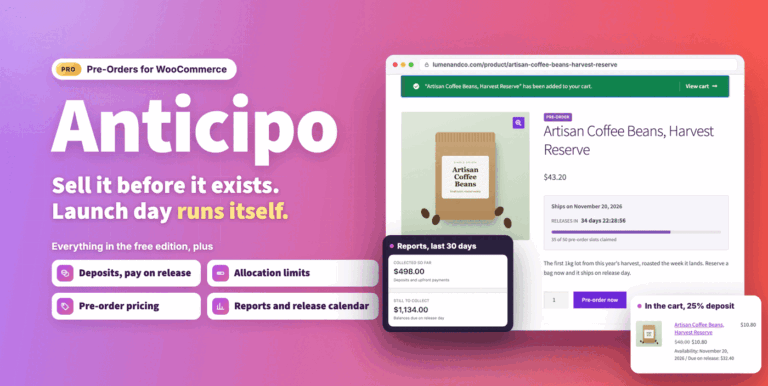
Anticipo Pre-Orders for WooCommerce
Sell products before they exist: deposits, pay on release or cards charged on release. Add allocation limits, reports and an automatic release day.
From $49.00 One-time
Live demo CodeCanyon
WooCommerce Hide Products
$15.00
-
Pro
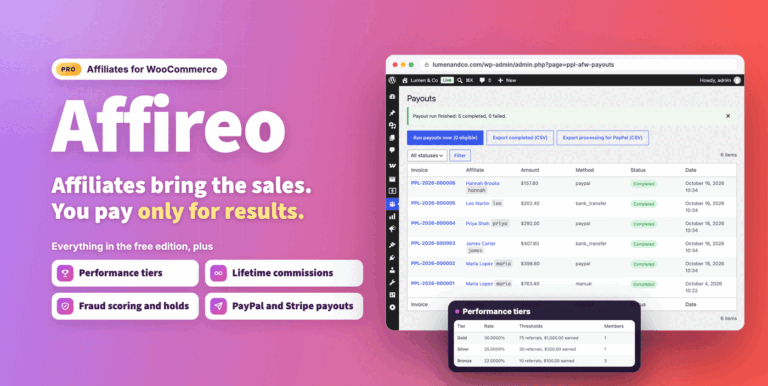
Affireo Affiliates for WooCommerce
Run a complete WooCommerce affiliate program from one plugin. Track referrals, pay per product and tiered commissions, stop fraud and schedule payouts.
From $49.00 One-time
Live demo