Your cart is empty.
Browse plugins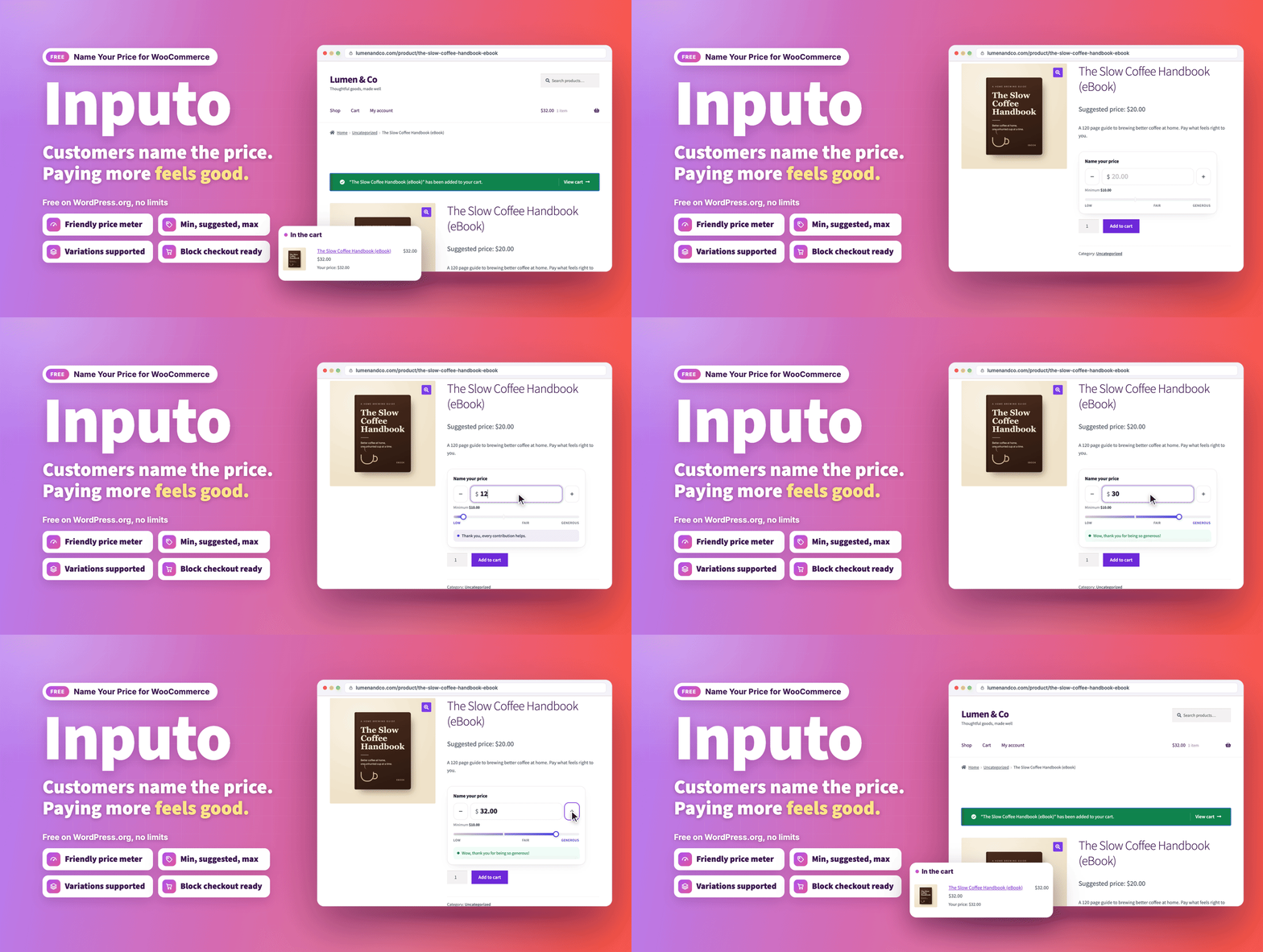
Overview
Let customers choose what they pay, with a price guide that keeps you in control.
Inputo turns any WooCommerce product into a pay what you want product. You decide the lowest amount you accept and the amount you suggest, and your customers choose what they pay. It works for digital downloads, donations, courses, artwork, tickets, tips and anything else where a flexible price makes sense.
It is free on WordPress.org and complete on its own: nothing in it is locked, limited or time restricted.
- Download: Inputo on WordPress.org
- Live demo: free version, Pro version
- Documentation: free version, Pro version
- Support: propluginslab.io/support
What's new in 1.3.0 (October 17, 2026)
- Variable products on block themes. In the Add to Cart with Options block, the default on block themes, the price box now follows the chosen variation, so named price variations can be bought.
- A meter screen readers can follow. The price meter no longer hides everything inside it from screen readers, only its drawing and level names.
- Tax that matches what was typed. With prices entered including tax and shown excluding tax, the typed amount now gets the shop's base tax back, as WooCommerce does, so the cart matches for customers outside your base country too.
- Free orders follow the right percentage. Whether a product may be taken for free now follows the minimum percentage that applies to it, so extensions that change a product's percentages are respected.
- New filters for developers. Change the wording of the price line per product, the product list filter, and amounts on their way to and from the shopper's currency.
- Fuller built in documentation. It lists every hook and browser event, names the Store API error code for each case, explains block themes and notes how coupons treat named prices.
How it works
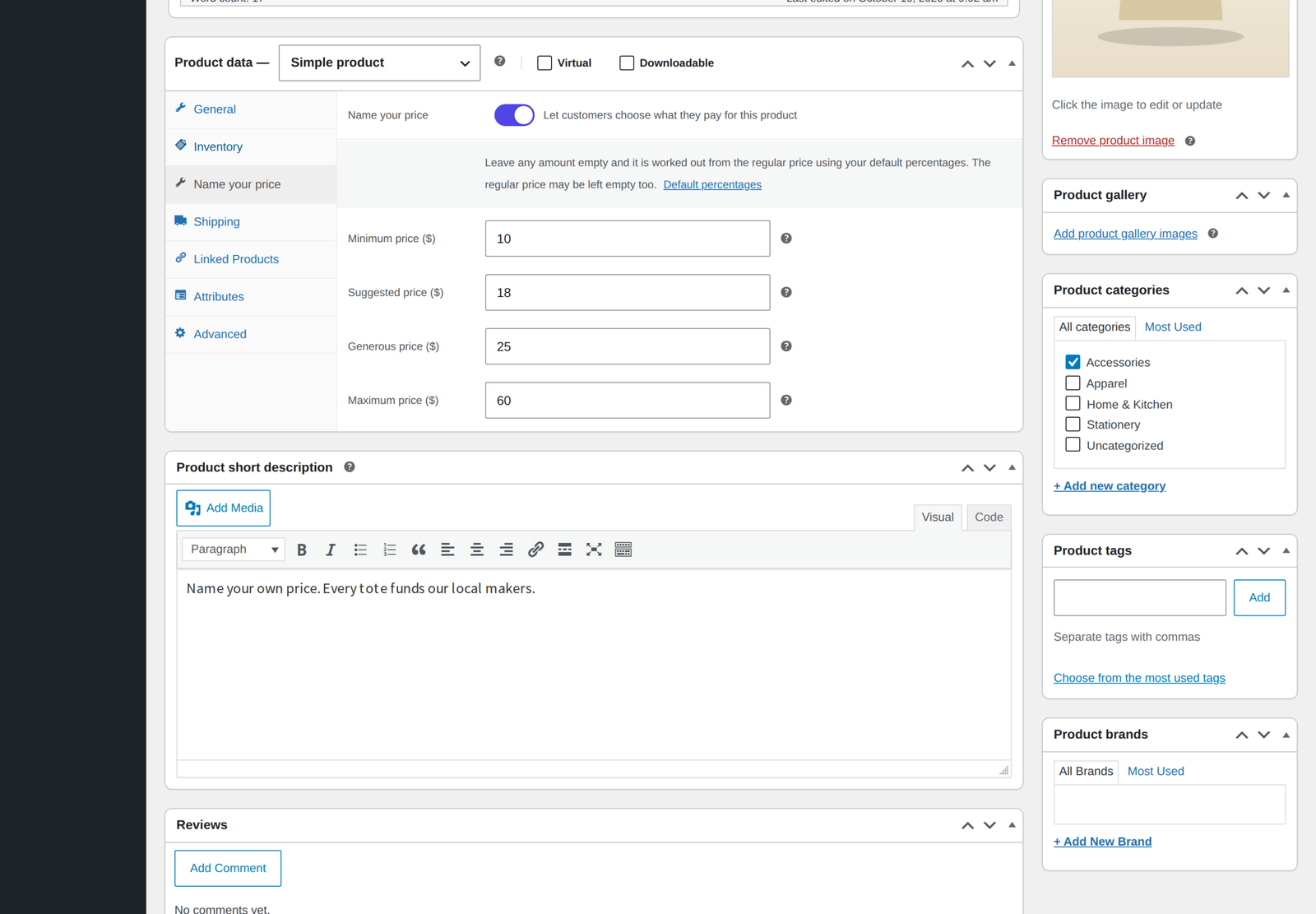
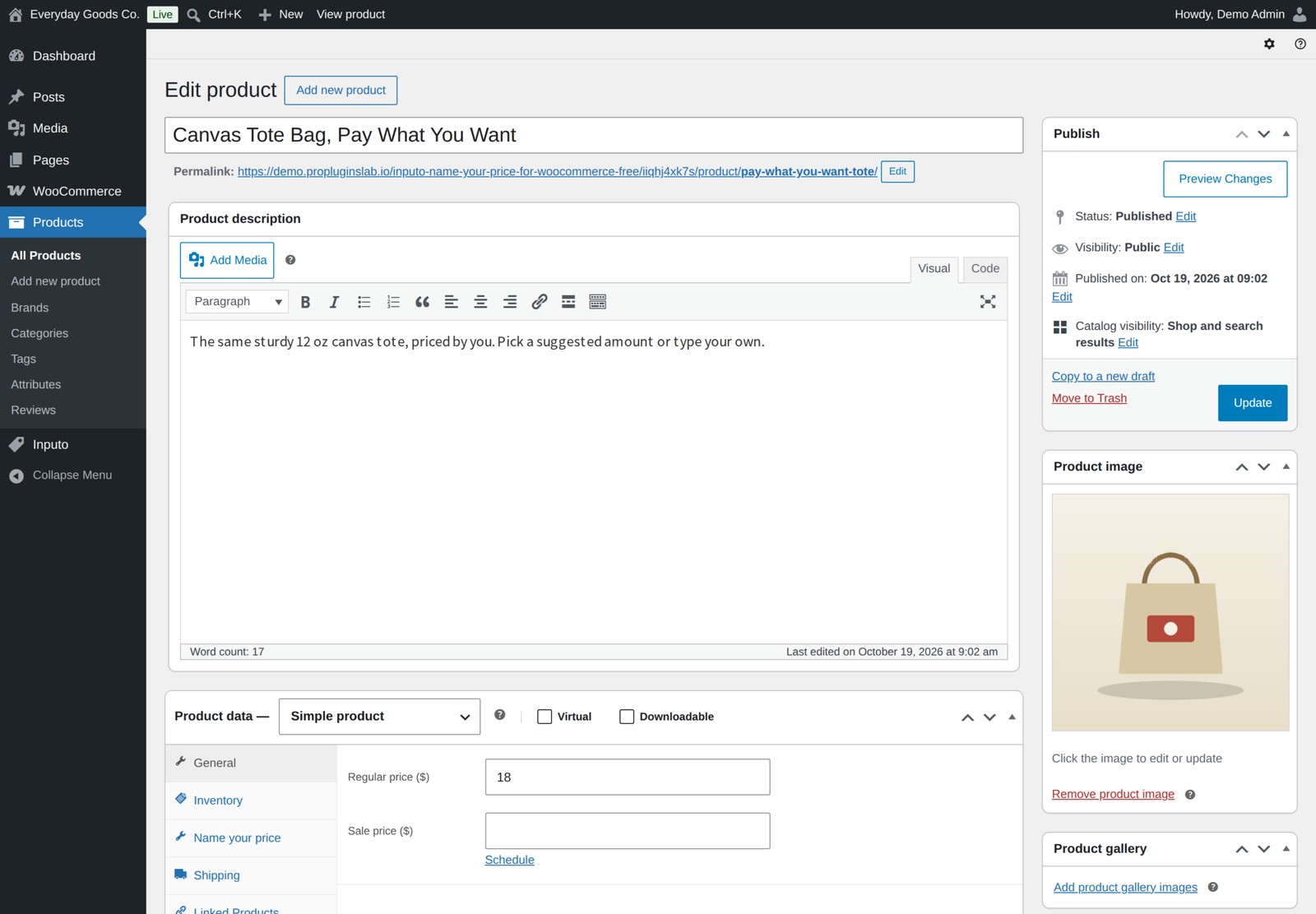
- Switch it on. Edit a product, open the Name your price tab in the Product data box and switch it on. For a variable product, tick Name your price in a variation's header.
- Set the price guide. Type the amounts on the product, or leave them empty and let them be worked out from the regular price.
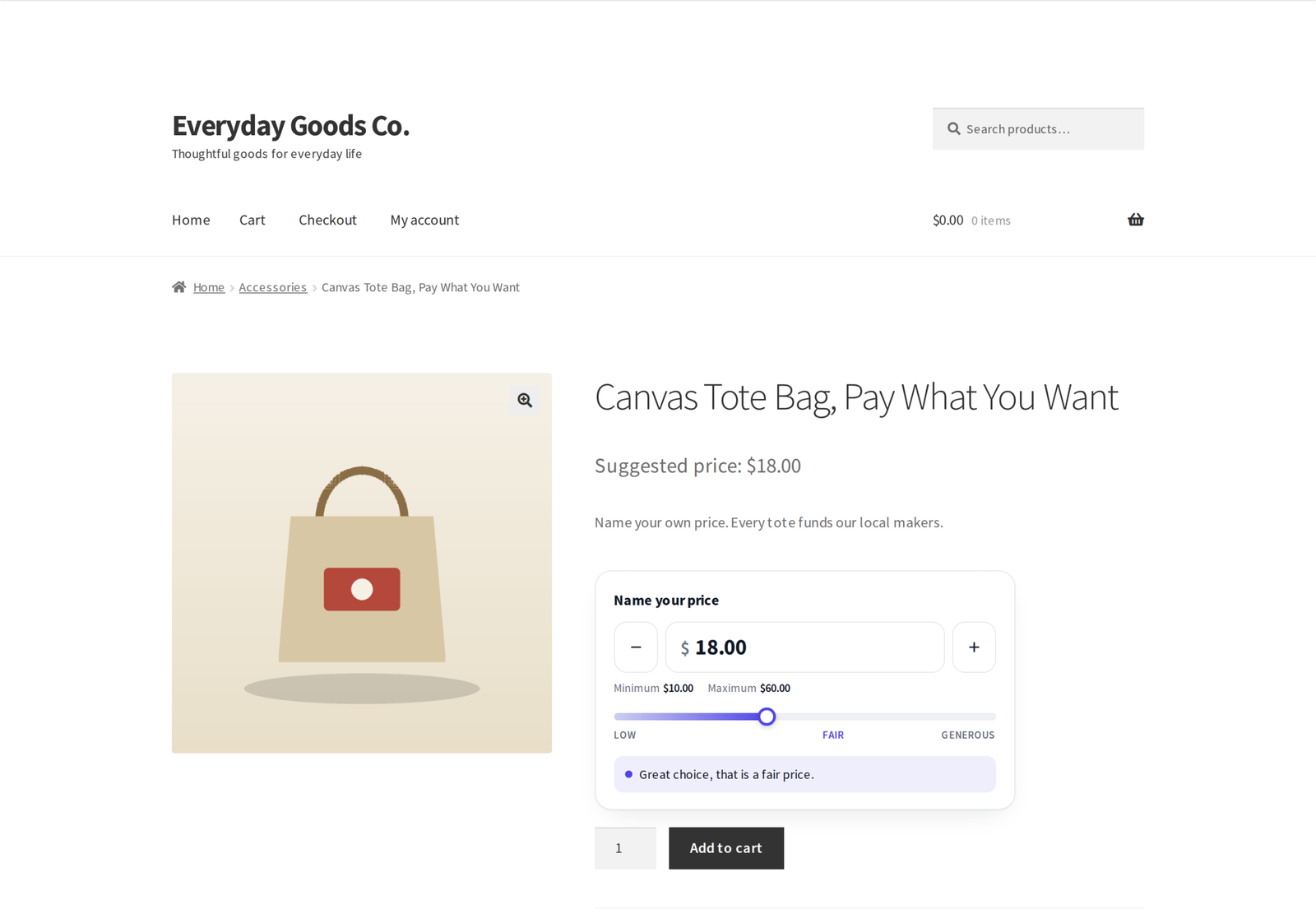
- The customer chooses. They type their amount on the product page and the price meter responds as they go.
- Checkout as normal. The amount is checked on the server and carries through cart, checkout and the order like any other price.
A price guide, not just a box
- Four amounts per product. Every product has a minimum, a suggested, a generous and an optional maximum amount, per product or per variation.
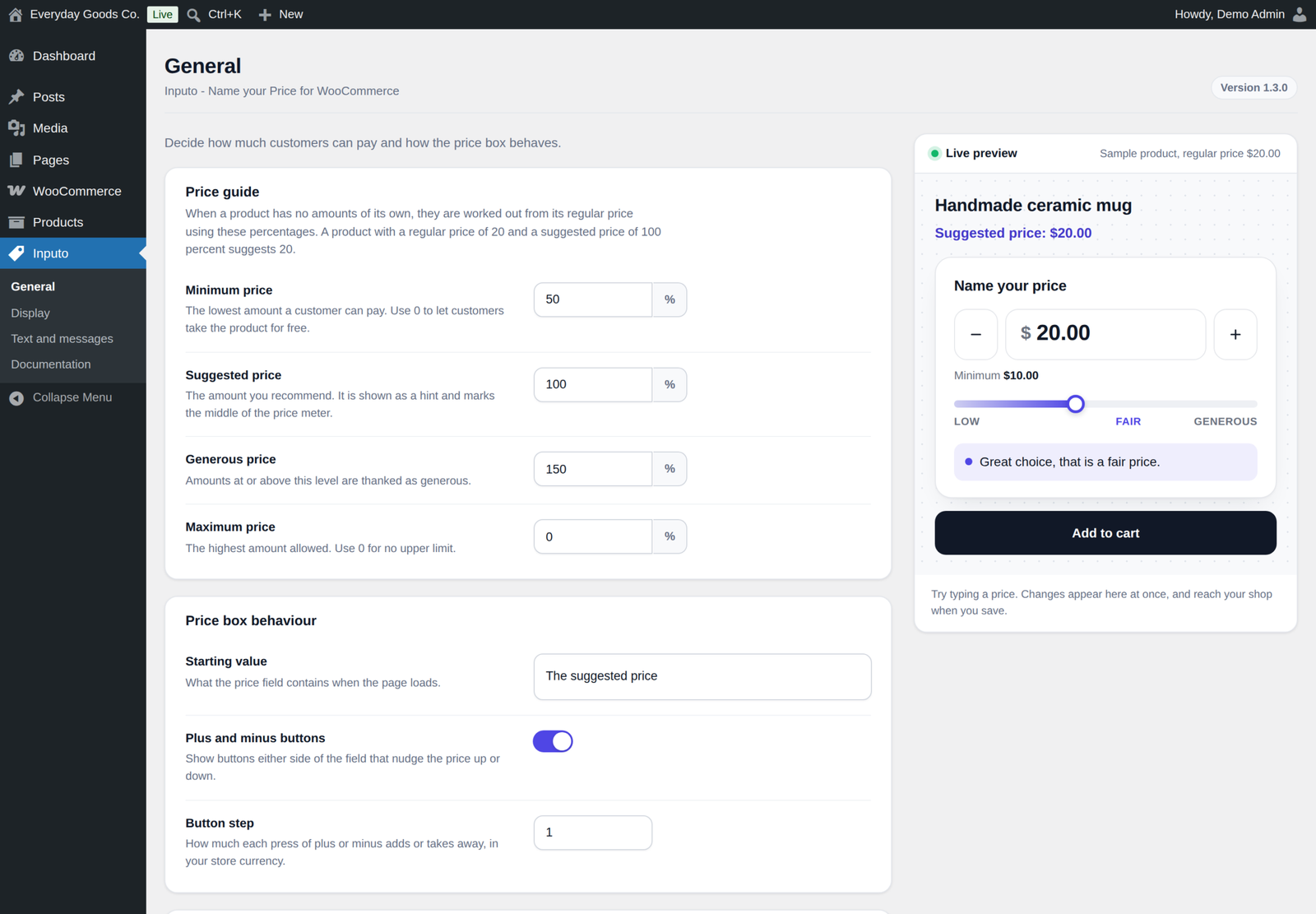
- Shop wide percentages. Leave an amount empty and it is worked out from the regular price with the default percentages on the General screen.
- No regular price needed. Products with no regular price at all can still be sold at a named price.
- Free orders only on purpose. A customer can pay nothing only when you allow it: a minimum of exactly zero on the product, or a minimum percentage of 0 that applies to it. An empty minimum with a higher percentage never allows a free order line.
- Starting value. The field can start empty, at the suggested price or at the minimum.
- Plus and minus buttons with a step you choose, and arrow key support.
A price meter that encourages
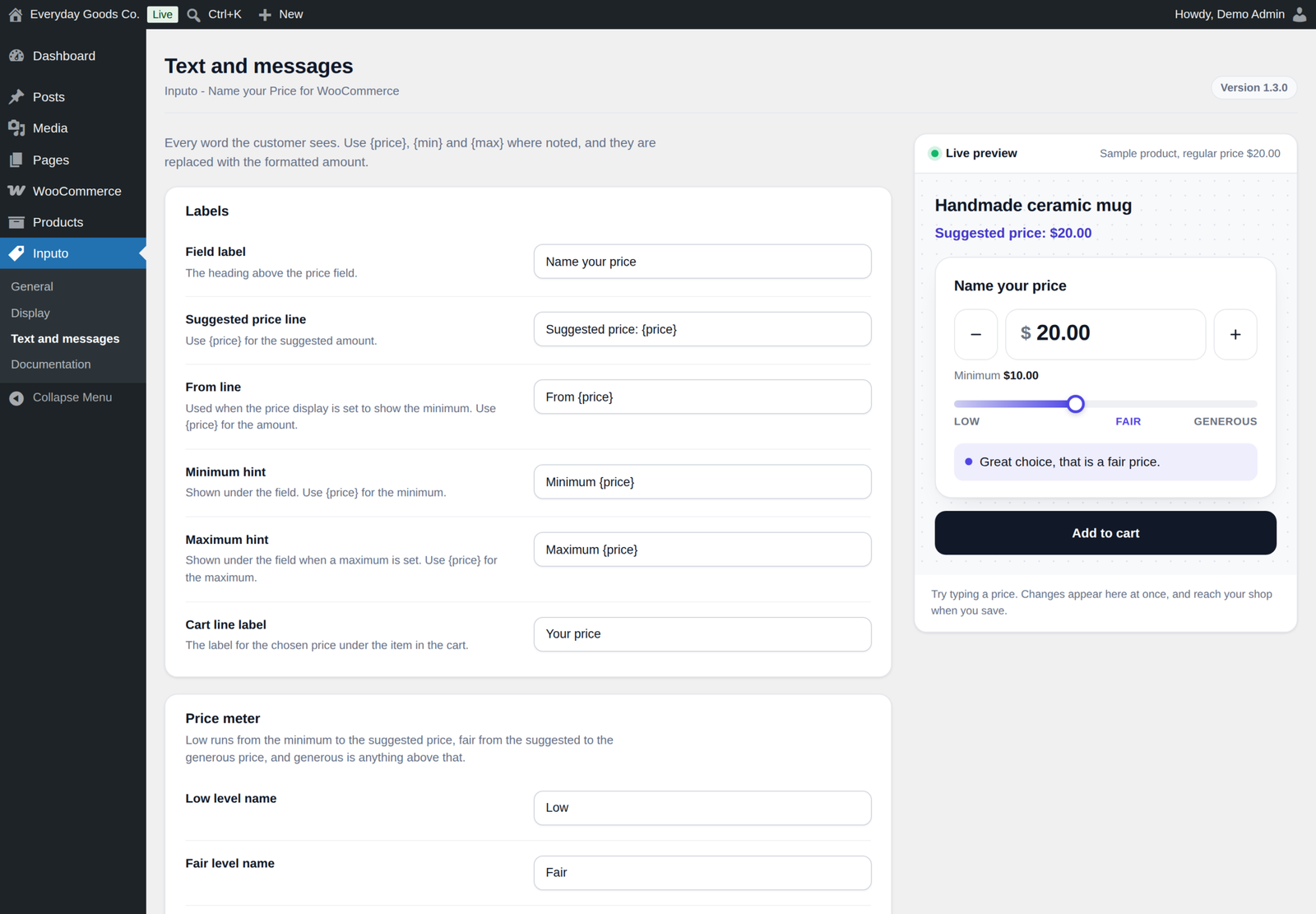
As the customer types, a bar fills and a short message thanks them. There are three levels, low, fair and generous, and you name each one and write its message yourself. Every word the customer sees, from the field label and the suggested price line to the error messages, can be changed on the Text and messages screen.
Works with variable products
Switch a named price on for some variations and keep fixed prices on others. Each named price variation has its own minimum, suggested, generous and maximum amounts. The price box follows the chosen variation in the classic variations form and in the Add to Cart with Options block on block themes.
Checked on the server, every time
- Reads any number format. Customers can type 12.50, 12,50 or 1.250,00 and it is understood.
- Correct with tax. The amount a customer types is read the way your shop shows prices, so the cart always matches what they typed, including when you enter prices with tax and show them without.
- Validated on every path. Amounts are checked in the browser for a friendly form, then again on the server when the product is added, whenever the cart is checked and before checkout, including the block checkout and the Store API. A named price product can never reach an order without a valid amount.
Your shop, your look
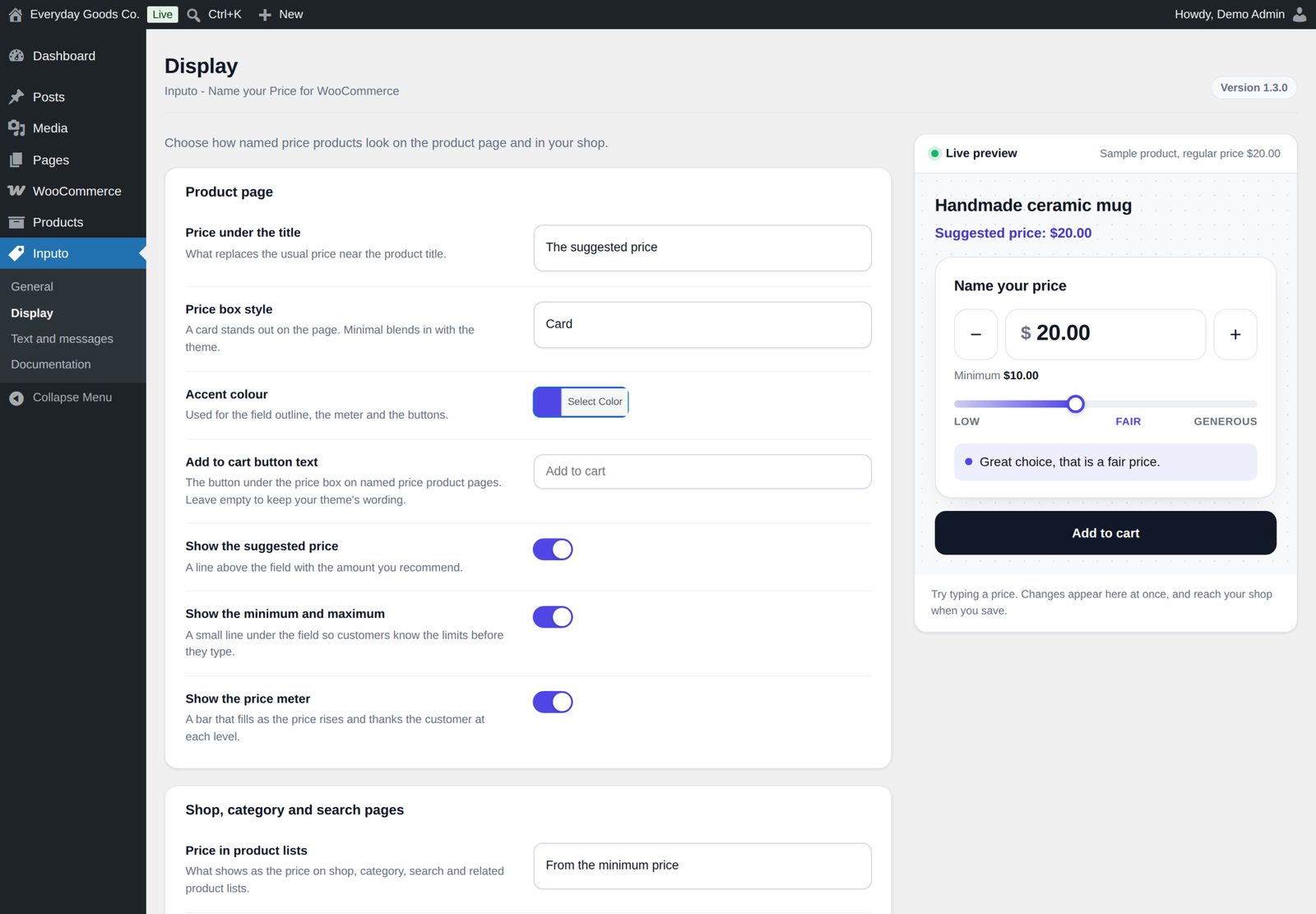
- Card or minimal style for the price box, and your own accent colour
- Live preview. Every setting that changes the price box updates a preview on the settings screen as you type.
- Price wording. Choose how the price reads under the title on product pages and in shop lists.
- Shop list buttons lead to the product page, where the price box is, with your own wording
- Add to cart text. Set your own button text on named price product pages, or keep your theme's wording.
- Show what you want. Choose whether to show the suggested price, the minimum and maximum, and the price meter.
Cart, orders and admin
- The chosen price shown under the item in the cart, optional
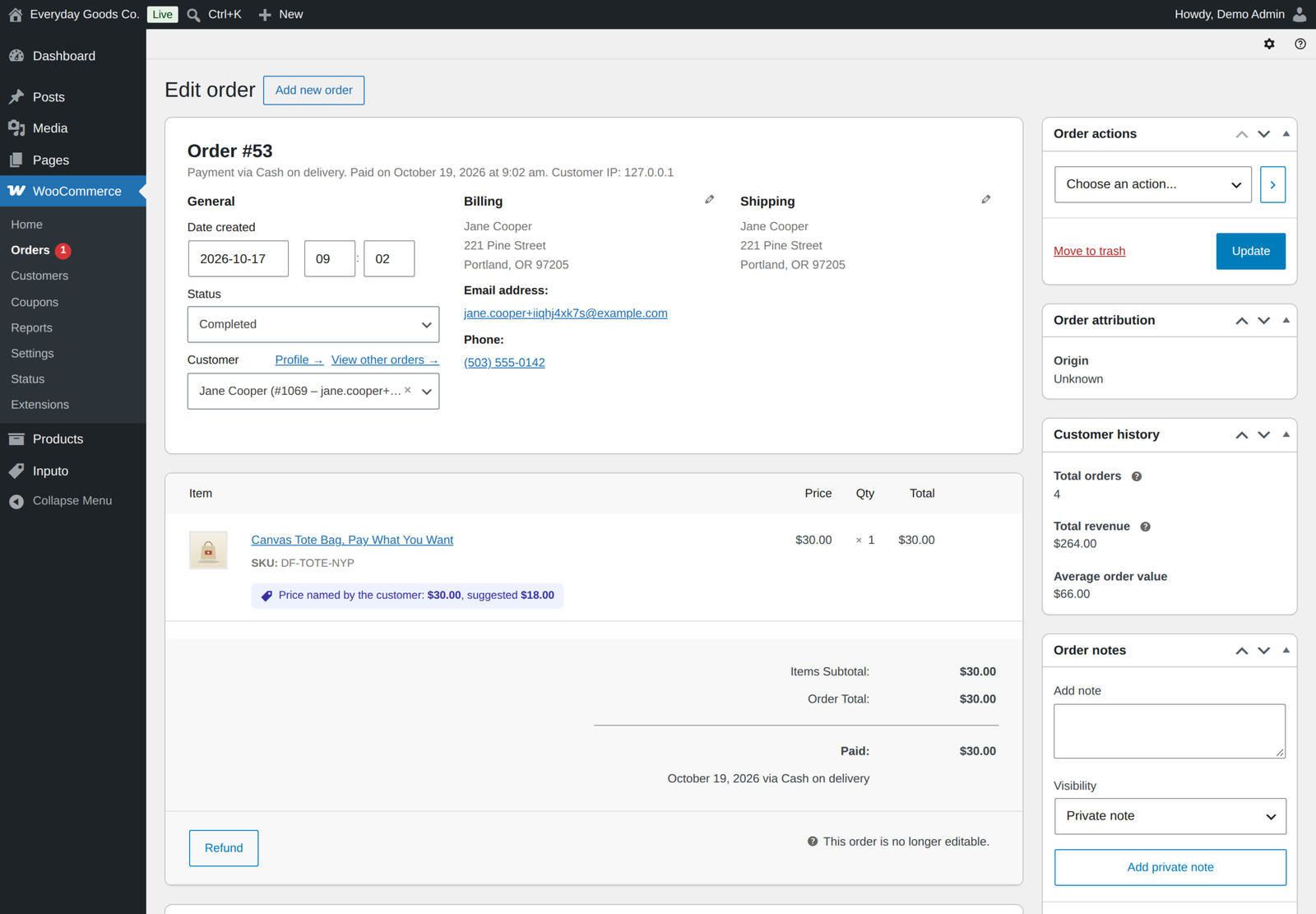
- Named and suggested price recorded on every order line and shown on the order screen
- Order again brings back the same amount
- Filter the admin product list to named price or fixed price products
- A Named price column in the admin product list with each product's minimum, suggested and maximum amounts
- Documentation for every option, with examples and search, built into the plugin under Inputo, Documentation
Works with what you already run
- Block themes, with the price box inside the Add to Cart with Options block, variable products included
- Cart and Checkout Blocks and the classic cart and checkout
- High Performance Order Storage
- Store API, with a clear error when an amount is missing or out of range
- Accessible, with a labelled field, screen reader announcements, a meter that only hides its drawing from screen readers, and reduced motion support
- Translation ready
For developers
Copy templates/price-input.php to yourtheme/inputo/price-input.php to change the price box markup, or restyle it with the CSS custom properties on .inputo-nyp. Filters and actions such as inputo_nyp_is_enabled, inputo_nyp_thresholds and inputo_nyp_validate_price let you change which products take a named price, their amounts and how a price is validated. Newer filters such as inputo_nyp_price_texts, inputo_nyp_allows_free, inputo_nyp_amount_to_display and inputo_nyp_amount_to_stored change the price line wording per product, whether a product accepts zero, and amounts on their way to and from the shopper's currency. The built in documentation lists every hook and browser event, and the Store API error codes inputo_nyp_price_required and inputo_nyp_invalid_price.
Privacy
Inputo makes no requests to external services, loads nothing from third party servers, and collects no data about you or your customers. The only data it stores is its settings, the amounts you set on products, and the amount a customer chose on each order line.
Inputo Pro
Inputo Pro is a separate plugin that includes everything in this free edition and adds:
- Quick amount buttons, as shares of the suggested price or fixed amounts, and a price slider
- Rules that switch named price on for whole categories, their child categories, or tags, each with its own percentages and optional start and end dates, plus dates per product
- Access by login or customer role, with a message for everyone else
- Wording per product, for the field label, suggested line and meter messages
- WooCommerce Subscriptions support, charged at sign-up and at every renewal
- Currency switcher support for WPML WooCommerce Multilingual, Aelia, CURCY and WOOCS
- A price box on any page with the
[[inputo_price_box]]shortcode or a block, and a price box for each named price item in grouped products - A celebration with confetti and a thank you badge, drawn locally, and the average real customers paid, once a product has enough separate buyers
- Reports after refunds and per currency, with a chart, top products and CSV export, plus settings import and export and bulk actions
Every product amount and setting carries over when you move to Pro. While Pro is active, this free edition stays idle and never switches itself off. Pro already includes every free feature, so you can deactivate the free edition without losing any products or settings.
Requirements
- WordPress 6.4 or newer, tested up to 7.1
- WooCommerce 8.0 or newer, tested up to 11.2.1
- PHP 7.4 or newer
FAQ
Does a named price product need a regular price?
No. If it has one, empty amounts are worked out from it using your default percentages. If it has none, type the amounts on the product itself. With no minimum either, any amount above zero is accepted.
Can customers pay nothing?
Only if you allow it on purpose, by setting a minimum of exactly 0 on the product or a minimum percentage of 0 on the General screen. An empty minimum never allows a free order line.
Can a customer get around the minimum?
No. The browser check is only there to help. The server checks the amount when the product is added to the cart, every time the cart is checked, and before checkout, including for the block checkout and the Store API.
How does it handle tax?
The customer types an amount the way your shop shows prices. If your shop shows prices including tax, the typed amount includes tax too, even when you enter product prices without tax. If you enter prices with tax and show them without, the shop's base tax is added back, as WooCommerce does.
Why does the shop page button open the product page?
Because the customer has not chosen a price yet. A named price product cannot be added to the cart from a list in one click, so the button leads to the product page, where the price box is.
Does it work with block themes?
Yes. On block themes the product page uses the Add to Cart with Options block, and the price box appears inside it, for simple products and for each named price variation of a variable product.
Changelog
Every release, newest first, with the date it came out.
Version 1.3.0 (October 17, 2026)
- Fix: variable products in the Add to Cart with Options block, the default on block themes. The price box now follows the chosen variation there, so named price variations can be bought.
- Fix: the price meter no longer hides its contents from screen readers as a whole. Only its drawing and level names are hidden.
- Fix: with prices entered including tax and shown excluding tax, the typed amount now gets the shop's base tax back, as WooCommerce does, so the cart matches what the customer typed for customers outside the base country too.
- Improved: whether a product may be taken for free now follows the minimum percentage that applies to it, so extensions that change the percentages for a product are respected.
- Improved: developers can change the wording of the price line per product, the product list filter, and amounts on their way to and from the shopper's currency, through new filters listed in the documentation.
- Improved: the documentation lists every hook and browser event, names the right Store API error code for each case, and drops the old advice to use the Add to Cart Form block.
- Improved: uninstall removes product data through the plugin's own list of meta keys.
- Tested with WordPress 7.1.3 and WooCommerce 11.2.1.
Version 1.2.0 (October 15, 2026)
- New: a Named price column in the admin product list shows each named price product's minimum, suggested and maximum amounts, and for variable products how many variations take a named price. Hide it under Screen Options if you do not need it.
- Improved: a cart line keeps its named amount only while the product still takes a named price. If you switch a named price off, the product goes back to its own price in carts that already hold it.
- Improved: amounts too large to be a real number are refused on the server.
- Improved: the Store API accepts a named amount when the request names a variable product and its attributes instead of the variation id.
- Improved: a Store API add to cart with a missing or out of range amount is answered with a clear 400 error and the message, instead of a server error.
- Improved: when the Pro edition is active, this plugin stays idle and shows a note on the Plugins screen instead of switching itself off. Neither edition switches any plugin off.
- Improved: the Pro note on the Inputo screens is shown only to users who can manage plugins.
- Readme: added an External services section.
- Tested with WordPress 7.1.3 and WooCommerce 11.2.1.
Version 1.1.0 (September 22, 2026)
- New: set your own Add to cart button text for named price product pages, on the Display screen. Empty keeps your theme's wording.
- New: filter the admin product list to named price or fixed price products.
- Links moved to propluginslab.io.
- Added Pro upgrade banner on plugin screens.
- Tested with WordPress 7.1.1 and WooCommerce 11.1.1.
Show earlier version (1.0.0)
Version 1.0.0 (September 17, 2026)
- First release.
Details
At a glance
- Last updated
- October 19, 2026
- Type
- Free plugin
Share
You might also like
 Pro
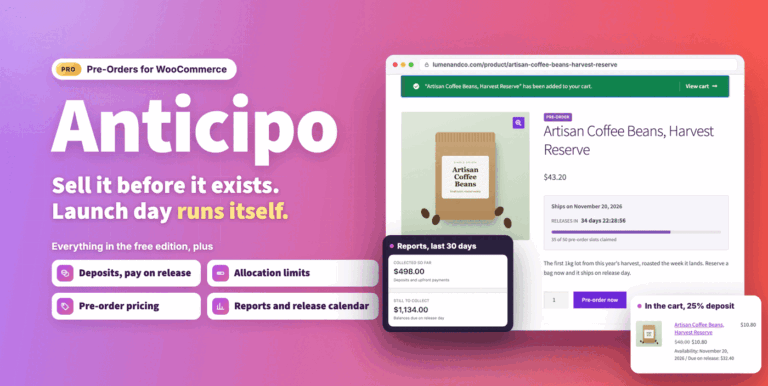
Anticipo Pre-Orders for WooCommerce
Sell products before they exist: deposits, pay on release or cards charged on release. Add allocation limits, reports and an automatic release day.
From $49.00 One-time
Live demo-
Pro
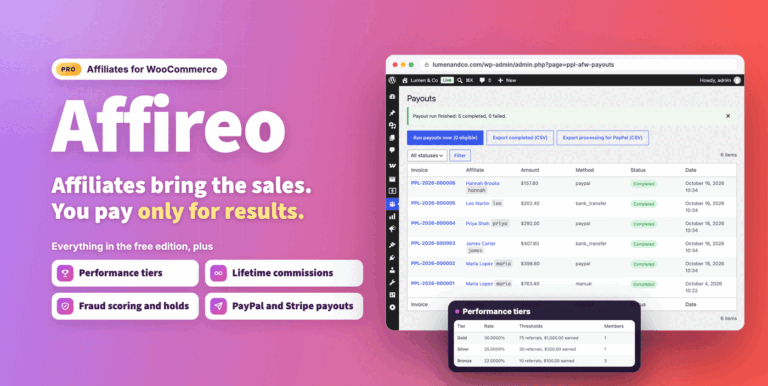
Affireo Affiliates for WooCommerce
Run a complete WooCommerce affiliate program from one plugin. Track referrals, pay per product and tiered commissions, stop fraud and schedule payouts.
From $49.00 One-time
Live demo -
Pro
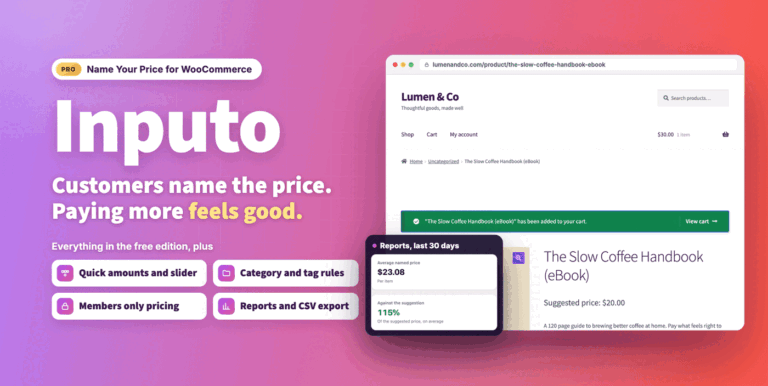
Inputo Name Your Price for WooCommerce
Let customers name their price on WooCommerce products, guided by your minimum and suggestion. Includes quick amounts, rules, Subscriptions, currency switchers and reports.
From $39.00 One-time
Live demo