Your cart is empty.
Browse plugins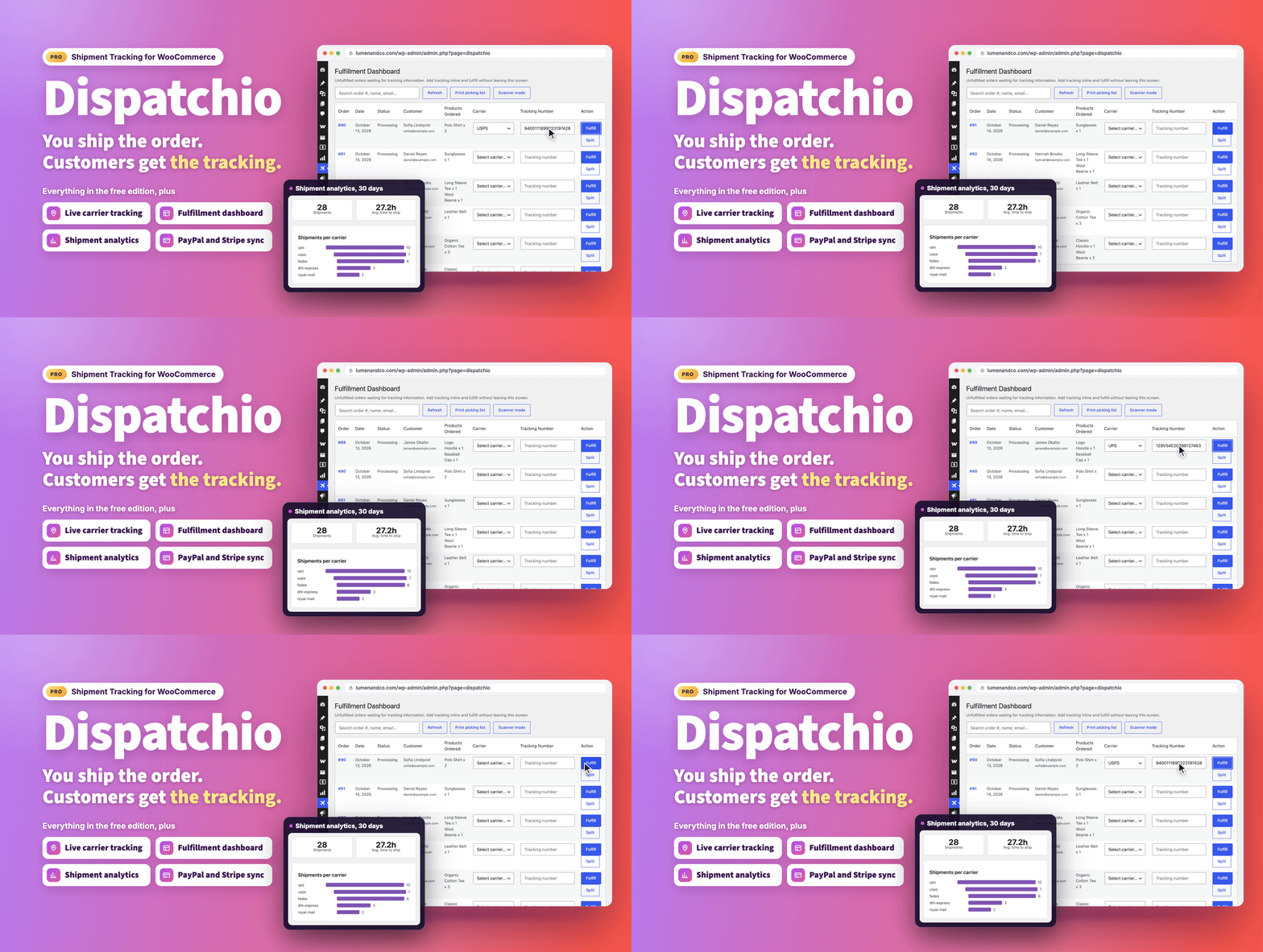
Overview
The complete fulfillment manager for your store.
Stop juggling spreadsheets, carrier websites and "where is my order?" emails. Dispatchio turns WooCommerce order fulfillment into one streamlined workflow, from the moment an order comes in to the moment your customer sees "Delivered".
What's new in 1.4.0 (October 17, 2026)
- Old orders stay as they are. Auto-mark Delivered now only moves orders shipped after you switch it on, and never against the carrier's own status.
- Emails for every delivery step. Optional customer emails for In Transit, Out for Delivery, Available for Pickup, Failed Attempt, Exception and Returned to Sender, plus an instant problem alert for you.
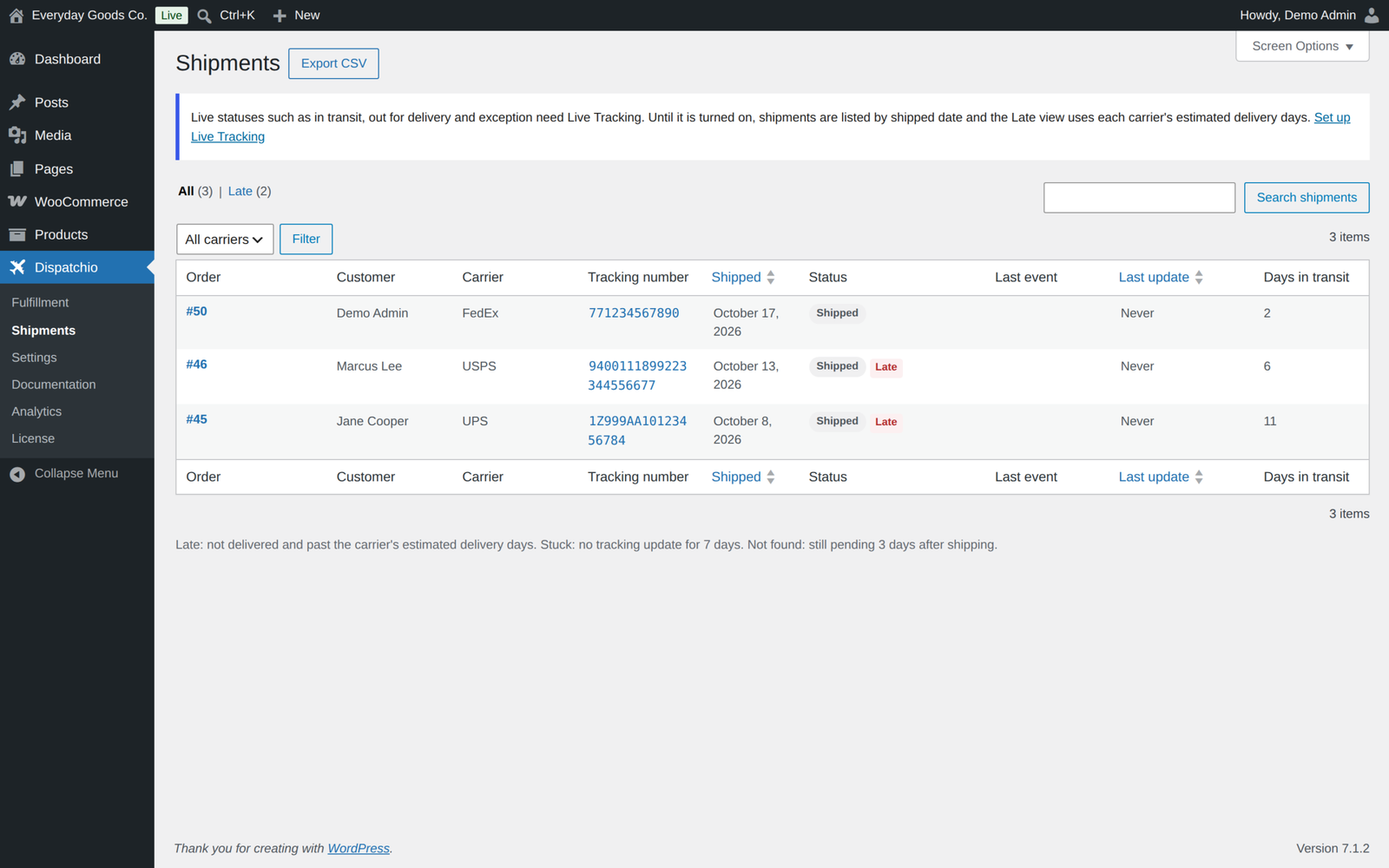
- See every parcel at a glance. A new Shipments screen lists parcels by carrier status, with Late and Stuck views, search, refresh, CSV export and a matching filter on the orders list.
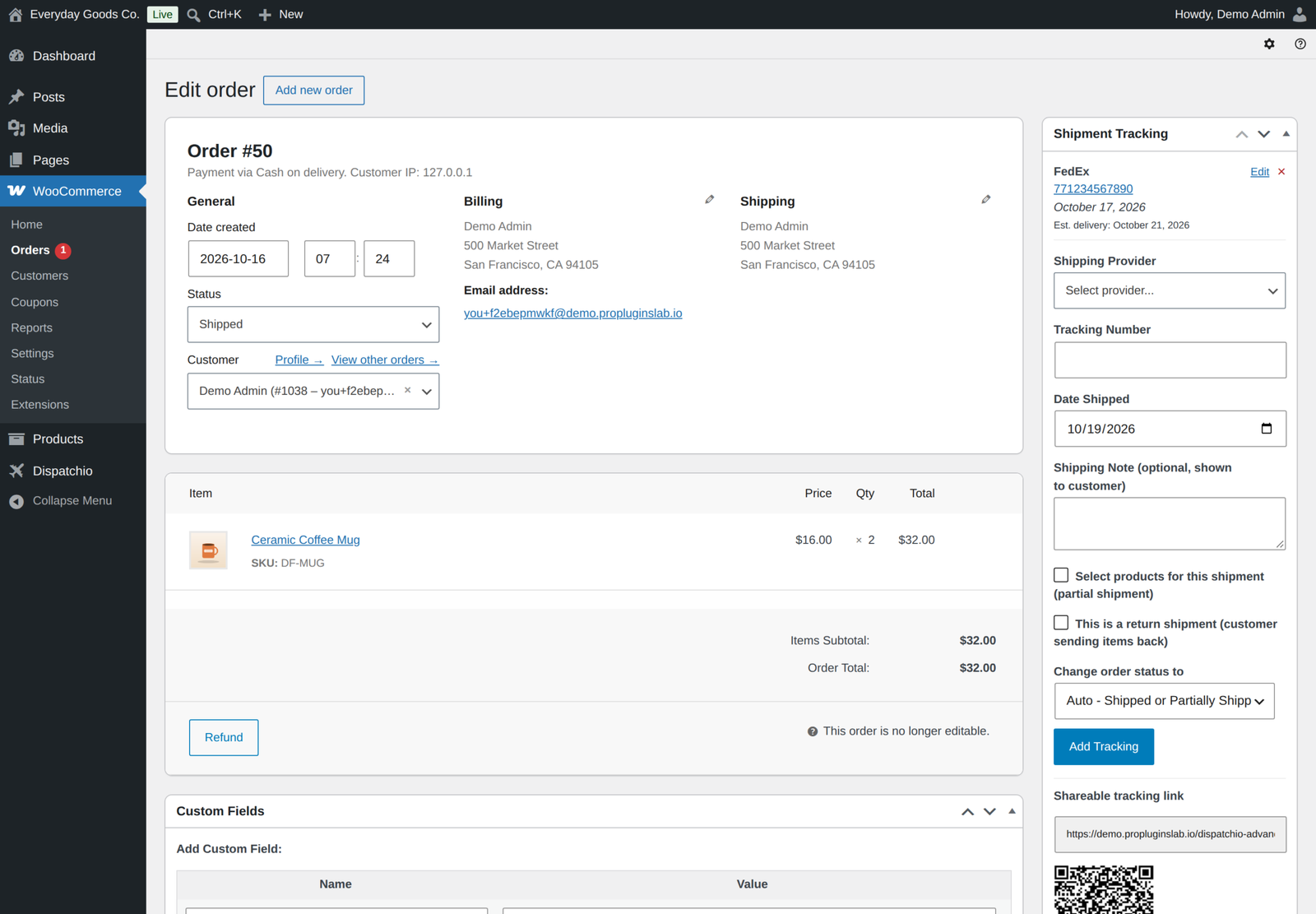
- Fix tracking after it is saved. Edit a tracking number, carrier, date or note on the order screen or through the REST API.
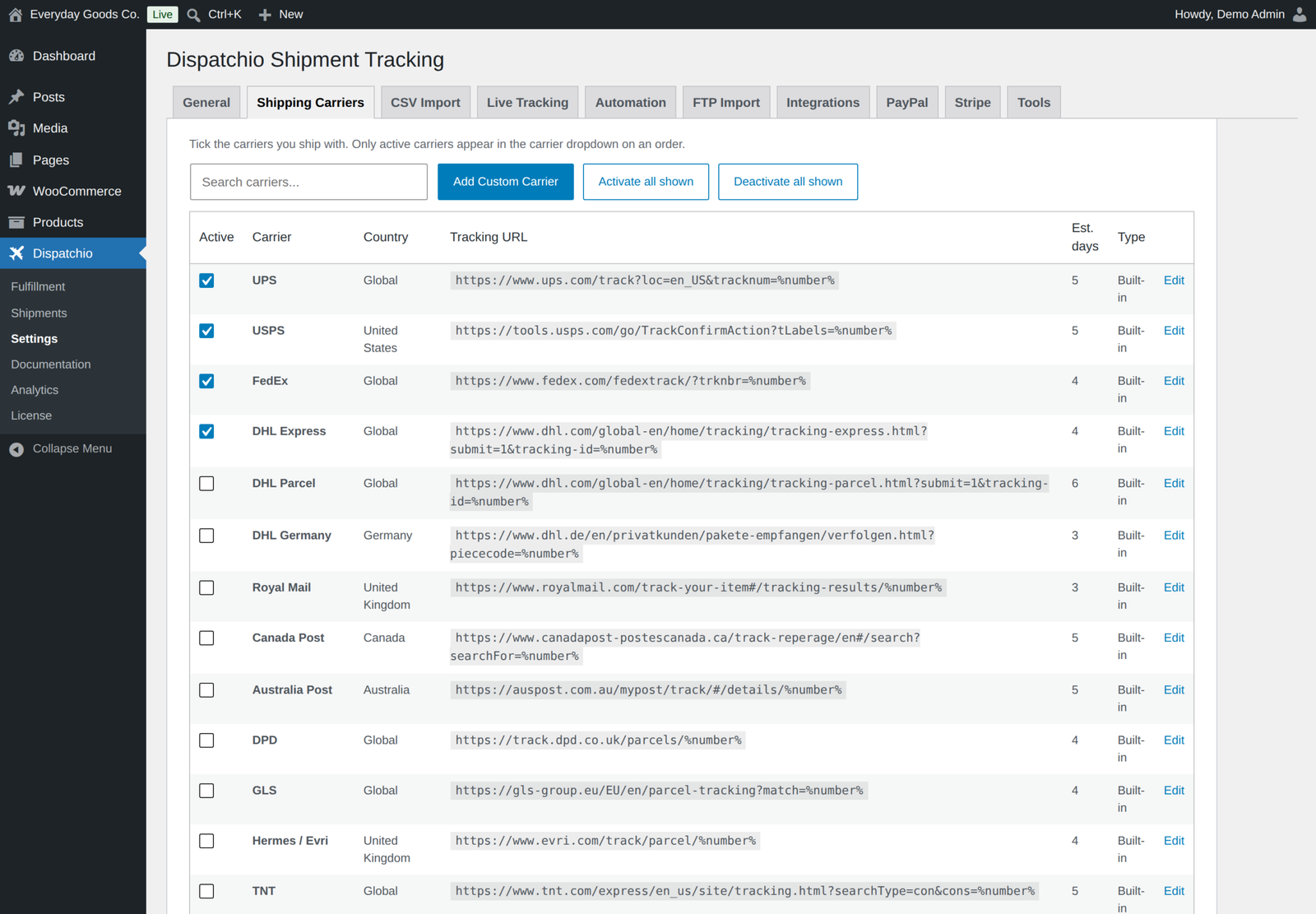
- 285 built-in carriers. The 226 new carriers are added switched off, so you turn on only the ones you use.
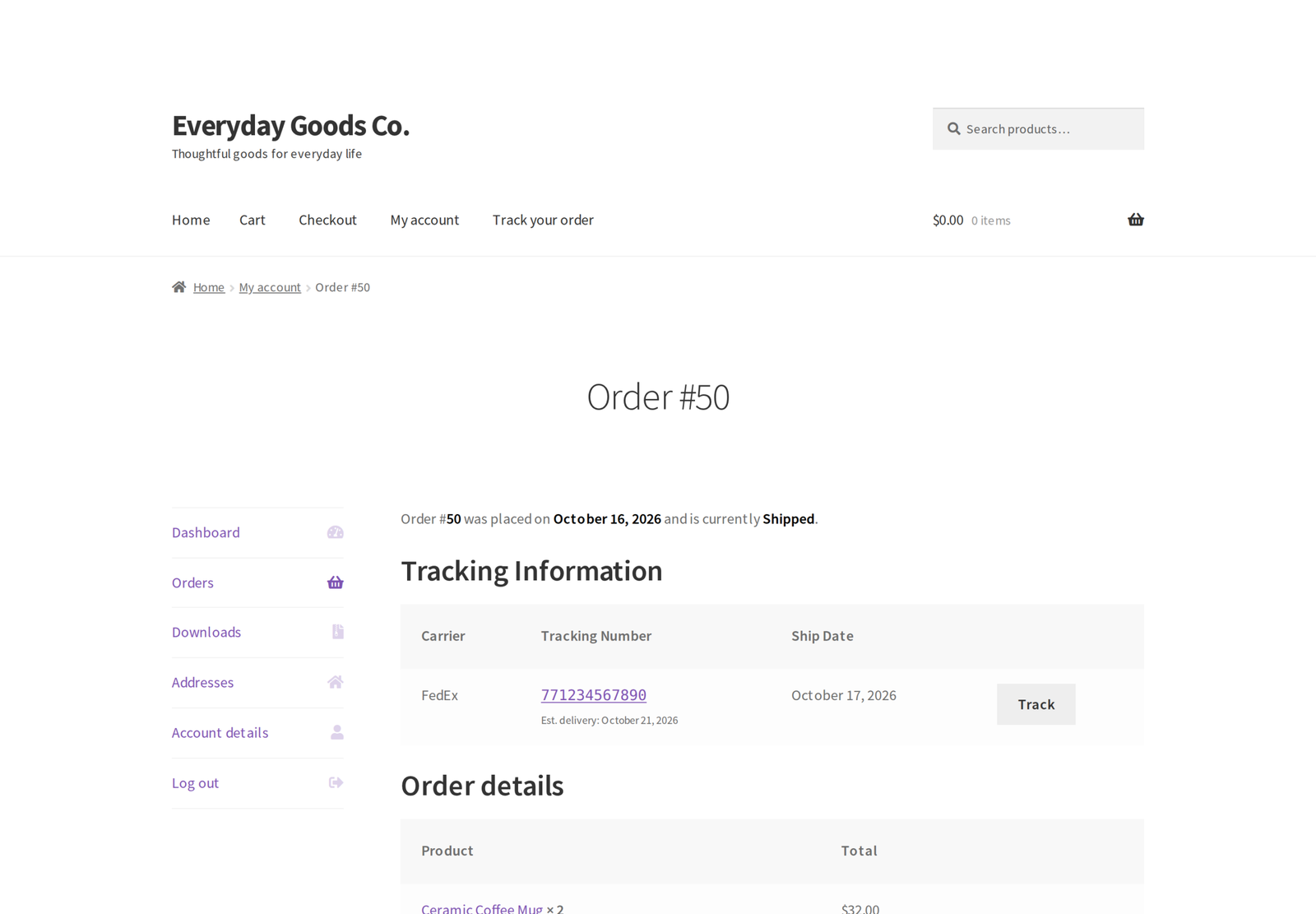
- Customers see what is in each parcel. The items in each parcel show in My Account, in emails, on the order screen and on the tracking page.
- Your tracking page, your look. Add your logo and accent colour, hide the parts you do not need, and let customers look up a parcel by tracking number.
- Better PayPal and Stripe sync. PayPal trackers are cancelled when tracking is removed or the order is cancelled or refunded, and Stripe can add tracking to new disputes as draft evidence for you to review.
- Background jobs stay switched on. Live polling, FTP import, the daily digest and payment retries are scheduled again after a reactivation or update, and checked every hour.
- Ready for busy stores. Live tracking and payment sync run in the background, and the poll reads 40 tracking numbers per request.
What works the moment you activate it
Everything in this list runs entirely on your own site. No third-party account, no API key, no monthly fee, nothing to sign up for.
- Unlimited tracking numbers per order, added from the order edit screen. Fully HPOS compatible.
- 285 built-in shipping carriers worldwide with ready-made tracking links, plus your own custom carriers, carrier renaming and API aliases. Edit a tracking number, carrier, date or note after it is saved.
- Partial shipments: split an order across several parcels, choosing the products and quantities in each.
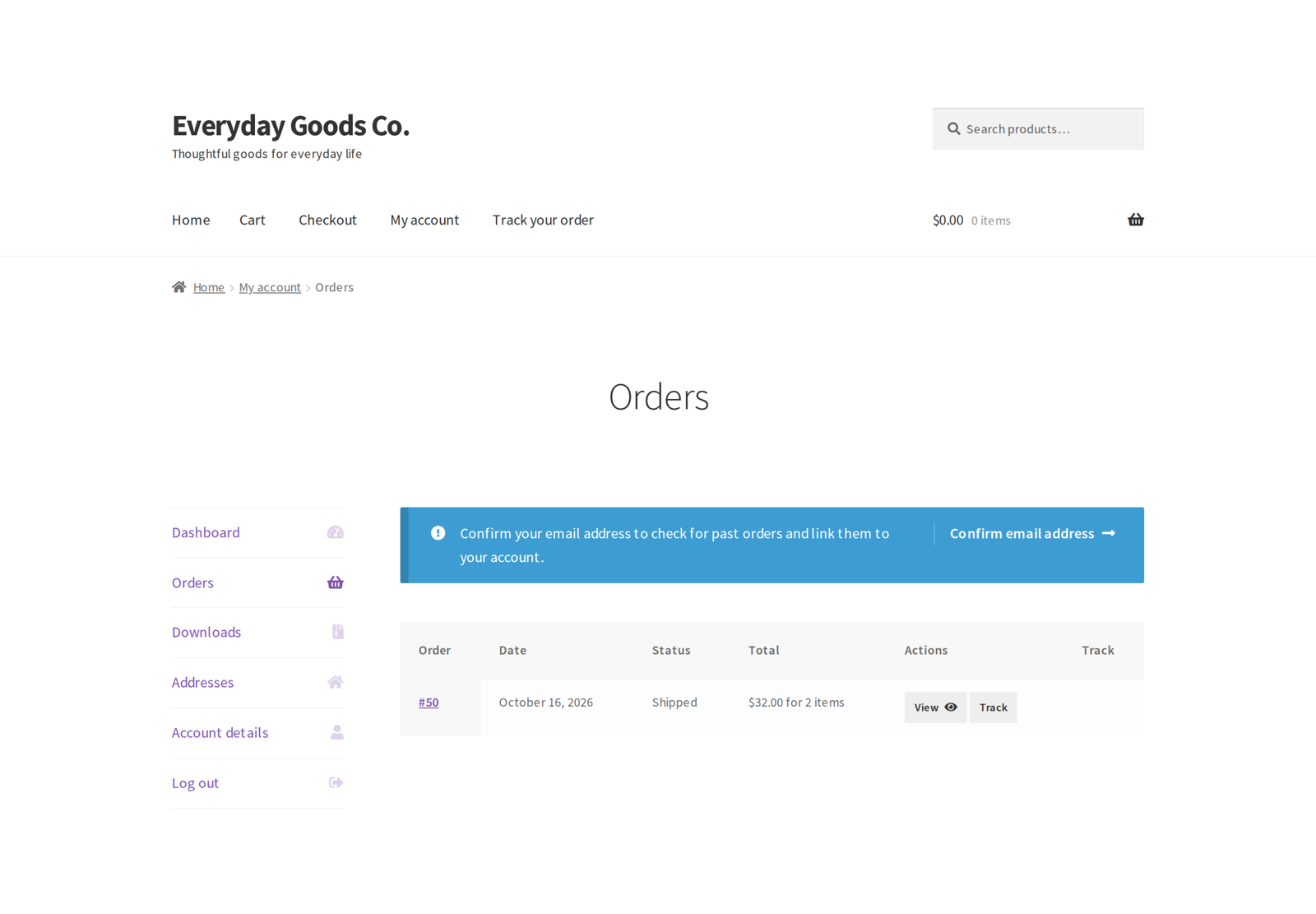
- Customer-facing shipping notes per shipment, a Tracking column in the orders list, and tracking in My Account and order emails.
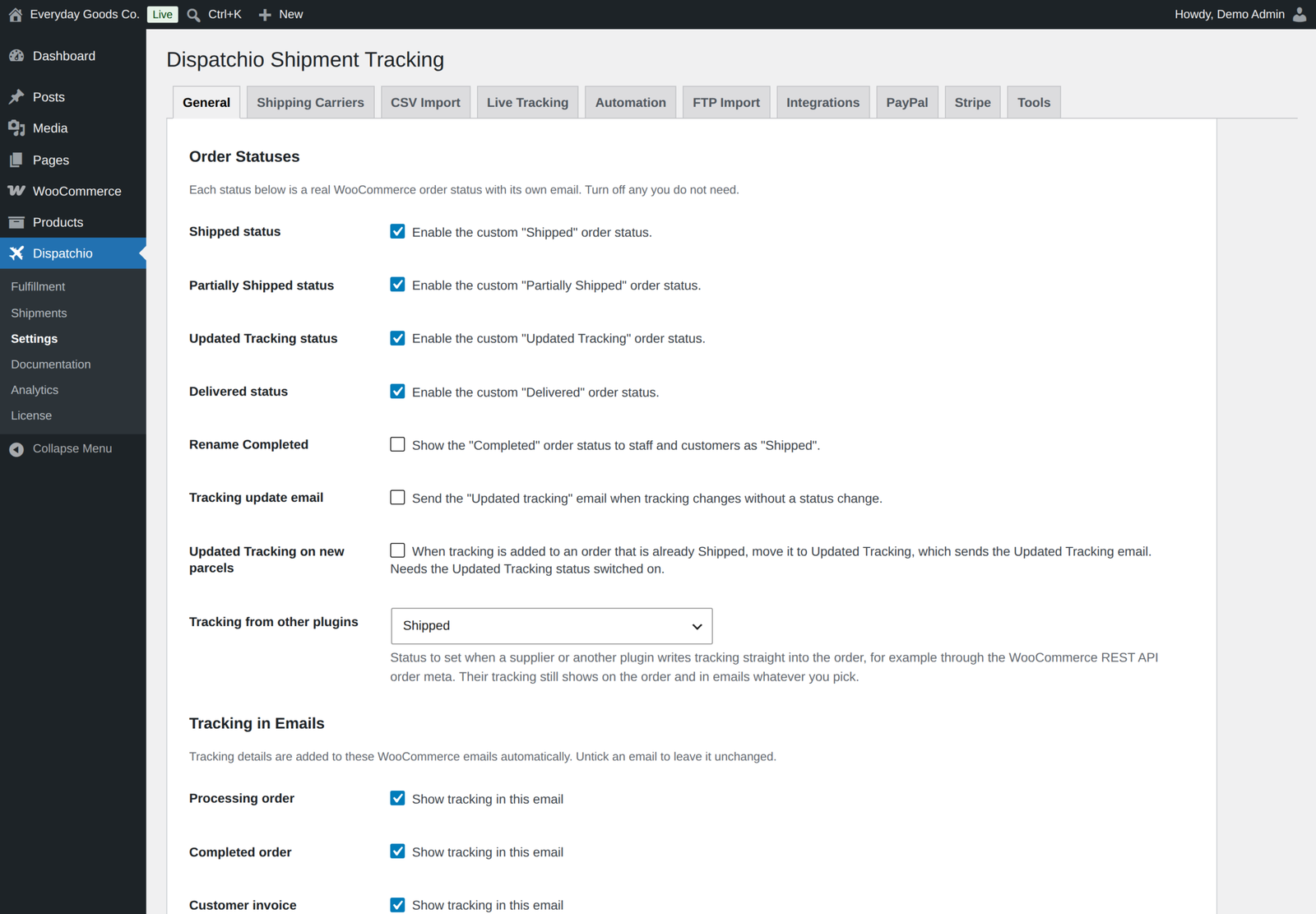
- Four optional order statuses: Shipped, Partially Shipped, Updated Tracking and Delivered, each with its own editable email.
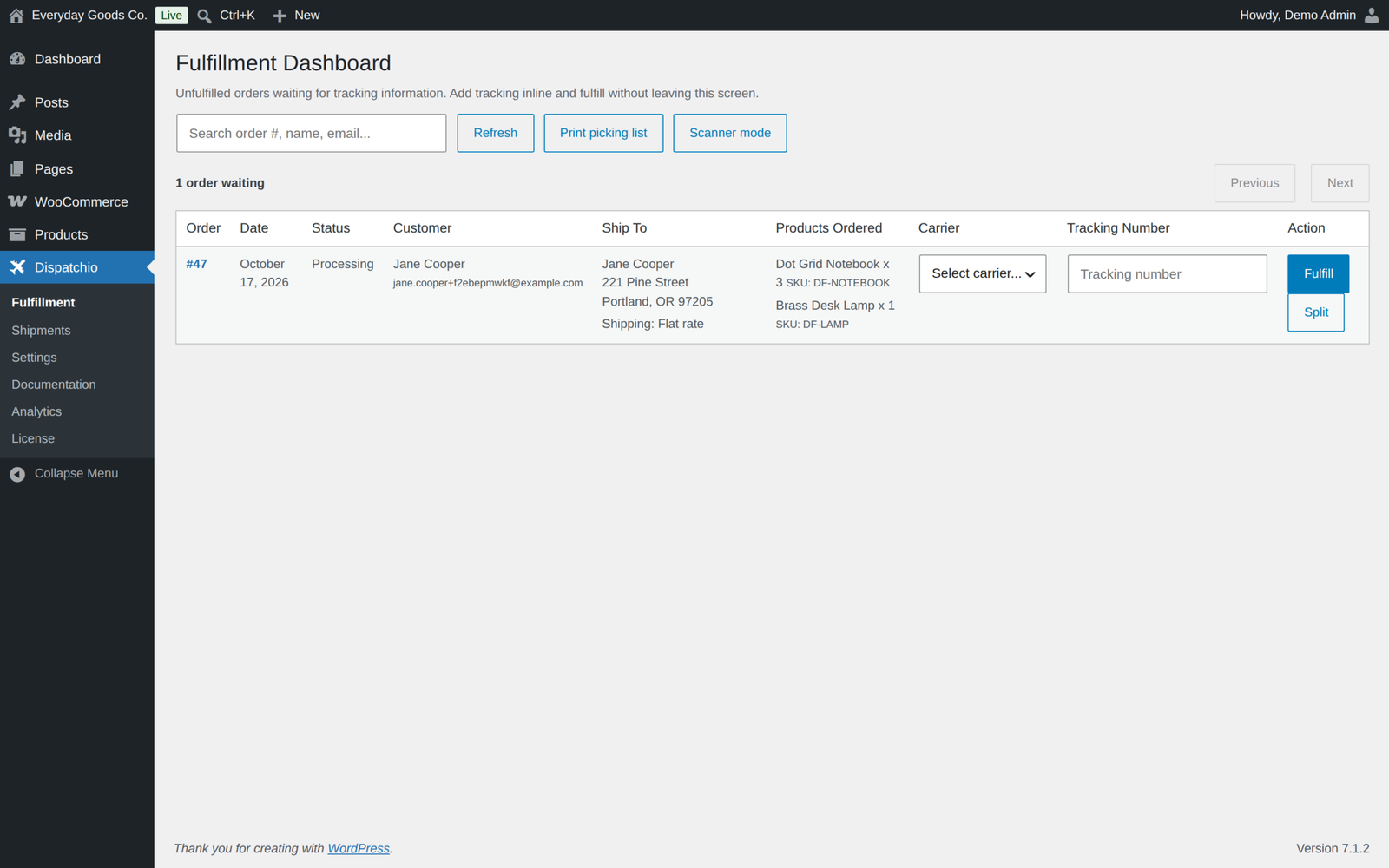
- Fulfillment Dashboard: every unfulfilled order, 50 to a page with a running count, with inline carrier and tracking entry, search, split shipments and a print-friendly picking list with SKU, shipping method and address.
- Barcode scanner mode: scan the order, scan the label, move to the next one without touching the mouse. It finds any order by number and marks it fulfilled only once the tracking is saved.
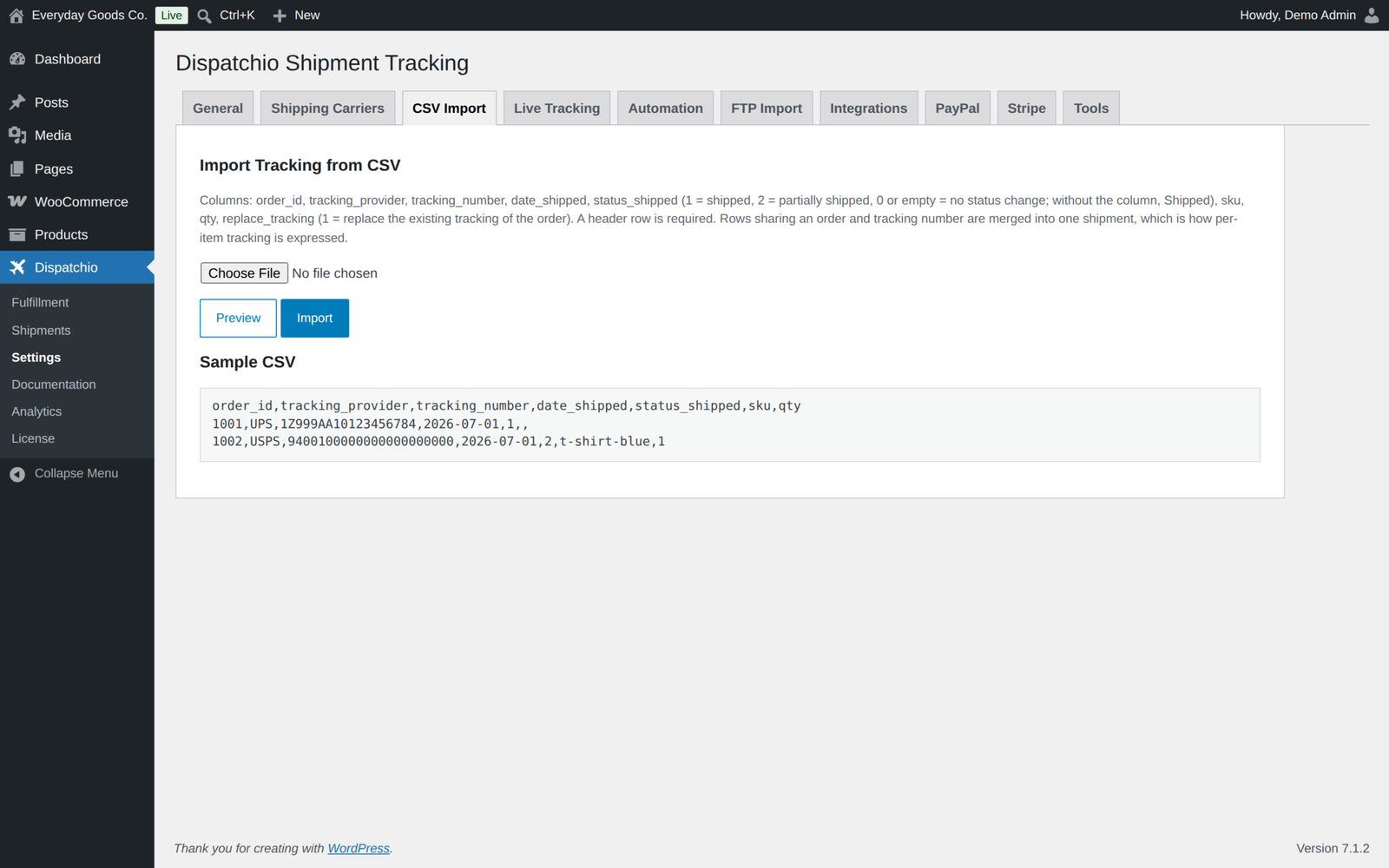
- CSV import with a preview step, per-item SKU and quantity support, and duplicate protection.
- Scheduled FTP, FTPS and SFTP import, from every 15 minutes to daily, with a connection test and a run-now button. Files already imported are remembered, so they are never imported twice.
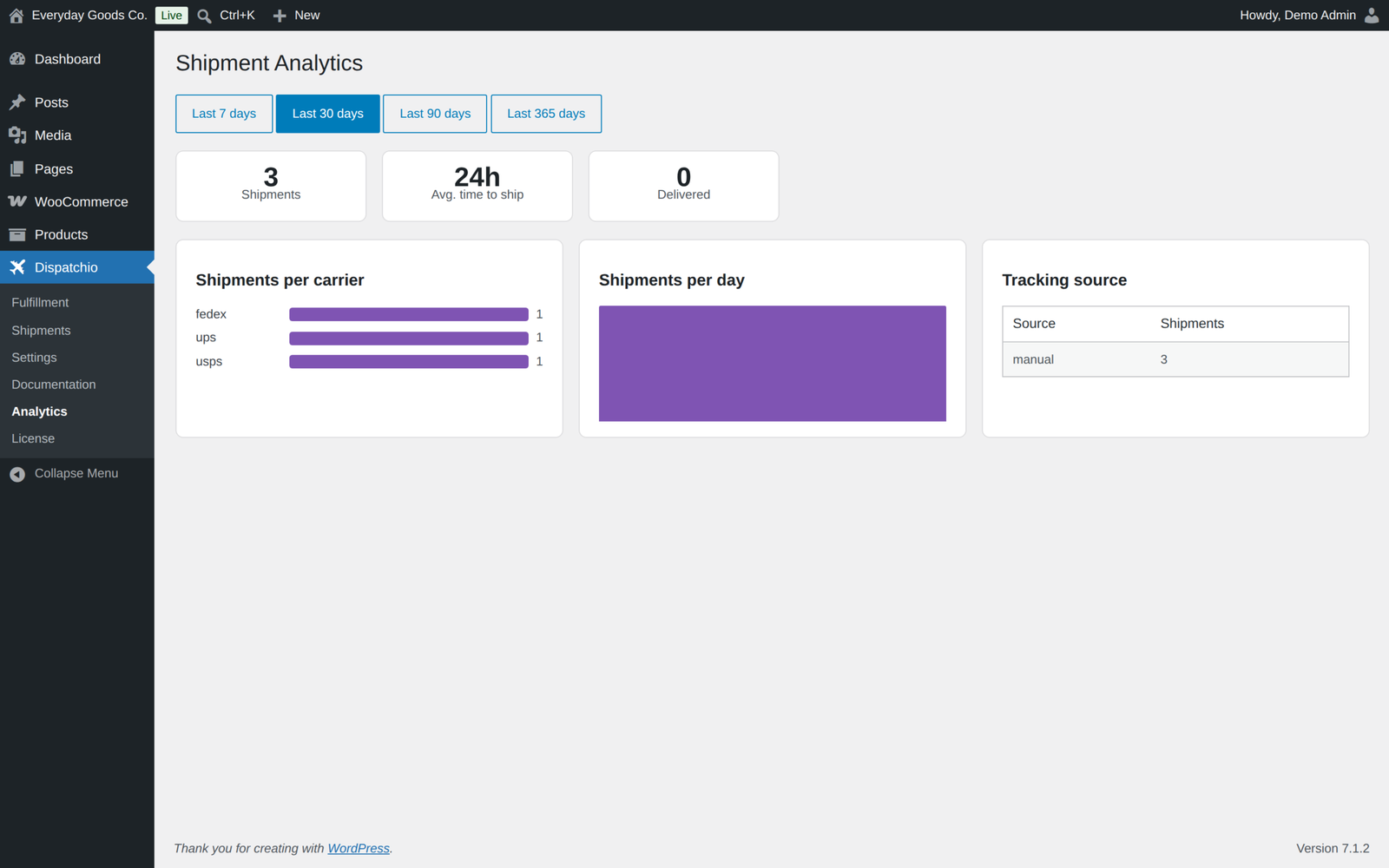
- Shipment analytics, a date-ranged CSV export, a daily digest email and a dashboard widget.
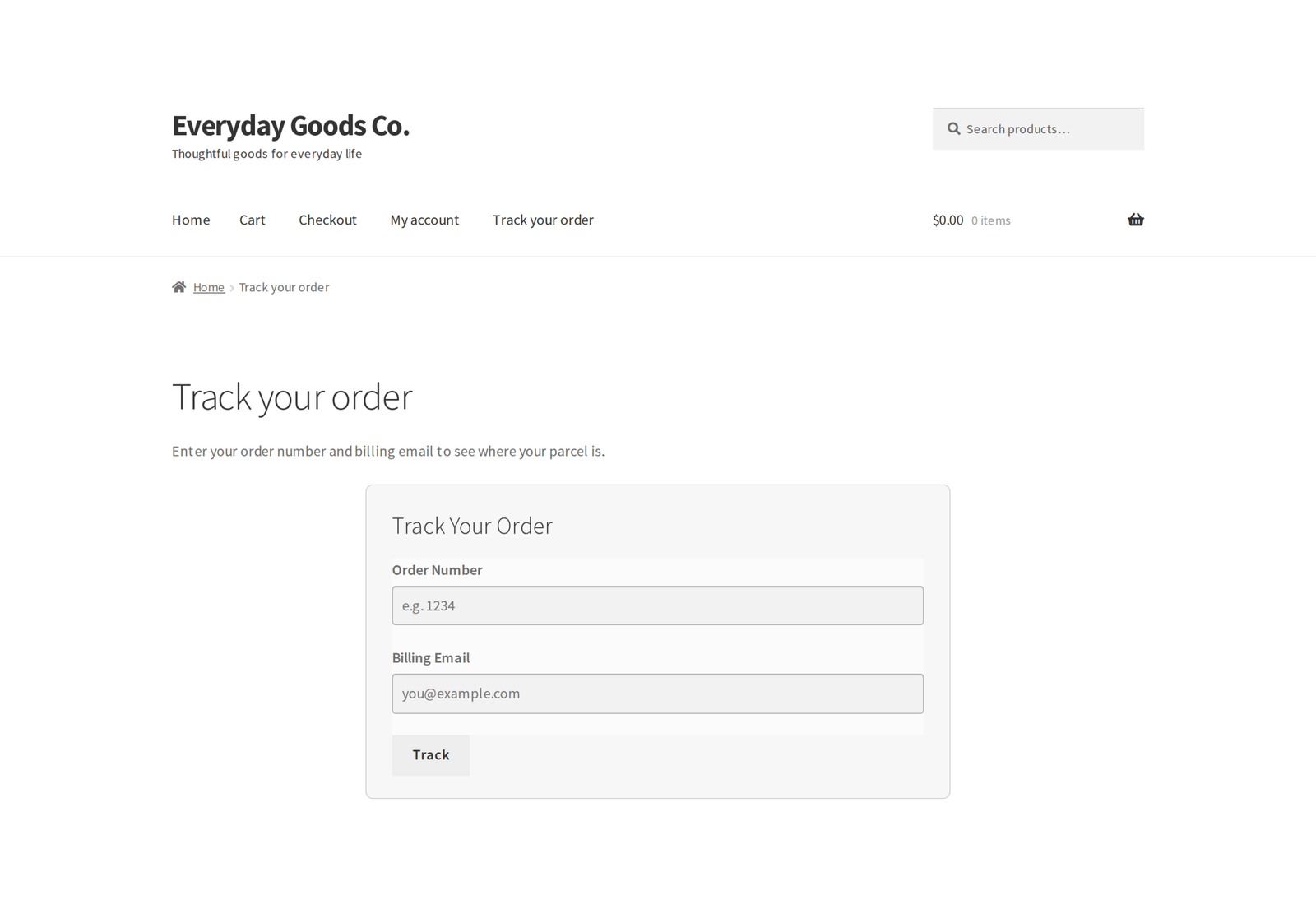
- A public tracking page with your logo and accent colour and optional lookup by tracking number, plus shareable tracking links and QR codes in your emails. Customers see what is in each parcel.
- Estimated delivery dates, calculated from the transit days you set per carrier.
- Auto-mark Delivered after a set number of days, and delayed-shipment alerts.
- Auto-mark Delivered only moves orders shipped after you switch it on, and never against the carrier's own status.
- REST API with a bulk endpoint and tracking edits, and WP-CLI commands.
- Dokan and WCFM multi-vendor support. Vendors add and remove tracking for their own items, and a multi-vendor order stays Partially Shipped until every vendor has shipped.
What needs an account with someone else
Three features talk to outside services. They are all optional, all switched off until you turn them on, and the rest of the plugin does not depend on them. We would rather you knew this before you buy than after.
- Live carrier delivery tracking needs an account and API key with TrackShip, 17TRACK, AfterShip or TrackingMore. They bill you directly, not us, and pricing varies a lot by shipment volume. At the time of writing, TrackingMore is usually the cheapest for small stores and 17TRACK includes a free allowance to start with. Please check their current pricing against your monthly shipment count before you rely on it.
- PayPal tracking sync needs a PayPal REST API app, which is free to create.
- Stripe tracking sync uses your existing Stripe keys, or the ones the official WooCommerce Stripe gateway already uses. Adding tracking to disputes also needs a Stripe webhook, which you set up in your Stripe dashboard. WooPayments is not supported.
If you do not want any of that, Dispatchio still does everything in the list above. Live tracking adds real carrier status and hands-free Delivered; it is not required to add tracking numbers, email customers or run your fulfillment workflow.
Live delivery tracking (optional)
Connect TrackShip, 17TRACK, AfterShip or TrackingMore and Dispatchio follows every parcel with real carrier data. This feature needs a paid account and an API key with whichever of those services you choose. They are separate companies and bill you directly.
- Shipments are registered in the background as soon as tracking is added, including tracking written by suppliers and other plugins, with webhook push plus a batched poll every 15 minutes to 4 hours as a backup. TrackShip sends every update itself, so it is not polled.
- Status badges (In Transit, Out for Delivery, Delivered, Exception, Returned to Sender and more) in the admin, in My Account and on the tracking page, with full checkpoint history.
- Optional customer emails for In Transit, Out for Delivery, Available for Pickup, Failed Attempt, Exception and Returned to Sender, and an instant problem alert for you.
- A Shipments screen with every parcel by carrier status, including Late and Stuck views, and a matching filter on the orders list.
- Orders move to Delivered by themselves once the carrier confirms every shipment has arrived, which sends your Delivered email hands-free.
- Carrier codes are mapped for you, so you are not hunting for the right courier identifier.
- Tracking updates in your customer's language, where the provider supports it.
- Developer hooks for status changes, out for delivery, exceptions and delivery.
Which to pick: TrackShip is the simplest to connect and pushes updates without any webhook setup. 17TRACK gives you an allowance to start with at no cost. TrackingMore tends to be the most affordable for stores shipping modest volumes. AfterShip suits larger operations.
Fulfillment workflow and order statuses
- Custom order statuses: Shipped, Partially Shipped, Updated Tracking and Delivered. Each is individually toggleable and aware of reports, payments and downloads.
- Optionally show the standard "Completed" status as "Shipped" for clearer customer communication.
- Choose the status for tracking added by suppliers and other plugins, or leave the status unchanged.
- Optionally move an order that is already Shipped to Updated Tracking when a new parcel is added.
- HTML emails for every status, with editable subject, heading, intro and additional content. Placeholders supported, including the tracking number, carrier name and tracking URL.
- Tracking details are appended to your existing WooCommerce emails, and you choose which ones.
- Search your orders by tracking number, including with High Performance Order Storage.
Imports and integrations
- CSV import with live preview, per-item SKU and quantity support, and duplicate protection.
- Scheduled FTP, FTPS and SFTP import with connection testing and a run-now option. SFTP accepts a password or a private key.
- REST API matching the shape and routes other tracking plugins use, so suppliers and services already posting tracking keep working without changing their URLs, plus a bulk endpoint.
- Integrations for 14 shipping apps: ShipStation, Printful, Printify, Sendcloud, Easyship, Shippo, Shiptheory, Pirate Ship, AliExpress and Ali2Woo, Qapla, DHL for WooCommerce, Germanized, PluginHive and WooCommerce Shipping, plus a generic order-note parser and no-code custom rules for anything else.
- PayPal tracking sync with carrier mapping, an automatic retry queue and tracker cancellation when tracking is removed or the order is cancelled or refunded.
- Stripe tracking sync sets the charge shipping details and keeps every tracking number in the payment metadata. With the Stripe webhook set up, each new dispute gets the tracking as draft evidence for you to review and submit. WooPayments is not supported.
Moving from another tracking plugin
Dispatchio reads and writes the same order meta key that other popular tracking plugins use, so the tracking numbers already on your orders appear as soon as you activate it. There is no import step and nothing to migrate. Deactivate the old plugin and your history stays intact.
Suppliers and apps that post tracking to the REST routes of other tracking plugins keep working, and tracking they write straight into the order is picked up too: the order status changes once and the matching email is sent. On an order that has already shipped, more tracking sends the Updated Tracking email only if you switch that on.
Developer friendly
- WP-CLI commands:
wp dispatchio add,import,syncandlist, pluswp ppl-licensefor licence management. - Outbound webhooks signed with HMAC-SHA256, fired when tracking is added, edited or removed, when the carrier status changes, when a parcel is out for delivery or delivered, or when a shipment hits an exception.
- SMS and WhatsApp developer hooks. Dispatchio does not send SMS or WhatsApp messages itself and no messaging service is built in. It fires
dispatchio_notify_shipped,dispatchio_notify_deliveredand hooks for partially shipped, out for delivery and delivery problems, with the order and the customer's phone number, so your developer or a separate SMS plugin can send the message. - More than 70 actions and filters covering tracking items, statuses, carriers, integrations, live tracking, CSV rows, REST output and templates.
- Theme-overridable templates through a
dispatchio/folder in your theme. - The customer tracking page is the
[[dispatchio_tracking_page]]shortcode, withheading,logoandaccentattributes.
Security
- Every stored service credential (FTP password and SFTP key, PayPal secret, Stripe key and webhook secret, tracking API key, webhook secret) is encrypted at rest and never written back into admin HTML. The licence key, which only unlocks updates, is stored as entered.
- FTPS support, and optional SFTP host-key fingerprint pinning so a substituted host key is refused.
- Import files are size-capped, content-checked, stored in a directory that denies direct web access, and deleted after processing.
- Nonce and capability checks on every admin AJAX request and admin action, prepared statements on every query, and public tracking lookups that are rate limited per visitor and per order.
- Incoming tracking webhooks are authenticated. For 17TRACK, AfterShip and TrackingMore the shipment is re-read from the provider rather than trusted from the payload, and TrackShip signs in with WooCommerce REST API keys.
- The Stripe webhook is checked against its signing secret, and dispute evidence is saved as a draft, never submitted for you.
Requirements
- WordPress 6.2 or newer, tested up to 7.1
- WooCommerce 5.2 or newer, tested up to 11.2.1
- PHP 7.4 or newer
- HPOS and Cart and Checkout Blocks compatible, and translation-ready
Licence
One-time payment with lifetime updates. Your licence controls updates, not features: every Pro feature keeps working whether or not a licence is active, including after one expires. An active licence gives you one-click updates from your dashboard and support.
Frequently asked questions
Do I need to pay a third party to use this plugin?
Not for the great majority of it. Tracking numbers, carrier links, order statuses, emails, the fulfillment dashboard, CSV and FTP import, analytics, the tracking page and the REST API all work with no external account at all. Only live carrier delivery tracking requires one, and it is optional. PayPal and Stripe sync use accounts you already have.
How much does live tracking cost?
That is up to the provider, not us, and their pricing changes. As a guide: TrackingMore is usually the cheapest for low volume, 17TRACK includes an allowance to begin with, TrackShip suits mid-size stores, and AfterShip is aimed at larger ones. Please check their current pricing against your monthly shipment count before buying, so there are no surprises.
Does this plugin send SMS or WhatsApp notifications?
No. Dispatchio sends email only. It provides developer hooks that pass the order and the customer's phone number to your own code or a separate SMS plugin, which then sends the message. There is no messaging gateway built in and no account to connect.
Will my existing tracking data still work?
Yes. Dispatchio uses the same order meta key other popular tracking plugins use, so existing tracking numbers show up immediately. Nothing needs importing.
My supplier posts tracking to my store. Will that keep working?
Yes. Dispatchio answers on the same REST routes other popular tracking plugins use, and tracking a supplier writes straight into the order is picked up as well. You choose which status that tracking sets.
Does it work with High Performance Order Storage?
Yes, with HPOS and with the classic order tables. You can also search orders by tracking number under HPOS.
Can I add a carrier that is not on the list?
Yes. Add a custom carrier with a tracking URL containing %number%, and %postcode% or %phone% if the carrier needs them. You can also rename any built-in carrier and give it alternative names so imports match it.
What is the difference between the free and Pro versions?
The free edition covers tracking numbers and editing them, the 285 carriers, the four order statuses and their emails, CSV import, the REST API and estimated delivery dates. Pro adds live carrier tracking with its status emails and the Shipments screen, the fulfillment dashboard and scanner mode, scheduled FTP imports, the shipping app integrations, PayPal and Stripe sync, analytics, the public tracking page, webhooks, WP-CLI and multi-vendor support.
Changelog
Every release, newest first, with the date it came out.
Version 1.4.0 (October 17, 2026)
- Fix: "Auto-mark delivered" now only moves orders shipped after you switched it on, and only out of Shipped. It no longer moves old Completed orders (including history imported from another tracking plugin) to Delivered or emails those customers. Completed orders are only considered when the Shipped status is switched off. Stores that already had it on keep the orders still inside the day window.
- Fix: when live tracking follows a parcel, the carrier status decides: a parcel the carrier reports as in transit, out for delivery, held for pickup or in exception is never marked delivered by the day count.
- Fix: deactivating and reactivating Pro, or updating it, no longer leaves live polling, FTP import, the daily digest or the PayPal retry switched off. Every background job the settings call for is scheduled again automatically, and checked once an hour.
- Fix: tracking numbers the provider cannot read no longer stop healthy shipments from being polled. Each failed read is retried later with a growing pause, up to two days.
- Fix: return shipments are no longer sent to PayPal or Stripe as outbound tracking.
- Fix: PayPal sync no longer uses the PayPal Payments order id as a transaction id, and waits for the capture on authorized payments.
- Fix: Scanner mode reports an order as fulfilled only after the tracking is saved. Failures show in the scanner bar with a red flash and an error tone, and the order stays selected for a rescan.
- Fix: Scanner mode finds any order by number, not only the orders on screen, and says plainly when a scanned order has nothing left to ship.
- Fix: scheduled FTP import remembers imported files by name, size and modification date, so files left on the server are not imported again and newer files are always reached. A run that fails part way always releases its lock.
- Fix: the My Account, orders list column and carrier auto-detect switches on the General tab now take effect.
- Fix: "Delete data on uninstall" now removes every Dispatchio setting, including the encrypted Pro credentials and the licence key, not just the general settings.
- Fix: WCFM vendors are checked against the vendors of the order's items, so the right vendor can add tracking and others are refused.
- Fix: tracking captured from shipping apps follows the "Tracking from other plugins" status setting instead of always marking the order Shipped. Germanized and Shiptastic shipments marked shipped now import their tracking number.
- Fix: Sync All Now and wp dispatchio sync no longer show PHP warnings when live tracking is off or TrackShip is the provider.
- Fix: the daily digest counts outbound parcels by ship date and leaves returns out.
- Fix: "Avg. time to ship" counts same-day shipments and compares ship and order times in the same time zone.
- Fix: a products list that names products by id or SKU, as suppliers and the Advanced Shipment Tracking API send, now counts towards Shipped versus Partially Shipped.
- Fix: tracking page status badges show their colours.
- Fix: the customer tracking page lookup works on fully cached pages, and its rate limit works behind proxies and CDNs.
- Fix: a "translation loading triggered too early" notice when another plugin asked for paid order statuses before WordPress had loaded translations.
- New: customer emails for In Transit, Out for Delivery, Available for Pickup, Failed Attempt, Exception and Returned to Sender, switched on per status on the Live Tracking tab and edited under WooCommerce > Settings > Emails, plus an instant problem alert for the shop.
- New: Shipments screen listing every parcel by carrier status, with Late and Stuck views, counts, search, carrier filter, refresh and CSV export, and a "Shipment status" filter on the orders list.
- New: edit tracking. Fix a number, carrier, date or note on the order screen, or with PUT on the REST API; a changed number is registered with the live provider again. replace_tracking in REST and CSV replaces an order's tracking, as in Advanced Shipment Tracking.
- New: 226 more built-in carriers, 285 in all, added switched off. Tracking links for DTDC, Estafeta, LaserShip (now OnTrac) and India Post and 25 PayPal carrier codes corrected. Live tracking knows the carrier code of most of them for 17TRACK, TrackingMore and AfterShip.
- New: "Returned to Sender" live status.
- New: the items in each parcel are shown in My Account, in emails, on the order screen and on the tracking page, and the checkpoint history in My Account and on the order screen.
- New: optional "Updated Tracking on new parcels": tracking added to an order that is already Shipped moves it to Updated Tracking.
- New: Stripe charge shipping details, one metadata entry per parcel, draft dispute evidence through a signed Stripe webhook, a Test connection button and a retry queue.
- New: PayPal trackers are cancelled when tracking is removed or the order is cancelled or refunded. PayPal and Stripe tabs show pending retries with a Retry now button.
- New: SFTP login with a private key, and SFTP through phpseclib 3 when the ssh2 extension is missing.
- New: tracking page logo, accent colour, options to hide the timeline, history or parcel items, and lookup by tracking number.
- New: Dokan and WCFM vendors can delete the tracking they added, and Dokan customers see sub-order tracking on the main order.
- New: SMS and WhatsApp hooks for partially shipped, out for delivery and delivery problems, and webhook events for carrier status changes, out for delivery and edited tracking.
- New: Fulfillment Dashboard pages of 50 orders with a count, and a picking list with SKU, shipping method and address.
- Improved: live tracking registration and PayPal and Stripe sync run in the background, so CSV imports, FTP runs and REST bulk requests no longer wait on those services.
- Improved: live polling reads 40 numbers per request from 17TRACK, TrackingMore and AfterShip, with a choice of interval (15 minutes to 4 hours) and batch size.
- Improved: AfterShip registrations carry the carrier, order and postal code; deleted tracking is removed from AfterShip and TrackingMore too.
- Improved: TrackShip shows when the last update arrived and warns when none has.
- Improved: Fulfillment Dashboard search finds names and emails on stores without HPOS order storage.
- Improved: "Activate all shown" and "Deactivate all shown" buttons on the Shipping Carriers tab.
Version 1.3.2 (October 17, 2026)
- Fix: adding tracking through the REST API without a status_shipped value no longer moves the order to Shipped. Leaving it out now keeps the current status, as Advanced Shipment Tracking does. Send status_shipped 1 for Shipped or 2 for Partially Shipped, exactly as before.
- Fix: with the Delivered status switched off, Live Tracking and the "mark delivered after N days" automation no longer move orders into it. They set Completed instead, and orders already Completed are left alone. Adding tracking also respects the Partially Shipped and Updated Tracking switches now.
- New: the REST API also answers under wc-shipment-tracking/v3, the namespace Advanced Shipment Tracking uses, so suppliers and apps built for it need no URL change. GET /orders/{order_id}/shipment-trackings/providers is available too.
- New: tracking that a supplier or another plugin writes straight into the order meta, for example through WooCommerce REST meta_data, is now picked up when the order is saved. Each new shipment is logged, registered for live tracking, sent to your webhooks and PayPal or Stripe, and the order status changes once. Tracking numbers the order already had are never treated as new, and orders created with tracking already on them, as in an import, are left alone.
- New: a "Tracking from other plugins" setting on the General tab picks the status for that tracking: Shipped (the default), Shipped or Partially Shipped by the items covered, Completed, or no change. It uses the status_after_tracking option that earlier versions stored but never read.
Version 1.3.1 (October 16, 2026)
- Fix: the "Scanner mode" button on the Fulfillment Dashboard now opens the scanner bar. Before, clicking it showed nothing.
Show earlier versions (1.0.0 to 1.3.0)
Version 1.3.0 (October 15, 2026)
- New: filter the WooCommerce orders list by tracking. Pick "With tracking" or "Without tracking" next to the other order filters. Works with High Performance Order Storage and the classic order tables.
- Change: Pro no longer deactivates the free edition. If both are switched on, the free edition stands by and does nothing, and a notice on the Plugins screen and Dispatchio's own pages says it can be deactivated.
- Deleting either edition while the other is still installed now keeps the shared settings and tables, even when "Delete data on uninstall" is ticked.
- Staged import files, from CSV upload and FTP import alike, now live in a protected uploads folder named after the plugin. The old dispatchio-imports folder is removed automatically.
- Security hardening: product lists sent through the REST API are cleaned to the expected fields before they are stored, every PHP file refuses direct access, and the WCFM vendor form and the fulfillment dashboard no longer print script tags into the page.
- The PayPal carrier code field in the carrier dialog now comes from the PayPal module. Stored codes are unchanged.
- Readme: External services section now covers the licence and update check.
- Tested with WordPress 7.1.3 and WooCommerce 11.2.1.
Version 1.2.4 (October 12, 2026)
- Carrier tracking updates are now requested in your customer's language rather than always in English. Live Tracking has a language setting with three ways to work: match each order, which on a single language store is your site language and on a multilingual store is the language that customer shopped in; one fixed language for the whole store; or leave it to the provider as before.
- A second setting decides what happens when a carrier publishes nothing in that language, and it offers only what your provider actually supports. 17TRACK has three modes: show the carrier's own wording, which costs nothing and is the default; have the provider translate it, which 17TRACK bills at one quota unit per tracking number per language, so it will not apply until you tick a box confirming you understand that; or refuse the shipment, with a plain warning that it means no tracking at all for that parcel. TrackingMore has no refuse mode, so it is not offered there. TrackShip and AfterShip take no language, so neither setting appears for them at all.
- Changing provider cannot leave a setting in force that the new provider has never heard of. The consent rule and the provider check are both applied when the settings are read, not only when they are saved, so editing the option directly does not get around either.
- The Live Tracking tab explains which parts of a tracking display each setting affects, and a new Language of tracking updates section in the built-in documentation covers it in full, including what no setting can translate.
- German is now included. Dispatchio's own wording, the status labels and everything around them in My Account, in shipment emails and on the customer tracking page, appears in German on a German site with nothing to install. A translation template ships as well, so any other language can be added with a translation plugin.
- Fix: 17TRACK returns the carrier's original wording in one field and its translation in another, and Dispatchio was reading only the first. Tracking updates stayed in English even when the provider had supplied a perfectly good translation. The translated wording is now used wherever it exists.
- 17TRACK's translation occasionally comes back in the wrong script, returning Chinese for an event even when German or French was asked for and the entry is labelled as that language. Showing a European shopper Chinese is worse than showing them English, so a translation whose script does not match the language requested is discarded and the carrier's own wording kept.
Version 1.2.2 (October 7, 2026)
- New: TrackingMore as a fourth live tracking provider, alongside TrackShip, 17TRACK and AfterShip. Their plans start well below the others, which makes live carrier tracking workable for stores shipping modest volumes.
- TrackingMore courier codes are mapped for 57 of the 59 built-in carriers, taken from TrackingMore's own published courier list. The two that map to several country-specific entries there are identified by TrackingMore's detect endpoint instead of being guessed.
- Registering with TrackingMore sends the delivery postal code, ship date and destination country alongside the tracking number. TrackingMore requires a postal code for DPD, GLS, bpost and Yodel among others and will not accept the shipment without it. Each value is cut to the format TrackingMore documents, and anything that will not fit is left out rather than sent malformed.
- TrackingMore callbacks are authorised by the secret in the webhook URL, the same way the other providers work. If your TrackingMore plan also issues a signing secret, enter it on the Live Tracking tab and each callback's signature is checked as well, with a freshness window to stop an old one being replayed. The signing secret is optional, because TrackingMore only offers it on their V4 webhook tier.
- The tracking number itself is now a link to the carrier's tracking page, in My Account, in shipment emails and on the customer tracking page. Customers who need to leave delivery instructions with the carrier can click straight through instead of copying the number into the carrier's own site. The Track button stays where it was.
- Fix: live tracking could report the provider's own "does not register, please register first" wording instead of registering the shipment. Shipments added before live tracking was switched on now register themselves and start reporting.
- Fix: 17TRACK could answer "Carrier cannot be detected" for a perfectly valid number, because the carrier was not being sent with the registration. The carrier chosen on the order is now sent, mapped through 17TRACK's own carrier keys for 54 of the built-in carriers.
- Fix: Sync All Now counted only full successes, so a run that registered shipments reported "Synced 0 shipments". It now reports updated, newly registered and unreadable separately, and
wp dispatchio syncdoes the same. - Fix: Test API Key reported "API key is valid" for TrackShip even though TrackShip offers no way to check a key, so a key pasted in by mistake looked accepted. It now says plainly that the key is confirmed when the first shipment registers.
- Fix: a PHP notice when a tracking item carried no carrier.
- The live tracking provider list no longer quotes free tiers and quotas, which go stale; it states that each provider needs its own account and API key. The API key hint names the provider you have chosen, and points out that 17TRACK files its key under Security. The webhook secret field now explains that a saved secret is shown as asterisks, which previously looked as though it had not saved.
- The readme now states the account and key requirement next to the live tracking feature rather than only in the FAQ.
Version 1.2.1 (September 27, 2026)
- Fix: the changelog now says where to enter the license key: License in this plugin's menu.
- Tested with WordPress 7.1.1 and WooCommerce 11.1.1.
Version 1.2.0 (September 2026)
- New: automatic updates. Enter your license key under License in this plugin's menu, and new versions appear on the Plugins screen like any other update.
- New: with more than one ProPluginsLab plugin installed, WooCommerce, Licenses also lists them all in one place. The Plugins screen shows a reminder until a key is activated.
- New:
wp ppl-licensecommands (list, activate, deactivate, check) for managing keys from WP-CLI. - Pro features keep working with or without an active license; the license only controls automatic updates.
Version 1.1.0 (September 2026)
- New: search orders by tracking number with High Performance Order Storage. Pick "Tracking number" in the orders search dropdown.
- New: {tracking_number}, {carrier_name} and {tracking_url} placeholders for the subject, heading, intro and additional content of every Dispatchio shipment email.
- Removed the built-in license screen; updates will be handled by the ProPluginsLab update manager.
- Links moved to propluginslab.io.
- Tested with WordPress 7.1.1 and WooCommerce 11.1.1.
Version 1.0.0 (August 2026)
- First release.
Ship faster, cut down on support tickets, and give customers the tracking experience they expect.
Details
At a glance
- Latest version
- 1.4.1
- Last updated
- November 3, 2026
- Type
- Pro plugin
Requirements
- PHP version
- 7.4
- WordPress (min)
- 6.2
- WordPress (tested)
- 7.1
- WooCommerce (min)
- 5.2
- WooCommerce (tested)
- 11.2.1
Share
You might also like
 Free
Free
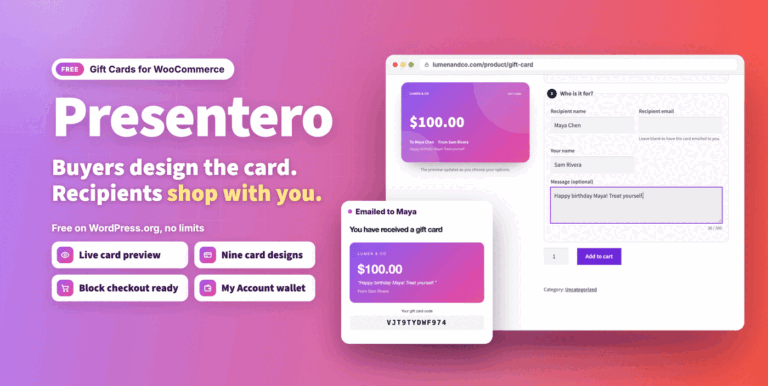
Presentero Gift Cards for WooCommerce Free
Free WooCommerce gift cards with live previews, email delivery and classic or block checkout redemption. Includes refund to card and coupon protection.
Free
Live demo-
Pro
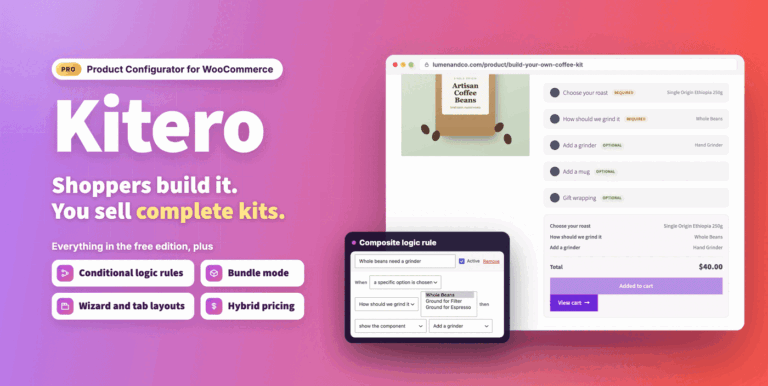
Kitero Composite Products for WooCommerce
Let shoppers build their own kits and bundles in WooCommerce, priced live. Includes logic rules, price overrides, multi choice components and a visual preview.
From $49.00 One-time
Live demo -
Free
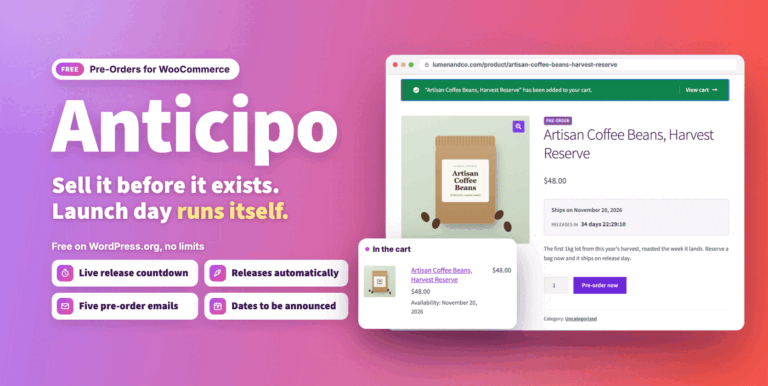
Anticipo Pre-Orders for WooCommerce Free
Sell products before they exist in WooCommerce. Take pre-orders, hold each order until launch day, then release it automatically.
Free
Live demo