Your cart is empty.
Browse plugins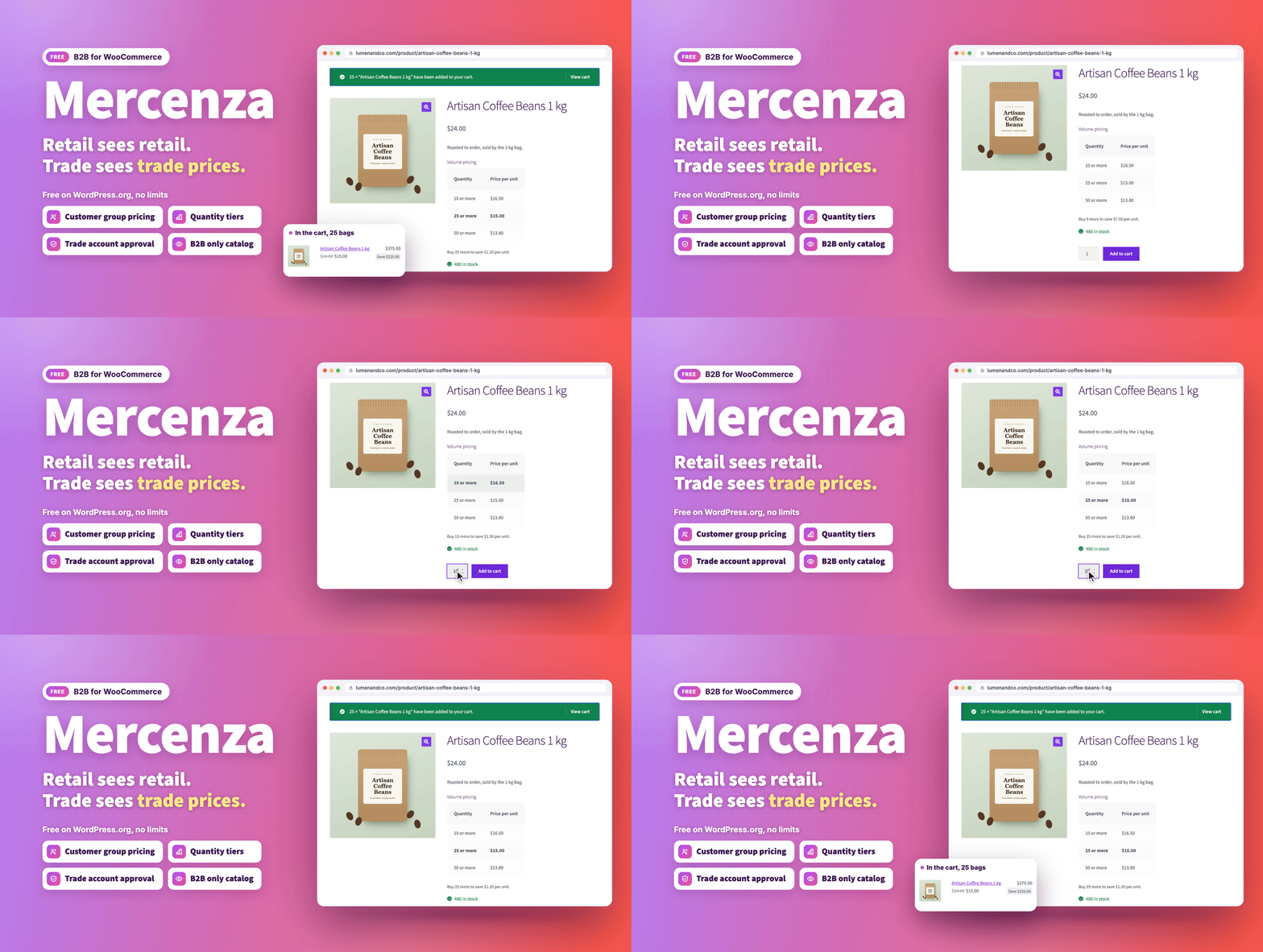
Overview
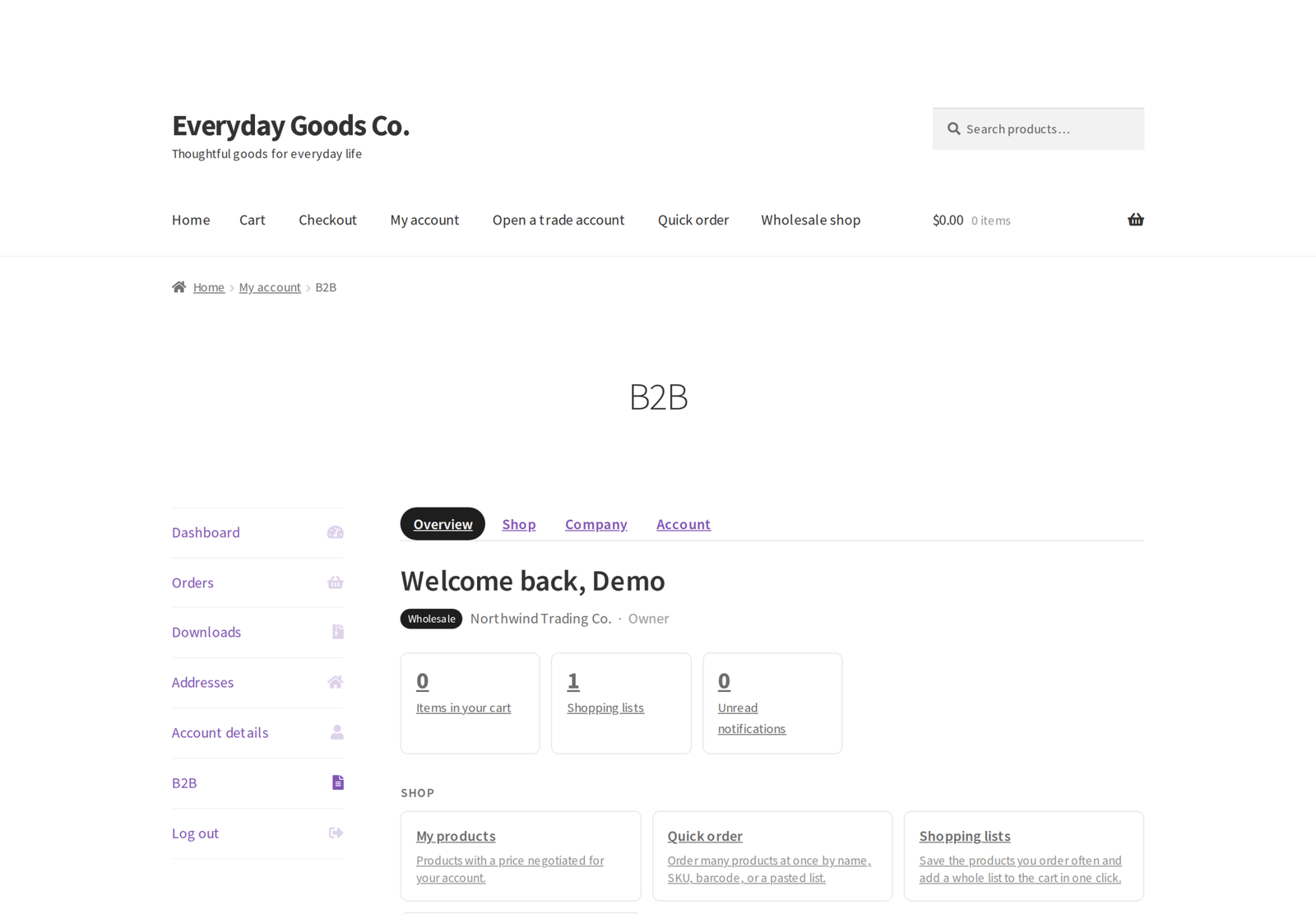
Mercenza adds a wholesale side to your WooCommerce store without a second shop. Buyers apply for a trade account, you approve them, and from then on they see their own prices, their own minimum quantities, and only the products you want them to see. Retail customers notice nothing: it is the same shop, with a second set of rules for the people who buy from you in volume.
The free edition is complete on its own. Nothing is limited, locked or time restricted: no group limits, no product limits, no price limits and no "Powered by" link.
- Download: WordPress.org
- Live demo: Free version | Pro version
- Documentation: Free version | Pro version
- Support: propluginslab.io/support
What's new in 1.2.3 (October 22, 2026)
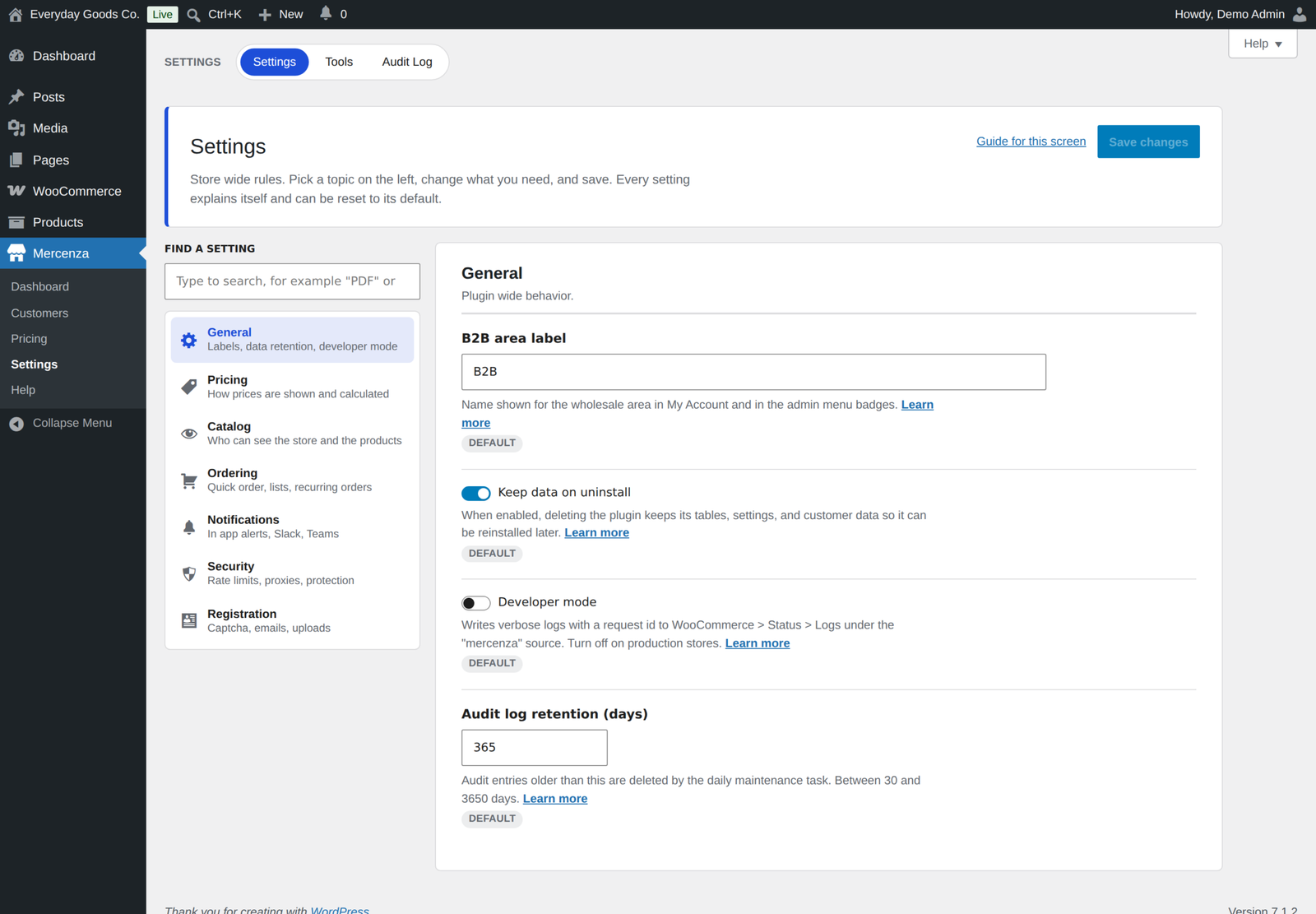
- Choose who sees the B2B area. "Who sees the B2B area" (Settings > General) can limit the My Account B2B tab, "Add to list" and Reorder to members of a Mercenza group or company. New installs start with members only.
- Subcategories in catalog rules. "Include subcategories" lets one category visibility or purchase rule cover a whole range of categories.
- Your wording for order minimums. "Minimum order value message" and "Minimum order quantity message" (Settings > Ordering), shown once at checkout.
- Coupons for guest pricing. "Block coupons for wholesale customers" applies to logged-in group members, with an option to include guests on the guest group's prices.
- Plays well with tax services. Mercenza keeps a VAT exempt status set by another plugin and only clears the one it set itself.
Earlier releases are listed in the changelog at the end of this page.
Who it is for
- Distributors and importers whose customers buy at agreed prices
- Manufacturers selling to resellers, installers and trade accounts
- Retail stores that also sell in bulk to businesses
- Suppliers who need minimum order quantities, case packs or a trade only catalog
- Stores moving from B2BKing, Wholesale Suite, Wholesale X or WHOLS
Customer groups
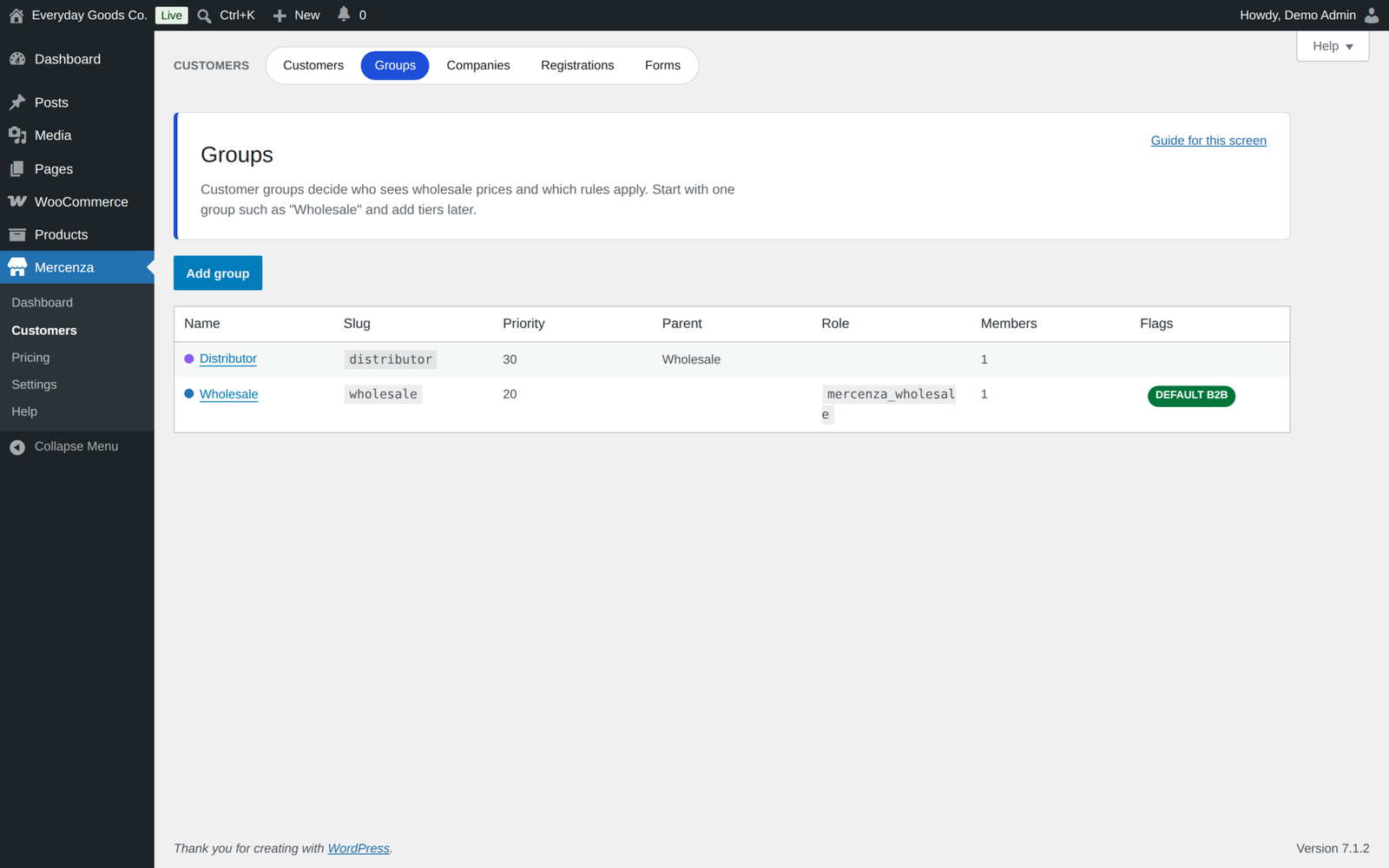
- Unlimited groups, each with its own prices, display rules and ordering rules
- Parent groups, so "Distributors" can inherit from "Wholesale" and override only what differs
- Each customer is in one group: their own, or else their company's
- Group settings for price display, price suffix, catalog mode, stock display, tax display, minimum and maximum order value and quantity, backorders, order notes, buyer portal and recurring orders
- Assign customers one by one, in bulk, by automatic rules, or by importing a CSV file
- Each user's group in a column on the WordPress Users screen, with a filter to list one group
- An optional WordPress role per group, created with the group and removed when the group is deleted
Wholesale pricing
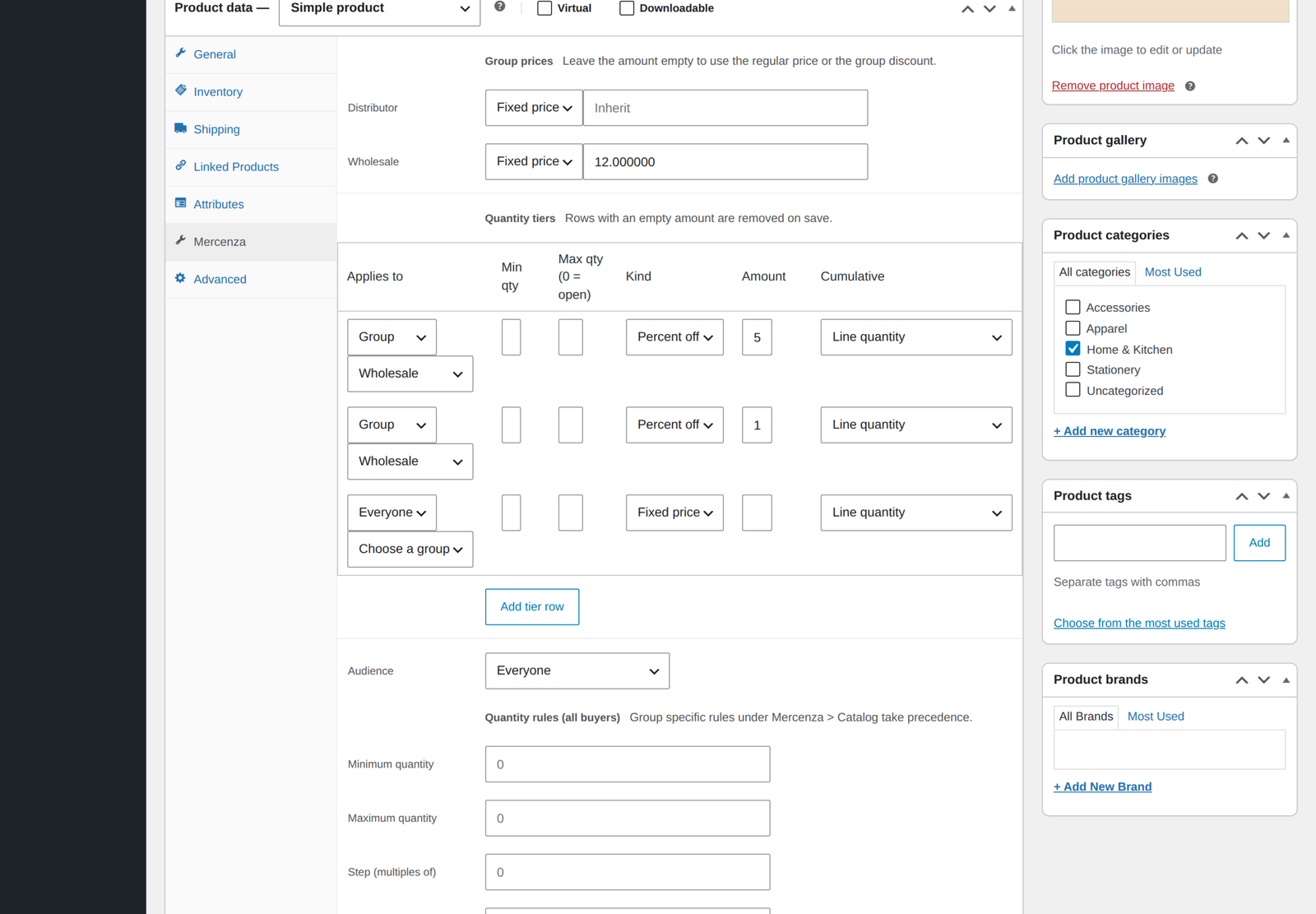
- A fixed price, a percentage off or an amount off, per product and per variation
- Prices per group, per product category, and prices negotiated with one customer
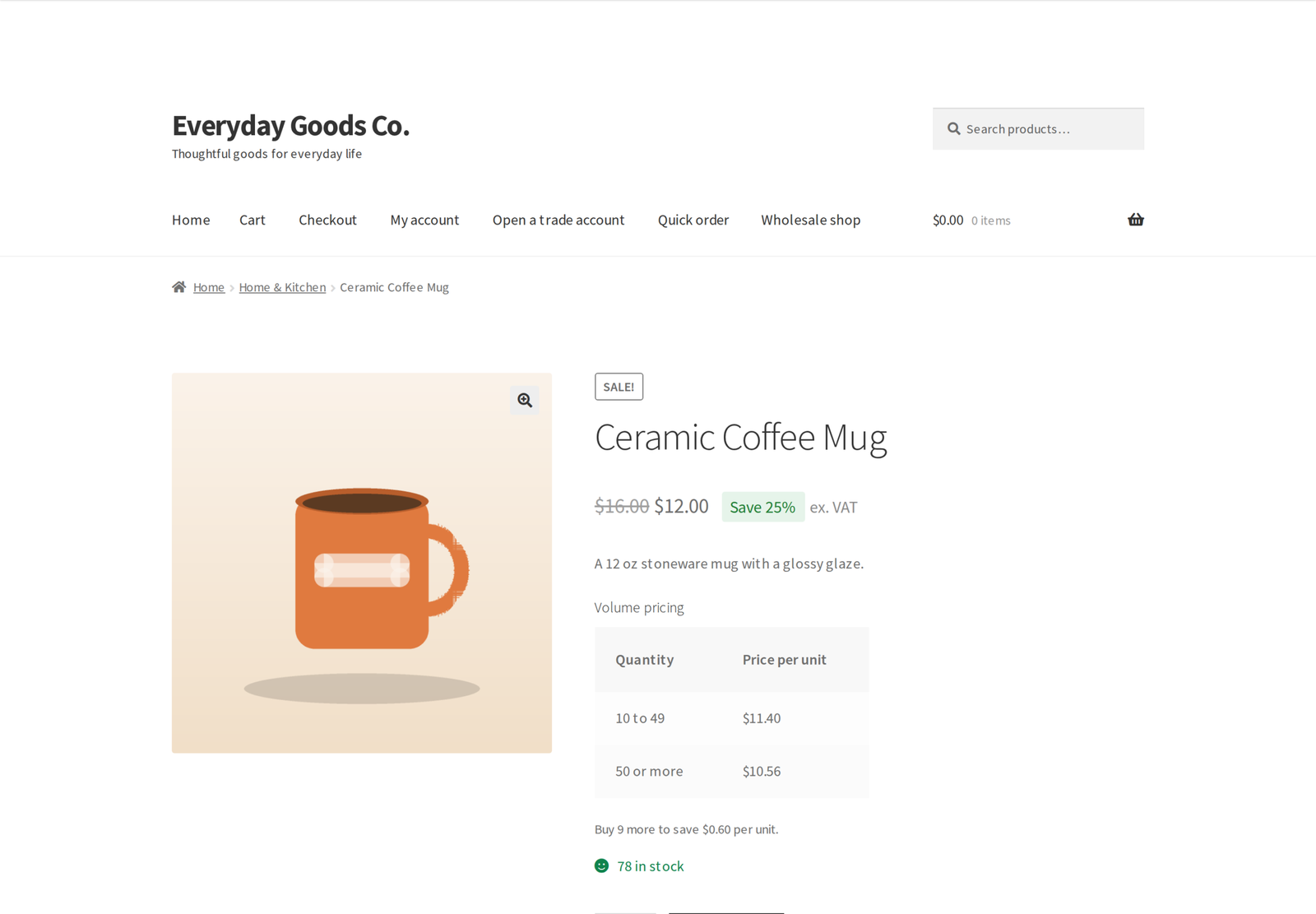
- Quantity tiers ("10 or more: 8.50") shown as a table on the product page
- Dynamic rules with conditions on group, customer, company, product, category, tag, attribute, cart total, quantity, weekday, date range, order history, shipping country and currency, and actions for discounts, free shipping and buy X get Y
- A price inspector that shows exactly which rule produced the price a customer sees, and why
- A bulk editor for many products at once, with undo, and CSV import and export of prices and tiers
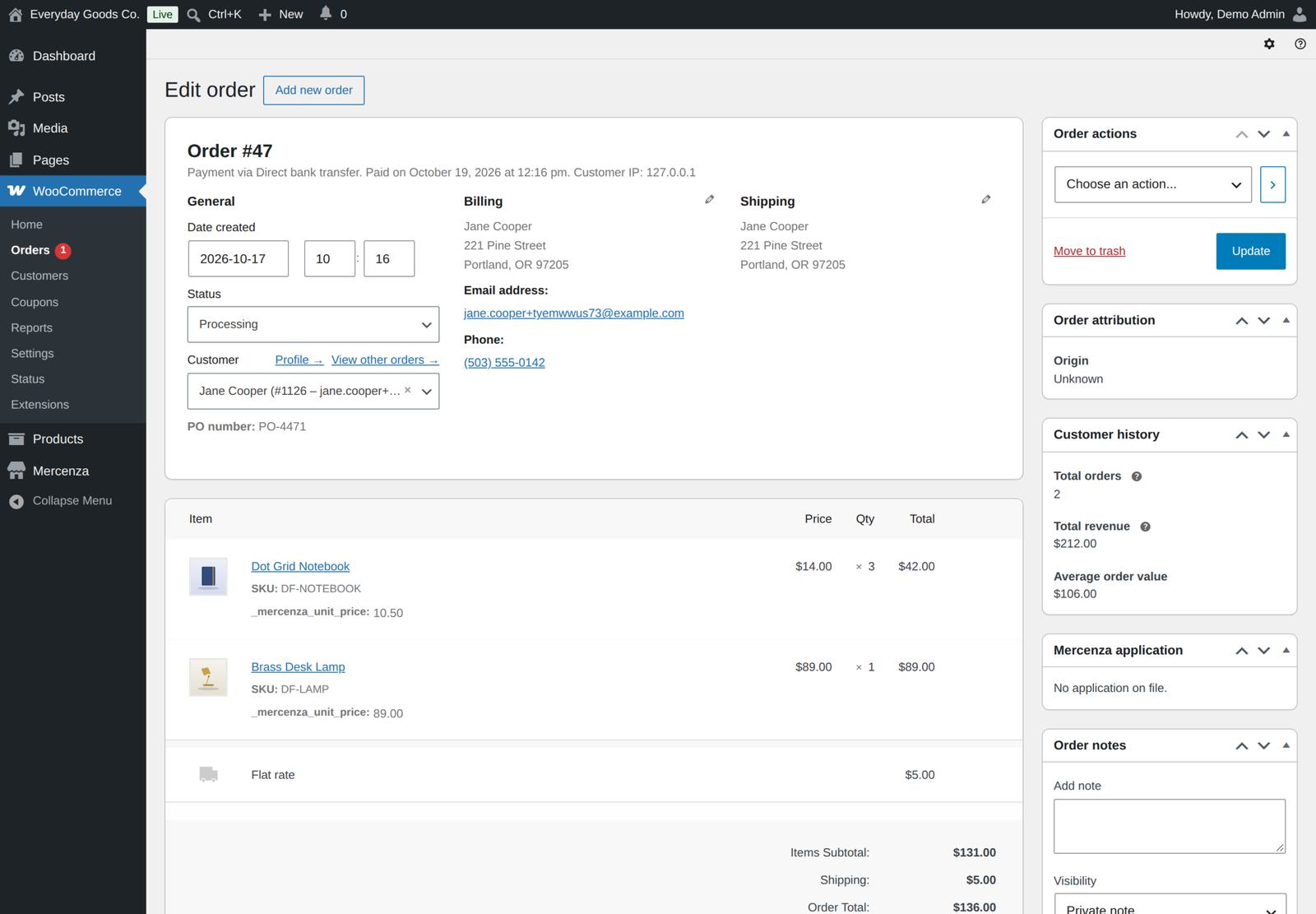
- The right price everywhere: shop, product page, cart, checkout, REST and Store API, with a snapshot stored on every order
- Cart lines that another plugin prices itself, such as a product configurator, a name your price product, a gift card, or a bundle or composite item, keep that price in the cart and on the order
B2B catalog control
- Mark a product or a whole category as wholesale only or retail only. Restricted products disappear from the shop, search, related products, sitemaps and the API, and direct links return a 404
- Visibility and purchase rules per group, for guests or for everyone, targeting products, variations, categories, tags or brands
- Minimum, maximum, step and pack size, enforced on the product page, in the cart, at checkout and in the Store API
- Catalog mode per group: hide the cart, show an enquiry button, or allow browsing only
- Hide the whole store from visitors who are not logged in
- Wholesale only product information: lead time, case dimensions, case weight, HS code, country of origin and your own fields
Trade registration
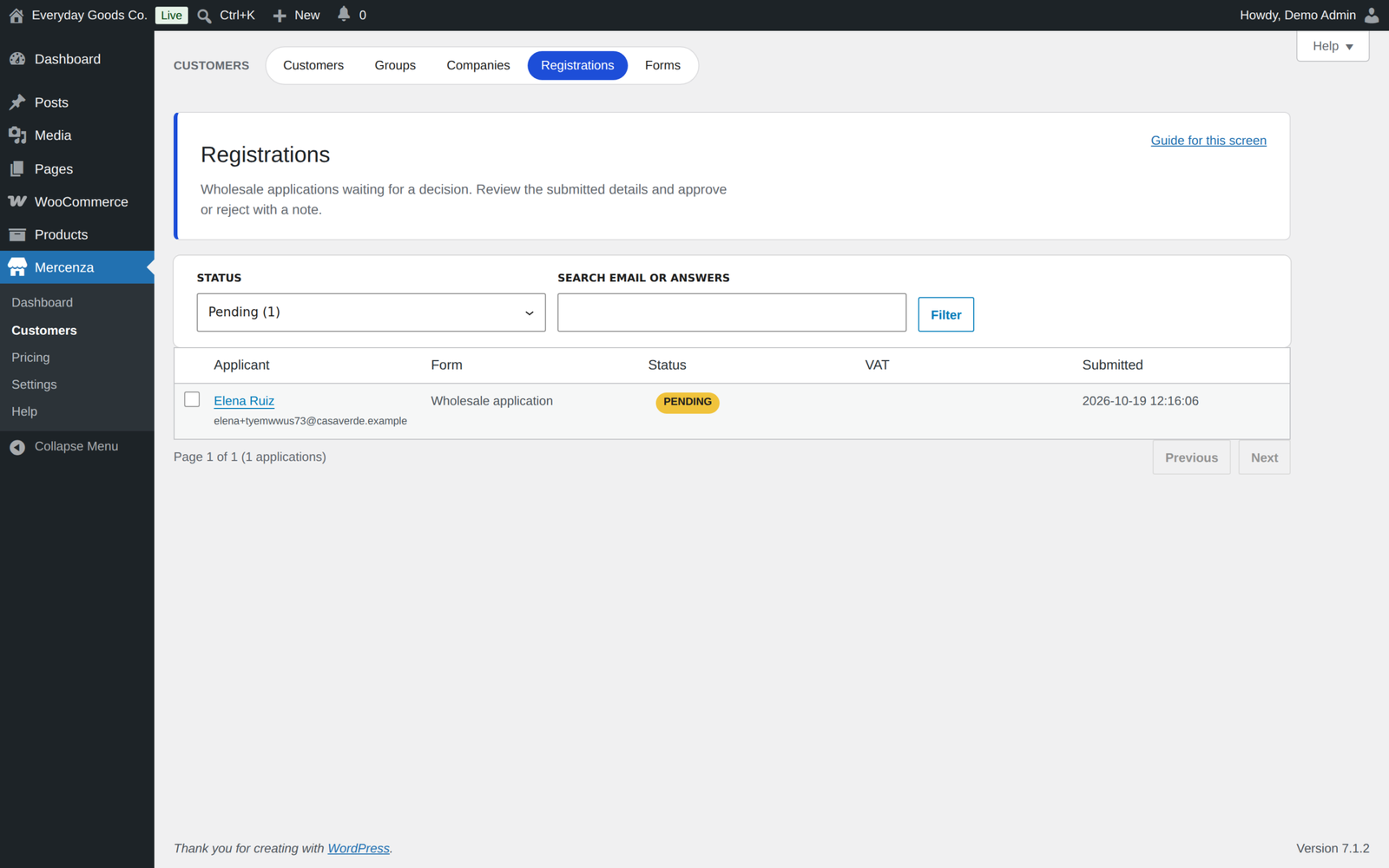
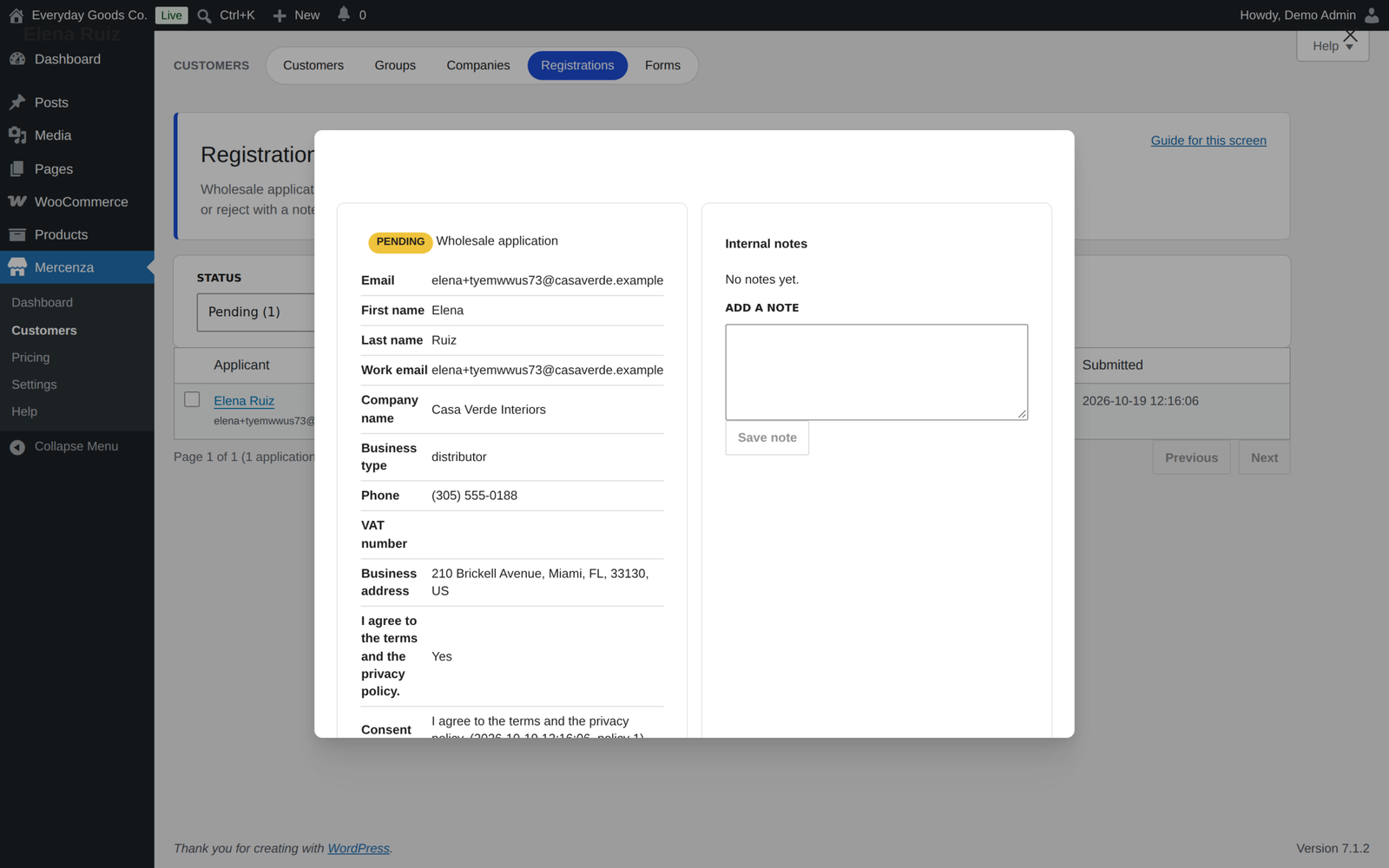
- A drag and drop form builder with text, select, radio, checkbox, country, state, address, file upload, VAT number, business type, consent and custom HTML fields
- An approval queue with notes, rejection reason templates and bulk actions
- Automatic approval rules, disposable email blocking, a honeypot and captcha (reCAPTCHA v2 and v3, hCaptcha, Cloudflare Turnstile)
- Optional online VAT number checks against VIES and HMRC, off until you switch them on
- Registration emails for the applicant and for you, and onboarding emails that guide a new trade customer to their first order
Companies and sub accounts
- A company record with legal name, trading name, VAT number, registration number, addresses and notes
- Sub accounts with roles (owner, purchaser, approver, viewer or custom) and per person permissions
- A "Place orders" permission and an order limit per person, enforced in the cart, at the classic checkout and on the Cart and Checkout blocks: a viewer cannot buy, and an order above the member's limit cannot be placed
- An address book shared by the company
- Email invitations, and a notice when a colleague's permissions change
Ordering tools buyers use every week
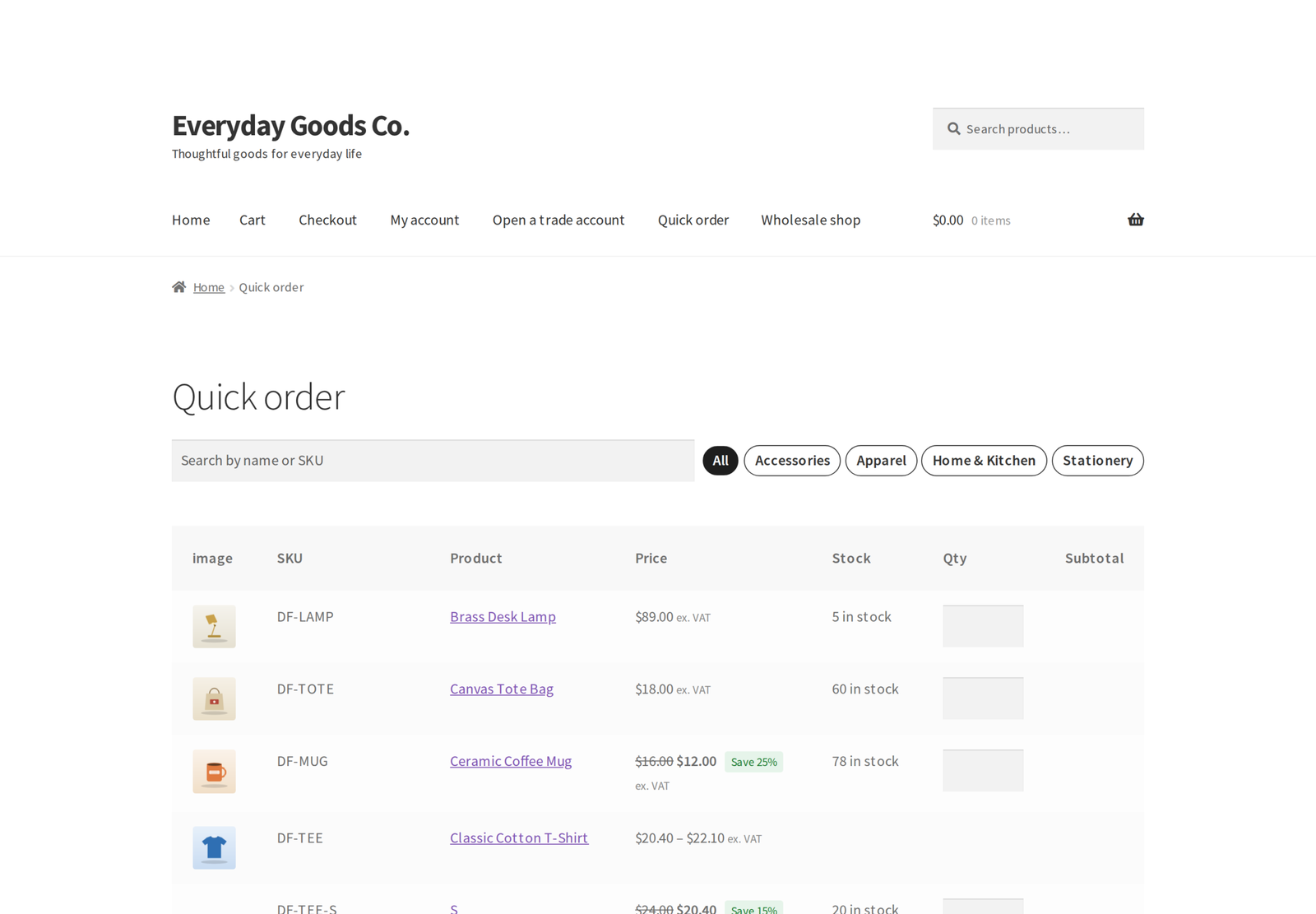
- A quick order form: add many products at once by name, SKU, barcode or a pasted list
- Shopping lists that reorder in one click, and recurring orders on a schedule
- A reorder button on past orders and a frequently purchased panel
- A purchase order number field on the classic checkout and the Checkout block, shown on the order, in emails and in the order search
- A B2B area in My Account with a quick add bar and live cart, which follows your theme and works on a phone
Built for store owners
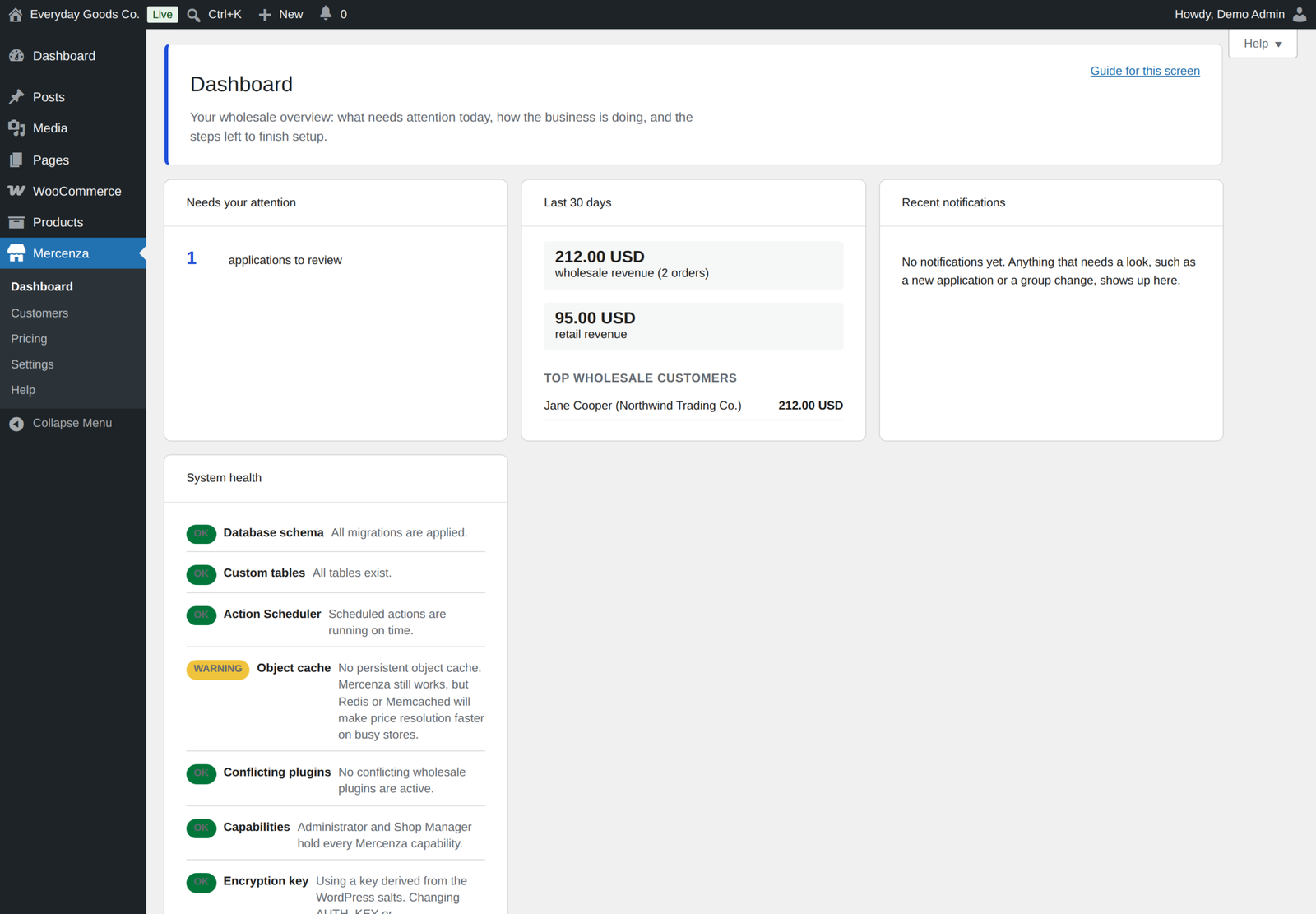
- A setup wizard and a dashboard that shows what needs attention today, with order figures net of refunds
- Built-in help: every screen has a plain language introduction, every setting has a short explanation, and the Help screen holds the full documentation
- CSV importers for customers, companies, sub accounts, applications, prices, tiers and pricing rules, each with a dry run and an error report
- Migrators for B2BKing, Wholesale Suite, Wholesale X and WHOLS, with rollback
- In-app notifications, with optional Slack and Microsoft Teams messages sent in the background and retried when they fail
- WooCommerce webhooks for Mercenza events, with failed deliveries retried after 5, 30 and 180 minutes
- Log in as a customer to see the store exactly as they do
Security and privacy
- Every form has a nonce and a capability check, and every database query is prepared
- Every REST route has a strict permission check, and changes are only accepted from a logged-in dashboard session
- Sensitive fields are encrypted at rest and never written to logs
- An append-only audit log records who changed what, with a diff view, filters, CSV export and retention
- Fine-grained capabilities for every admin action
- Rate limits on registration, VAT checks and REST list endpoints
- Customer data is part of the WordPress personal data export and erase tools
- Nothing leaves your site unless you switch on a service, and no usage data is collected
Compatibility
- Simple and variable products
- HPOS (custom order tables) and the Cart and Checkout blocks
- Any theme, with templates you can override from your theme
- WPML and Polylang
- Plugins that set their own cart prices: Kitero, Inputo, Presentero gift cards, Product Bundles and Composite Products
- REST API under mercenza/v1, WP-CLI commands, and actions and filters for developers
Free and Pro compared
In both editions
- Unlimited customer groups with parent groups and group settings
- Group, category and customer prices per product and variation
- Quantity tiers with a price table on the product page
- Dynamic rules: discounts, free shipping, buy X get Y
- Price inspector, bulk price editor and CSV import and export
- Wholesale only and retail only products and categories
- Visibility and purchase rules per group, guest or everyone
- Minimum, maximum, step and pack size
- Catalog mode and a store hidden from guests
- Registration form builder, approval queue, captcha, disposable email blocking and automatic approval
- VIES and HMRC VAT number checks (opt in)
- Companies, sub accounts and roles, with order permissions and limits enforced at checkout
- Quick order form, shopping lists, recurring orders and reorder
- PO number field on the classic checkout and the Checkout block
- B2B area in My Account
- Setup wizard, dashboard and built-in documentation
- CSV importers and migrators from B2BKing, Wholesale Suite, Wholesale X and WHOLS
- Audit log, capabilities and log in as customer
- Notifications with Slack, Microsoft Teams and webhooks
- REST API, WP-CLI and developer hooks
Only in Pro
- Quote requests with counter offers, attachments for both sides, quote history, PDFs and expiry reminders
- Guest quotes, quote templates and conversion to an order at exactly the quoted price
- Net terms, purchase orders with a PO document upload, deposits and a store credit wallet, also on the Checkout block
- Payment methods limited per group
- Invoices, credit limits, payment reminders, late fees and statements
- Order approval chains inside a company, with thresholds and escalation
- A Company orders page in My Account, and saved company addresses at checkout
- Products and categories shown only to chosen customers and companies, and coupons limited to chosen groups or companies
- Tax exemption certificates, tax exempt groups, EU reverse charge and tax class per group
- B2B shipping rules, freight quotes, partial shipments and pickup slots
- Sales reps with their own Workspace, orders on behalf, commissions, payout records and clawbacks
- Dormant account alerts and winback emails
- Seven reports with CSV export and a Company tab, and a wholesale or retail filter in WooCommerce Analytics
- Personal price lists as CSV or PDF, and scheduled price list emails
- 47 integration modules, including one way sync to QuickBooks Online, Xero, HubSpot and Zoho CRM
Upgrading to Pro
Install Mercenza Pro and activate it. While Pro is active, the free edition stays idle and shows a notice, so you can deactivate it from the Plugins screen whenever you like. Your groups, prices, customers, companies, applications and settings carry over, and nothing needs to be set up again.
Requirements
- WordPress 6.4 or newer, tested up to 7.1
- WooCommerce 8.2 or newer, tested up to 11.2.1
- PHP 7.4 or newer
Changelog
Every release, newest first, with the date it came out.
Version 1.2.3 (October 22, 2026)
- New: "Who sees the B2B area" setting under Settings > General. "Only customers in a Mercenza group or company" gives the My Account B2B tab, "Add to list" and the Reorder action to group and company members; "All logged-in customers" gives them to every logged-in customer. New installs start with members only, and stores updating from an earlier version keep "All logged-in customers". Customers who applied for a wholesale account can always open their Application page.
- New: "Include subcategories" for category visibility and purchase rules, so one rule covers a whole range of categories. It is on for new rules, and rules saved earlier keep covering their own category until you switch it on. Variations follow their product's categories, and a rule on a subcategory still wins for the products in it.
- New: "Minimum order value message" and "Minimum order quantity message" settings under Settings > Ordering to word the order minimum notices your way.
- New: "Also block coupons for guests in the guest group" setting. "Block coupons for wholesale customers" applies to logged-in members of a group, and guests who get the guest group's prices keep coupons unless you switch this on.
- New: WP-CLI
wp mercenza catalog visibility ... --subcategories=<yes|no>, and include_children on the catalog visibility REST route. - Improved: Order minimum and maximum notices appear once on the classic checkout.
- Improved: Mercenza keeps a customer's VAT exempt status that another plugin set, and only clears the status it set itself.
- Improved: Hidden product lists are worked out in one pass for categories that contain variable products.
Version 1.2.2 (October 19, 2026)
- Fix: Pre-orders paid by deposit or on release with Anticipo Pre-Orders Pro now charge the right amount to customers with a group price. Mercenza put the full group price back over the deposit, so the customer paid the whole price at checkout and still owed the balance on release. The deposit and the balance are now worked out from the group price, including quantity tiers and pricing rules.
Version 1.2.1 (October 18, 2026)
- Fix: Pages no longer stop with a critical error for logged in customers who have completed or processing orders. Since 1.2.0 the checkout block fields asked for the customer's past orders before WooCommerce had set up its order types.
- Fix: A customer's order history that cannot be read no longer stops a page; rules based on past purchases simply do not match.
Show earlier versions (1.0.0 to 1.2.0)
Version 1.2.0 (October 17, 2026)
- Fix: Mercenza no longer changes, shows, or corrects the price of a cart line it did not price itself. Lines priced at runtime by other plugins (product configurators such as Kitero, name your price such as Inputo, gift cards, product bundles and composites) keep their price in the cart, the Price column, and the order, where they could become 0.00 before.
- Fix: The purchase order number field now appears on the Checkout block, as it does on the classic checkout.
- Fix: CSV imports from Tools and price imports no longer cancel each other. Each importer has its own background task and only runs its own jobs.
- Fix: Uploading a price CSV file failed with an error since 1.1.0.
- Fix: The sub account "Place orders" permission is enforced. A member without it, such as a Viewer, cannot add products to the cart or check out.
- Fix: The order limit of a sub account is enforced in the cart, at the classic checkout and on the Cart and Checkout blocks.
- Fix: The dashboard order figures subtract refunds and count only orders in the store currency.
- Fix: The Company fact in Slack and Teams registration messages is filled in.
- Fix: An unknown wp mercenza import type now lists the available types.
- New: Google reCAPTCHA v2 (the "I am not a robot" checkbox) as a registration captcha provider.
- New: Confirmation prompts (with --yes) for wp mercenza migrate rollback, settings import, catalog delete and price delete, plus migrate rollback --dry-run.
- Improved: Slack and Microsoft Teams messages are sent in the background and retried when they fail, and failed Mercenza webhook deliveries are retried after 5, 30 and 180 minutes.
- Improved: The documentation gives the correct email template folder (yourtheme/woocommerce/emails/) and no longer mentions development phases.
Version 1.1.2 (October 17, 2026)
- Fix: deleting a customer group now also removes the WordPress role Mercenza created for it, and moves its members to the Customer role.
- Fix:
wp mercenza group assign 0 <user_ids>removes the users' group membership, as its help text says, instead of stopping with an error. - Docs: the readme and built in documentation now describe group membership and the REST API accurately (one group per customer, group changes over REST need a logged in dashboard session; integrations use mercenza()->memberships() and the mercenza_user_group_changed action).
Version 1.1.1 (October 16, 2026)
- Fix: when a product has both a customer group price and quantity tiers, the cart now charges the tier price for the quantity in the cart instead of the single unit group price.
Version 1.1.0 (October 15, 2026)
- New: Users > All Users shows each user's customer group in a new column, with a dropdown to list only the users of one group. Visible to staff who can manage Mercenza customers.
- Security: Slack and Microsoft Teams messages are sent with the WordPress safe request function, which refuses local and private network addresses.
- Security: uploaded price import files are stored in a protected sub folder with its own access rules.
- Improvement: the plugin description lists only what this edition contains.
- Tested with WordPress 7.1.3 and WooCommerce 11.2.1.
Version 1.0.1 (October 15, 2026)
- The Pro banner on the Settings screen now shows to everyone who may change Mercenza settings, including shop managers, instead of only to users who can manage plugins.
Version 1.0.0 (October 15, 2026)
- First public release.
Details
At a glance
- Last updated
- October 22, 2026
- Type
- Free plugin
Catalog
Categories: Plugins, Free Plugins
Tags: b2b plugin, b2b registration, customer groups, free wholesale plugin, hide products, minimum order quantity, quantity discounts, quick order form, role based pricing, tiered pricing, trade accounts, wholesale plugin, wholesale pricing, wholesale registration, woocommerce b2b
You might also like
 Pro
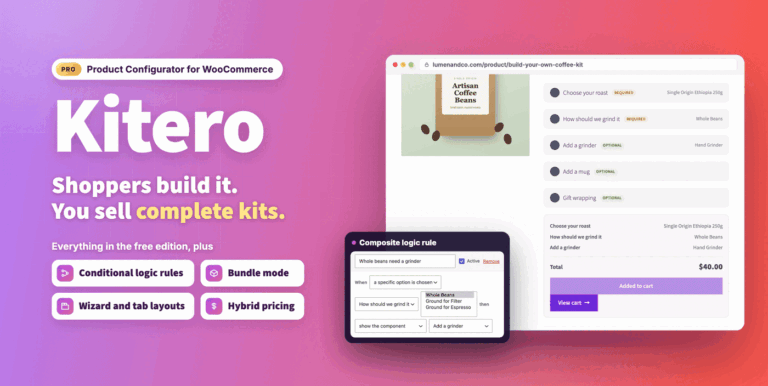
Kitero Composite Products for WooCommerce
Let shoppers build their own kits and bundles in WooCommerce, priced live. Includes logic rules, price overrides, multi choice components and a visual preview.
From $49.00 One-time
Live demo View plugin-
Free
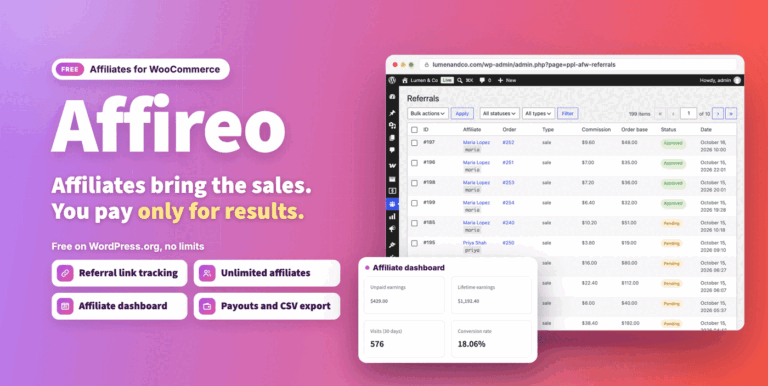
Affireo Affiliates for WooCommerce Free
Run a complete affiliate program on WooCommerce for free, with referral tracking, commissions and an affiliate dashboard. Pay affiliates manually or in store credit.
Free
Live demo Free Download -
Free
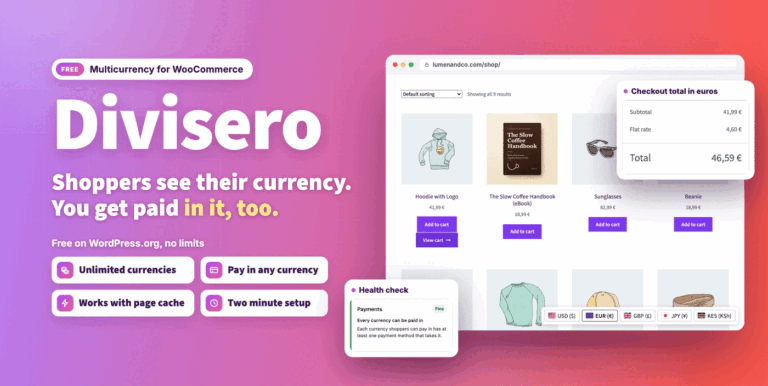
Divisero Multicurrency for WooCommerce Free
Free multicurrency plugin for WooCommerce: unlimited currencies, checkout in the shopper’s currency, automatic rates and a switcher that works with page caches.
Free
Live demo Free Download