Your cart is empty.
Browse plugins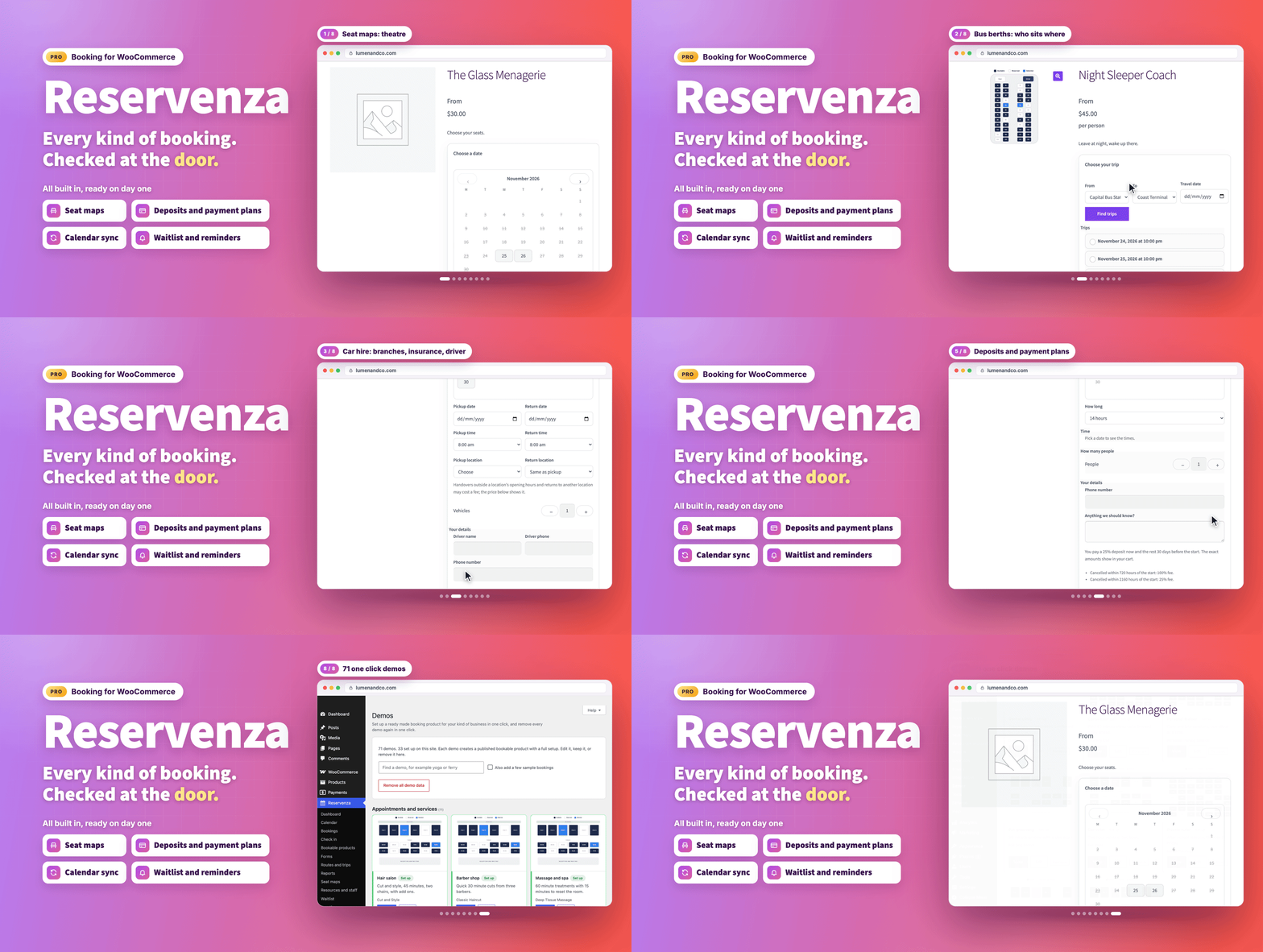
Overview
Every Kind of Booking in One WooCommerce Plugin
Reservenza Booking for WooCommerce Pro sells any booking from one plugin: appointments, classes, events and tickets, hotel rooms and holiday homes, car and equipment rental, tours, venues, restaurant tables, and seats on buses, coaches, ferries, trains and flights. One calendar, one bookings list, one set of emails and one check in screen for all of them, with a one-time payment and lifetime updates.
The name comes from "reserve" and the Italian riservare. You reserve a room, a seat, a car, a ticket or a time.
- Documentation: a Help screen inside the plugin under Reservenza, Help, with a guide to every screen, booking kit and setting
- Support: propluginslab.io/support
Why you can trust every booking
A booking plugin is only worth running when a place is never sold twice and the person at the door is the person who paid. Reservenza was built around both.
- Nothing is sold twice. Every place in every time slot, every seat on every leg of a trip and every room on every night is one row under a unique rule in the database itself. Two customers racing for the last place get exactly one booking and one plain "no longer available". The tests force two writers onto the same place at the same moment and check that exactly one succeeds.
- Places are held in the cart. A place is held while it sits in the cart, the timer restarts at checkout, and the hold becomes a booking in one database step when the order is placed.
- Bookings in their own tables. Bookings, seats, holds, dates, routes and attendees live in dedicated tables, never in posts and post meta. On a test store with 100,000 bookings, a month of availability loads in 49.7 ms and a page of the bookings list in 26.3 ms.
- "Why is this closed?" The Explainer answers it for any date, time, room, resource or seat, with a link to the setting behind every reason.
- Checked at the door. A ticket or booking pass works once. Before letting anyone in, the door check confirms the booking is not cancelled, is paid, is confirmed, is verified when you ask for that, and is for this day, this time and this event.
- Private by default. Booking references are random, so nobody can count your bookings from them. Ticket codes are stored hashed and encrypted. The plugin connects to no outside service until you turn one on, and it has no tracking and no statistics.
- Checked on every build. Each release runs the WordPress and WooCommerce coding standards, static analysis, Plugin Check, a permission probe on every REST route, and the integration suites below. A release that fails any of them is not packaged.
Who it is for
- Salons, clinics, studios, tutors and consultants who sell appointments
- Gyms, schools and workshops that sell classes and courses
- Theatres, cinemas, concert halls, stadiums and event organisers who sell tickets
- Hotels, guest houses, holiday homes, hostels and campsites
- Car, bike, boat and equipment hire, with one or many branches
- Tour operators, bus and coach lines, ferries, trains and charter flights
- Restaurants, venues, meeting rooms and sports courts
- Any store that sells more than one of these and is tired of running a plugin for each
Nine booking kits, one engine
Each kit is a preset you can change after setup.
- Appointments and services. Fixed length slots, gaps before and after, store or product hours.
- Classes and group sessions. Capacity per session, price per person, attendee names.
- Events and tickets. Dates, ticket types (General, VIP, early bird) with their own price, number and sales dates, QR tickets.
- Rooms and stays. Room types with several identical rooms, nights, check in and check out times, shortest and longest stay, guests.
- Rentals and car hire. Pickup and return date and time, several units, extras charged once or per day, driver details, a refundable security deposit on its own line.
- Tours and activities. Departures, adult and child prices, meeting point, tickets.
- Transport. Routes with ordered stops, trips generated from a timetable, passenger names, boarding passes with QR codes.
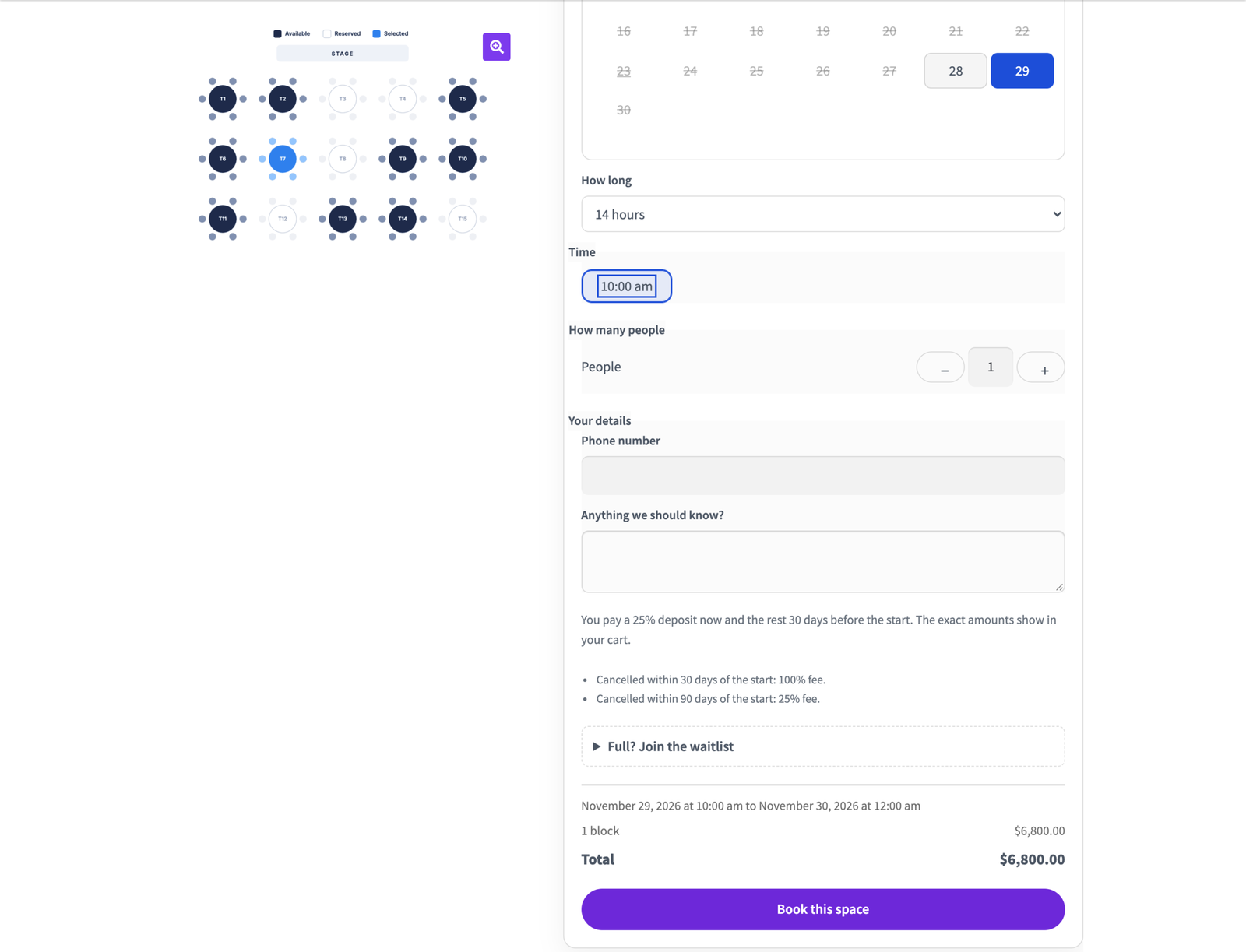
- Venues and spaces. A start time plus a length in blocks, several spaces.
- Tables and reservations. Party size, arrival times, total seats, reservations you confirm by hand.
Seat maps for any venue or vehicle
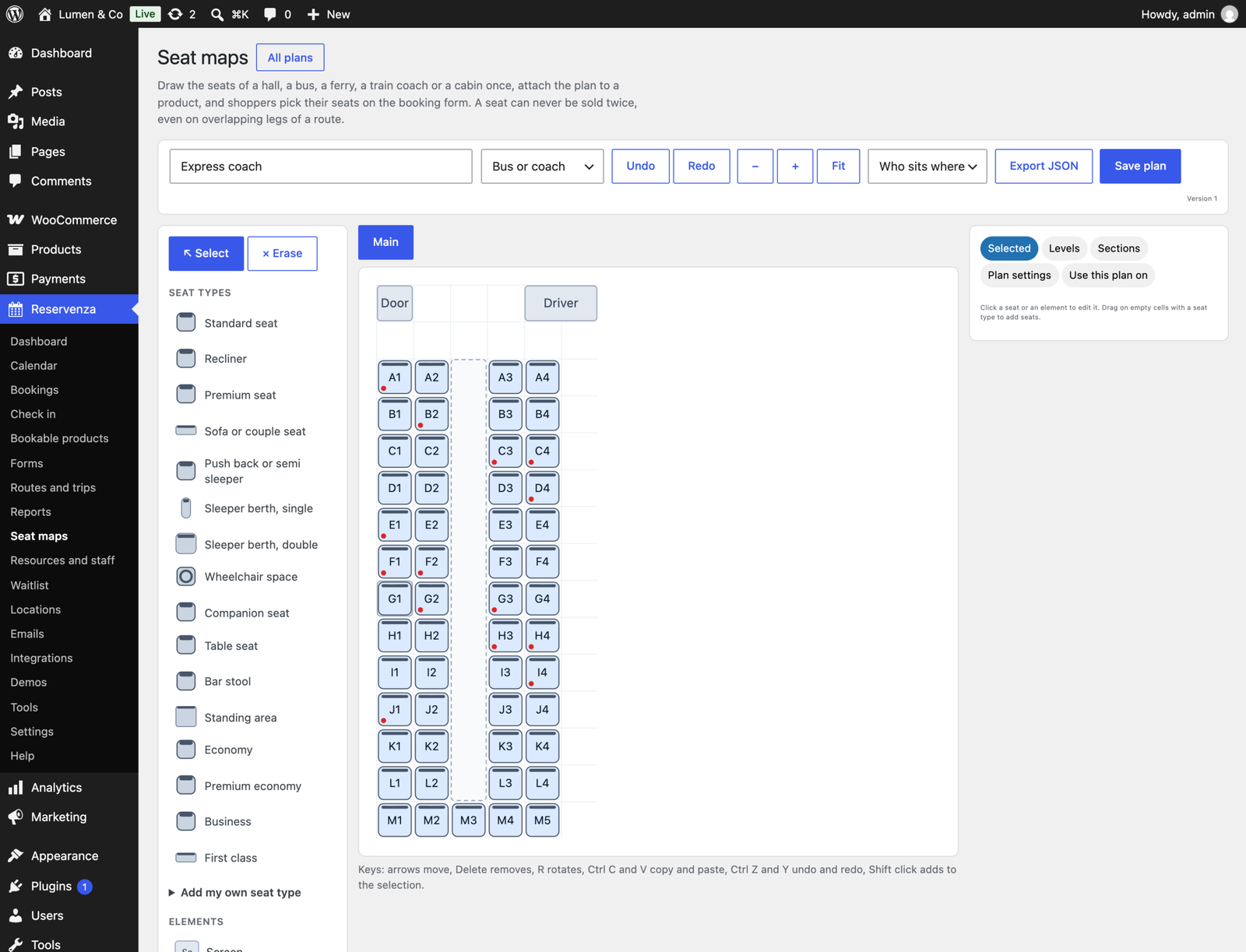
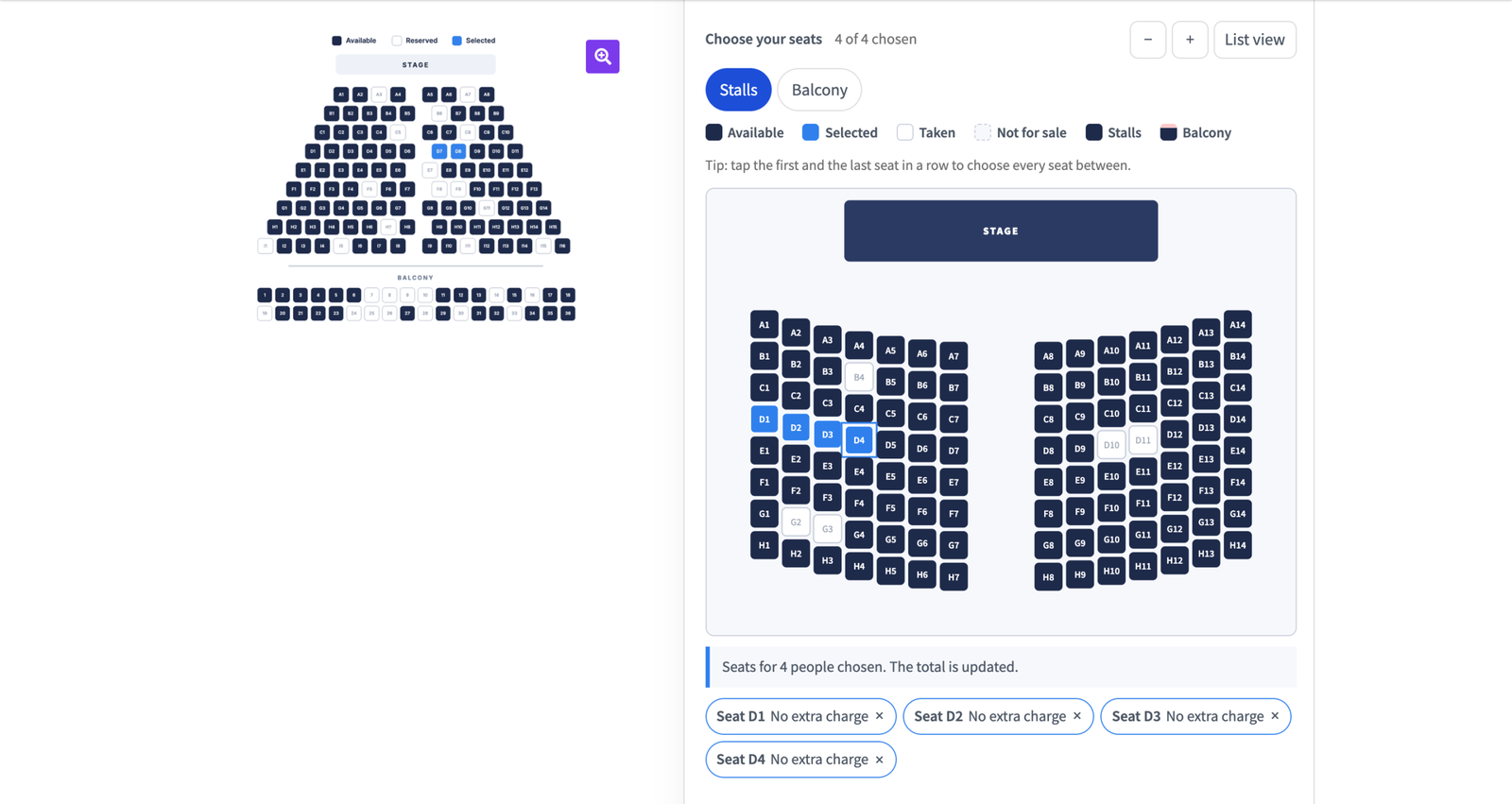
Draw a cinema, a theatre with balcony, a stadium block, a 2+2 coach, a 2+1 sleeper bus with lower and upper berths, a train coach, a ferry deck or an aircraft cabin on a grid, with no code, or start from one of 15 templates. Place the screen, stage, driver, doors, exits, stairs, toilets and aisles so customers know which way they face. Rows can curve around the stage, and row A is always the row nearest the front.
Seat types ship for every trade: standard, recliner and couple seats, push back and semi sleeper, single and double sleeper berths, wheelchair space, table seats and cabin classes, plus your own types with a name, icon, size and price. Price per seat, per type or per section. Block a seat, hide it, keep it for staff or mark it as sold offline.
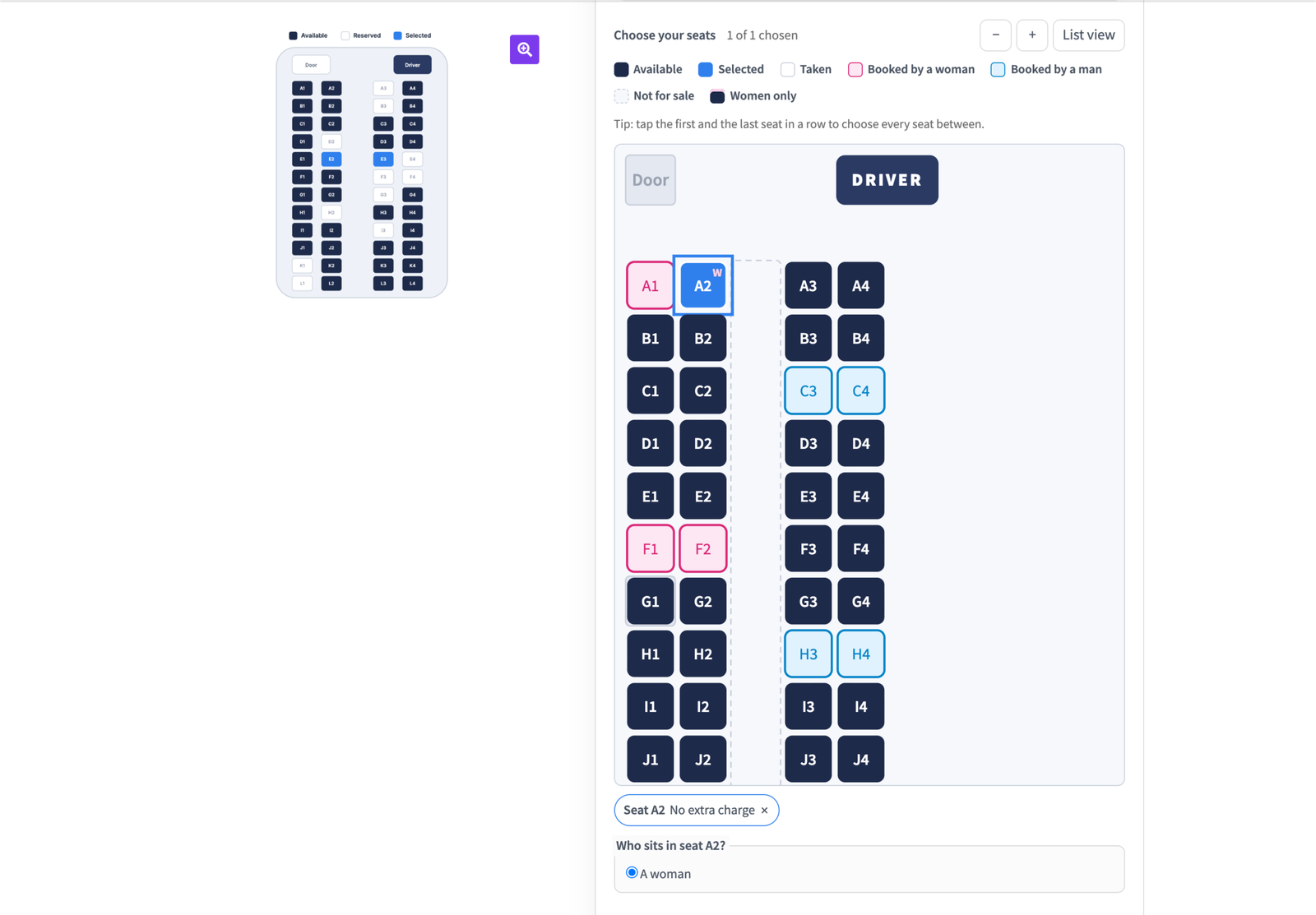
Customers pick seats on desktop and phone with deck tabs, a key, the price on tap and a running total. Tap the first and the last seat of a row and every seat between is chosen, with the number of tickets raised to match. Pinch to zoom, and the page still scrolls normally over the plan. A list view serves keyboard and screen reader users.
- Women's safety rule. A seat next to a woman from another booking can only be booked by a woman. People booking together can always sit together.
- Show who booked. Taken seats show whether a man or a woman sits there, as a colour, never a name.
- Both are options on every seat plan, on by default for buses and trains.
Changing a plan after sales started keeps every sold seat and asks you what to do with any conflict. Plans export and import as a file.
Transport from stop to stop
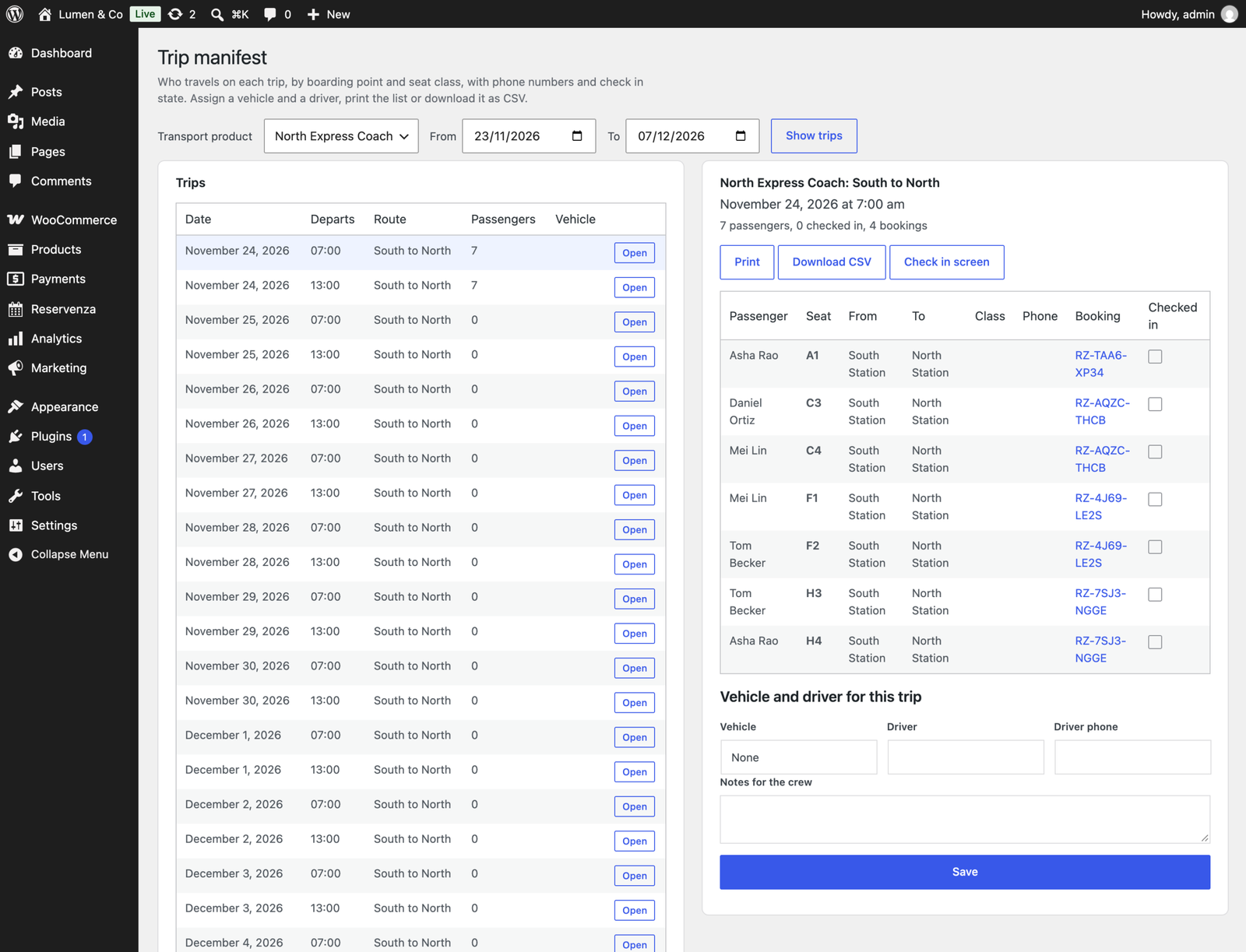
A seat is sold per leg: sold from A to B, it is still free from B to C. Fares per segment and seat class, return trips with a round trip discount that books both legs or neither, boarding and drop off points, a printable manifest per trip with CSV export, and vehicle and driver assignment.
Hotels and holiday lets
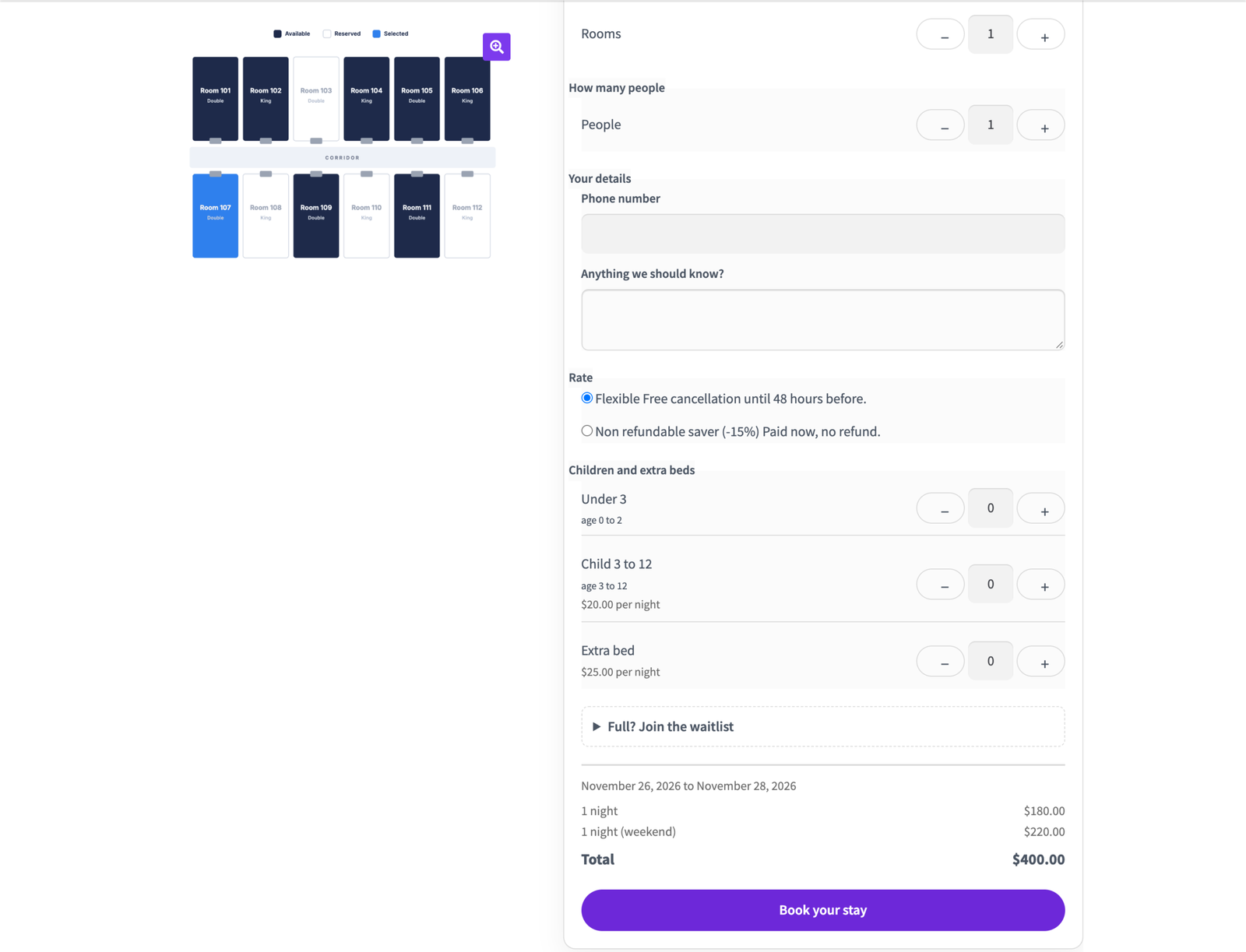
Rate plans (refundable, non refundable, with breakfast, your own), seasons, weekday and weekend prices, length of stay discounts, occupancy pricing with children by age and extra beds, and a private calendar feed per unit for Airbnb, Booking.com and Vrbo, with their calendars imported on a schedule.
Car and equipment hire
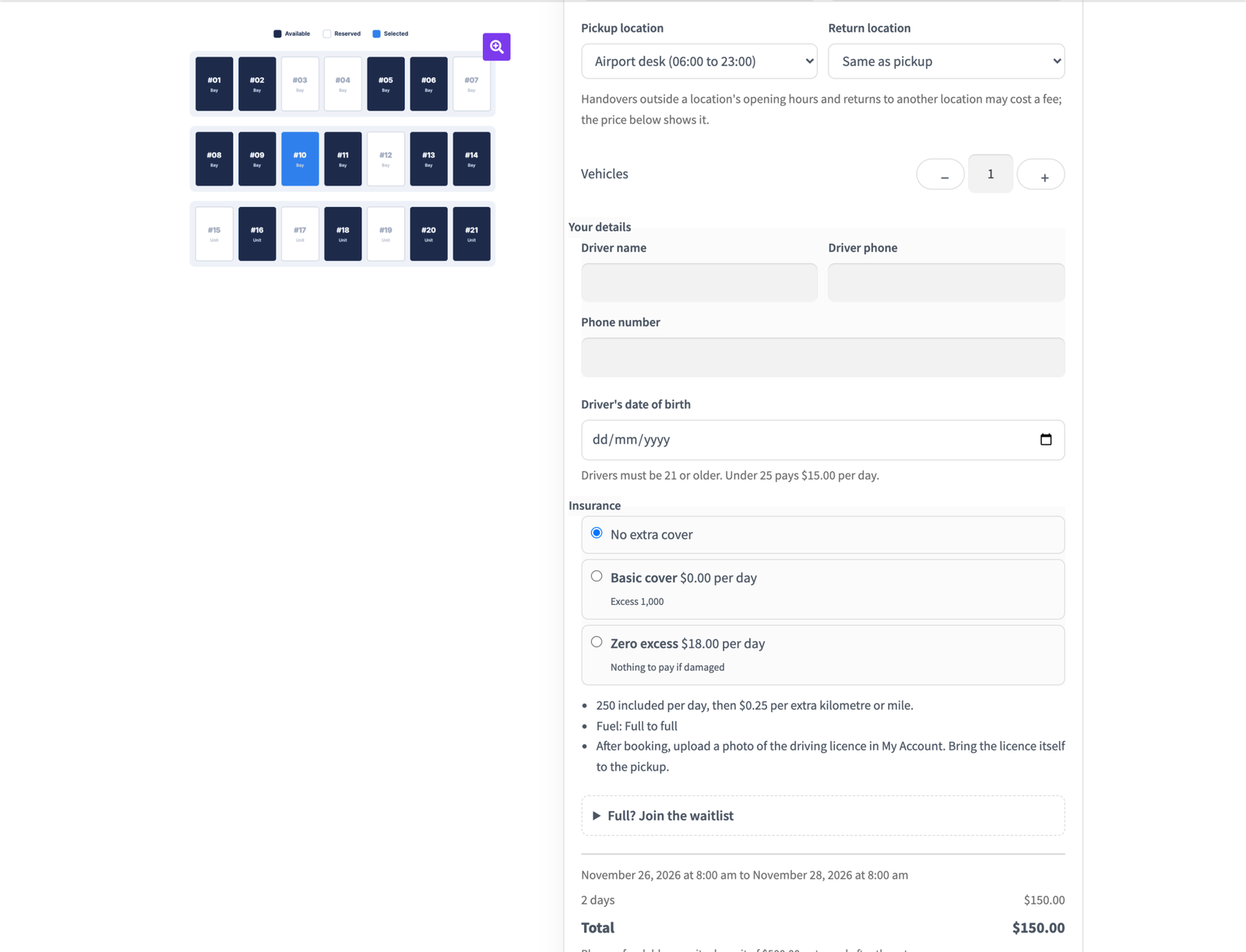
A network of branches with one way fees, out of hours pickup and return fees, driver age rules with a young driver surcharge, a driving licence upload stored privately, mileage limits with excess mileage charged at return, fuel policy text, a damage and return checklist, and insurance options priced per day.
Staff, resources and locations
Staff, rooms, equipment, vehicles and venues as resources, with skills, pools, round robin and preferred assignment, and bookings that need more than one, such as a therapist plus a room. Locations with their own hours and time zone, staff time off, and a staff portal where each person sees only their own bookings.
Scheduling
Seasons, split shifts, blocking across products, recurring bookings and series, packages and passes with session credits, travel time between locations, times shown in the customer's own time zone, suggestions when a slot is taken, and a Find next available button.
Get paid
- Deposits and balances. A fixed amount, a percentage, the first night or per person now, with the balance due later by a pay link and reminders.
- Pay on arrival, and quotes: guests ask for a price, you send it, they accept and pay.
- Cancellation fees by how close to the start the guest cancels.
- Security deposits for rentals as their own line, released in one click. Where your gateway supports authorising a card without charging it, the deposit can be held that way; otherwise the order gets a note that explains what to do.
Payments go through the WooCommerce gateways you already use. The Stripe gateway was active on the test store; checkout was tested end to end with the classic checkout.
At the door
- Door check for every kind of booking. Scan a ticket or a booking pass with the phone camera, or type the code. A counter per event, a printable guest list, and a Door staff role that sees only this screen.
- The phone camera works too. Every QR code is a link to the check in screen, so door staff can scan with the normal camera app and are checked in after one login.
- Booking passes with a QR code for rooms, rentals, tables and appointments, in the confirmation email and My Account.
- Admin verification. Mark a booking as verified after checking an ID, a membership or a payment, and let only verified bookings in if you choose.
- Let in anyway. Managers can let a guest in with a reason that is logged.
- Check out for stays and Mark returned for rentals, with a note for damage, fuel or mileage, and Did not come for no shows.
Forms, waitlist and day to day work
A booking form builder per kit or product with conditional fields, private uploads, signatures and versioned waivers. A waitlist with time limited offers when a place frees up. A day board, a resource timeline with drag to reschedule and undo, a mobile staff console, and a designer that orders the steps of the booking form.
Calendar sync, messages and meetings
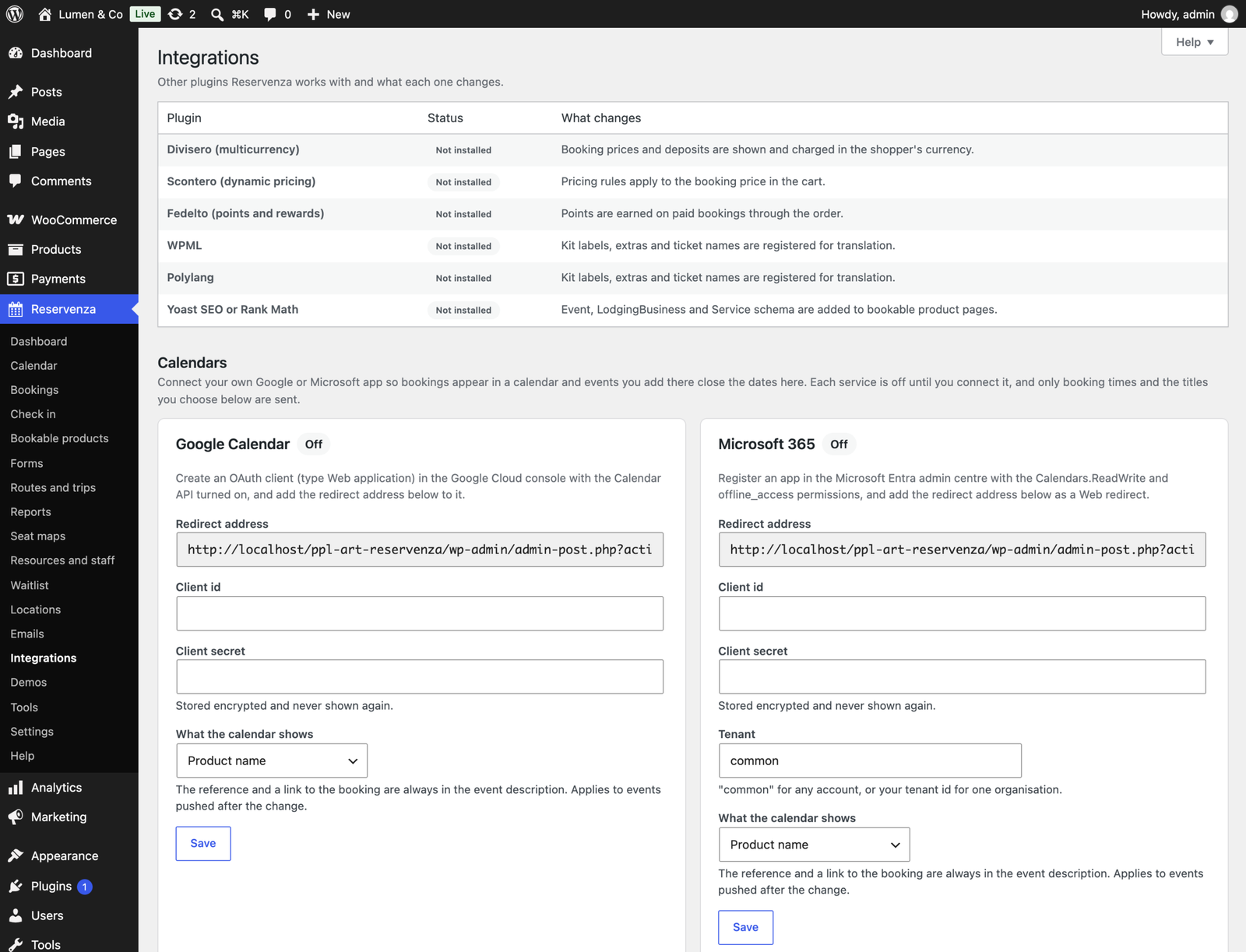
Two way Google Calendar and Microsoft 365 sync per resource or unit, ICS feeds in and out, SMS and WhatsApp through your own Twilio account, review requests after the booking, Zoom and Google Meet links on confirmation, signed webhooks with retries, and an optional airline connector through your own Duffel account. These are built and covered by tests with recorded responses, not yet tested against the live services: try each with a test account first.
Reports and tools
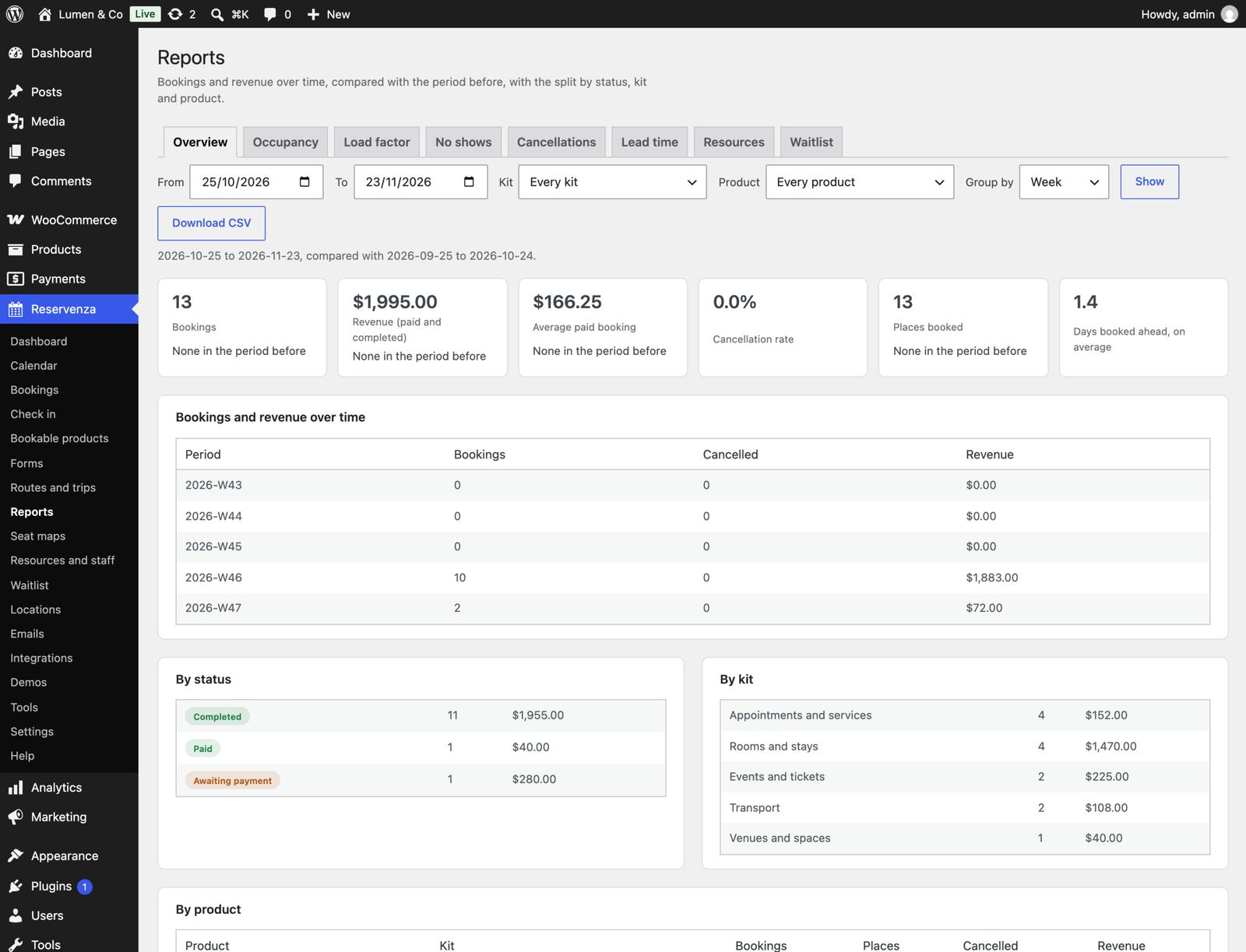
Bookings and revenue over time, occupancy per room, use per resource, load factor per trip, no show and cancellation rates, lead time and waitlist conversion, with comparisons, filters and CSV export. Importers from WooCommerce Bookings, YITH Booking, Bookly, Amelia, BookingPress and MotoPress Hotel Booking, plus CSV and ICS (tested with sample data built from each plugin's data format, not yet with a real export). Move your whole setup to another site as one file, without passwords or keys. A second reminder closer to the start and a follow up email after the booking.
Try it in one click
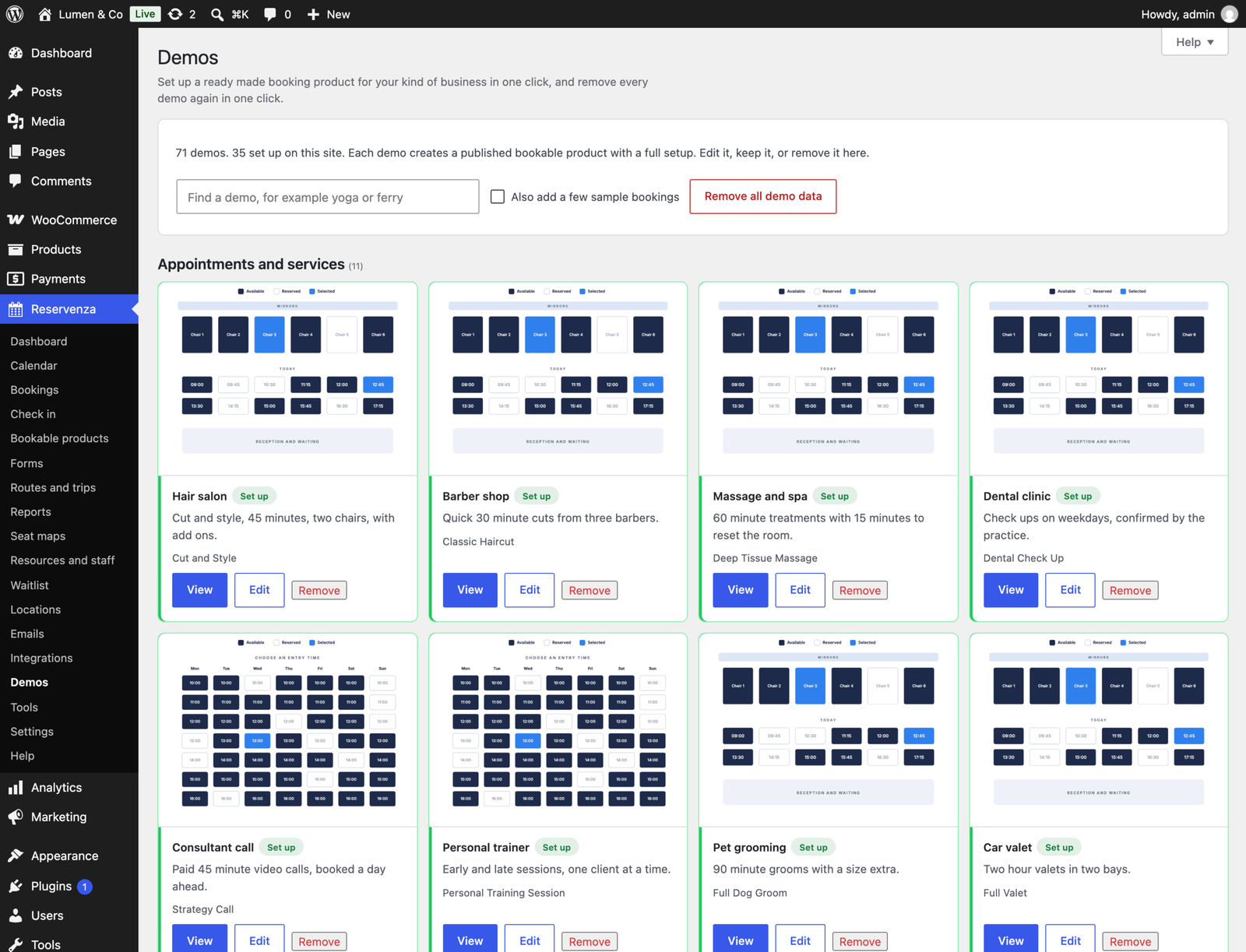
71 ready made demos, from a hair salon to a sleeper bus. Each demo creates a working bookable product with its own layout picture, dates and settings, and seat plan demos open with some seats already taken. Remove one demo, or all demo data, in one click, with a confirmation. Your own products are never touched.
Works with page caches
The booking form holds no price or availability that could go stale: both load from your own site after the page opens. The health check finds common cache plugins and hosts and lists the pages to leave out of the cache. This is built to each cache plugin's documented method, not yet tested against each cache plugin.
Set up without support
A setup wizard that asks a few plain questions and makes a working product in about two minutes, removable sample data, the 71 demos, the Explainer, a health check with a fix for every problem, and one sentence of help under every setting.
Compatibility
- WordPress 6.5 or higher, WooCommerce 8.5 or higher, PHP 7.4 or higher
- Tested on WordPress 7.1, WooCommerce 11.2 with High-Performance Order Storage on, and PHP 8.2; code checked on PHP 7.4 and 8.5
- Classic cart and checkout: tested end to end. Cart and Checkout blocks: supported through the WooCommerce Store API, not yet tested end to end
- Every WooCommerce payment gateway for normal payments
- WPML and Polylang, Yoast SEO and Rank Math (Event, LodgingBusiness and Service schema): built, not yet tested against the live plugin
- Google Calendar, Microsoft 365, Twilio, Zoom and Duffel: built, not yet tested against the live service
- The ProPluginsLab plugins Anticipo, Back In Stock Notifier, Dispatchio, Divisero, Fedelto, Inputo, Kitero, Mercenza, Plusero, Presentero, Recovero, Scontero, Storefold and Visuaro were active on the test store
Outside services
None until you turn one on. Each of these is off by default and uses your own account: Google Calendar, Microsoft 365, Twilio for SMS and WhatsApp, Zoom, Duffel for flights, and webhook addresses you add. The only other connection is the licence check for automatic updates, after you enter a key.
For developers
Functions, more than 60 documented actions and filters, REST routes under reservenza/v1 with a named permission check on every route, WP-CLI commands under wp reservenza, and a kit API to add your own kind of booking. Changes through the REST API are only accepted from a logged in dashboard session. Every database query is prepared, and money is kept in whole minor units.
One plugin, everything included
Reservenza Pro is one standalone plugin. It needs WooCommerce and nothing else: all nine booking kits, seat maps with the women's safety rule, stop to stop transport, rate plans and seasons, branches and driver rules, staff and resources, recurring bookings and passes, deposits, balances and quotes, QR tickets and the door check, booking passes and verification, the form builder and waitlist, calendar sync and messages, reports, importers and the 71 demos, together with the setup wizard, the Explainer and the health check. There is no limit on products, bookings or time.
Your licence key enables automatic updates. Every feature works whether or not a key is active.
Changelog
1.0.0
- First release.
Details
At a glance
- Latest version
- 1.0.0
- Last updated
- November 23, 2026
- Type
- Pro plugin
Requirements
- PHP version
- 7.4
- WordPress (min)
- 6.5
- WordPress (tested)
- 7.1
- WooCommerce (min)
- 8.5
- WooCommerce (tested)
- 11.2.1
Share
You might also like
 Free
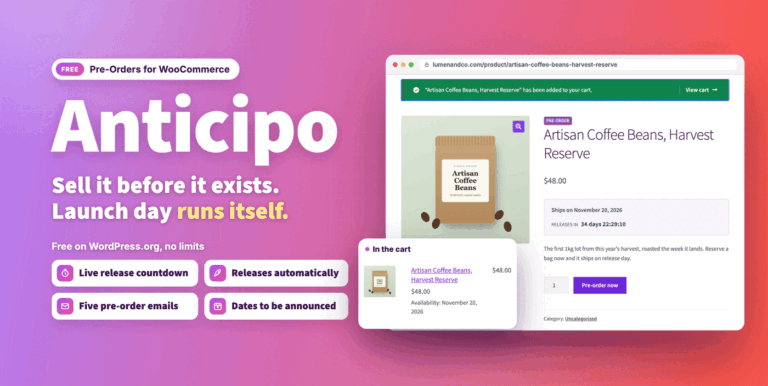
Anticipo Pre-Orders for WooCommerce Free
Sell products before they exist in WooCommerce. Take pre-orders, hold each order until launch day, then release it automatically.
Free
Live demo-
Pro
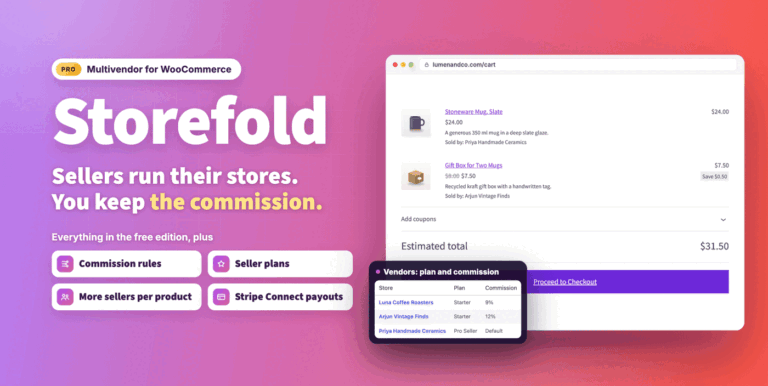
Storefold Multivendor Marketplace for WooCommerce
Turn WooCommerce into a multivendor marketplace that splits orders between sellers with correct tax and shipping. Refunds, disputes and scheduled payouts are built in.
From $49.00 One-time
Live demo -
Free
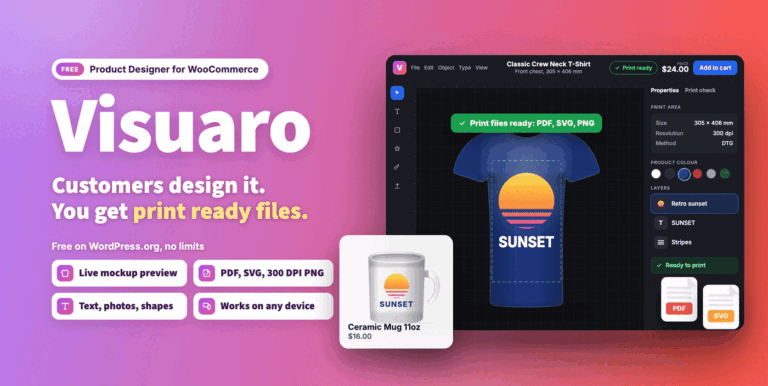
Visuaro Product Designer for WooCommerce Free
Free product designer that lets customers add text, photos and clipart to WooCommerce products. You get print ready PDF, SVG and PNG files automatically.
Free
Live demo