Your cart is empty.
Browse plugins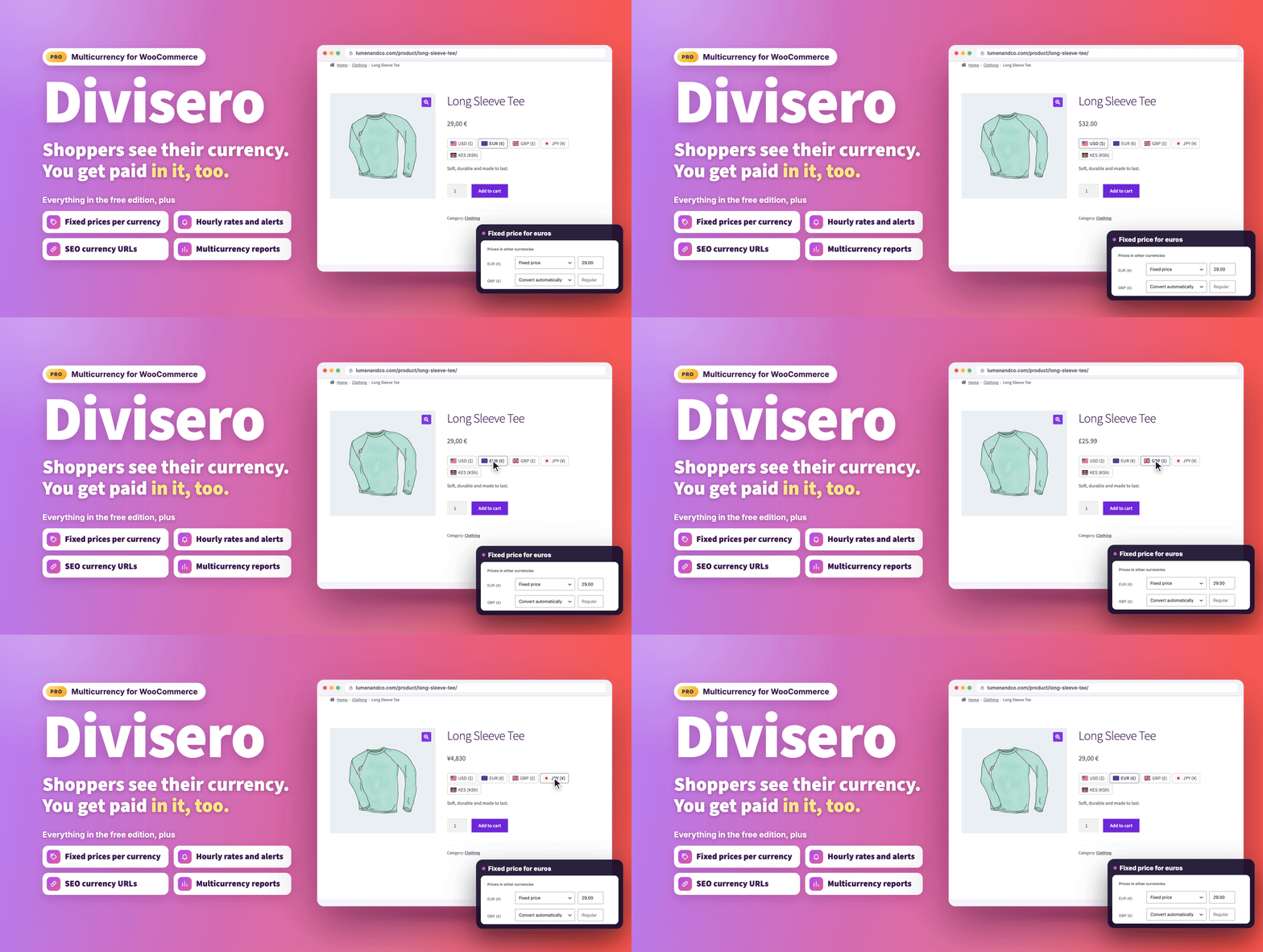
Overview
Sell in Every Currency Your Customers Use
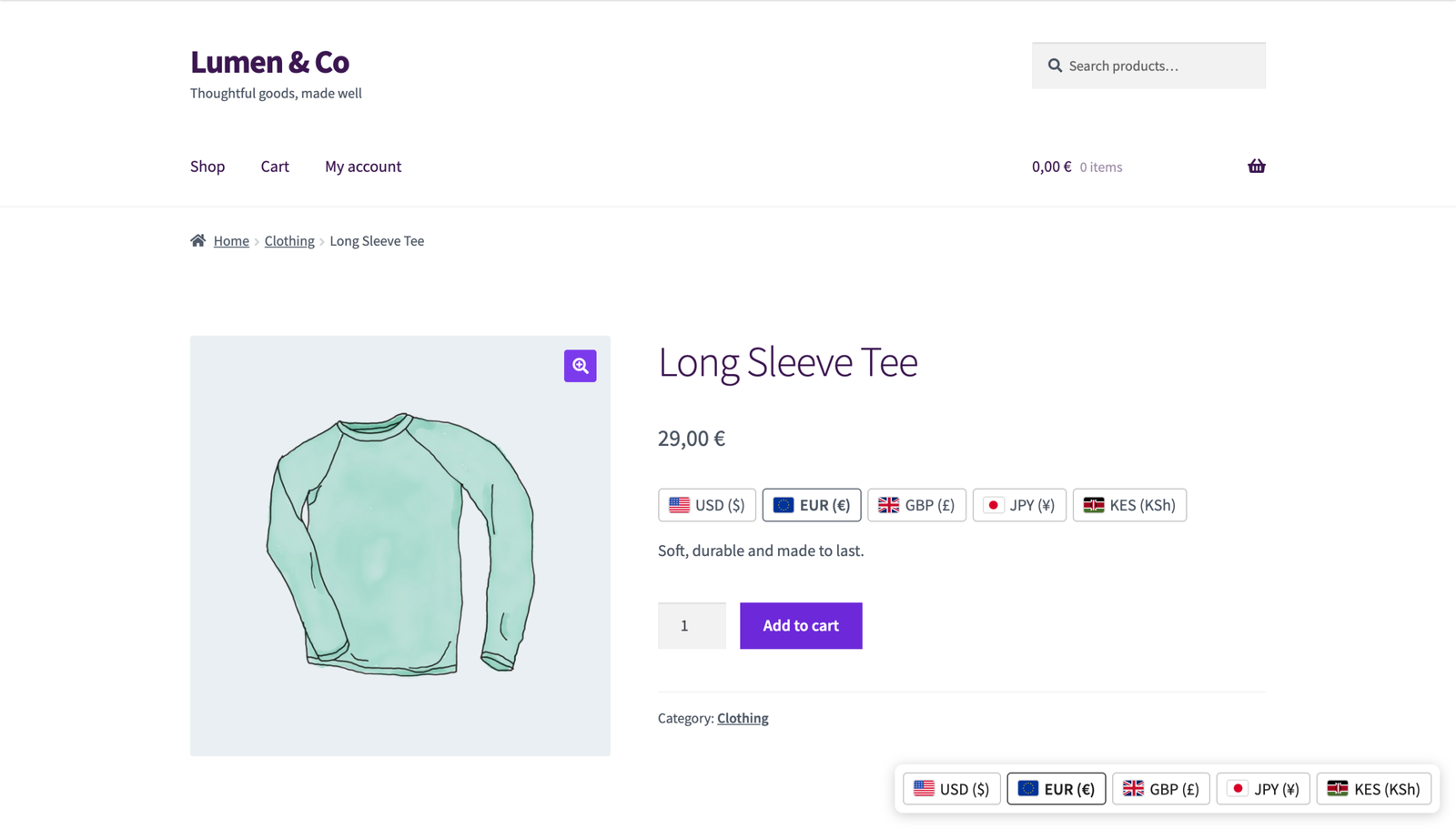
Divisero Multicurrency for WooCommerce Pro shows every price in your shopper’s own currency and takes payment in it, while your books stay in your store currency. It starts with a free edition that is complete on its own, and Pro adds the tools international stores ask for, with a one-time payment and lifetime updates.
The name comes from the Italian and Latin divisa, foreign currency.
Why Store Owners Pick Divisero
- A free edition with no limits. Unlimited currencies, real checkout in the shopper’s currency, geolocation, a switcher, rounding, payment method rules, cache support and the setup wizard are all free. Many currency plugins stop at two currencies in their free edition; Divisero has no limit.
- Right prices on cached sites, out of the box. Page caches and CDNs are the most common reason currency switchers show the wrong price. Divisero recognises 20 caches, CDNs and hosts and picks the mode that works: one cached copy per currency where the cache supports it, or prices corrected in the browser right after a cached page loads. No cache rules to write, and a Test now button to check.
- Every payment method, correctly. Divisero knows which currencies more than 25 popular payment methods accept, hides the ones that cannot take the shopper’s currency, and offers a clear fallback before payment: “PayPal cannot take payments in Kenyan shilling (KES). You will pay 54.20 USD instead.” Never a silent change, never a failed payment. Express buttons from Stripe and PayPal get the right currency or stay hidden.
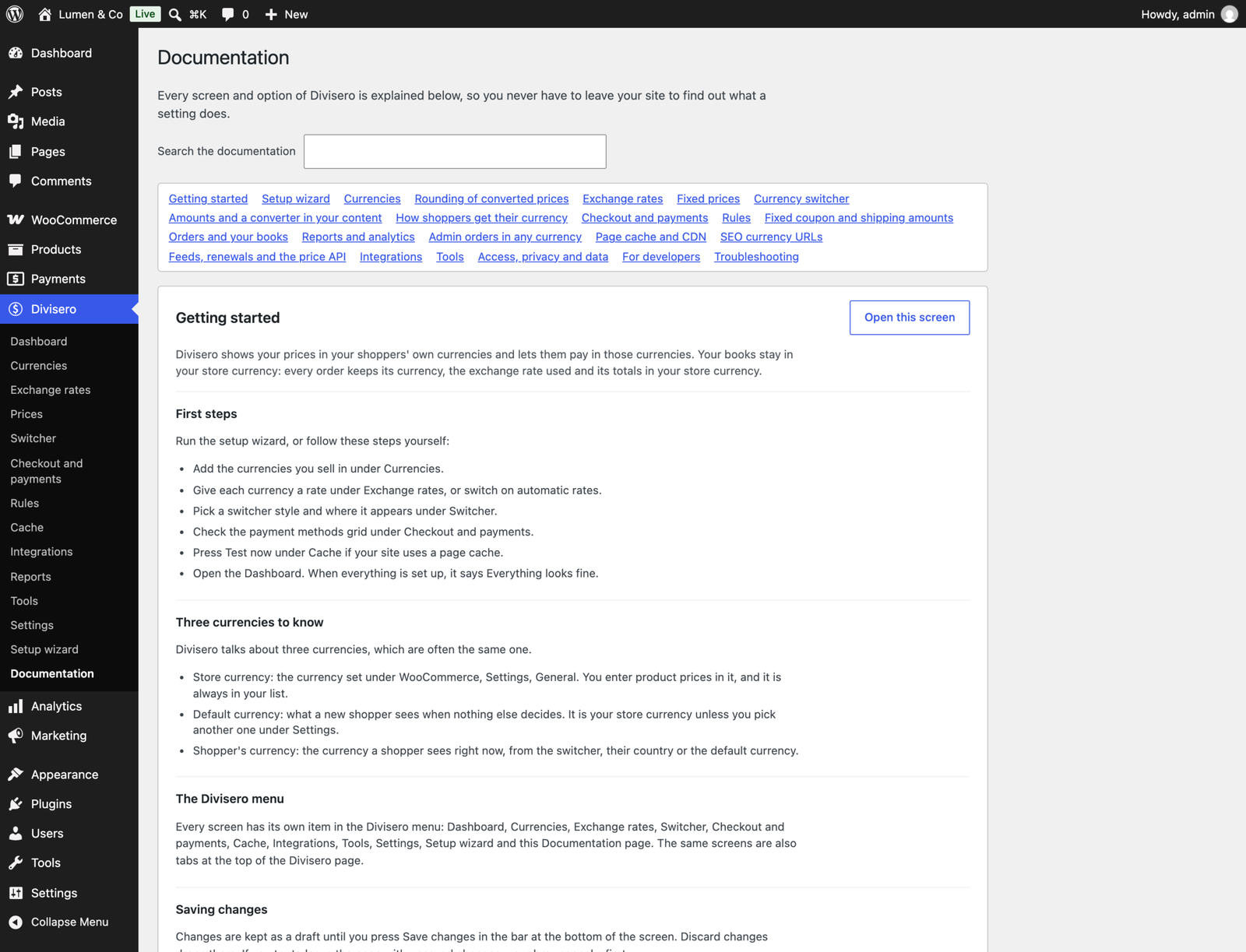
- Two minute setup. The wizard looks at your store, suggests currencies from your shipping zones, fills in sensible defaults and explains every choice in one plain sentence.
- A health check in plain words for currencies, rates, payment methods, cache, other currency plugins and geolocation, with a button or link to fix each problem.
- Switch from your current plugin in one click. Import currencies, rates, country rules and, in Pro, fixed product prices from FOX Currency Switcher (WOOCS), CURCY, Aelia, YayCurrency, WPML Multicurrency and Price Based on Country.
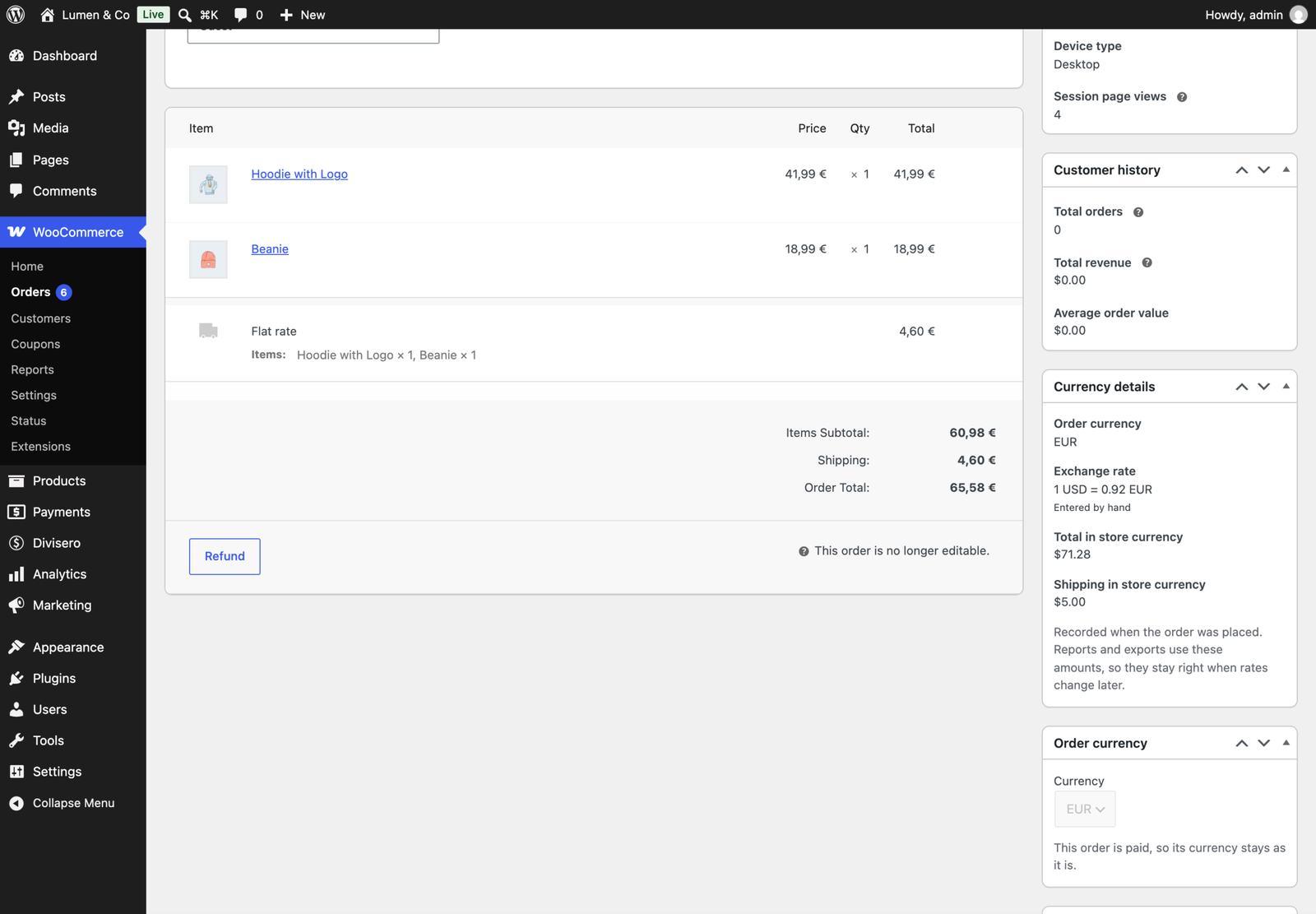
- Accurate books. Every order stores its currency, the rate used and its totals in your store currency, and Pro writes WooCommerce Analytics in your store currency using each order’s own rate.
- Fast. No extra database query on a shop page and about 4 ms for a page of 48 products, measured with 20 currencies (see Performance below).
- Private by default. Nothing is sent anywhere until you switch on automatic rates. Geolocation uses WooCommerce’s own database or your CDN’s country header.
- One-time payment, lifetime updates, and built to work with the other ProPluginsLab plugins.
What Pro Adds
Fixed Prices Per Currency
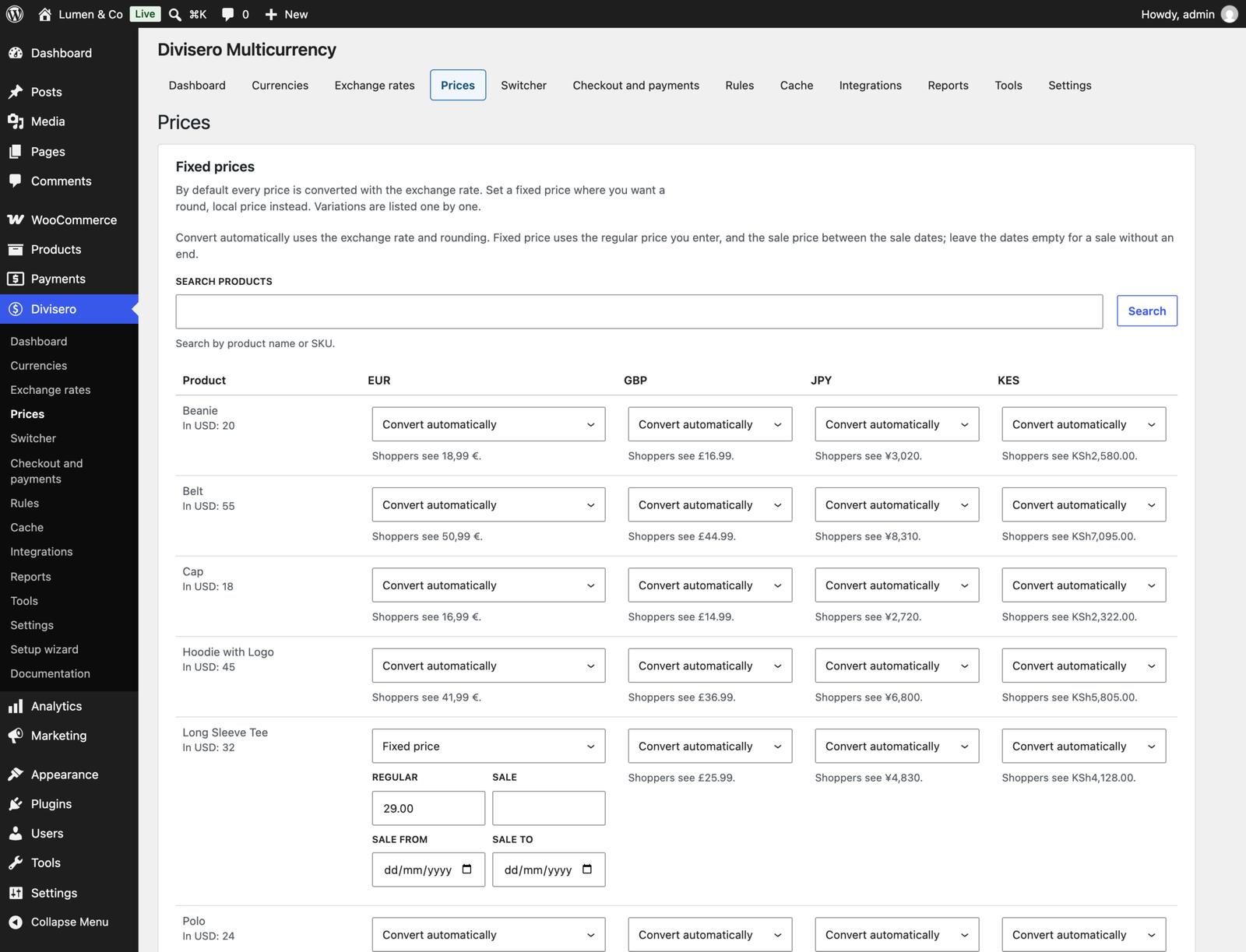
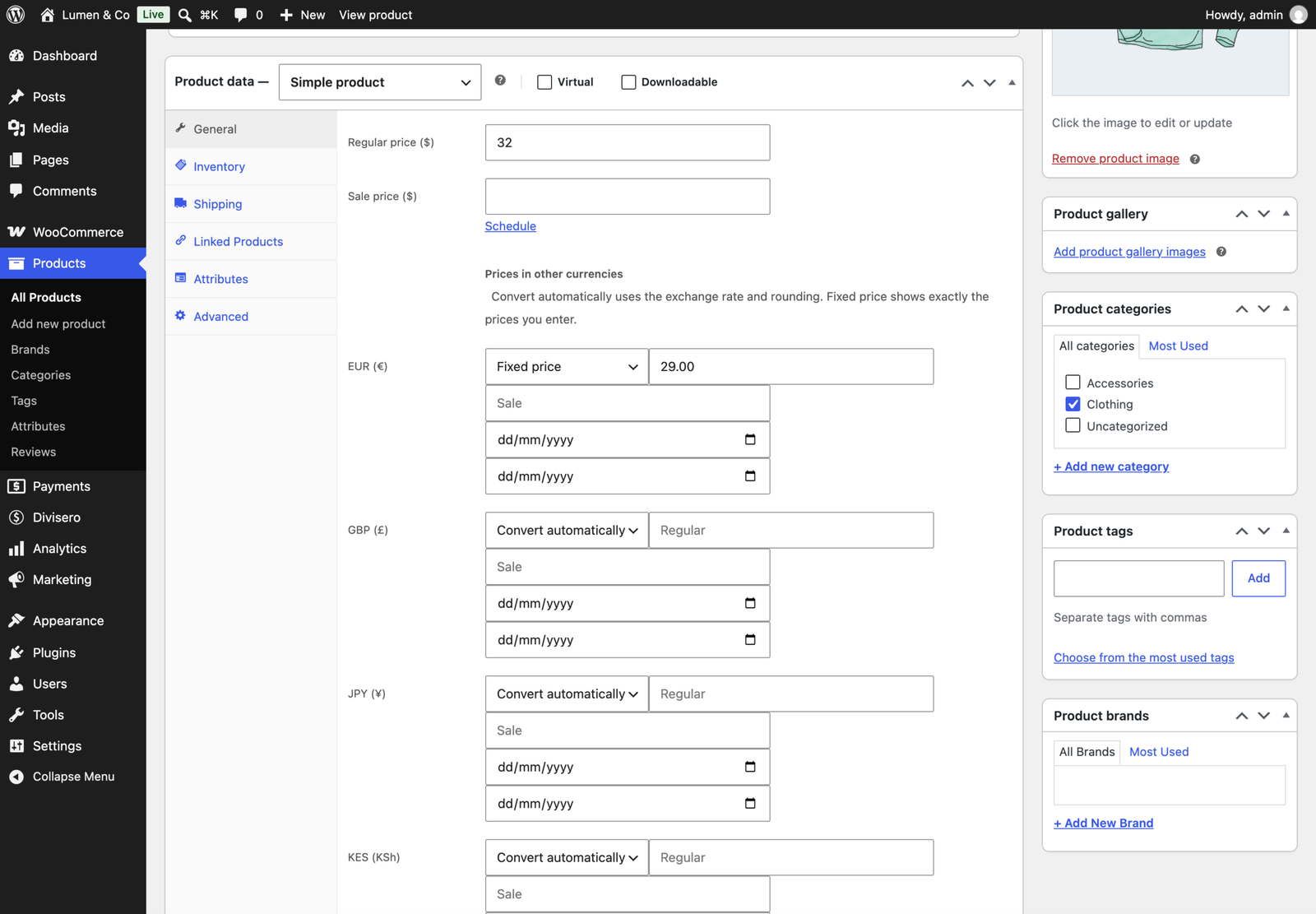
Set exact prices per product and variation in any currency: regular price, sale price and sale dates. Every product starts on “Convert automatically”, so you only fix the prices you care about. Edit them on the product screen, all at once in the bulk editor, or by CSV export and import, with a check that lists every problem before anything is saved. Fixed prices are shown exactly as you enter them, never rounded again.
More Exchange Rate Services
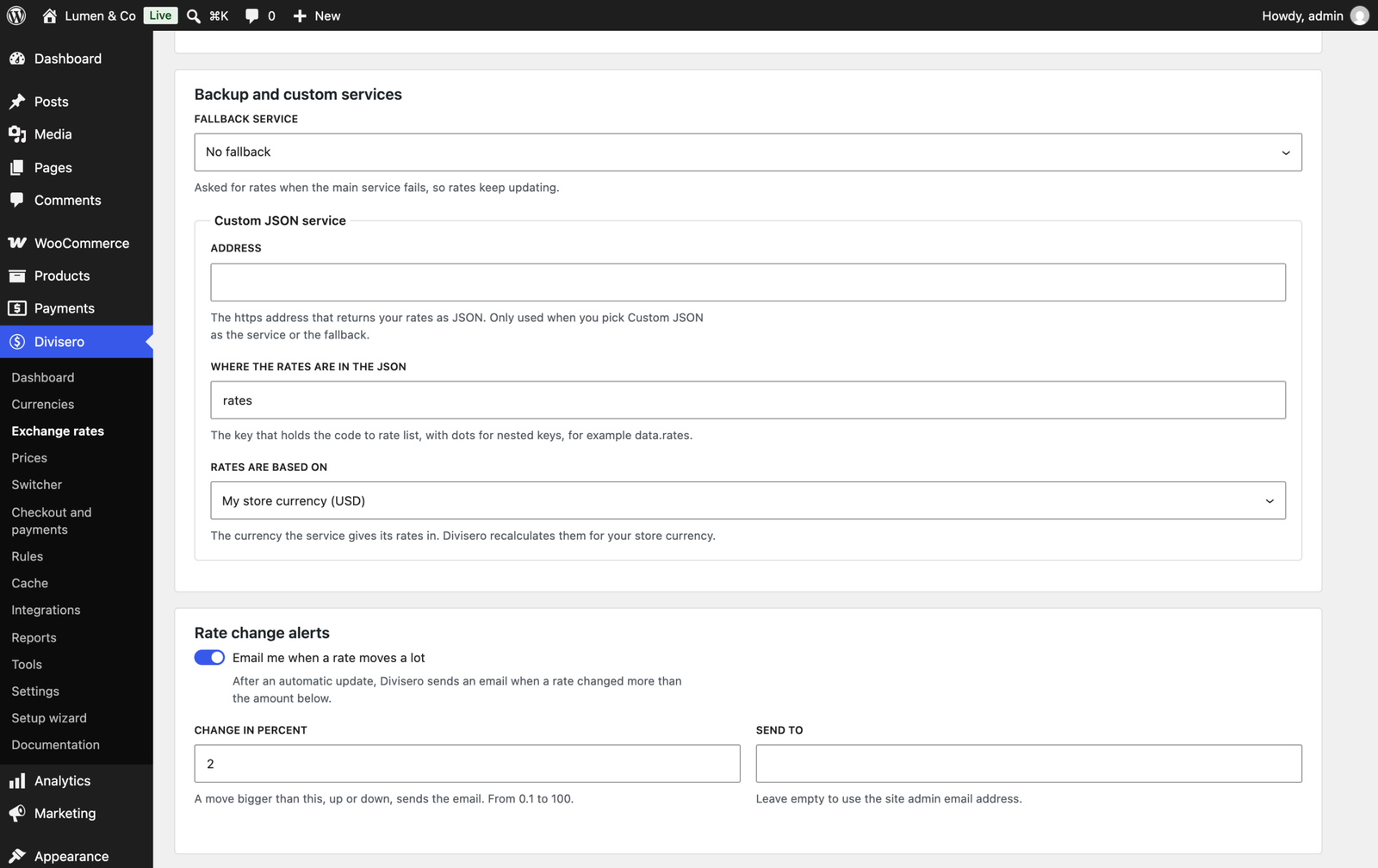
Choose Open Exchange Rates, Fixer, ExchangeRate-API, CurrencyFreaks, Frankfurter or your own JSON address, next to the free European Central Bank rates. Update every hour, set a fallback service for when the first one does not answer, get an email when a rate moves more than the percentage you set, and see the rate history of every currency in a chart. API keys are encrypted and never shown again after saving.
Currency Rules
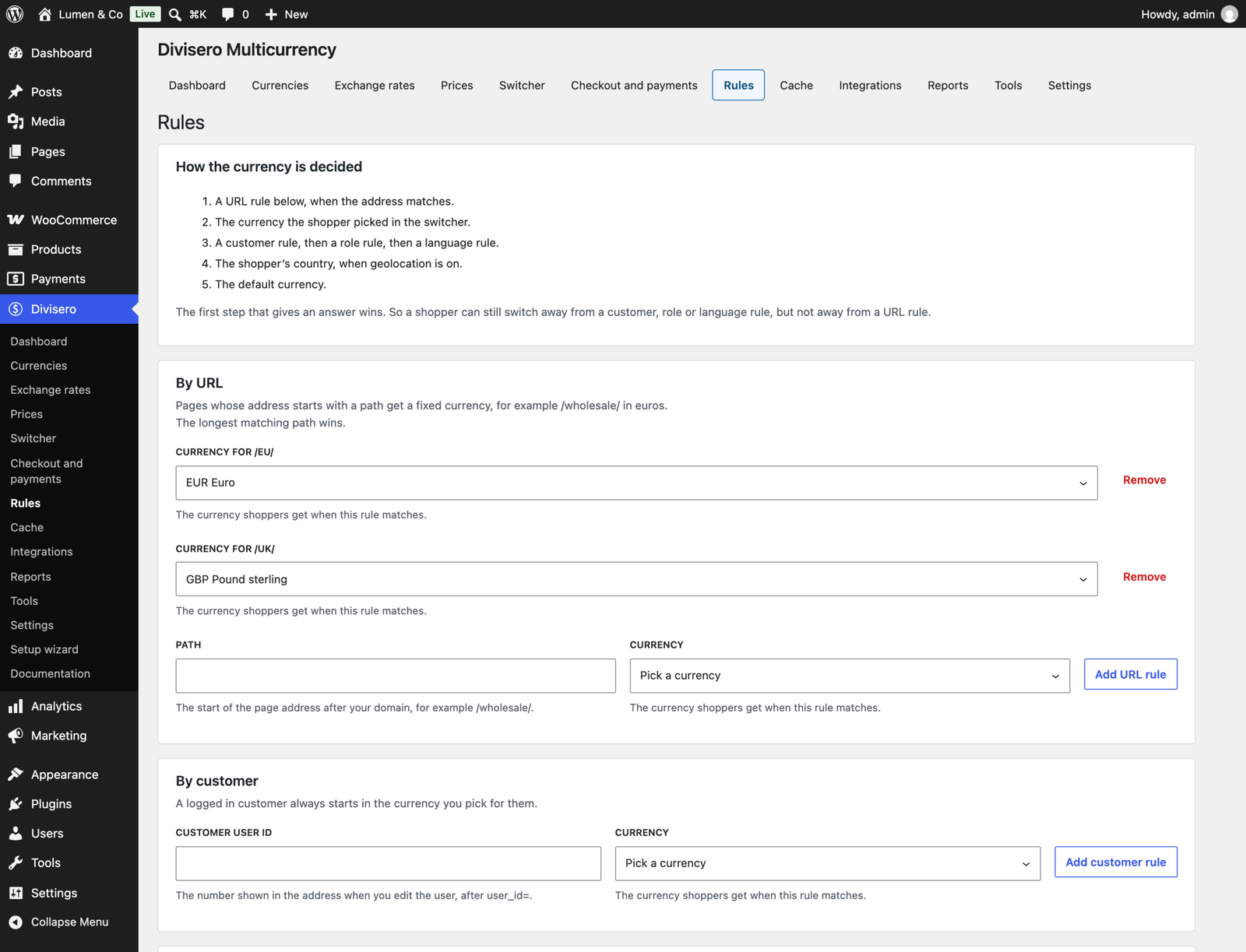
Pick the currency by language (WPML, Polylang, TranslatePress, Weglot), by user role, by customer or by URL. A landing page can set its own currency, and shoppers can still switch.
SEO Currency URLs
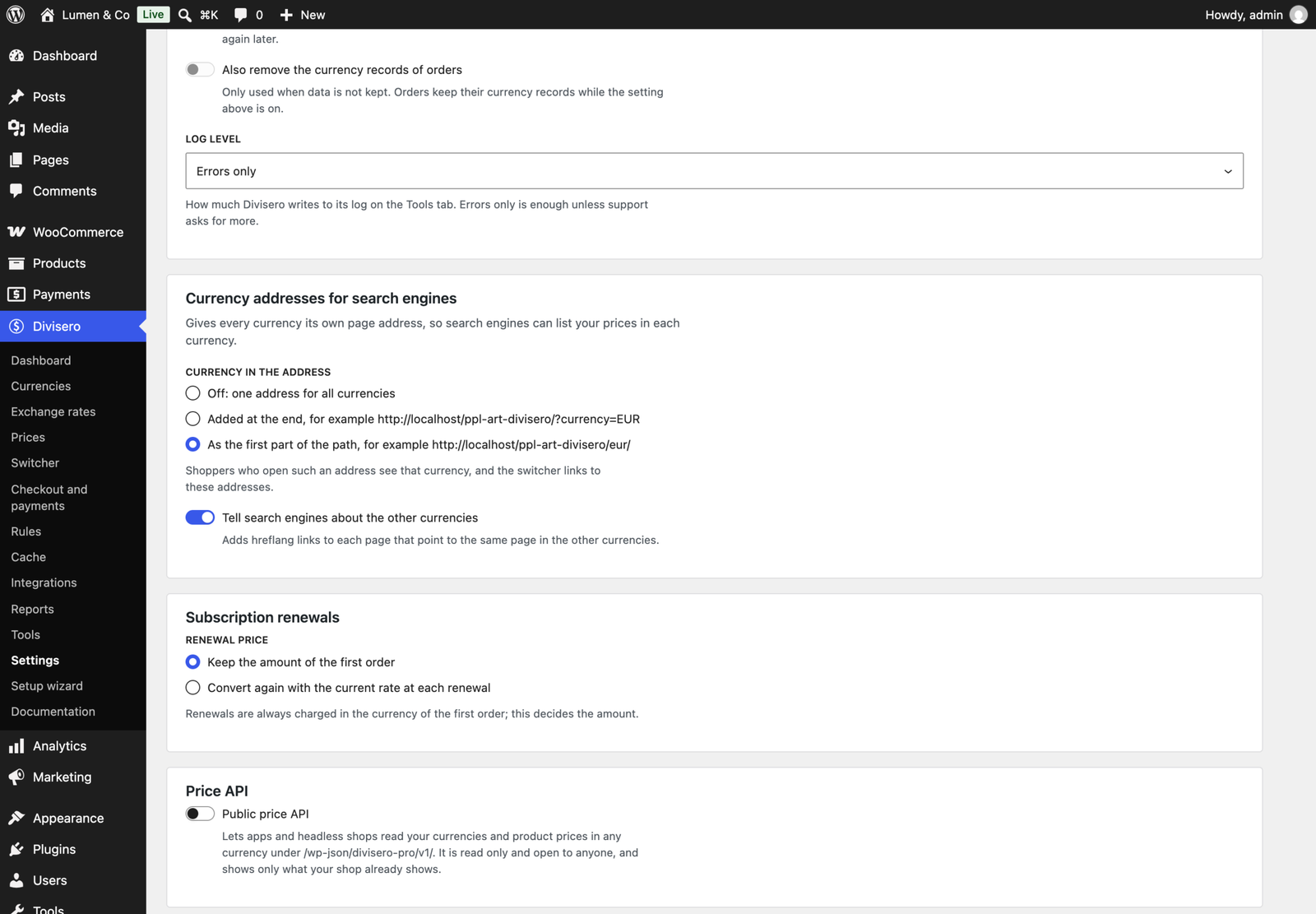
Give every currency its own address with ?currency=EUR or an /eur/ prefix, with hreflang alternates, canonical tags and the right priceCurrency in WooCommerce, Yoast SEO and Rank Math structured data.
Fixed Amounts for Coupons and Shipping
“10 EUR off, minimum spend 50 EUR” instead of a converted amount. Set fixed coupon discounts and spend limits per currency, Flat rate costs per currency and Free shipping minimums per currency. Empty fields keep converting automatically.
Multicurrency Reports
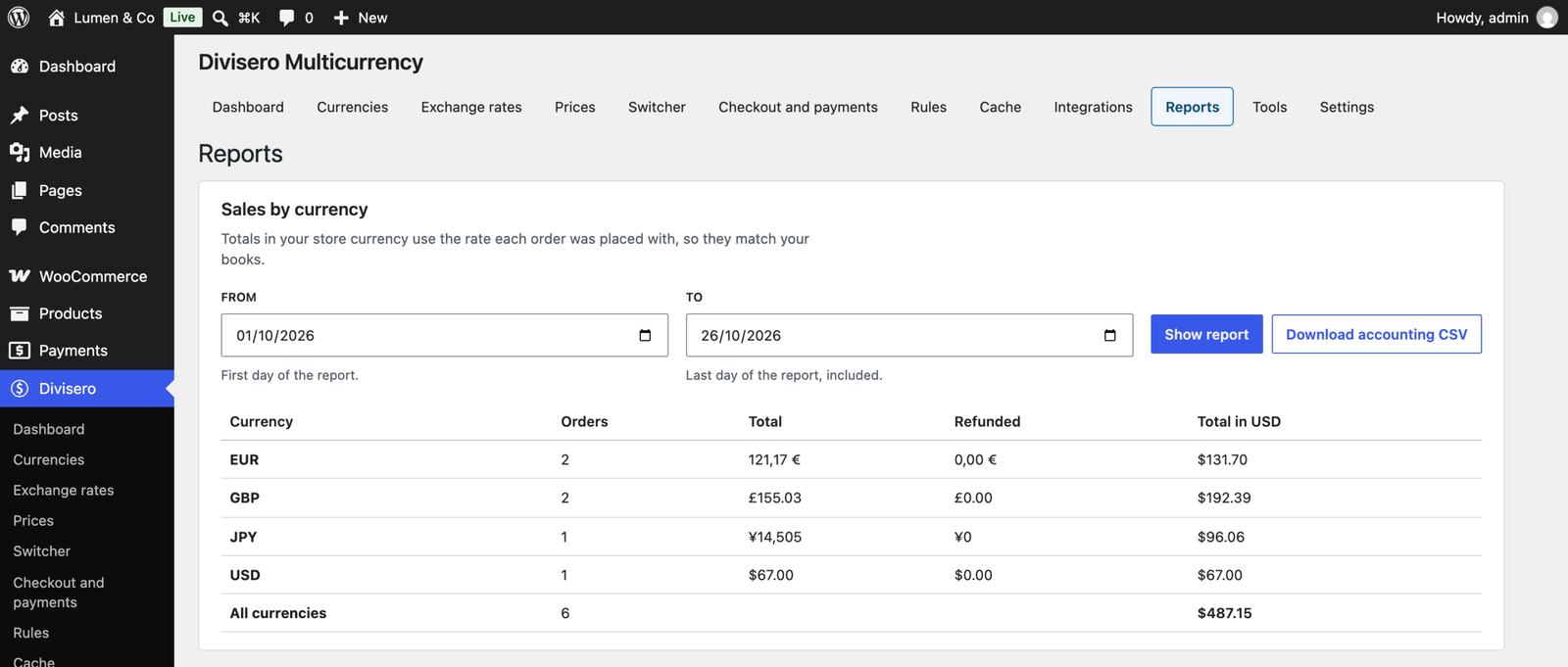
WooCommerce Analytics totals in your store currency with each order’s stored rate, sales per currency for any date range, and an accounting CSV with every order’s currency, rate and store currency totals.
Orders in Any Currency
Create an order in the admin in any currency, or move an unpaid order to another currency with every line, shipping cost, fee and discount recalculated. Paid orders keep their currency so the books stay right.
And More
- Product feeds per currency for feeds built on request, such as Google Product Feed.
- WooCommerce Subscriptions renewals: keep the price of the first order, or recalculate with today’s rate.
- A read only price API for headless stores, off until you switch it on.
- Automatic updates and priority support with your licence.
Free and Pro Compared
| Free | Pro | |
|---|---|---|
| Unlimited currencies, custom currencies | Yes | Yes |
| Checkout in the shopper’s currency, or charge in store currency | Yes | Yes |
| European Central Bank rates, markup, fixed rates | Yes | Yes |
| Rounding and price endings | Yes | Yes |
| Geolocation, country map, billing country switch | Yes | Yes |
| Switcher: block, shortcode, widget, menu, floating, product page | Yes | Yes |
| Payment method rules and fallback currencies | Yes | Yes |
| Page cache and CDN support with live test | Yes | Yes |
| Setup wizard and health check | Yes | Yes |
| Import currencies and rates from 6 plugins | Yes | Yes |
| Order currency records, currency column and filter | Yes | Yes |
| WP-CLI, developer API, settings export and import | Yes | Yes |
| Fixed prices per product, bulk editor, CSV | Yes | |
| 5 more rate services, hourly updates, fallback, alerts, history | Yes | |
| Rules by language, role, customer and URL | Yes | |
| SEO currency URLs, hreflang, structured data | Yes | |
| Fixed coupon and shipping amounts per currency | Yes | |
| Analytics in store currency, per currency report, accounting CSV | Yes | |
| Admin orders in any currency, currency change | Yes | |
| Feeds per currency, renewal pricing choice, price API | Yes | |
| Import fixed prices from other plugins | Yes | |
| Automatic updates and priority support | Yes |
Works With
Tested on WordPress 7.1.3 and WooCommerce 11.2.1 with High-Performance Order Storage and the Cart and Checkout blocks:
| Plugin | Version | Tested |
|---|---|---|
| WooCommerce Cart and Checkout blocks | 11.2.1 | Checkout in EUR, JPY and with a fallback currency; payment methods hidden per currency |
| Mercenza B2B | 1.2.3 | Group and tier prices converted |
| Anticipo Pre-Orders | 1.3.1, Pro 1.5.2 | Runs together |
| Presentero Gift Cards Pro | 1.4.0 | Runs together |
| Inputo Name Your Price | 1.3.0 | Runs together |
| Kitero Product Configurator | 1.3.0 | Runs together |
| Plusero Extra Fees | 1.3.0 | Runs together |
| Recovero Cart Recovery | 1.3.0 | Runs together |
| Storefold Multivendor | 1.3.0 | Runs together |
| Visuaro Product Designer | 1.4.0 | Runs together |
| WooCommerce Stripe Gateway | 11.1.1 | Runs together |
Divisero also has integrations for WooCommerce Subscriptions, Product Add-Ons, Name Your Price, Elementor, Yoast SEO, Rank Math, WPML, Polylang, TranslatePress, Weglot, WP Rocket, LiteSpeed Cache, W3 Total Cache, WP Super Cache and WP-Optimize. This table lists only what was tested; it grows with every release.
Performance
Measured on the ProPluginsLab test store with 20 currencies, euro prices with .99 endings and ten ProPluginsLab plugins active:
- 0 extra database queries on a shop page.
- About 4 ms to price a page of 48 products, the median of 25 runs (10.9 ms without Divisero, 14.9 ms with Divisero Pro).
- 1.4 KB of JavaScript and 0.8 KB of CSS on shop pages (gzipped), and nothing at all on pages without prices or a switcher.
- Exchange rates update in the background with Action Scheduler, never while a shopper waits.
Requirements
- WordPress 6.5 or higher
- WooCommerce 8.5 or higher
- PHP 7.4 or higher
Changelog
1.0.0 (25 October 2026)
- First release.
Details
At a glance
- Latest version
- 1.0.0
- Last updated
- October 26, 2026
- Type
- Pro plugin
Requirements
- PHP version
- 7.4
- WordPress (min)
- 6.5
- WordPress (tested)
- 7.1
- WooCommerce (min)
- 8.5
- WooCommerce (tested)
- 11.2.1
Share
You might also like
 Free
Free
Visuaro Product Designer for WooCommerce Free
Free product designer that lets customers add text, photos and clipart to WooCommerce products. You get print ready PDF, SVG and PNG files automatically.
Free
Live demo-
Pro
Plusero Extra Fees for WooCommerce
Charge conditional extra fees on WooCommerce products, carts, checkout, shipping and payment methods. Add tiered, optional, scheduled and per currency fees, with reports.
From $49.00 One-time
Live demo -
Pro
Storefold Multivendor Marketplace for WooCommerce
Turn WooCommerce into a multivendor marketplace that splits orders between sellers with correct tax and shipping. Refunds, disputes and scheduled payouts are built in.
From $49.00 One-time
Live demo