Your cart is empty.
Browse plugins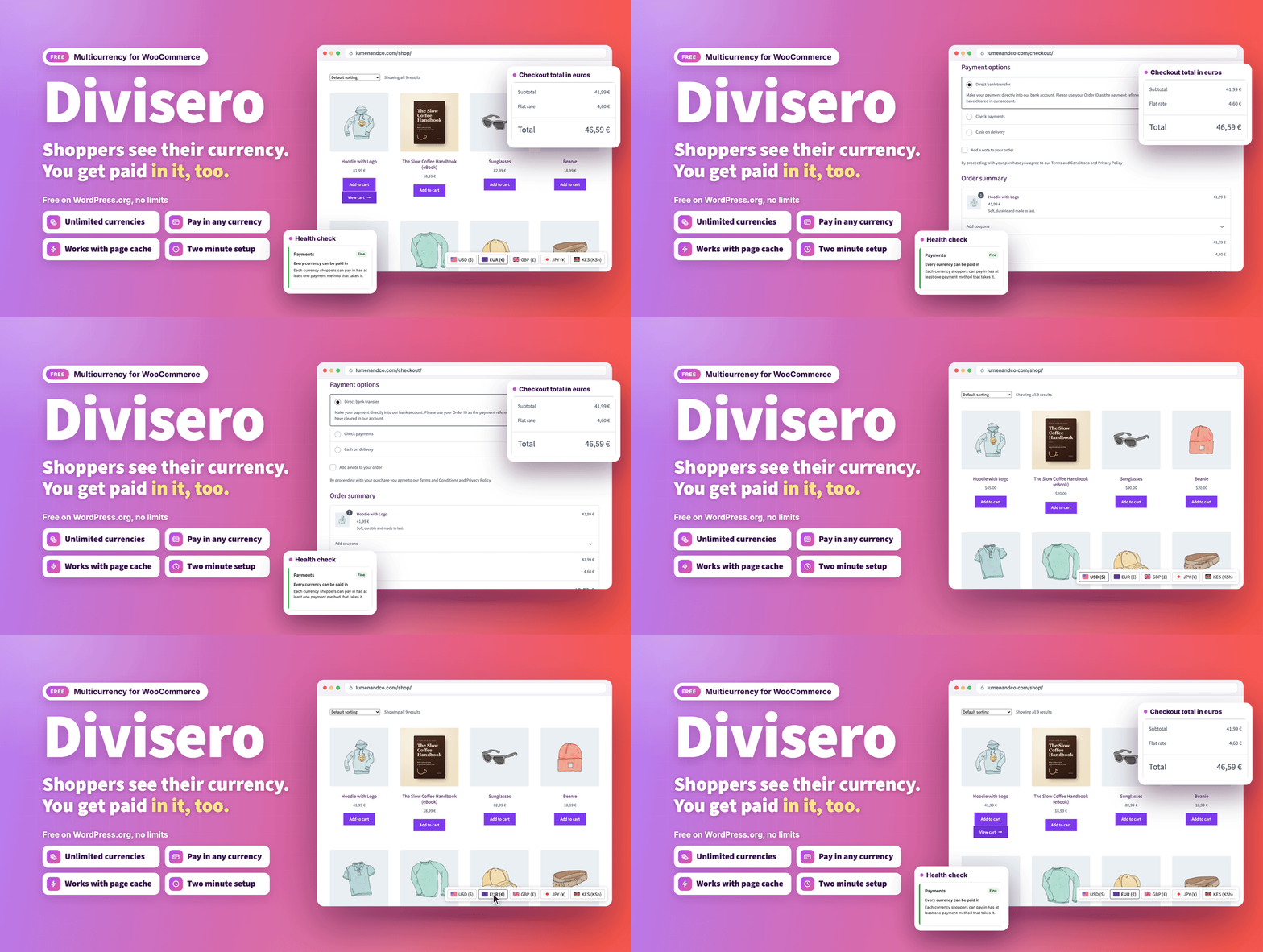

Overview
Divisero Multicurrency for WooCommerce
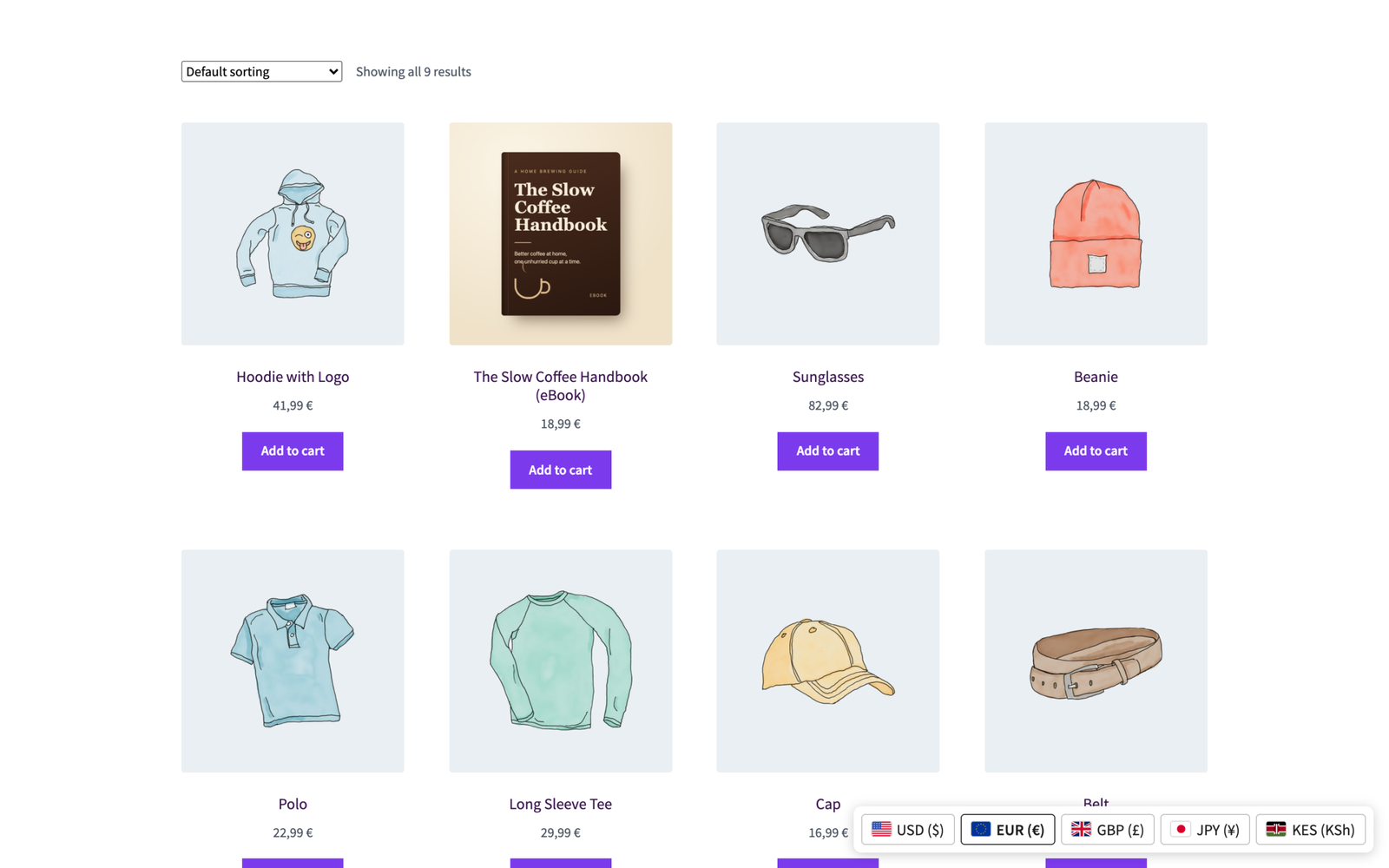
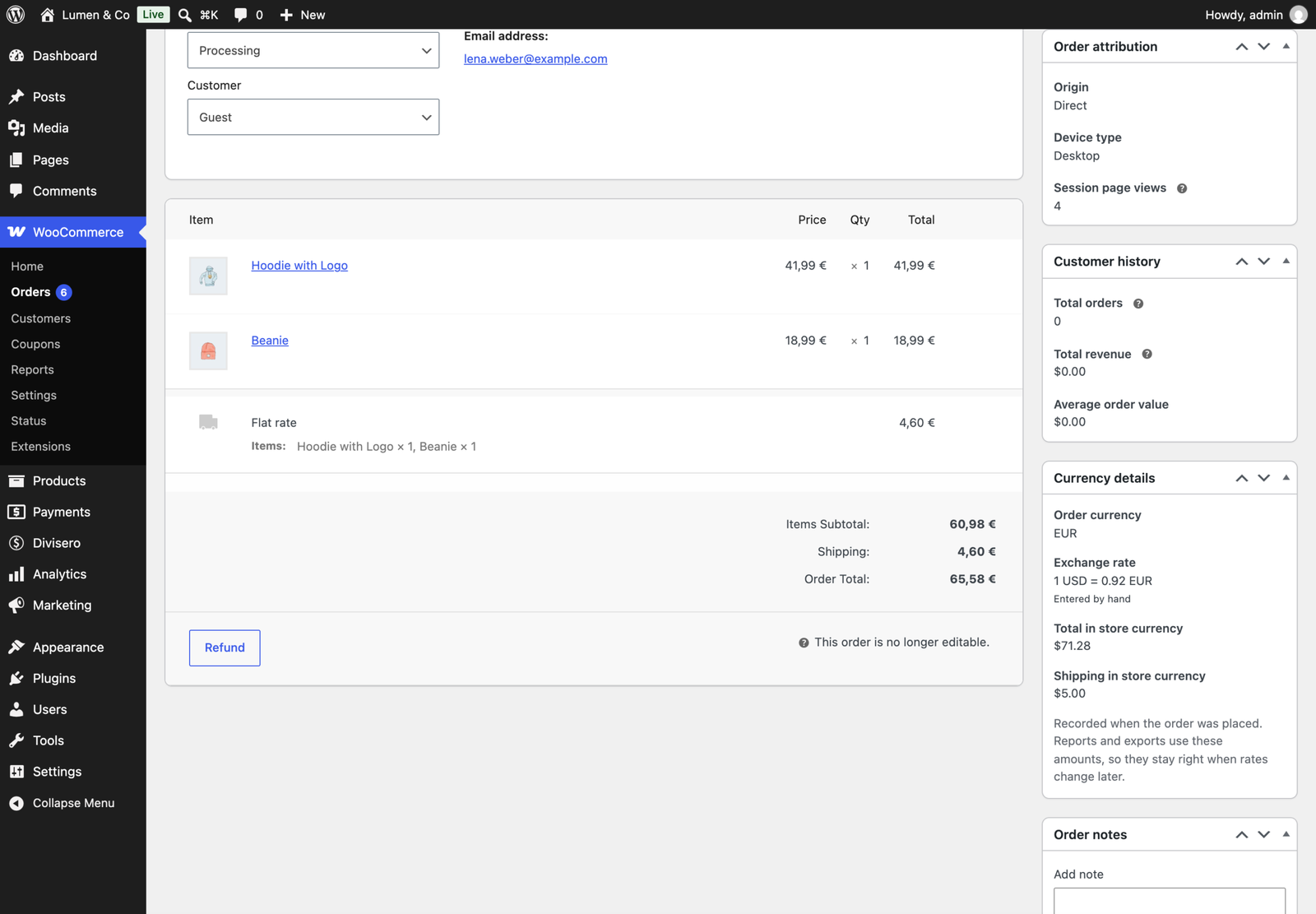
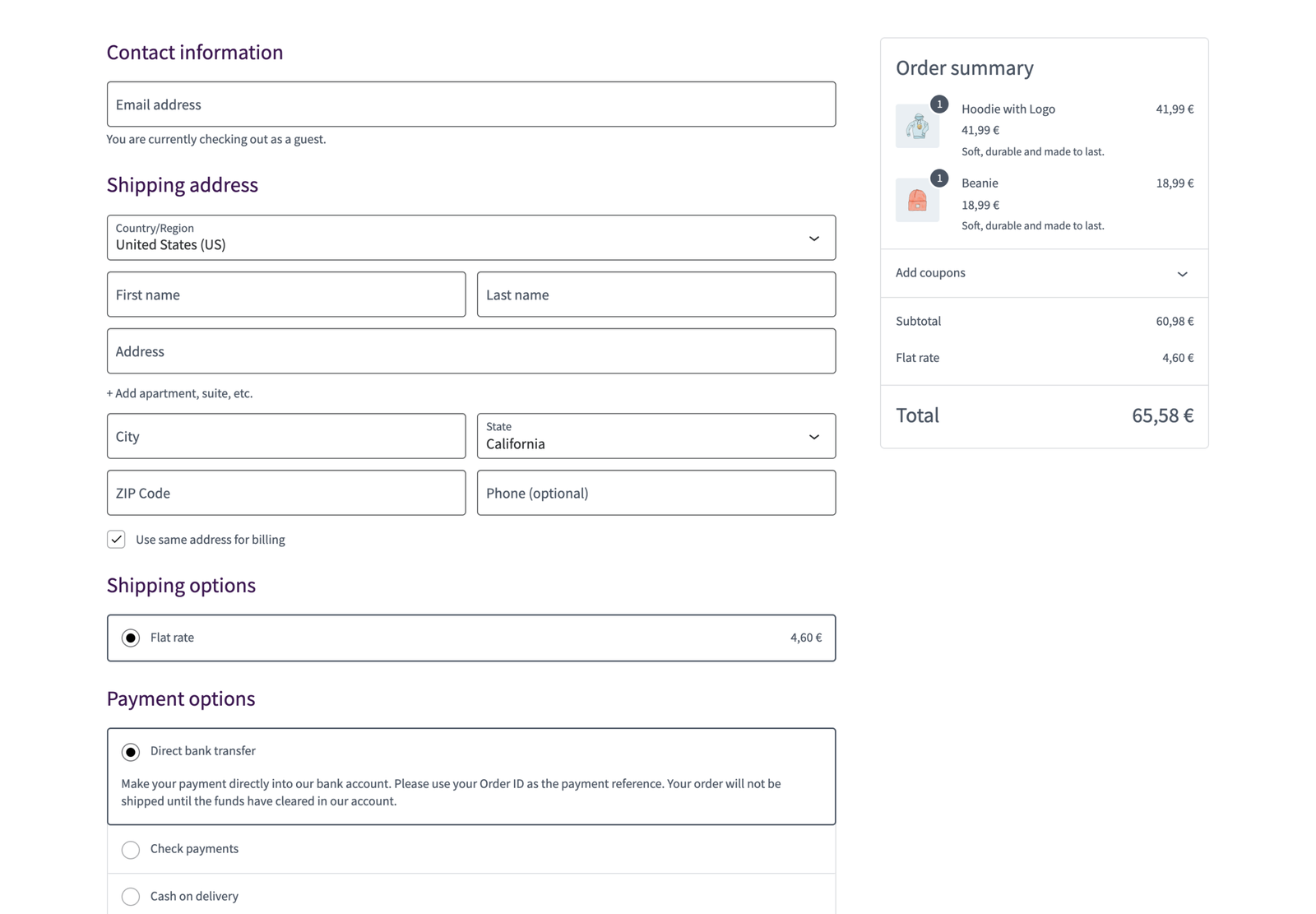
Divisero shows every price in your shopper’s own currency and lets them pay in it, while your books stay in your store currency. A shopper from Berlin sees 41,99 €, a shopper from London sees £36.99, and you see every order in dollars as well, at the rate it was placed with.
The free edition is complete on its own. Nothing is limited, locked or time restricted: no currency limit, no product limit and no “Powered by” link. Many currency plugins stop at two currencies in their free edition; Divisero has no limit.
- Download: WordPress.org
- Documentation: docs.propluginslab.io, and a Documentation page inside the plugin
- Support: propluginslab.io/support
Who It Is For
- Stores that sell to customers in more than one country
- Shops on a page cache or a CDN, where most currency switchers show the wrong price
- Stores that want shoppers to pay in their own currency, not just see an estimate
- Store owners who need clean books in one currency
- Anyone moving from FOX Currency Switcher, CURCY, Aelia, YayCurrency, WPML Multicurrency or Price Based on Country
Prices in Every Currency
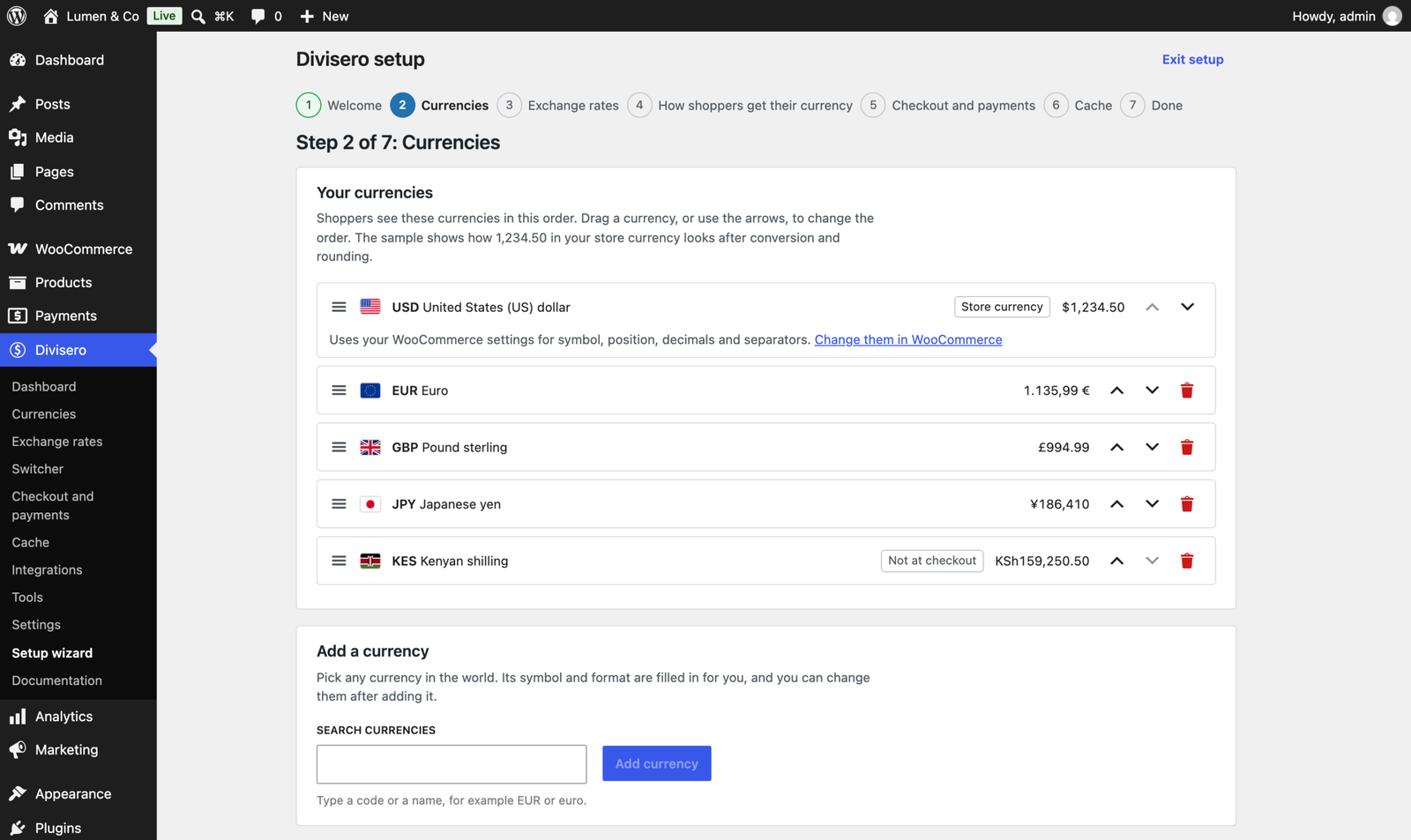
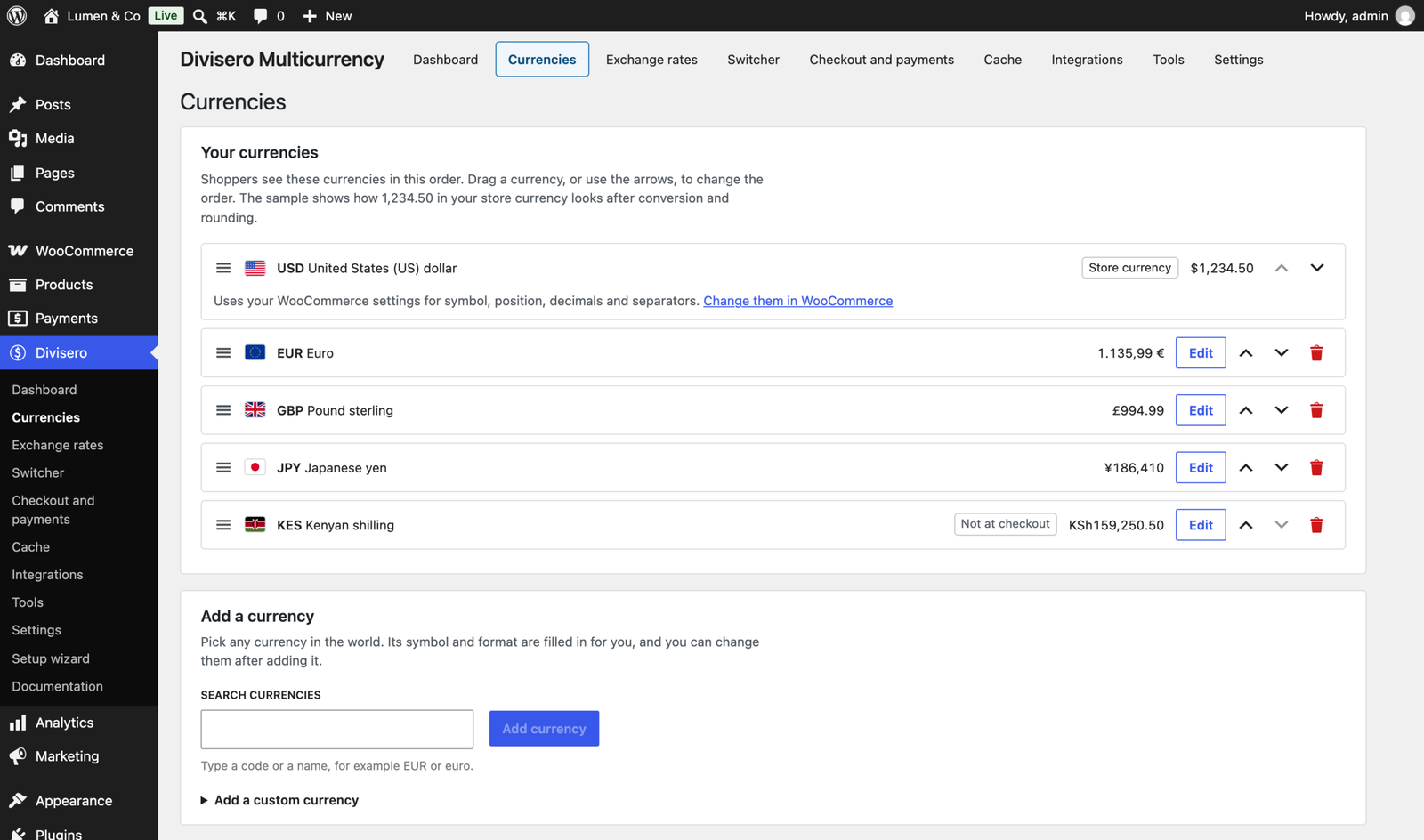
- Unlimited currencies from the full ISO 4217 list, plus custom currencies with your own code, name and symbol
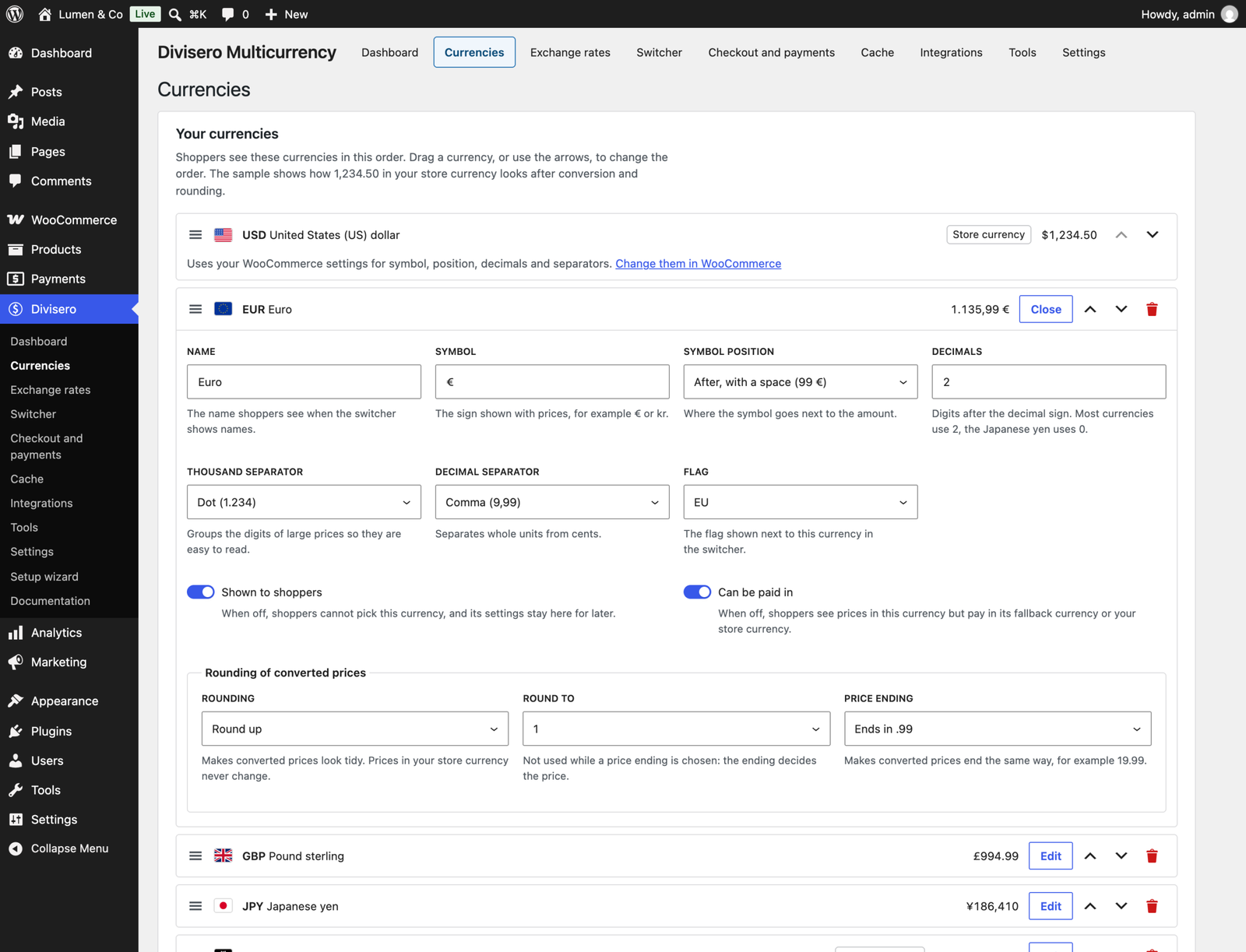
- Symbol, symbol position, decimals, separators and flag for each currency, with zero decimal currencies such as JPY and three decimal currencies such as KWD handled everywhere, including the amounts sent to payment gateways
- Rounding per currency (up, down or nearest) and price endings such as .99, .95, .90 or 9, applied only to converted prices
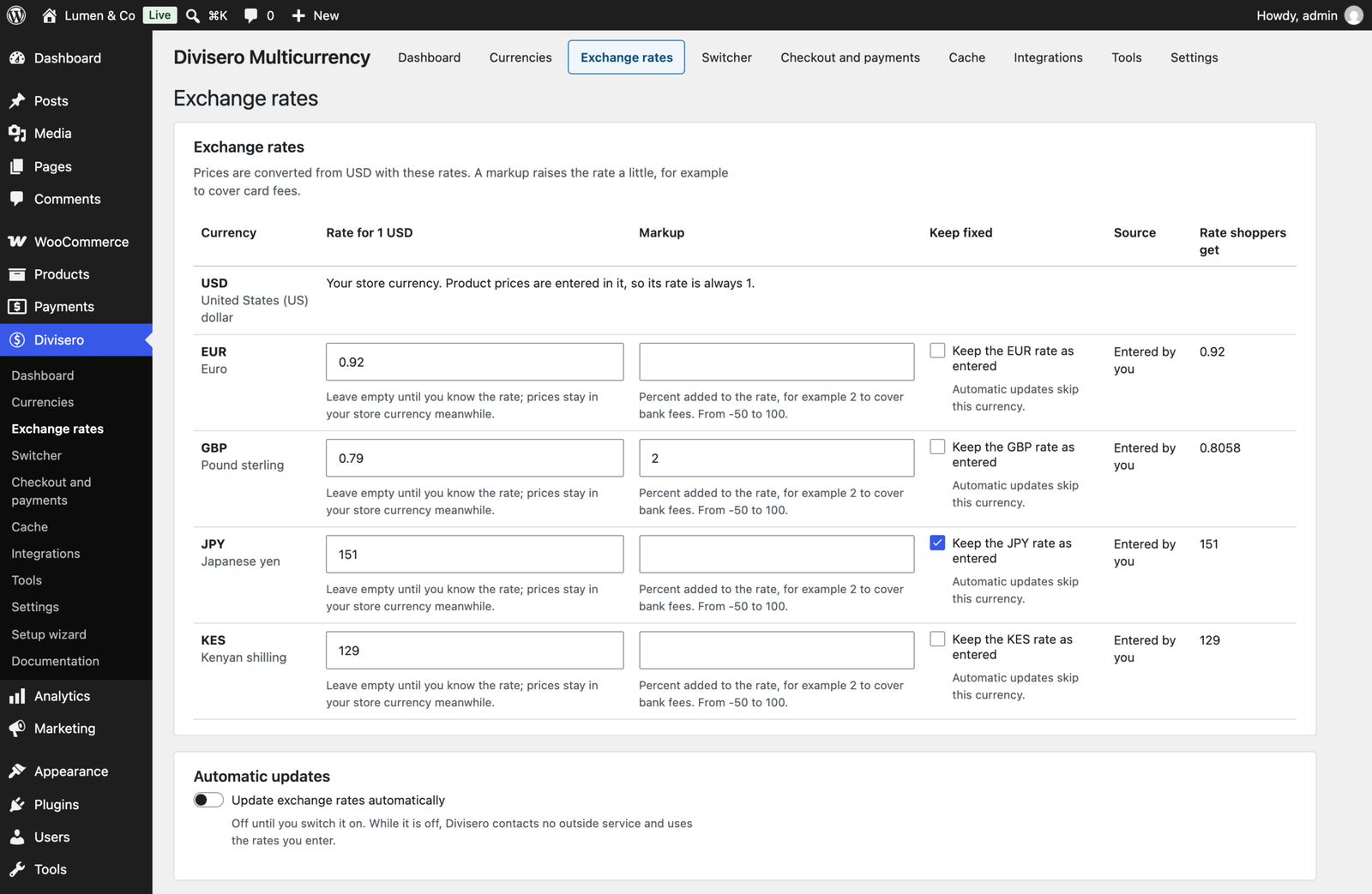
- Exchange rates entered by hand, or updated from the European Central Bank on a schedule you choose. Add a markup per currency, and keep any rate fixed while the others update
- A live preview of each currency on the Currencies screen, so you see 1,234.50 the way your shoppers will
Checkout in the Shopper’s Currency
- The cart, mini cart, shipping, coupons, taxes and the order are all in the shopper’s currency, on the classic and the block checkout
- Or charge in your store currency and show converted prices as approximate, if you prefer
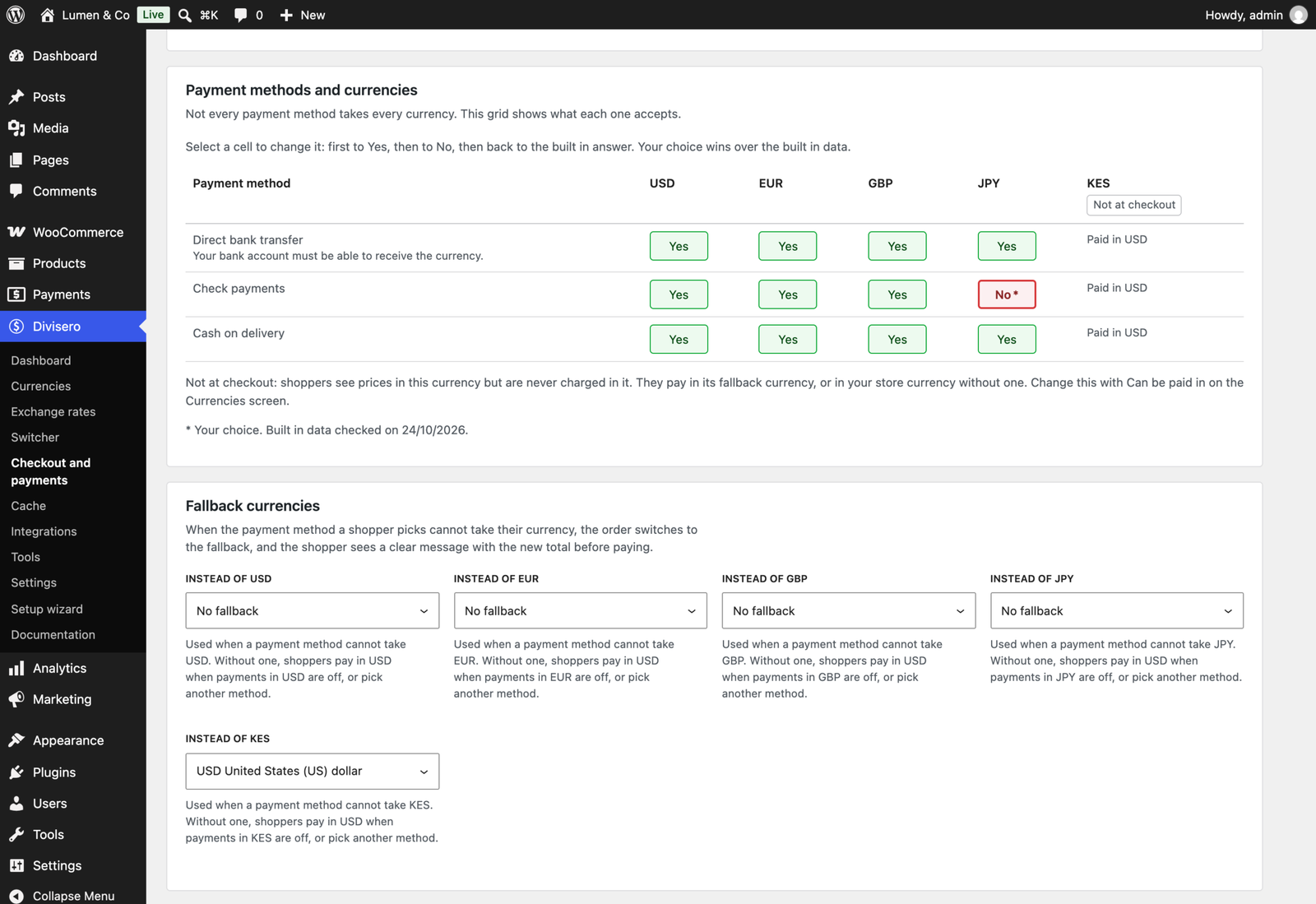
- Divisero knows which currencies more than 25 popular payment methods accept and hides the ones that cannot take the shopper’s currency
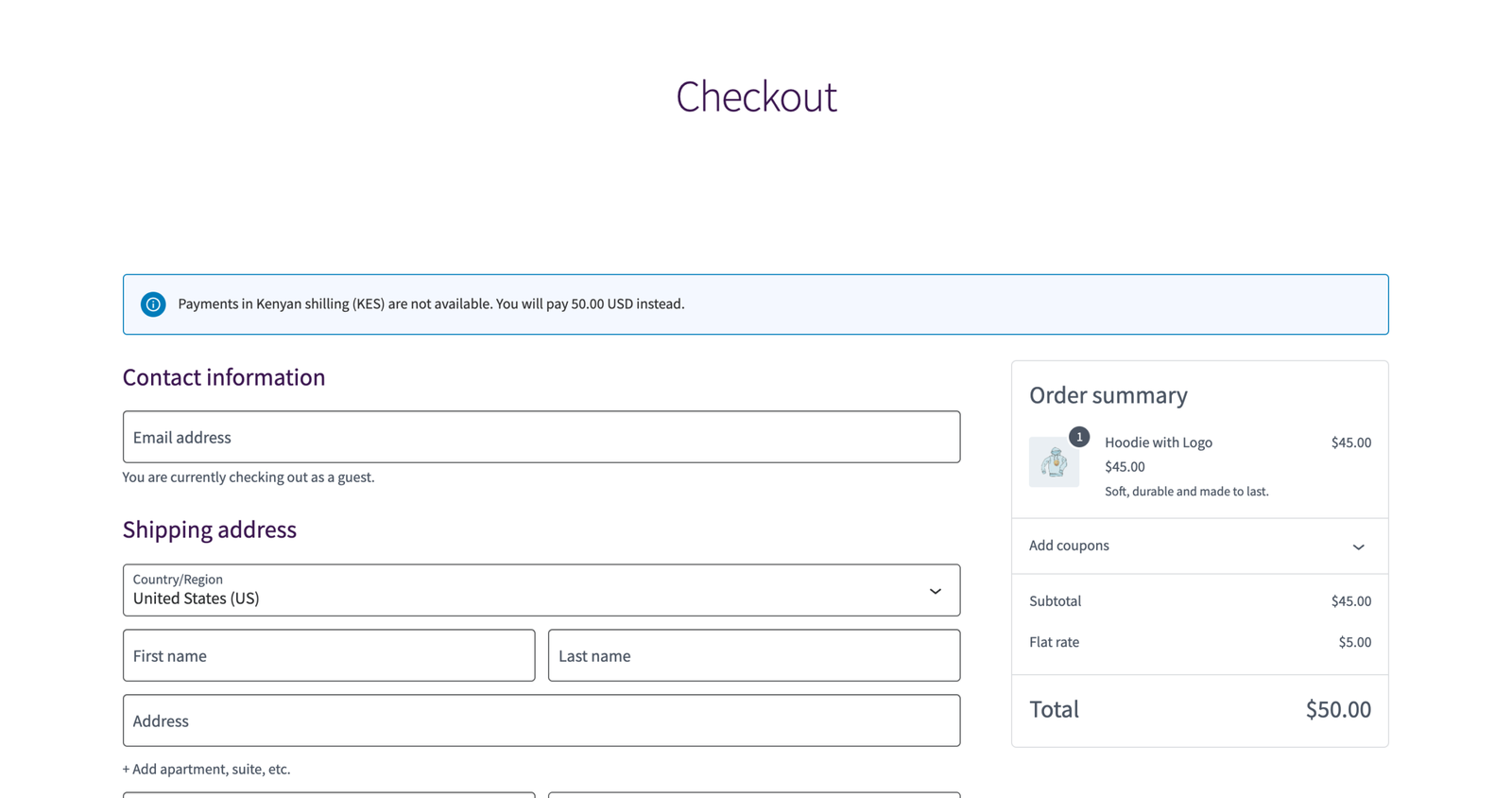
- Fallback currencies: when no payment method can take a currency, the shopper is told before paying, for example “Payments in Kenyan shilling (KES) are not available. You will pay 45.00 USD instead.” Never after a failed payment
- Stripe and PayPal express buttons get the right currency or stay hidden
A Switcher That Fits Your Store
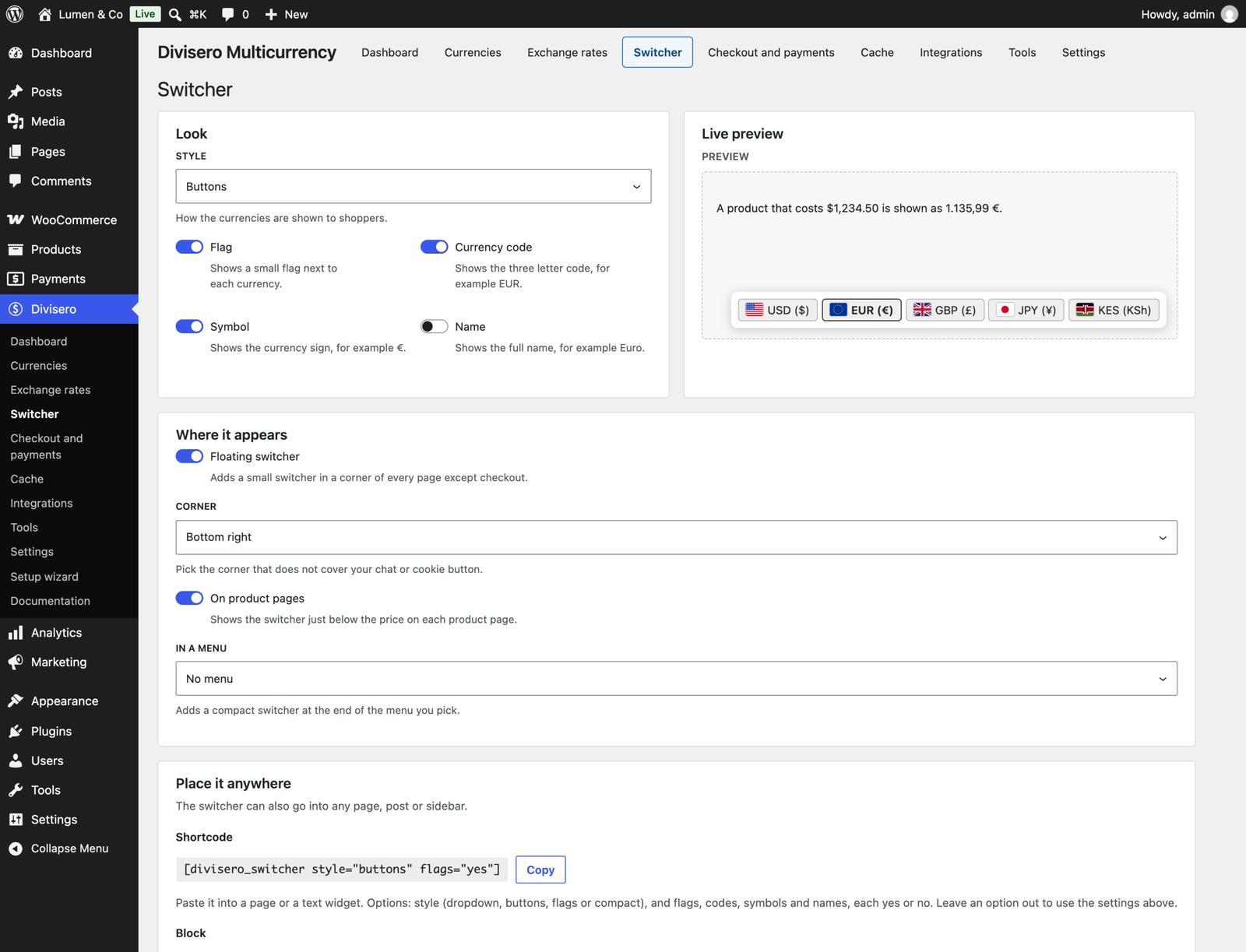
- Four styles: dropdown, buttons, flags and compact, with a live preview
- A floating switcher, a switcher on product pages, a menu item, a block, a shortcode and a classic widget
- Works without JavaScript too
- Shortcodes for an amount in the shopper’s currency, a table of your rates and a small currency converter
Currency by Country
- Geolocation with WooCommerce’s own MaxMind database or your CDN’s country header (Cloudflare, CloudFront)
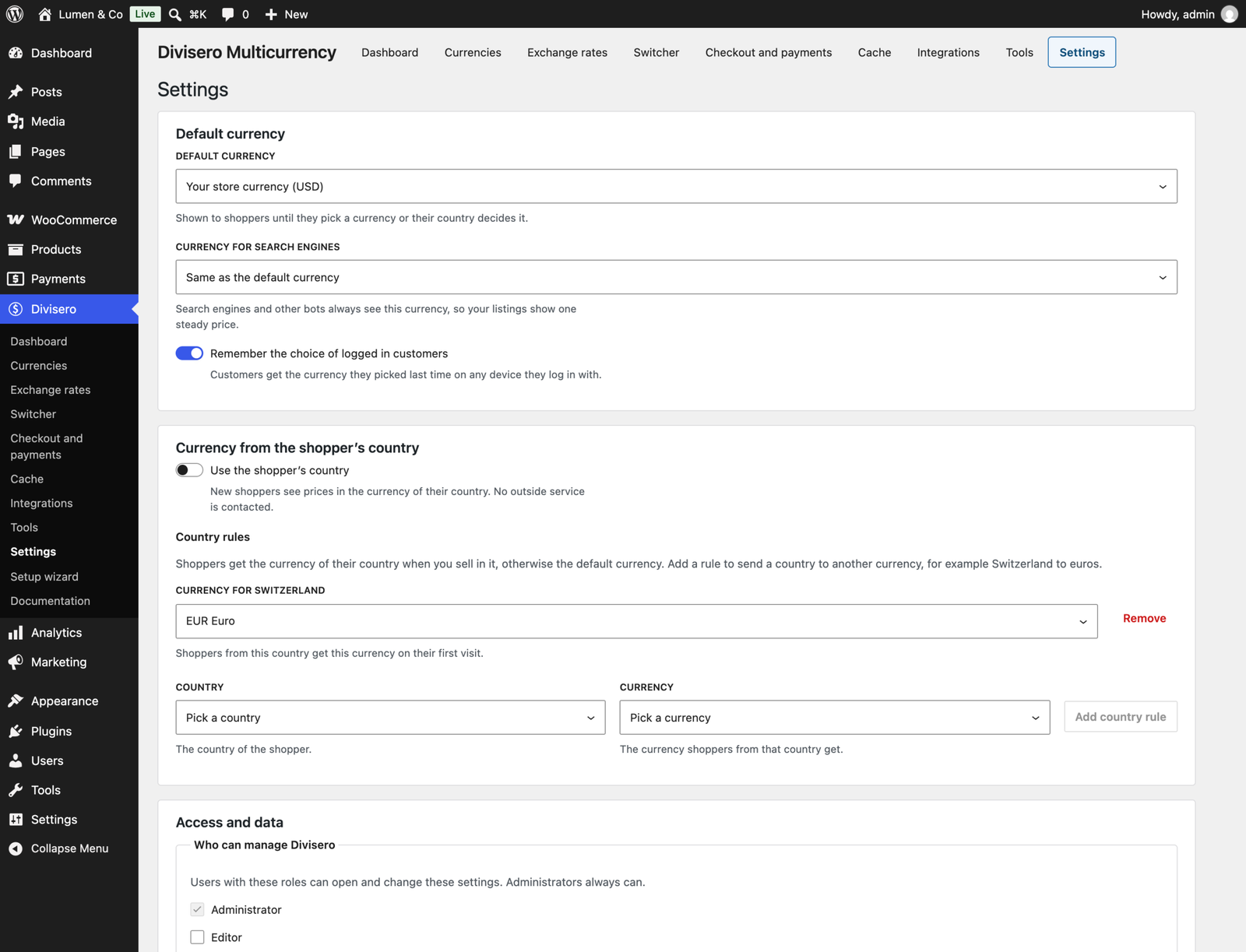
- A country to currency map you can change, for example Switzerland to euros
- An optional switch to the currency of the billing country at checkout
Works With Page Caches
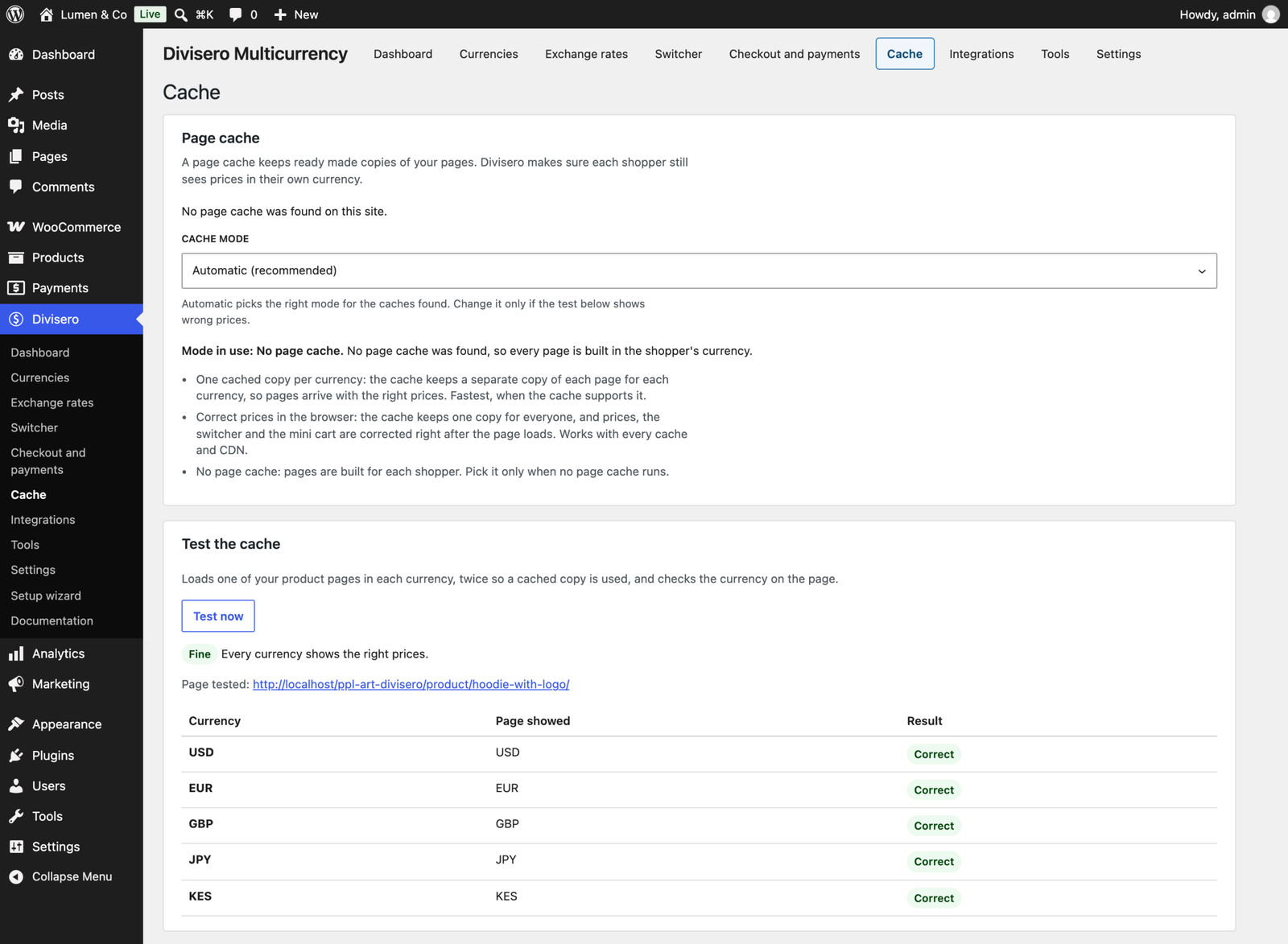
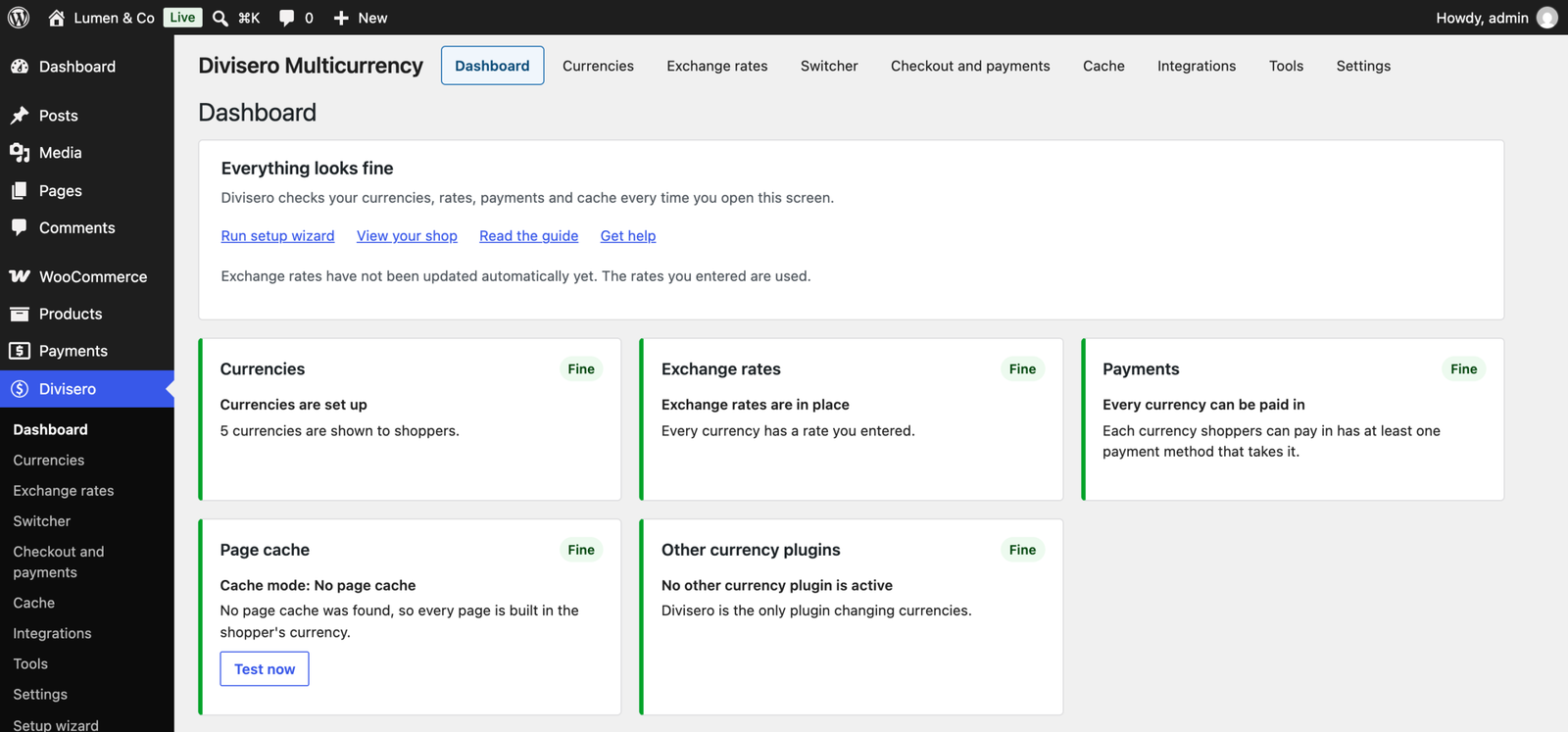
Page caches and CDNs are the most common reason a currency switcher shows the wrong price. Divisero recognises WP Rocket, LiteSpeed Cache, W3 Total Cache, WP Super Cache, WP-Optimize and 15 other caches, CDNs and hosts, and picks the mode that works: one cached copy per currency where the cache supports it, or prices corrected in the browser right after a cached page loads. A Test now button loads a product page in every currency and confirms each one.
Built for Store Owners
- A setup wizard that looks at your store, suggests currencies from your shipping zones and fills in sensible defaults in about two minutes
- A health check in plain words for currencies, rates, payment methods, cache, other currency plugins and geolocation, each with a fix or a link
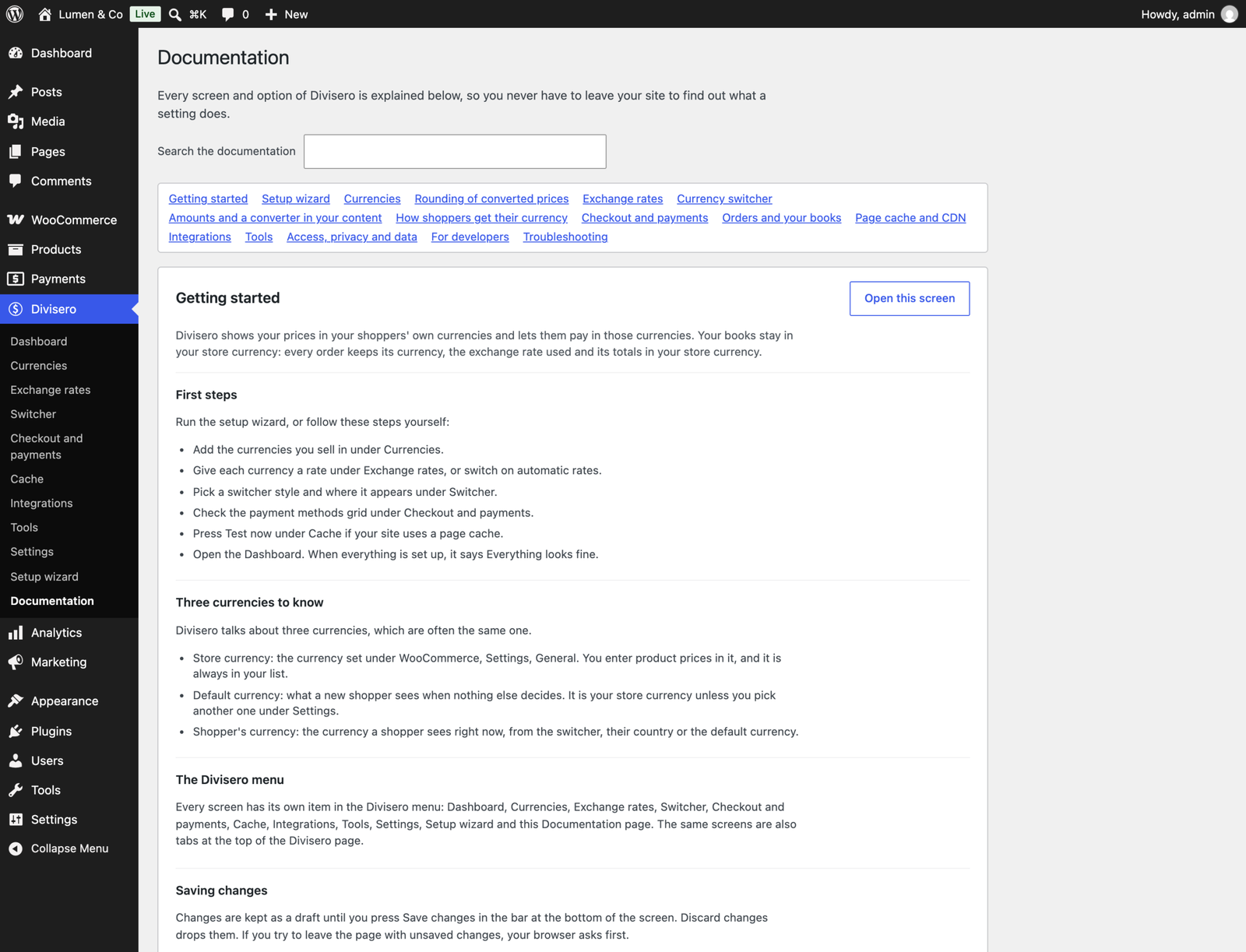
- Its own Divisero menu with an item for every screen, and a Documentation page inside the plugin that explains every option, with a search box
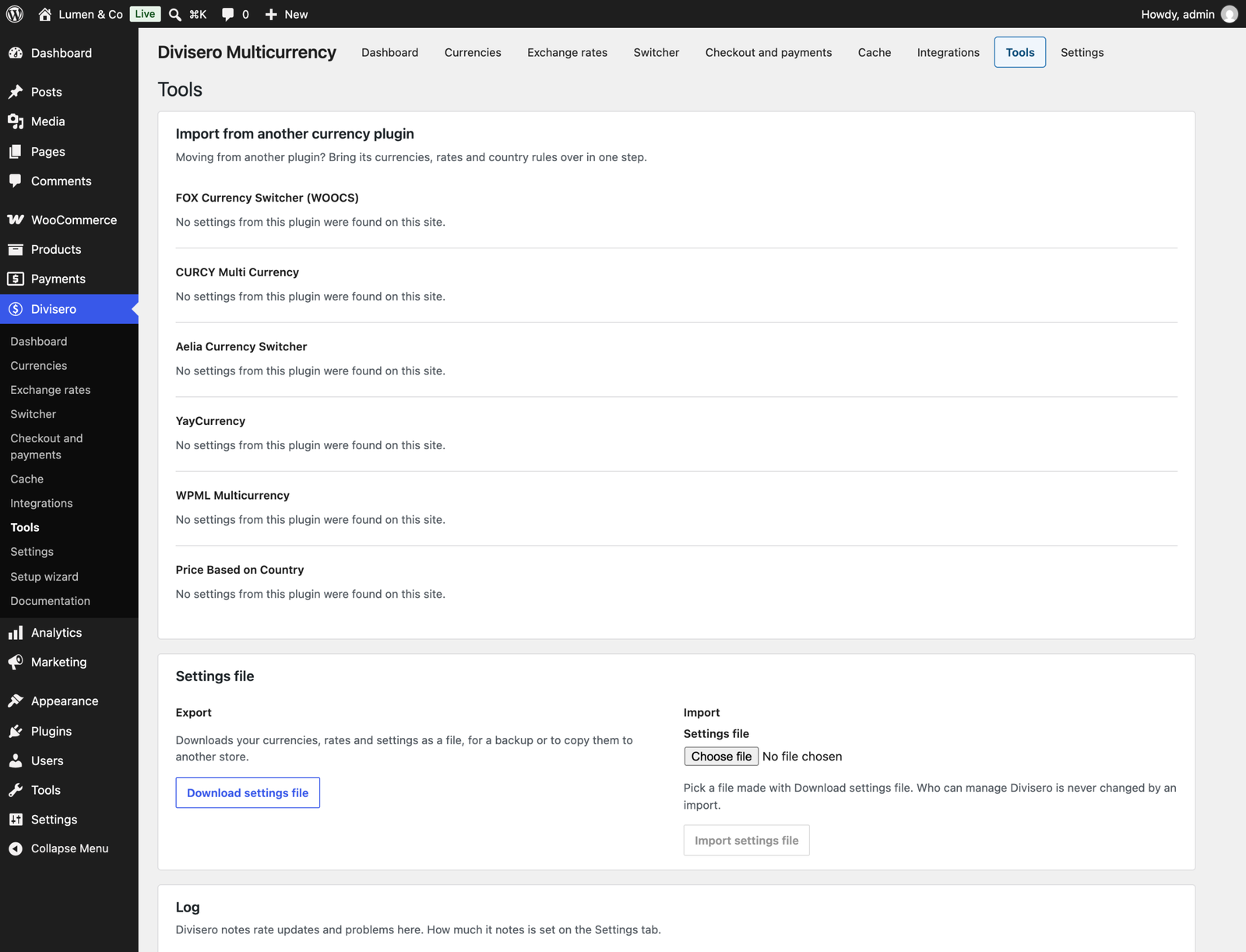
- Import currencies, rates and country rules from FOX Currency Switcher (WOOCS), CURCY, Aelia Currency Switcher, YayCurrency, WPML Multicurrency and Price Based on Country. Their settings are only read, never changed
- Accurate books: every order stores its currency, the rate used and its totals in your store currency, in a Currency details box on the order screen, with a currency column and filter on the orders list
Security and Privacy
- Nothing is sent anywhere until you switch on automatic rates
- No tracking and no statistics
- Geolocation uses WooCommerce’s own database or your CDN’s country header, never an outside service
- Only administrators and shop managers can change settings, and you can choose which roles may
Compatibility
- WordPress 6.5 or higher, WooCommerce 8.5 or higher, PHP 7.4 or higher
- Tested on WordPress 7.1 and WooCommerce 11.2, with High-Performance Order Storage and the Cart and Checkout blocks
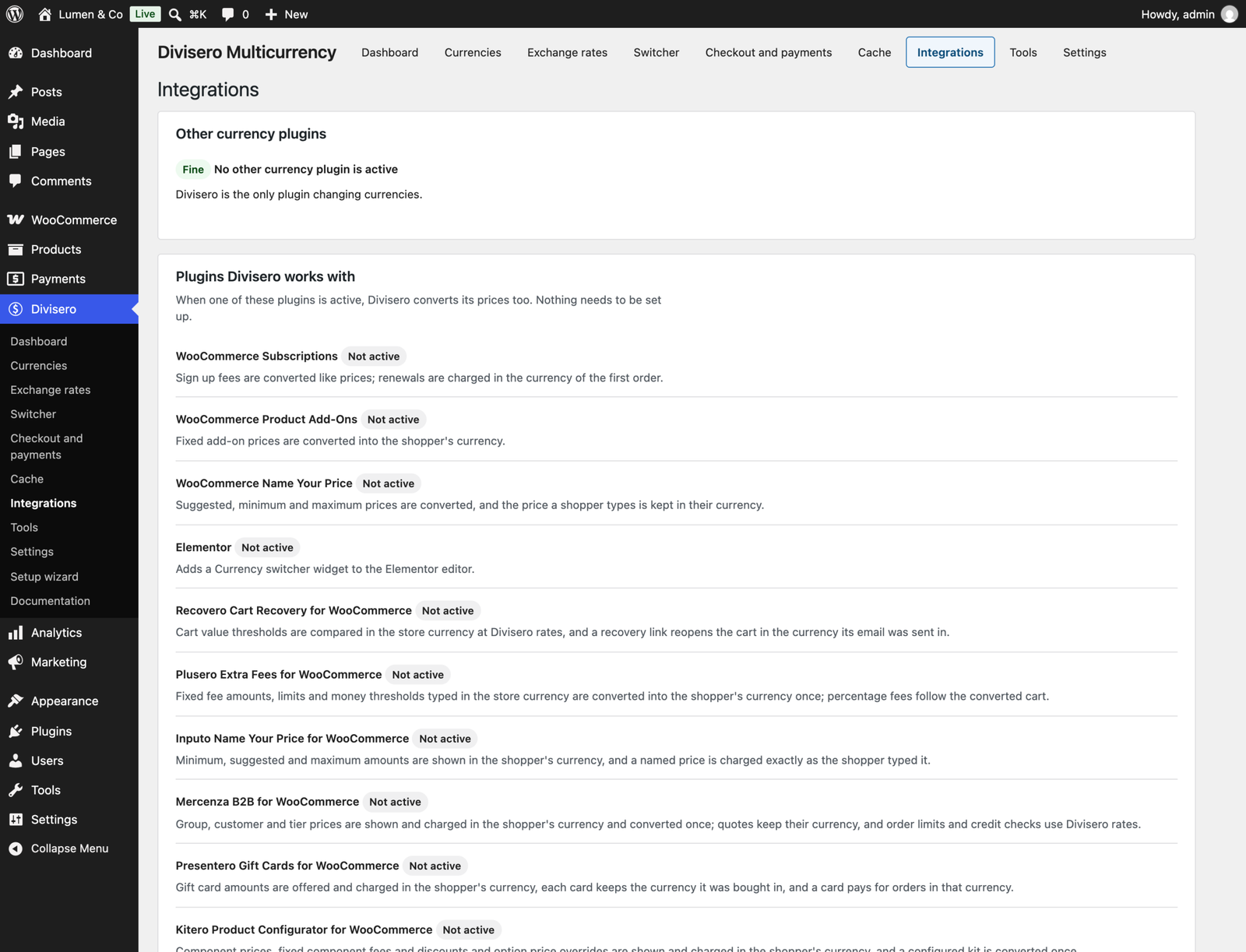
- The Store API, the price filter block and widget, Action Scheduler and WooCommerce Subscriptions (renewals are charged in the currency of the first order)
- The ProPluginsLab plugins Mercenza, Plusero, Presentero, Inputo, Kitero, Anticipo, Affireo, Recovero, Storefold and Visuaro, and Product Add-Ons, Name Your Price and Elementor
- Functions, filters, actions, WP-CLI commands and settings export and import for developers
Free and Pro Compared
| Feature | Free | Pro |
|---|---|---|
| Unlimited currencies and custom currencies | Yes | Yes |
| Checkout in the shopper’s currency, or charge in store currency | Yes | Yes |
| European Central Bank rates, markup and fixed rates | Yes | Yes |
| Rounding and price endings | Yes | Yes |
| Geolocation, country map and billing country switch | Yes | Yes |
| Switcher: block, shortcode, widget, menu, floating, product page | Yes | Yes |
| Payment method rules and fallback currencies | Yes | Yes |
| Page cache and CDN support with a live test | Yes | Yes |
| Setup wizard, health check and built in documentation | Yes | Yes |
| Import currencies and rates from 6 plugins | Yes | Yes |
| Order currency records, currency column and filter | Yes | Yes |
| WP-CLI, developer API, settings export and import | Yes | Yes |
| Fixed prices per product and currency, bulk editor and CSV | No | Yes |
| 5 more rate services, hourly updates, fallback, alerts and history | No | Yes |
| Currency rules by language, role, customer and URL | No | Yes |
| SEO currency URLs, hreflang and structured data | No | Yes |
| Fixed coupon and shipping amounts per currency | No | Yes |
| Analytics in store currency, sales per currency, accounting CSV | No | Yes |
| Admin orders in any currency and currency change | No | Yes |
| Feeds per currency, renewal pricing choice and price API | No | Yes |
| Automatic updates and priority support | No | Yes |
Upgrading to Pro
Install Divisero Pro and activate it, then deactivate the free edition from the Plugins screen. While both are active the free edition does nothing and the Plugins screen reminds you to deactivate it. Pro uses the same currencies, rates, settings and order records, so nothing needs to be set up again and nothing is lost.
Details
At a glance
- Latest version
- 1.0.8
- Last updated
- November 4, 2026
- Type
- Free plugin
Requirements
- PHP version
- 7.4
- WordPress (min)
- 6.5
- WordPress (tested)
- 7.1
- WooCommerce (min)
- 8.5
- WooCommerce (tested)
- 11.2.1
Share
You might also like
 Pro
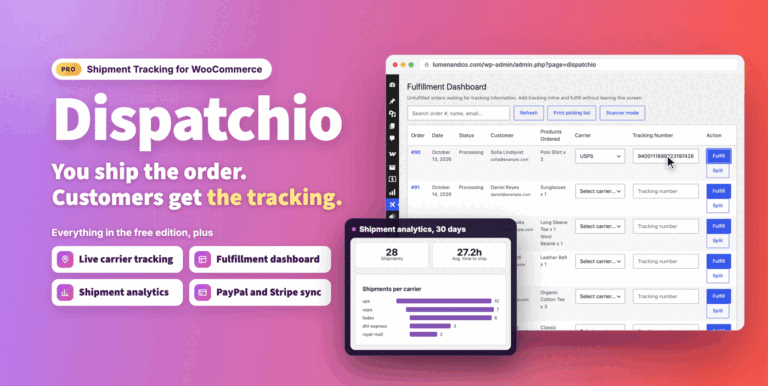
Dispatchio Advanced Shipment Tracking for WooCommerce
Shipment tracking for WooCommerce with 285 carriers, Shipped and Delivered statuses, tracking emails and live carrier updates. Works with your existing tracking data.
From $49.00 One-time
Live demo-
Free
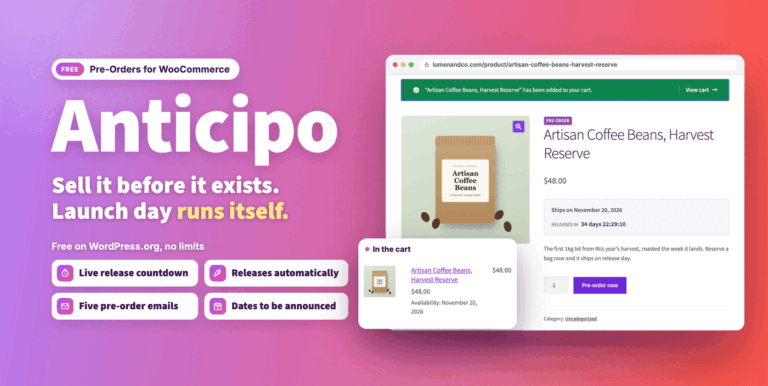
Anticipo Pre-Orders for WooCommerce Free
Sell products before they exist in WooCommerce. Take pre-orders, hold each order until launch day, then release it automatically.
Free
Live demo -
Free
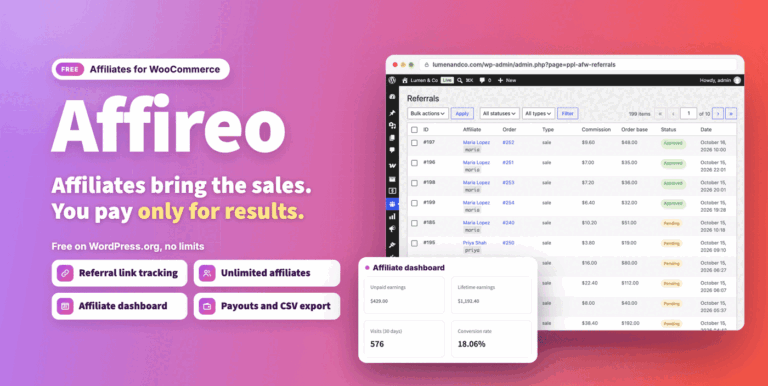
Affireo Affiliates for WooCommerce Free
Run a complete affiliate program on WooCommerce for free, with referral tracking, commissions and an affiliate dashboard. Pay affiliates manually or in store credit.
Free
Live demo