Your cart is empty.
Browse plugins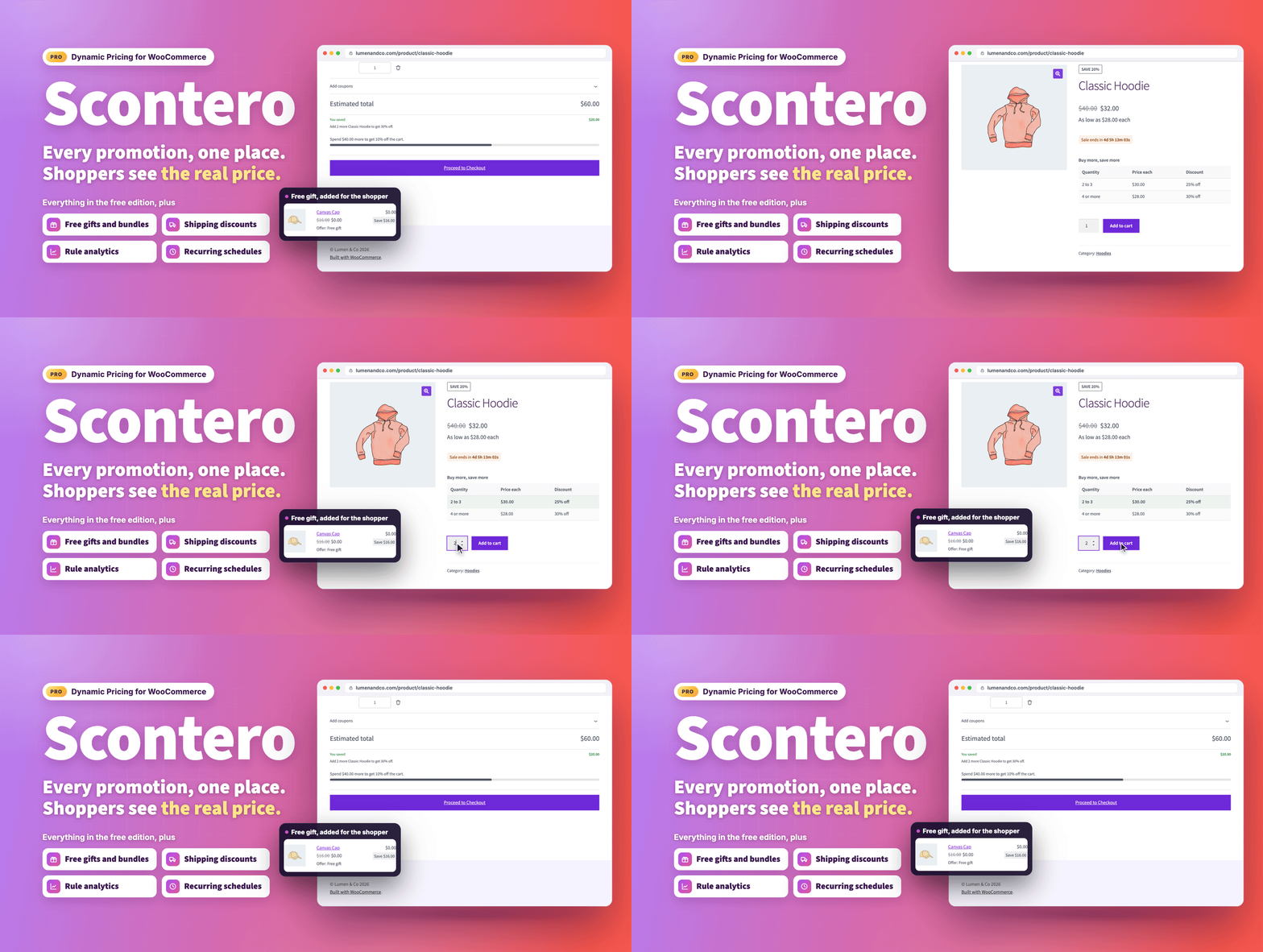
Overview
The complete dynamic pricing manager for your store.
Stop stacking coupons on sale prices and finding out from a customer that the cart charged something else. Scontero runs every WooCommerce promotion from one screen, shows shoppers the price they will actually pay on every page, and tells you exactly what a rule will do before it goes live.
One time payment from $49, with lifetime updates. No yearly renewal.
The name comes from the Italian sconto, which means discount.
What works the moment you activate it
Everything in this list runs entirely on your own site. No third-party account, no API key, no monthly fee, nothing to sign up for.
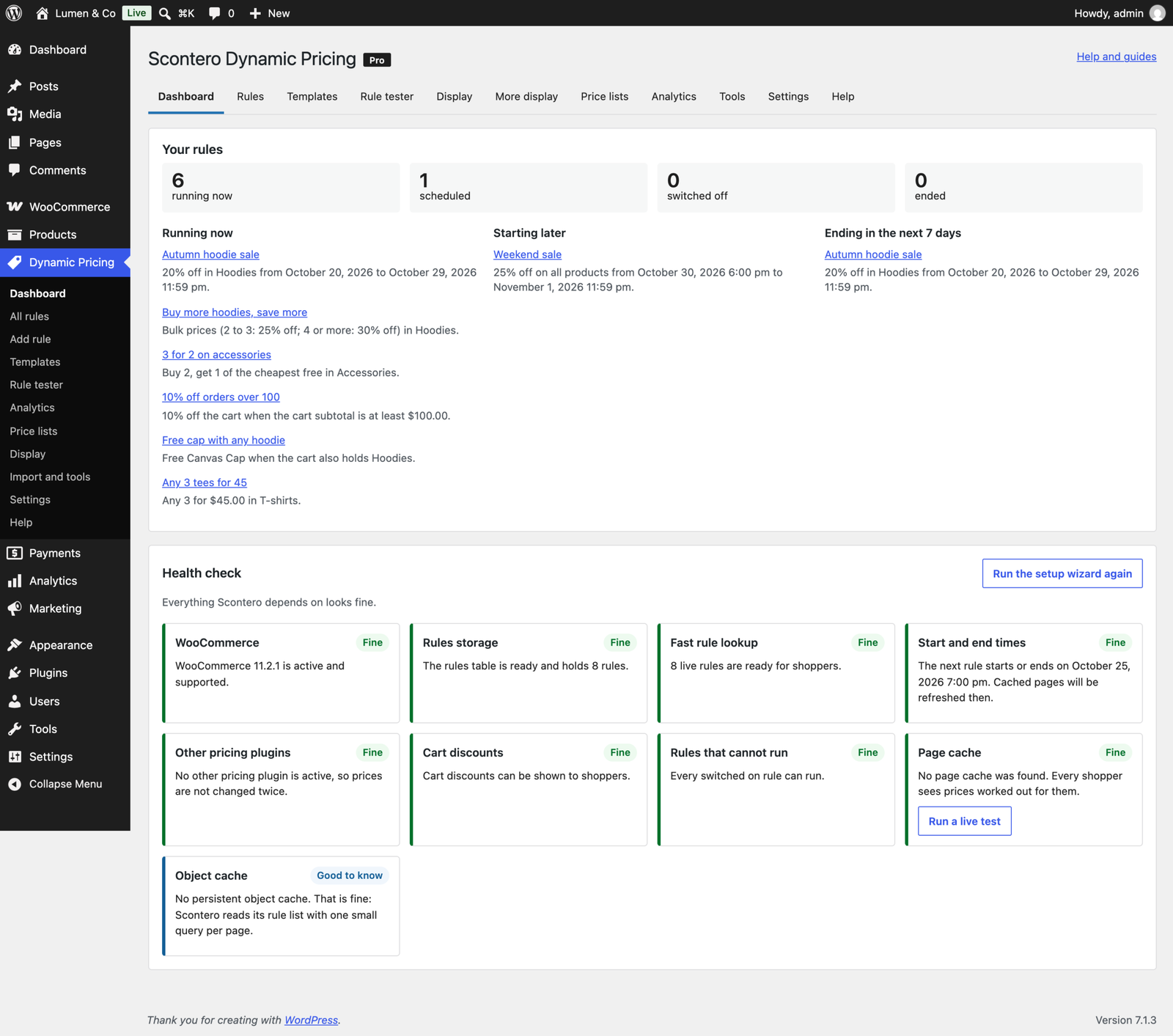
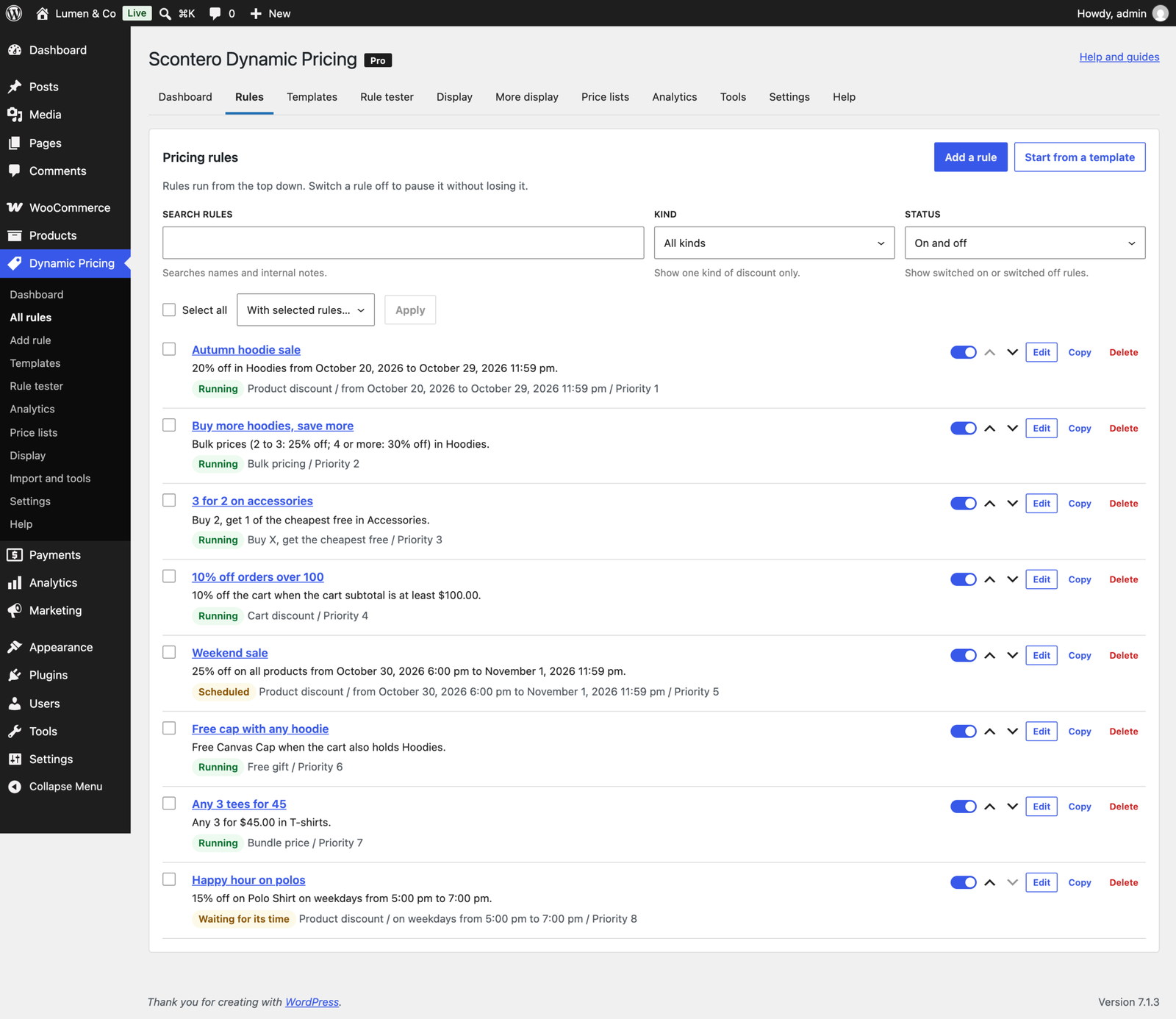
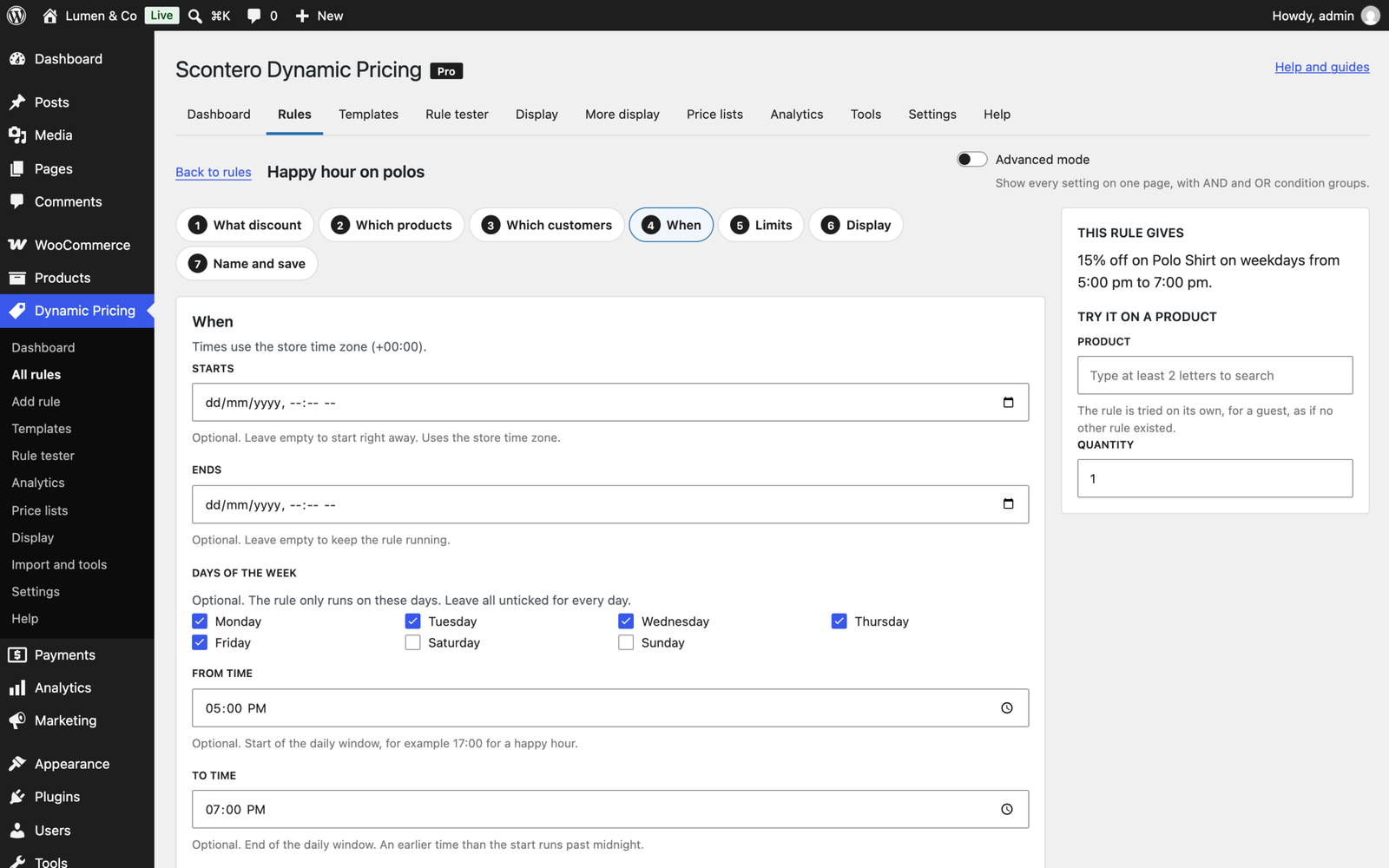
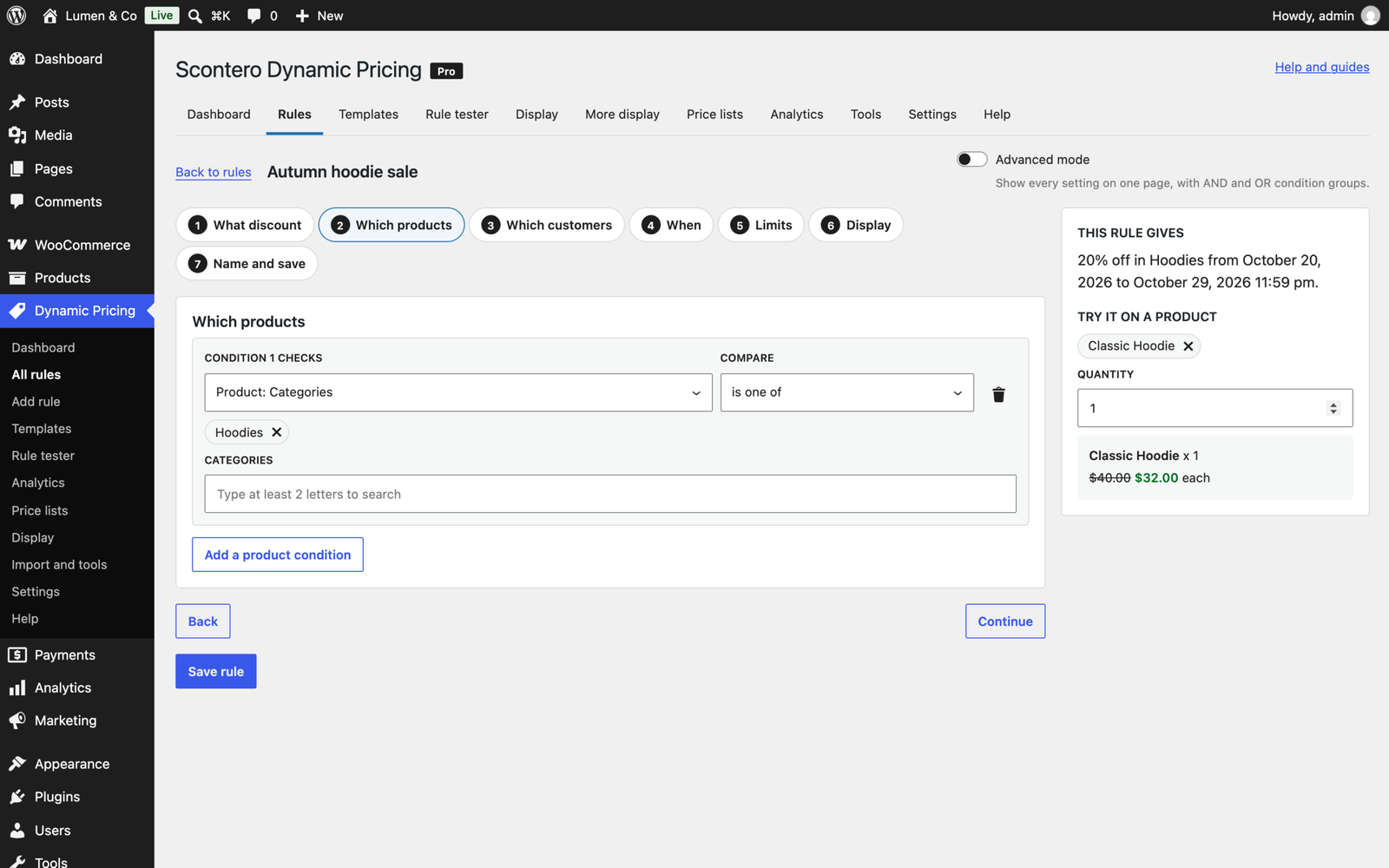
- Unlimited rules, under their own Dynamic Pricing menu, with a plain sentence that reads each rule back as you build it and a live price on a real product beside it.
- Eleven kinds of promotion: product discount, bulk, tiered, buy X get Y of the same product or across products, cheapest item free, free gift, bundles, cart, shipping and payment method discounts.
- Conditions on products, customers, purchase history, cart contents, location, checkout choices and campaign links, combined with AND and OR groups in advanced mode.
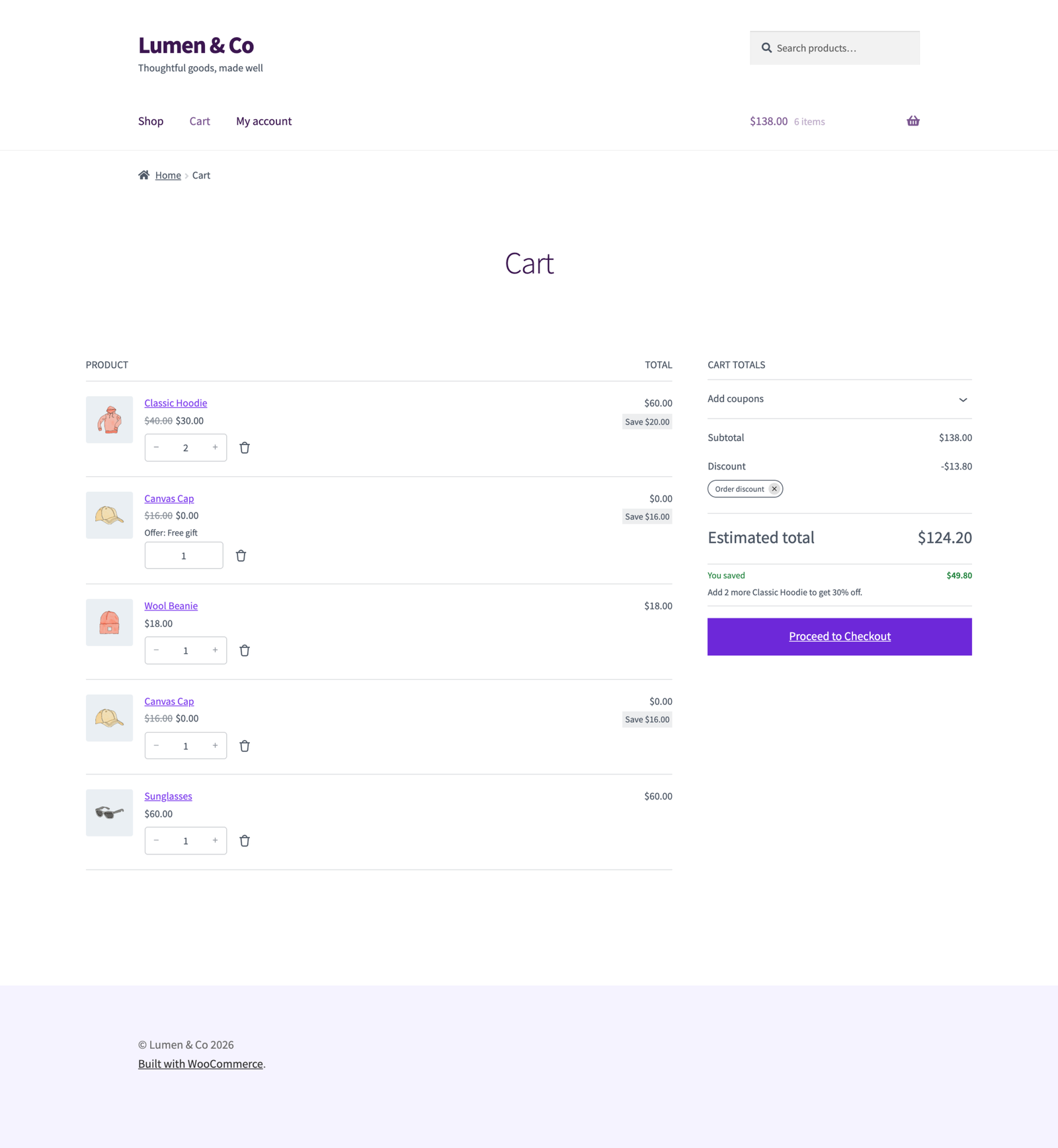
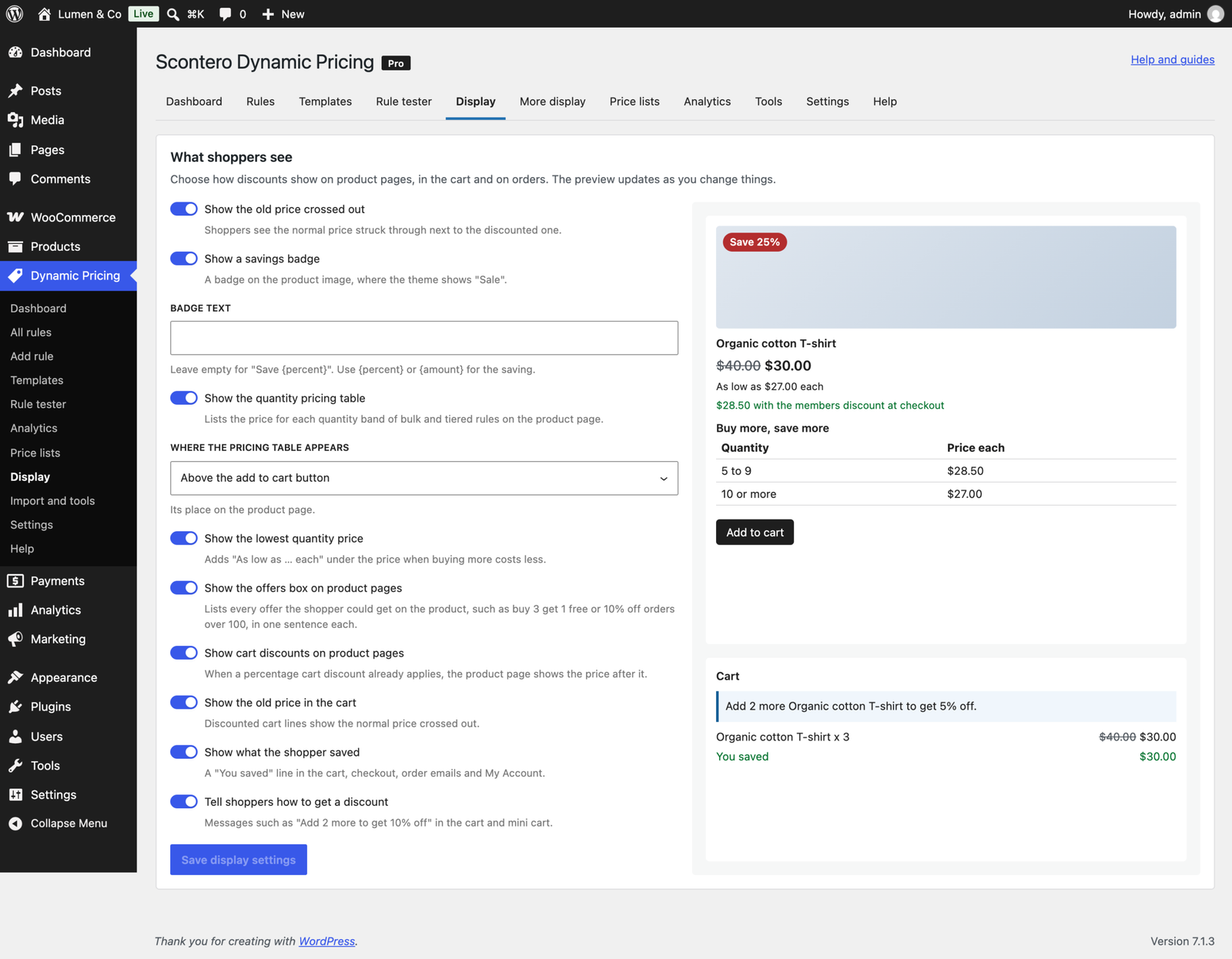
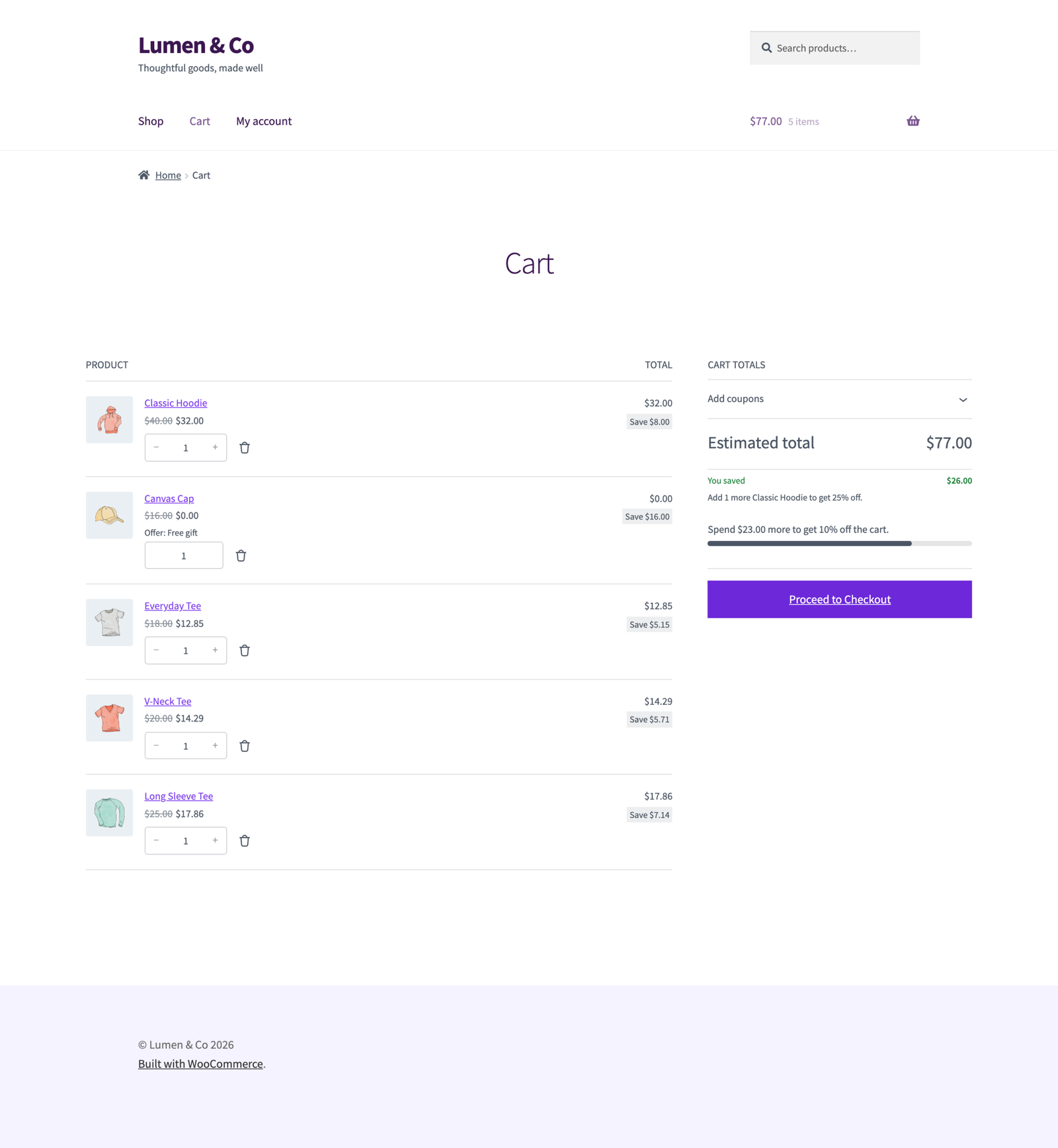
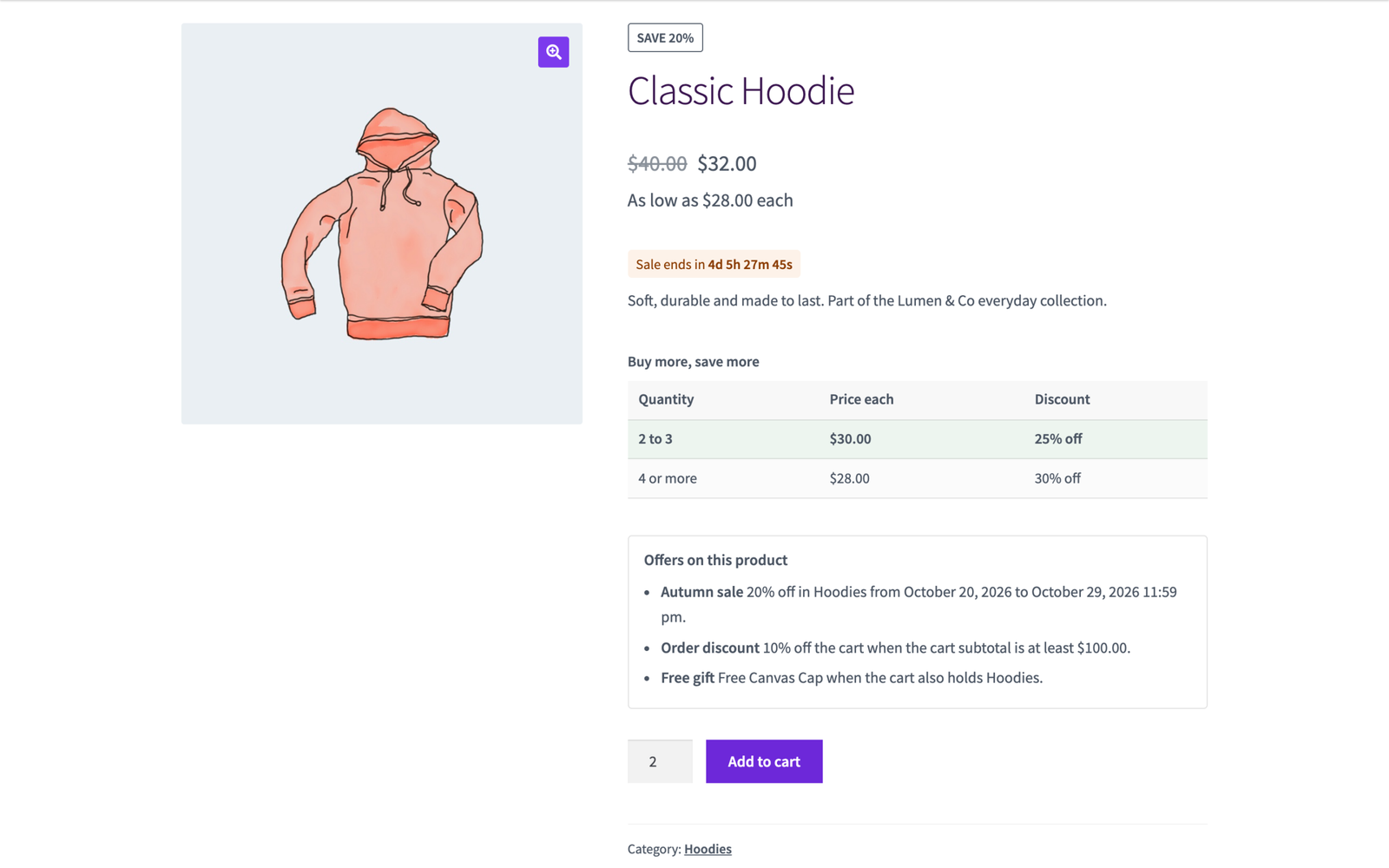
- The discounted price with the old one crossed out on product pages, shop pages, quick views and blocks, and in the mini cart, cart, checkout, emails and My Account. Variable products show the discounted range and each variation its own price.
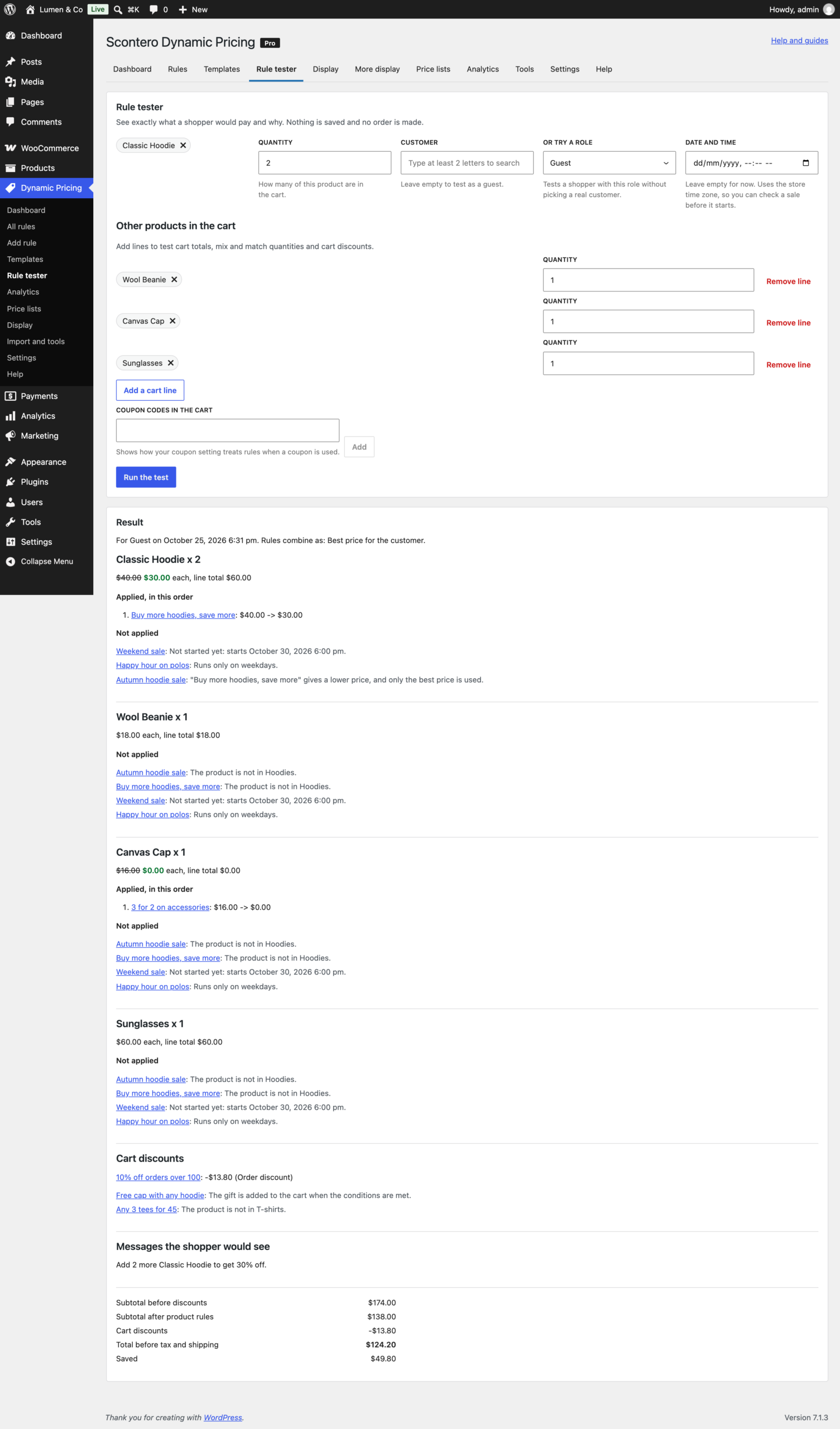
- A rule tester: pick a product, quantity, customer or role, date and other cart lines, and see which rules applied, in what order, the final price, and why every other rule did not apply. It uses the same calculator as the cart, so what it shows is what the cart charges.
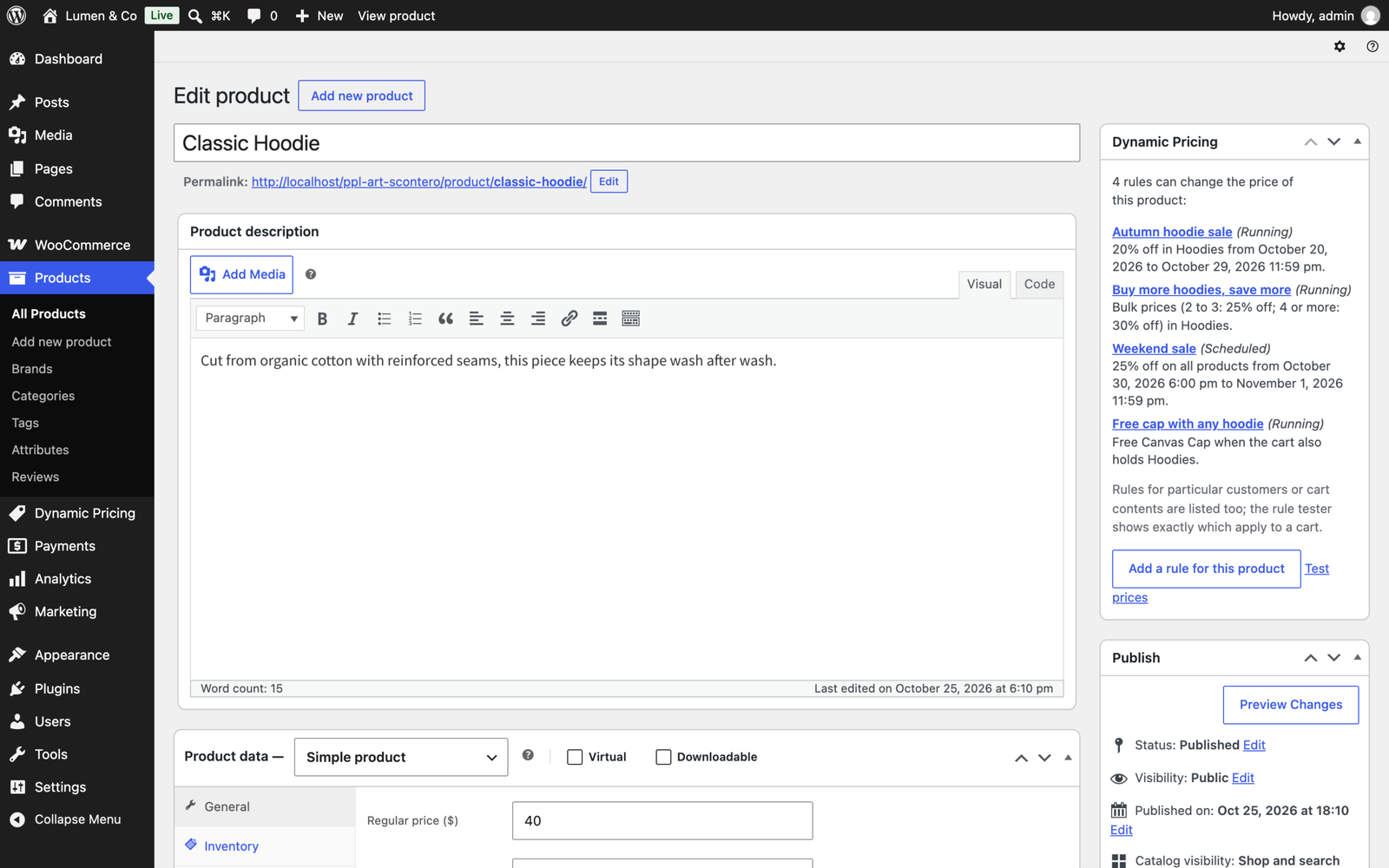
- A Dynamic Pricing box on each product's edit screen, listing the rules that change its price, with a button that opens a new rule for that product already filled in.
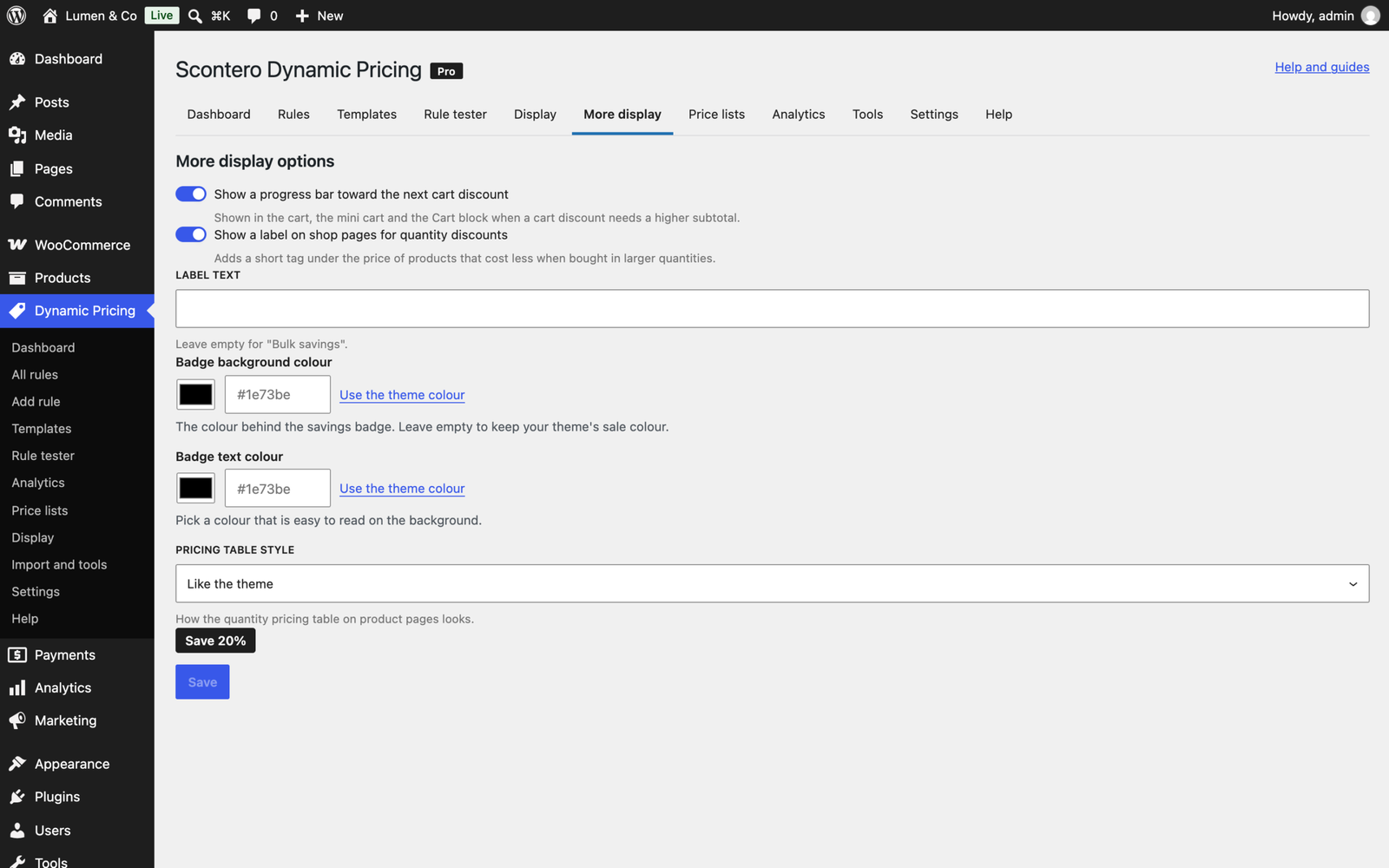
- Savings badges with your own text, a quantity pricing table with the matching row lit up as the quantity changes, "As low as" prices and an "Offers on this product" box.
- Cart notices such as "Spend $20.00 more to get 10% off the cart", a progress bar toward the next discount and a "You saved" line in the cart, checkout, emails and My Account.
- Start and end dates, days of the week, times of day and dates of the month, in your store's time zone and safe across daylight saving changes, with a sale countdown on the product page.
- Limits per rule: total uses, uses per customer, a discount budget and a largest discount per order.
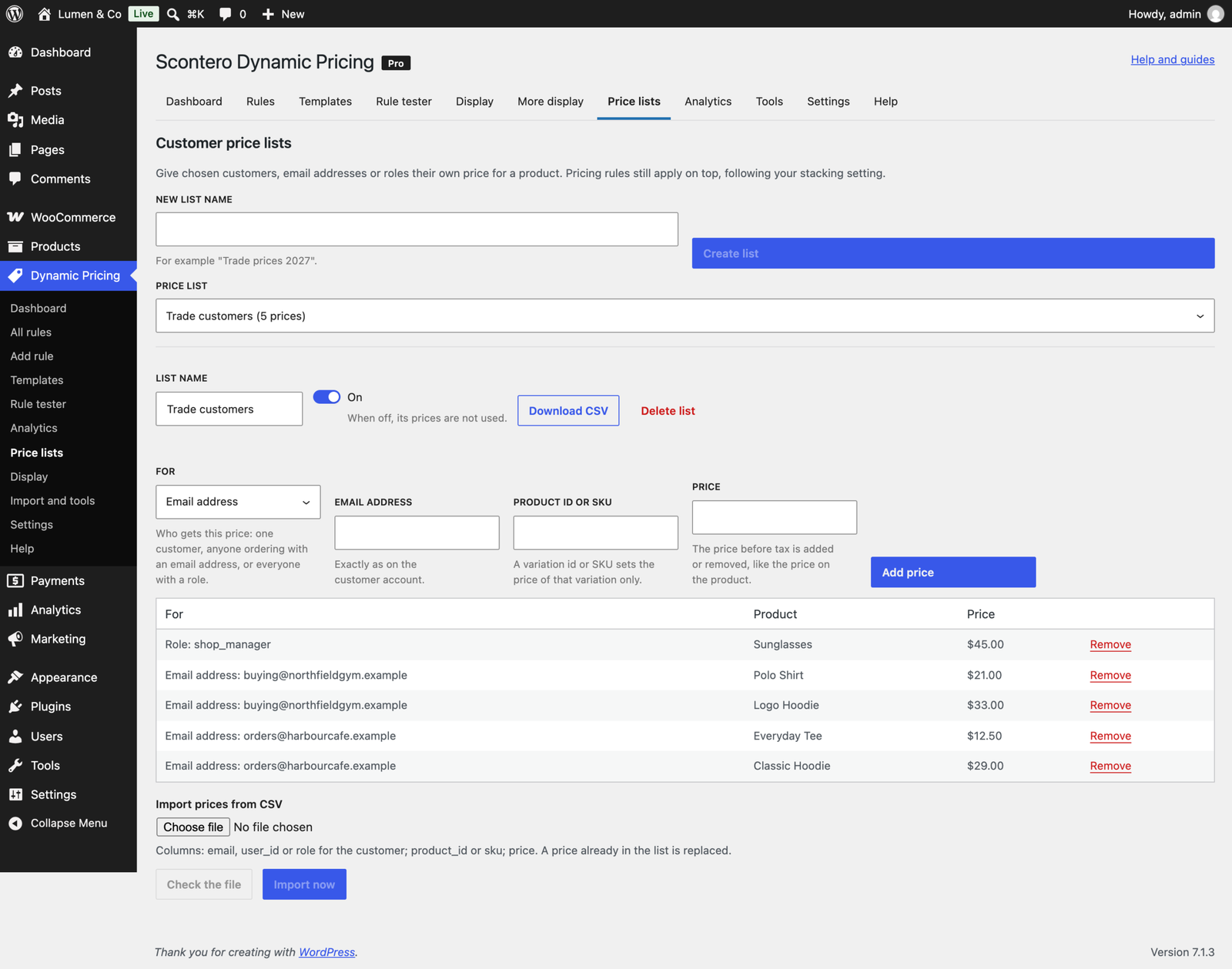
- Customer price lists, by customer, email address or role, with CSV import.
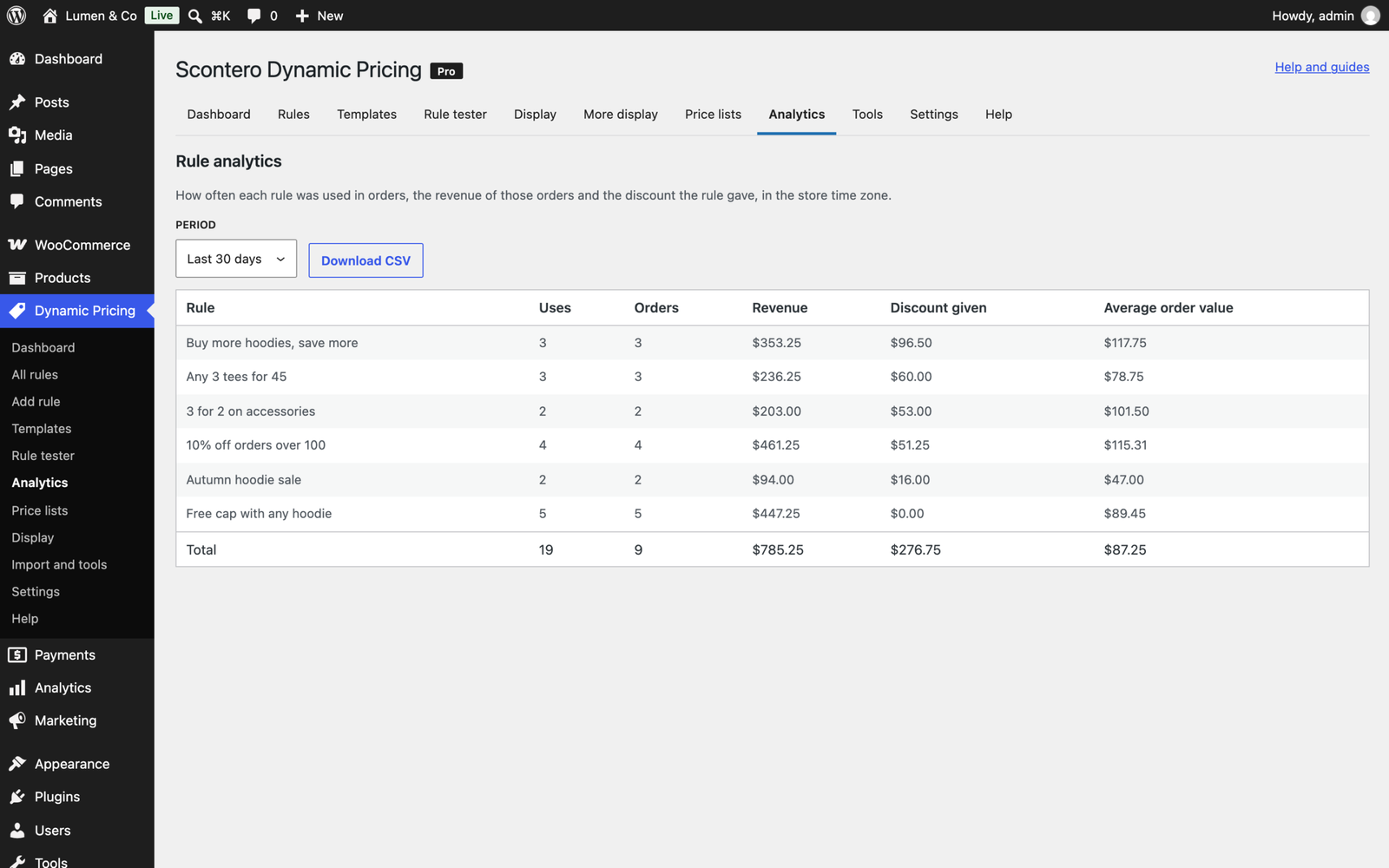
- Rule analytics: uses, revenue, discount given and average order value per rule, for any date range, with CSV export.
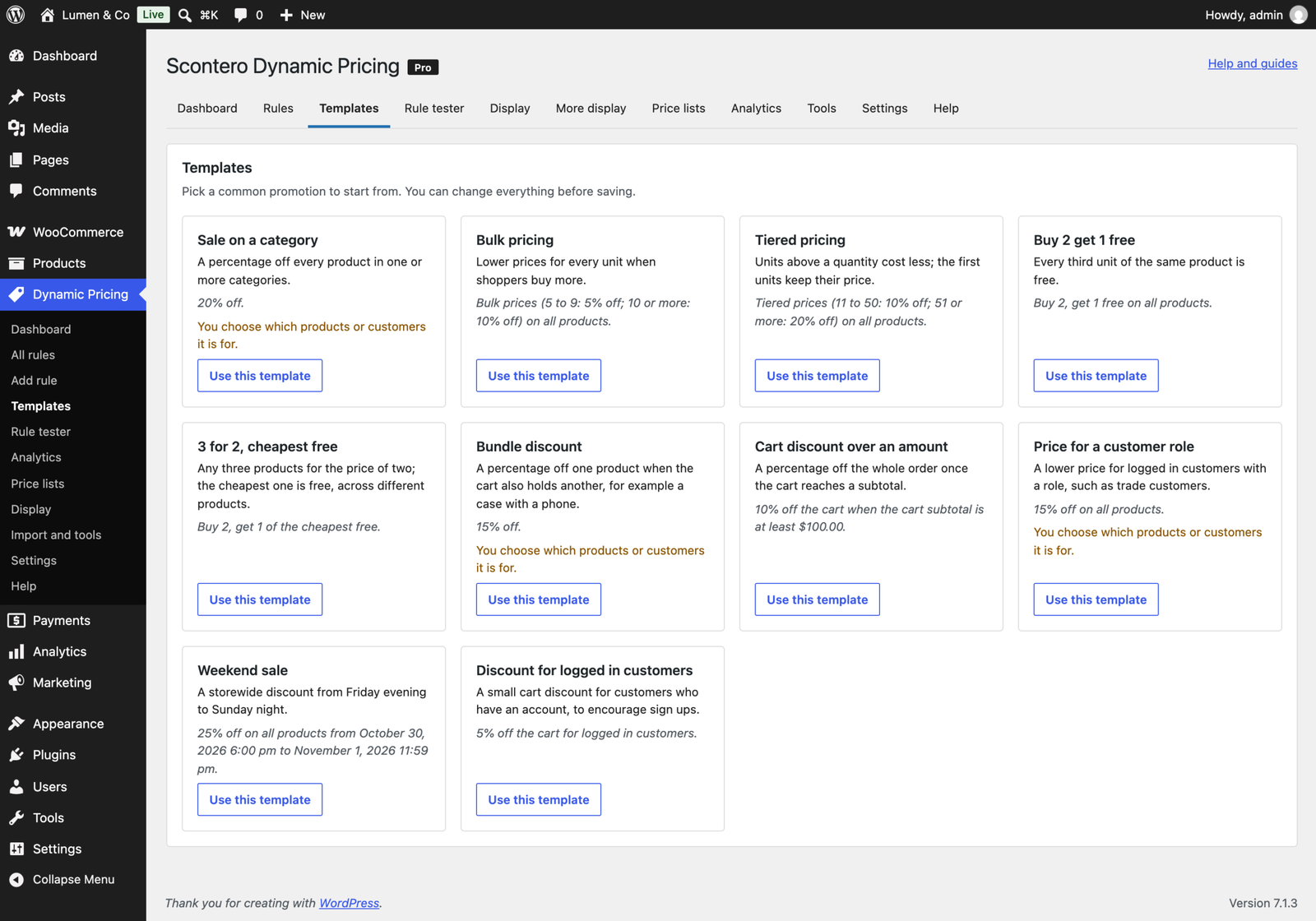
- A setup wizard, ten one click templates, a health check in plain words with a fix button or link for each problem, and built in help.
What needs an account with someone else
Nothing. The pricing features contact no outside service, and no customer, order or shopper data ever leaves your site. The one connection the plugin makes is to the ProPluginsLab licence server, to check your licence key and offer updates, and only after you enter a key.
Every kind of promotion
- Product discount. A percentage off, an amount off each product, or a fixed price.
- Bulk pricing. Buy more and every unit gets the lower price once a quantity is reached.
- Tiered pricing. Each quantity band is priced on its own, so the first units keep their price.
- Buy X get Y of the same product. Buy 2 get 1 free, or the extra unit at a percentage off or a fixed price, once or repeated.
- Cheapest item free. 3 for 2 across different products. The cheapest goes free, or the most expensive goes at a discount.
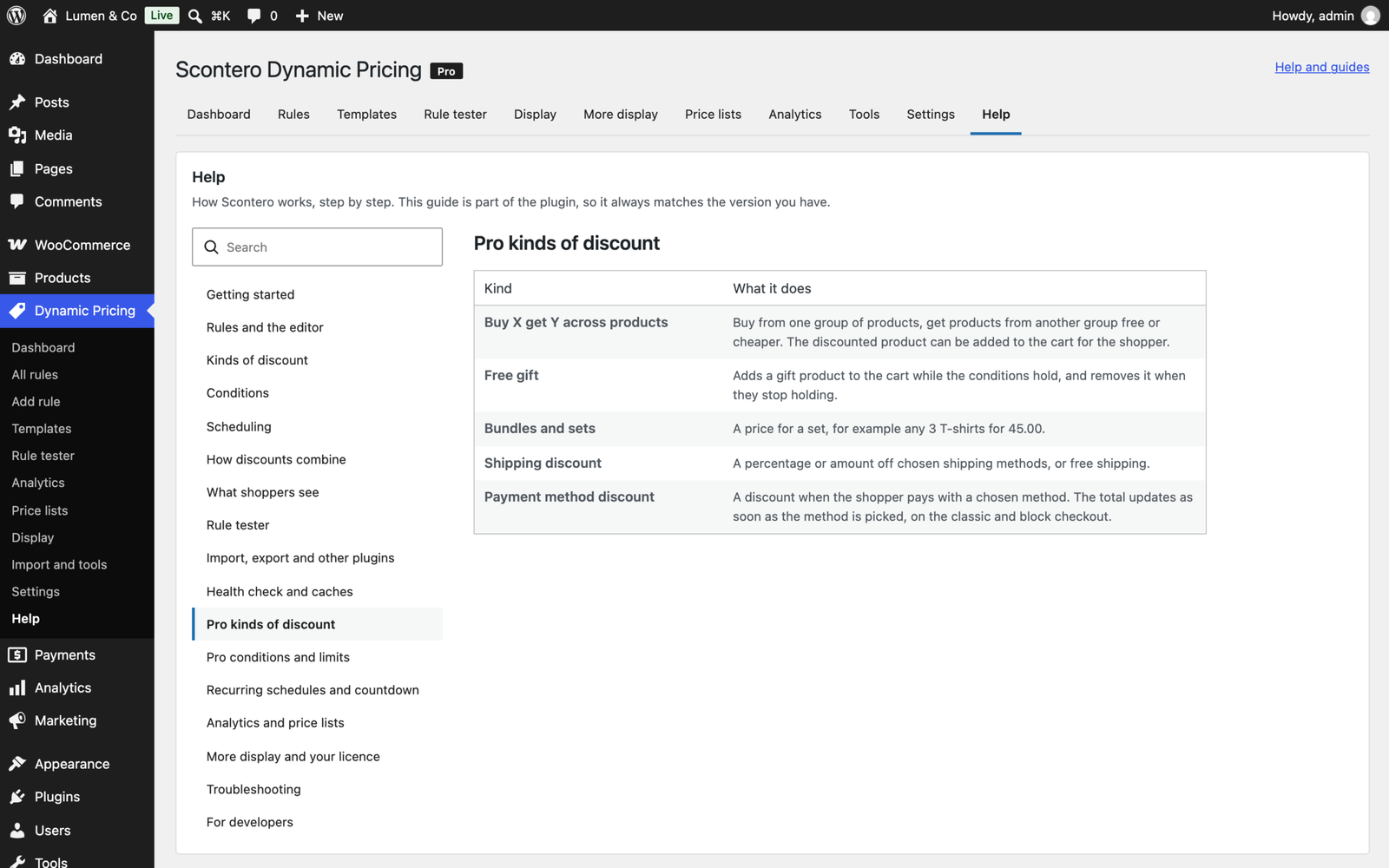
- Buy X get Y across products. Buy from one group and get a product from another, free or cheaper. Scontero can add it to the cart for the shopper.
- Free gift. Added to the cart when the conditions are met and removed when they no longer are. The gift's real value counts in "You saved", analytics and discount budgets, and it never counts towards its own conditions.
- Bundles and sets. For example, any 3 from Socks for $20, however the shopper mixes them.
- Cart discount. A percentage or an amount off the subtotal, on the whole cart or only the matching products.
- Shipping discount. Free or cheaper shipping on chosen methods.
- Payment method discount. Money off for a chosen payment method. The total updates as soon as the shopper picks the method, on the classic and block checkout, and the order is priced for the method it is really paid with.
Quantities can be counted per cart line, per product (all variations together) or across every product of the rule.
Decide exactly who gets what
- The products. Products, variations, categories with their subcategories, tags, attributes and brands, on sale or not, stock status and quantity, price range and any product meta.
- The customer. User role, logged in or guest, specific customers, first order, number of orders, total spent, products bought before, and WooCommerce Memberships.
- The cart. Subtotal, number of units, number of different products, total weight, and whether the cart holds at least one, all or none of chosen products, categories or tags. That makes bundle offers easy: 15% off the case when the cart holds the phone.
- Where it is going. Billing and shipping country, state and postcode. On cached pages, location prices are refreshed after the page loads, so a cached page never shows another country's price.
- What they chose. Shipping method, payment method and coupon applied.
- How they arrived. A campaign link such as
?utm_campaign=newsletteris remembered until the order is placed.
How discounts combine
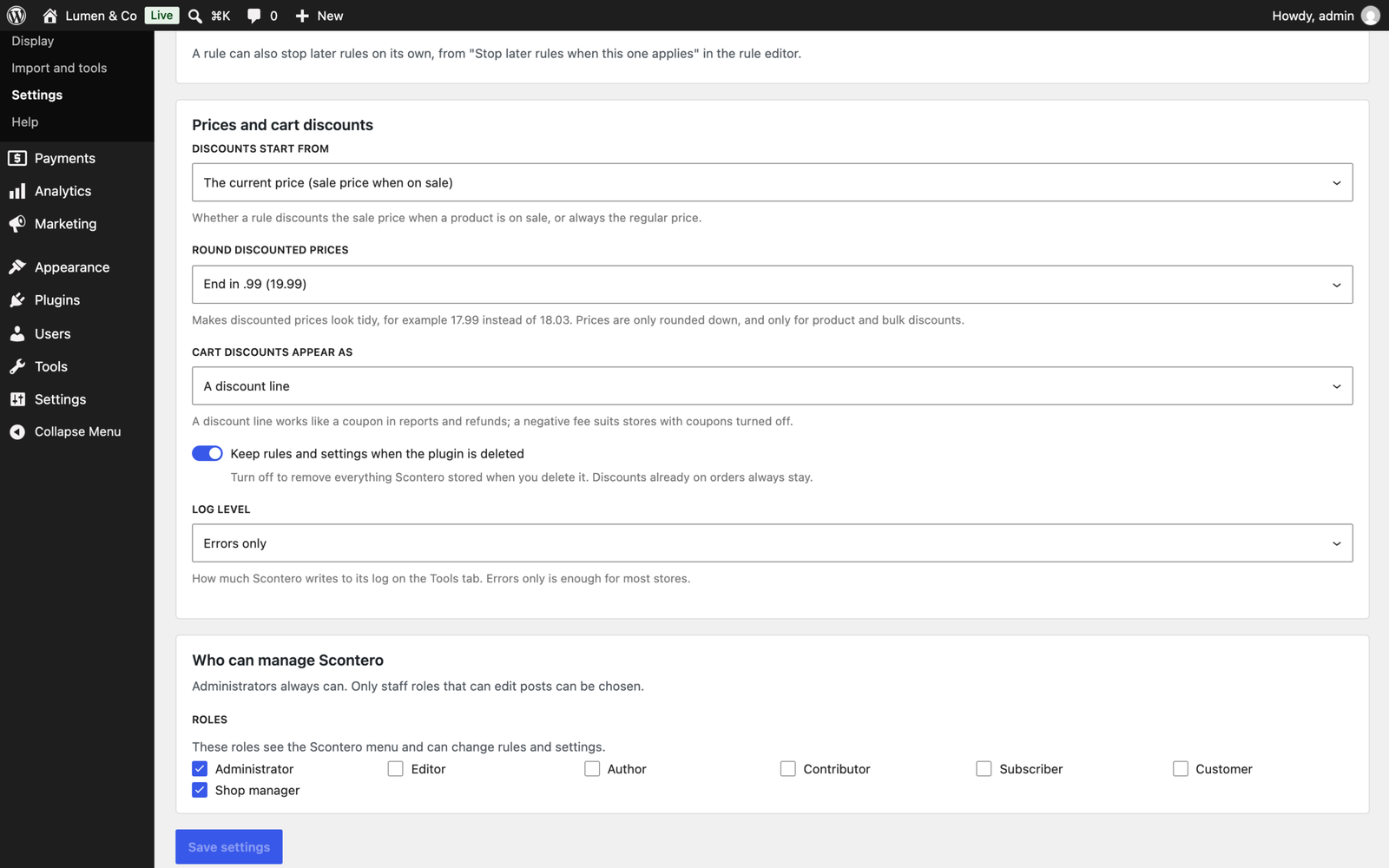
One setting decides what happens when several rules match: best price for the customer, every matching rule in priority order, or only the first. Any rule can also stop the rules after it. A second setting decides how coupons work with rules: allow them, block them, or let a coupon replace the rules.
Discounts can start from the current price or the regular price, and a rule never makes a product dearer than its sale price. Price endings round discounted prices down to .99, .95, .90, a whole amount, or a step of 0.05 or 0.10.
Orders and records
- Every order line keeps the rules that applied, the original price and the discount.
- An automatic cart discount is kept when you recalculate an order.
- A "Reapply pricing rules" order action, used only when you choose it, works out tax and coupons again on the new prices.
- If a total would rise after the shopper reviewed it, the classic checkout tells them before they pay.
Moving from another pricing plugin
Importers read your rules from Discount Rules for WooCommerce (Flycart), Advanced Dynamic Pricing (AlgolPlus), YITH Dynamic Pricing and Discounts, Pricepep (RightPress) and the official WooCommerce Dynamic Pricing. A dry run shows what will happen first. A rule that could not be copied in full comes in switched off with a note saying why, and running an importer twice never duplicates rules.
Rules also export and import as JSON and CSV. A spreadsheet can change names, priorities and whether a rule is on, and the import updates those rules instead of copying them.
Fast with hundreds of rules
Rules are compiled into one index, so each product checks only the rules that can apply to it. In our test with 10,000 products and 500 active rules, Scontero added about 7 ms to a shop page of 48 products and about 8 ms to a cart of 50 lines, with no extra query per product. Its storefront files load only on shop pages and wherever a discounted price appears.
Page caches are purged when a rule starts, ends or changes, through WP Rocket, LiteSpeed Cache, W3 Total Cache, WP Super Cache, WP Fastest Cache, SiteGround, Breeze, Hummingbird, FlyingPress, Cache Enabler, Nginx Helper, WP-Optimize, Kinsta, WP Engine and Pantheon.
Developer friendly
- Public functions:
scontero_get_price(),scontero_get_applied_rules()andscontero_test_rules(). - More than 50 actions and filters, including
scontero_rule_typesandscontero_condition_typesfor your own rule types and conditions. - WP-CLI commands:
wp scontero rules,test,importandhealth, pluswp ppl-licensefor licence management. - REST routes under
scontero/v1andscontero-pro/v1. - Integration code for WPML, Polylang, Divisero multicurrency, Product Bundles, Composite Products, gift cards and name your price products, built on their public hooks.
Security
- Every rule is checked against a schema before it is saved, and refused with a clear message when something is wrong.
- Every admin route checks a Scontero capability, and changes are only accepted from a logged in dashboard session, never from application passwords or API keys.
- A guest's typed email never opens another customer's prices, rules or order history.
- Prepared statements on every query. Files other plugins saved are read with objects refused, and CSV exports are guarded against spreadsheet formulas.
- Privacy tools export and erase the customer data Scontero keeps.
Requirements
- WordPress 6.5 or newer, tested up to 7.1
- WooCommerce 8.5 or newer, tested up to 11.2.1
- PHP 7.4 or newer
- HPOS and Cart and Checkout Blocks compatible, and translation-ready
Licence
One-time payment with lifetime updates. Your licence controls updates, not features: every Pro feature keeps working whether or not a licence is active. An active licence gives you one-click updates from your dashboard and support.
Frequently asked questions
Does the price on the product page match the cart?
Yes. Product pages, the rule tester and the cart all use the same calculator, so the price a shopper sees is the price they are charged.
Can I try a rule before shoppers see it?
Yes. The rule tester shows the price for any product, customer, date and cart, without saving anything or placing an order. You can also save a rule switched off until it is ready.
How do several rules on one product combine?
You choose once, in one setting: the best price for the customer, every matching rule in order, or only the first. The tester shows the result and explains why any rule was skipped.
Do discounts work together with coupons?
Your choice. Coupons can apply alongside rules, be blocked when a rule gave a discount, be blocked while any promotion runs, or replace the rules altogether.
Are payment method discounts shown before the shopper pays?
Yes. The total updates as soon as the shopper picks a payment method, on the classic checkout and the Checkout block, and the discount goes away if they pick another method.
Do prices stay right on a cached site?
Scontero purges the page cache when a rule starts, ends or changes, and prices that depend on the shopper's country are refreshed after the page loads. A CDN or server cache that cannot be purged from WordPress updates when its cache expires; the health check has a live test for this.
Can I give a discount to one customer or a whole company?
Yes. Use a condition on specific customers or on the email address of their account, for example *@example.com, or give them a price list. Customers need to be logged in, because anyone can type an address at checkout.
Will it work with my other plugins?
Scontero includes integration code for the plugins listed under Developer friendly, built on their public hooks, and it starts from prices other plugins set in the cart. It has been tested with WordPress 7.1 and WooCommerce 11.2; if you run something unusual, try it on a staging site first.
What happens to my orders if I stop using it?
Orders keep what was charged and the discounts stored on them. By default your rules and settings are kept when you delete the plugin; a setting removes them if you prefer.
What happens when my licence expires?
Every feature keeps working. Only one-click updates and support depend on an active licence.
Changelog
Every release, newest first, with the date it came out.
Version 1.0.0 (November 2, 2026)
- First release.
Details
At a glance
- Latest version
- 1.0.0
- Last updated
- November 3, 2026
- Type
- Pro plugin
Requirements
- PHP version
- 7.4
- WordPress (min)
- 6.5
- WordPress (tested)
- 7.1
- WooCommerce (min)
- 8.5
- WooCommerce (tested)
- 11.2.1
Share
You might also like
 Pro
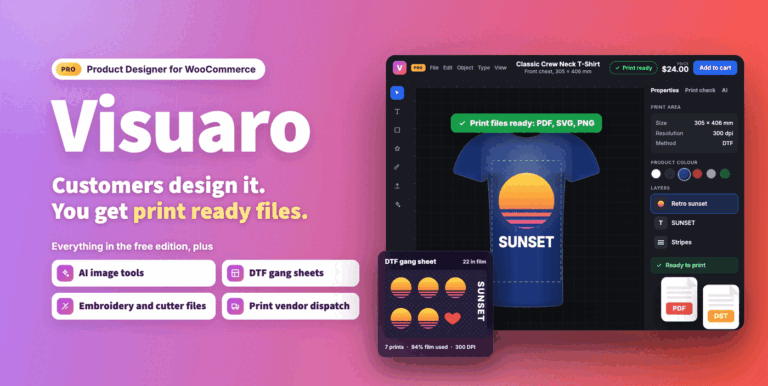
Visuaro Product Designer for WooCommerce
Customers design products on your WooCommerce store and you get print ready files. Pro adds proof approval, team orders, gang sheets and vendor dispatch.
From $49.00 One-time
Live demo-
Pro
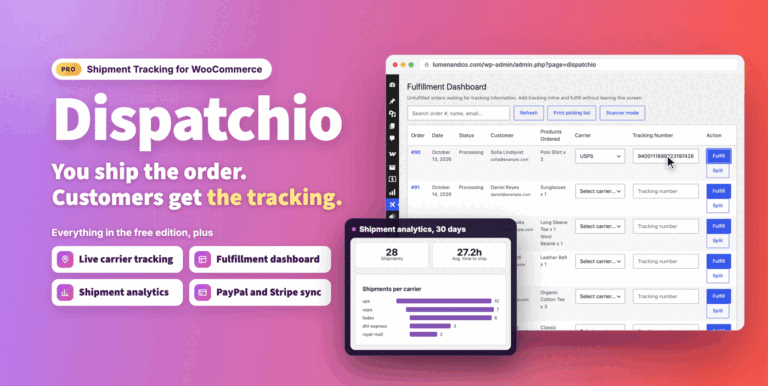
Dispatchio Advanced Shipment Tracking for WooCommerce
Shipment tracking for WooCommerce with 285 carriers, Shipped and Delivered statuses, tracking emails and live carrier updates. Works with your existing tracking data.
From $49.00 One-time
Live demo  Free