Your cart is empty.
Browse plugins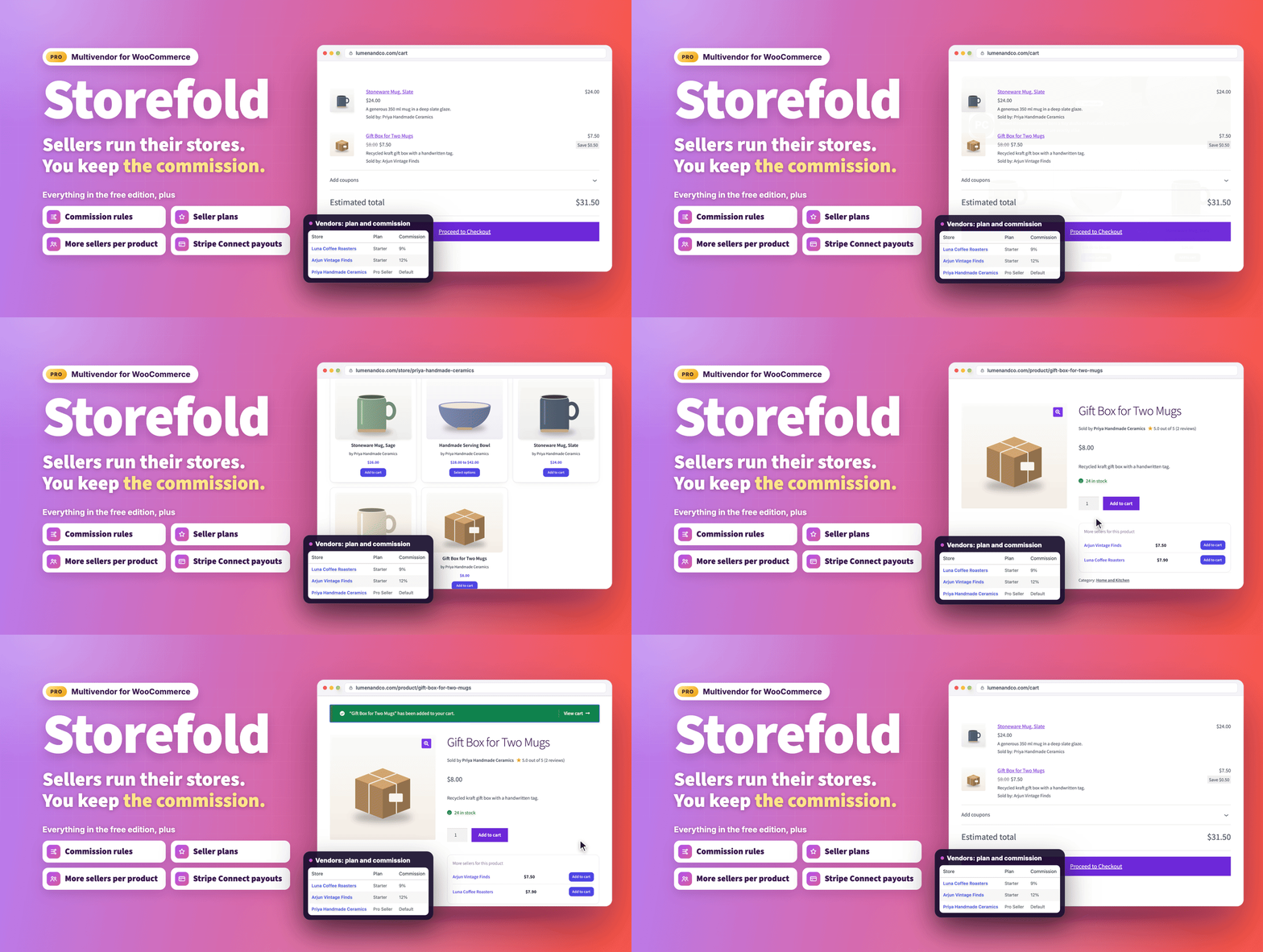
Overview
Turn your WooCommerce store into a marketplace that pays everyone correctly.
Storefold - Multivendor Marketplace for WooCommerce lets other sellers open their own store inside your shop. Sellers apply, you approve them, and they run their products, orders, coupons and payouts from a clean dashboard on the front of your site. Customers check out once, every seller receives only their part of the order with the right tax and shipping, and you keep a commission.
Storefold Pro is the complete edition for growing marketplaces. It contains everything in the free edition and adds commission rules per product, vendor and category, paid seller plans, scheduled payouts with Stripe Connect, vendor reports, refund and return requests, customer to seller messaging, per-vendor shipping zones, an earning hold period, several sellers per product, staff accounts, identity verification, customer disputes, an activity log, signed webhooks and CSV vendor import.
- Live demo: Storefold Pro demo
- Documentation: Storefold Pro docs
- Support: propluginslab.io/support
What's new in 1.4.0 (October 17, 2026)
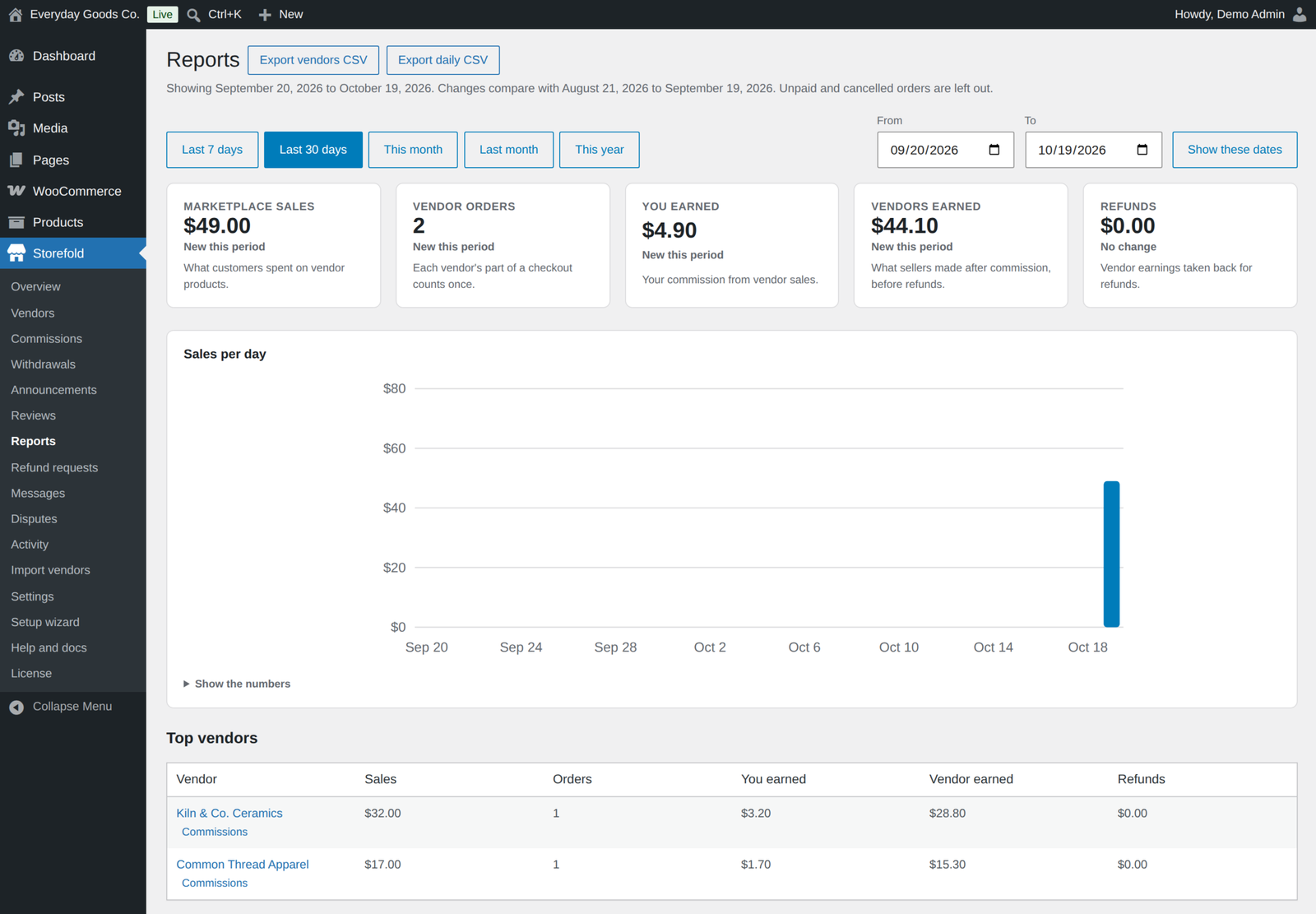
- Reports for sellers and for you. Vendors see sales, commission, refunds and net earnings for any period next to the period before, with a chart and CSV download, and you get a report for the whole marketplace.
- Refund and return requests. Customers pick the items and a reason on their order page, the seller approves or declines, and the money goes back through the customer's payment method.
- Customers can message sellers. "Contact the seller" on store pages and "Ask the seller a question" on product pages start a conversation that both sides follow on the site and by email.
- Shipping zones for every seller. Vendors set up their own zones with flat rate, free shipping, local pickup and table rates, and customers can choose shipping separately for each seller.
- Payouts on a schedule. Every Monday or every month, payout requests are created for vendors above your threshold, and Stripe Connect vendors are paid straight away.
- Disputes as one conversation. The customer, the seller and your team talk in one place with photos or PDF files, and a decision in the customer's favour refunds them through their payment method.
- Every email is editable. There are now over twenty marketplace emails, and each one has an editable body text as well as its subject and heading.
- Reviews you can moderate. Store reviews can wait for your approval, be hidden or reported, get a public reply from the seller and show a Verified buyer label.
- Split orders that add up. Each vendor order now carries its own tax and share of shipping, stock is reduced once, and customers get one set of WooCommerce emails instead of one per seller.
- Refunds and alerts that reach the right seller. Refunds on the customer's order now come off each seller's earnings, shipping and tax included, and sellers hear about an order only once it is paid.
How the marketplace works
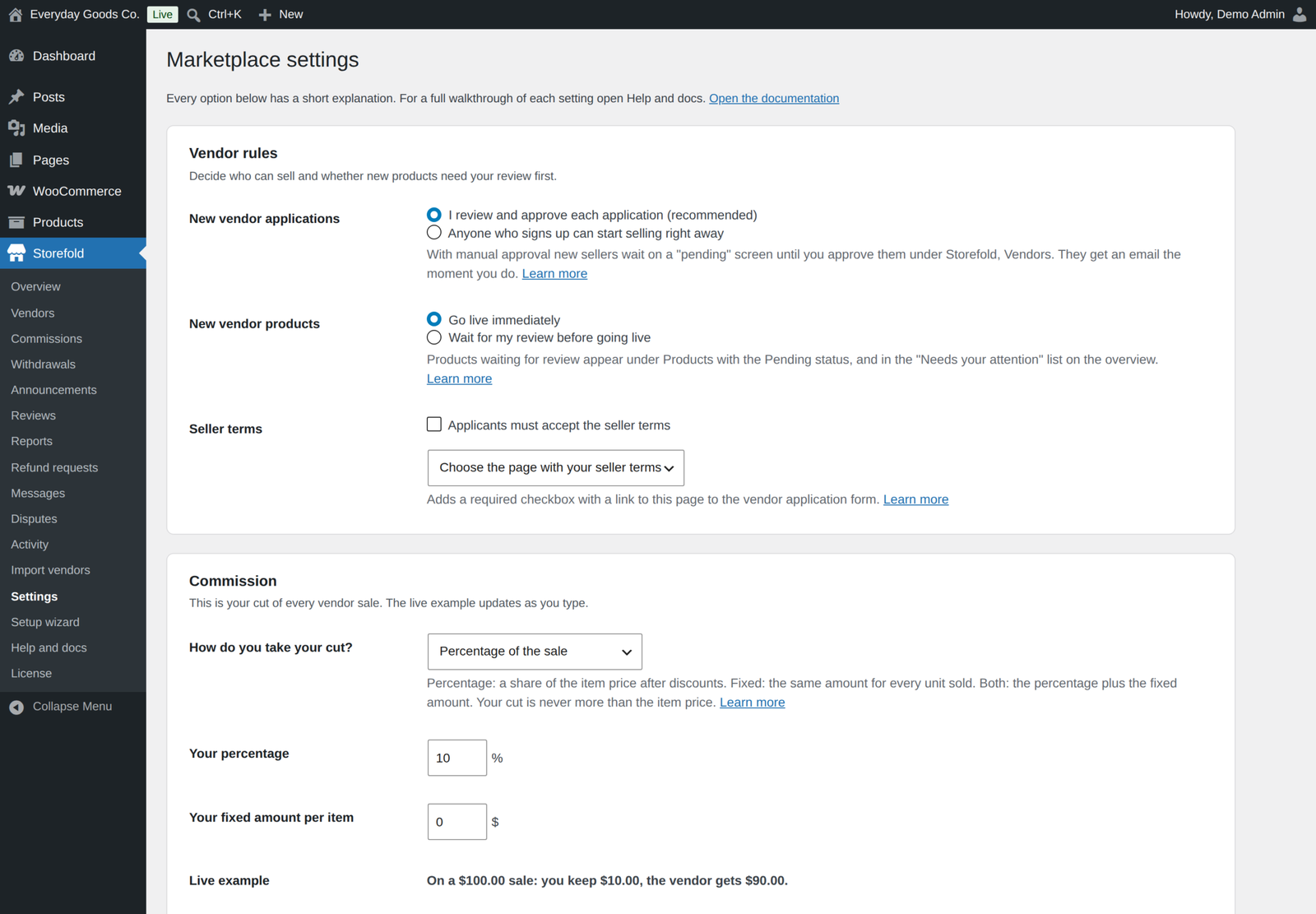
- Sellers apply. A step by step application form creates the seller's account at the same time, with an optional seller terms checkbox, spam protection and your own custom questions.
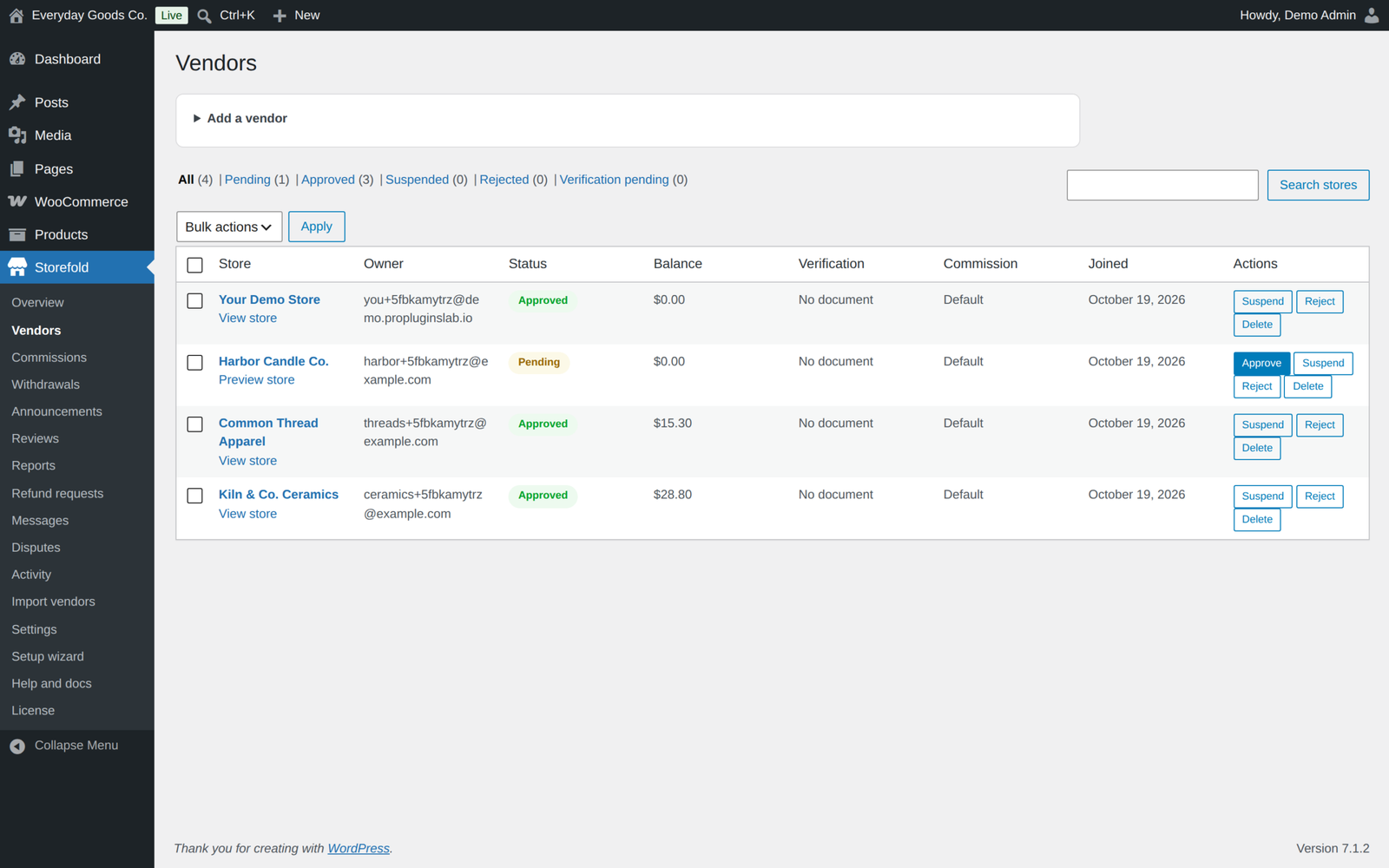
- You decide who sells. Approve applications by hand or automatically. Add vendors yourself, and approve, suspend, reject or delete them one by one or in bulk.
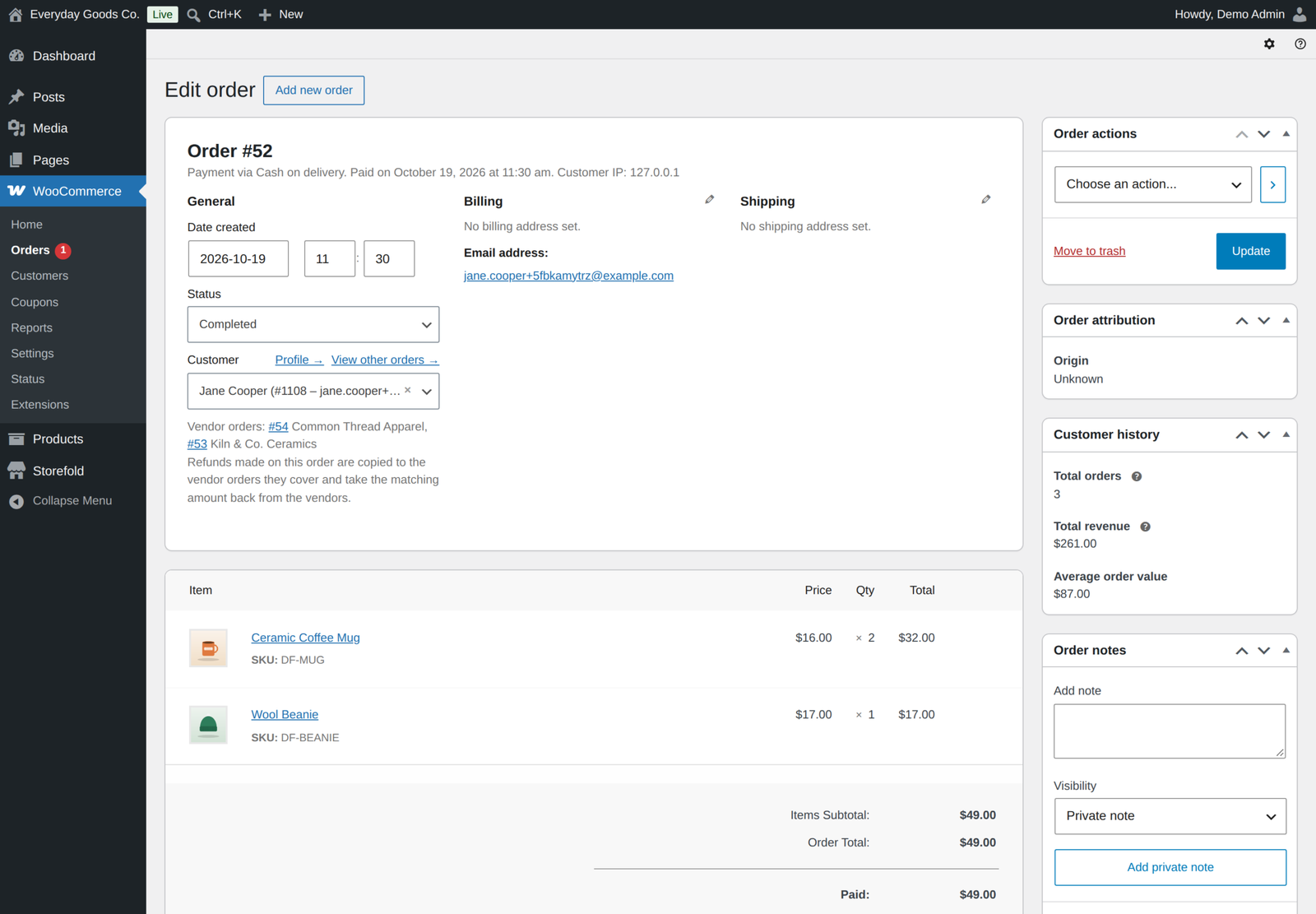
- Customers pay once. A cart with products from several stores is one checkout and one order for the customer. Storefold creates one sub-order per vendor in the background, with its own items, share of shipping and tax, and keeps parent and sub-order statuses in sync.
- Everyone gets their share. The vendor's earning is recorded in their ledger once the order is paid, your commission is kept, and refunds on the customer's order take the matching amount back from each seller.
Commissions that fit every seller
- A marketplace-wide rule. Charge a percentage, a fixed amount per item, or both, with a live money example while you type.
- Rules per product, per vendor and per category. The most specific rule wins: product, then vendor, then seller plan, then category, then your default.
- Plan commission. Each seller plan can carry its own commission rate, with an optional fixed amount per item.
- Shipping and tax. Choose whether shipping and tax go to you or to the vendor. Split orders carry their tax, so "Tax goes to the vendor" pays the right amount.
- When earnings count. Earnings become available when the order is completed or paid, refunds reverse the vendor earning for the refunded items, shipping and tax automatically, and earnings of cancelled or failed orders are left out of the totals.
- Commissions screen. Filter every commission and export it as CSV.
Seller membership plans
Charge sellers for the right to sell, or offer a free starter plan and paid upgrades. Paid plans are bought through your normal WooCommerce checkout, one billing period per purchase.
- Free or paid, monthly or yearly. Set a price and billing period for each plan.
- Limits. A product limit, a limit on offers for products that already exist in the catalogue, and the categories plan members may sell in.
- Pro-rated upgrades. Switching plans credits the unused time automatically.
- Extra product slot packs. Vendors who reach their limit can buy more slots, and the new limit applies immediately.
- Renewals. A reminder with a one-click renewal link goes out 3 days before expiry. After expiry the vendor cannot add or edit products, and after a 7 day grace period their products stop selling until they renew.
- Refunds on plans. Refunding or cancelling a plan or slot pack order takes the plan time or the slots back.
Payouts and balances
- Withdrawals by PayPal or bank transfer. Vendors request a payout from their dashboard, above a minimum amount you set. You send PayPal and bank payments yourself and mark the request as paid under Storefold, Withdrawals. A payout can never be paid twice by a double click.
- Automatic payout schedule. Every Monday or on the 1st of every month, Storefold creates payout requests for vendors whose balance is above your threshold. Vendors can switch this off in their store settings.
- Stripe Connect payouts, automatic on your weekly or monthly schedule. Vendors press "Connect with Stripe" in their dashboard settings and complete Stripe's hosted onboarding for an Express account. On your schedule they are paid straight away by Stripe transfer, and marking a withdrawal as paid by hand creates a transfer too. The Stripe account is checked before each transfer, and the transfer id is stored on the payout. No Stripe SDK is bundled.
- Earning hold period. Keep new earnings on the vendor balance but locked from withdrawal for up to 365 days, so a late refund within your refund window never leaves you out of pocket. A refund that comes after a payout is taken from the vendor's next earnings.
- Append-only ledger. Every vendor has a full ledger of earnings, refunds, payouts and manual balance adjustments.
- Earnings download. Vendors export their own sales and earnings as a CSV file, for all time or a date range. It only ever contains that vendor's rows.
Several sellers per product
Let vendors sell simple products that already exist in your catalogue, each with their own price and stock. The product page shows a "More sellers" box, the customer picks a seller, and the order line goes to that vendor with stock tracked on their offer, never on the catalogue product. Offers can be bought even when your own copy is sold out. Offer stock is checked in the cart and at checkout, taken off once the order is paid, and given back when the order fails or is cancelled. Offers work on simple products only.
Onboarding and trust
- Custom application questions. Add your own questions to the vendor application form. Answers are stored with the vendor, shown on the admin vendor screen, and stay linked when you rename a question.
- Categories open to vendors. Choose which product categories vendors may list and sell in. Seller plans can narrow the list further.
- Product approval. New vendor products can go live immediately or wait for your review. The vendor is emailed when a product is approved.
- Identity verification. Vendors upload a JPG, PNG or PDF document (up to 5 MB) from their dashboard. Files are stored outside the media library in a protected folder and only marketplace managers can open them. The vendor is emailed your decision, with a reason if you give one. Verified stores get a badge on their store page, in the store directory and next to "Sold by", and an optional rule stops unverified vendors from selling.
A dashboard vendors actually enjoy
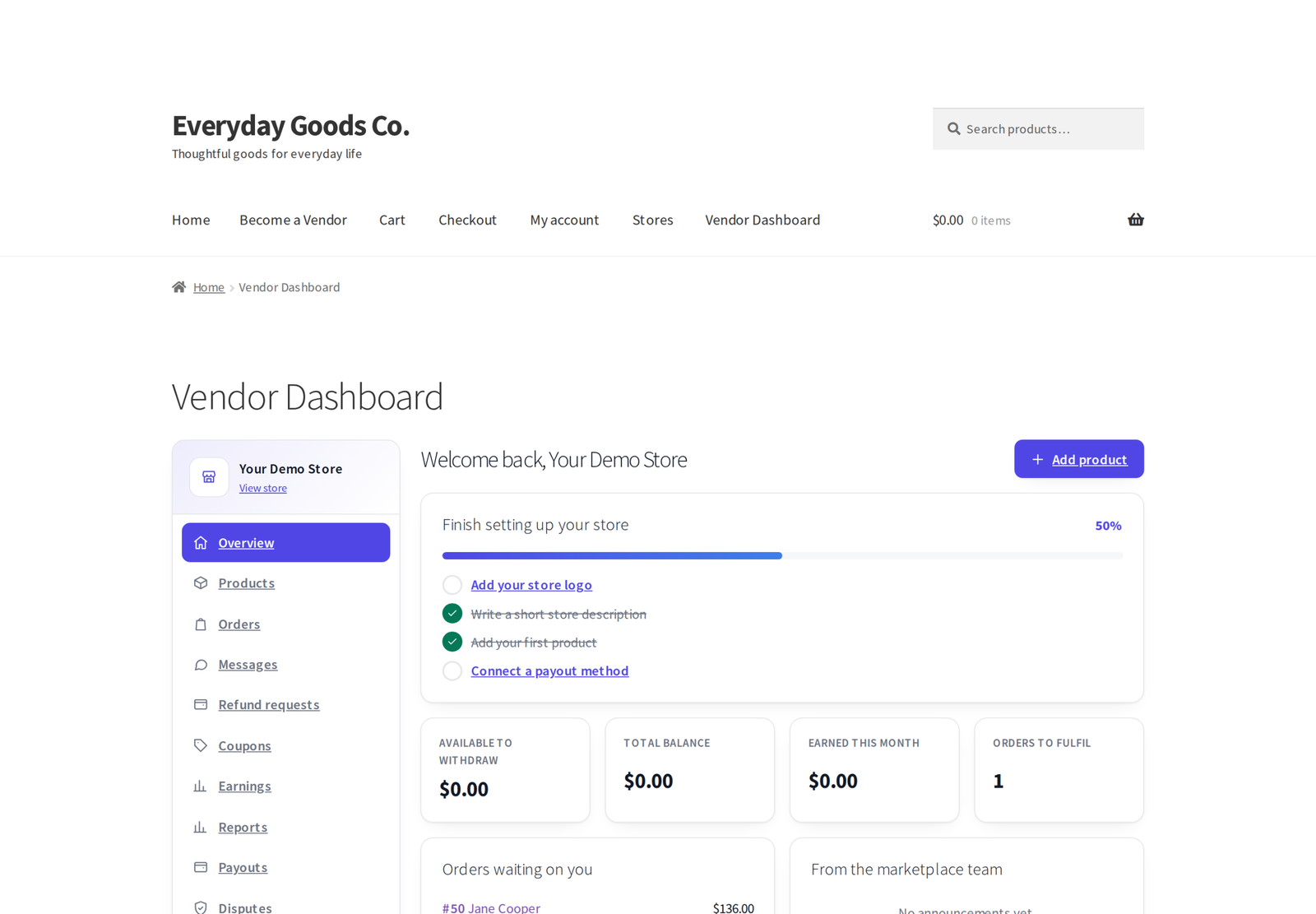
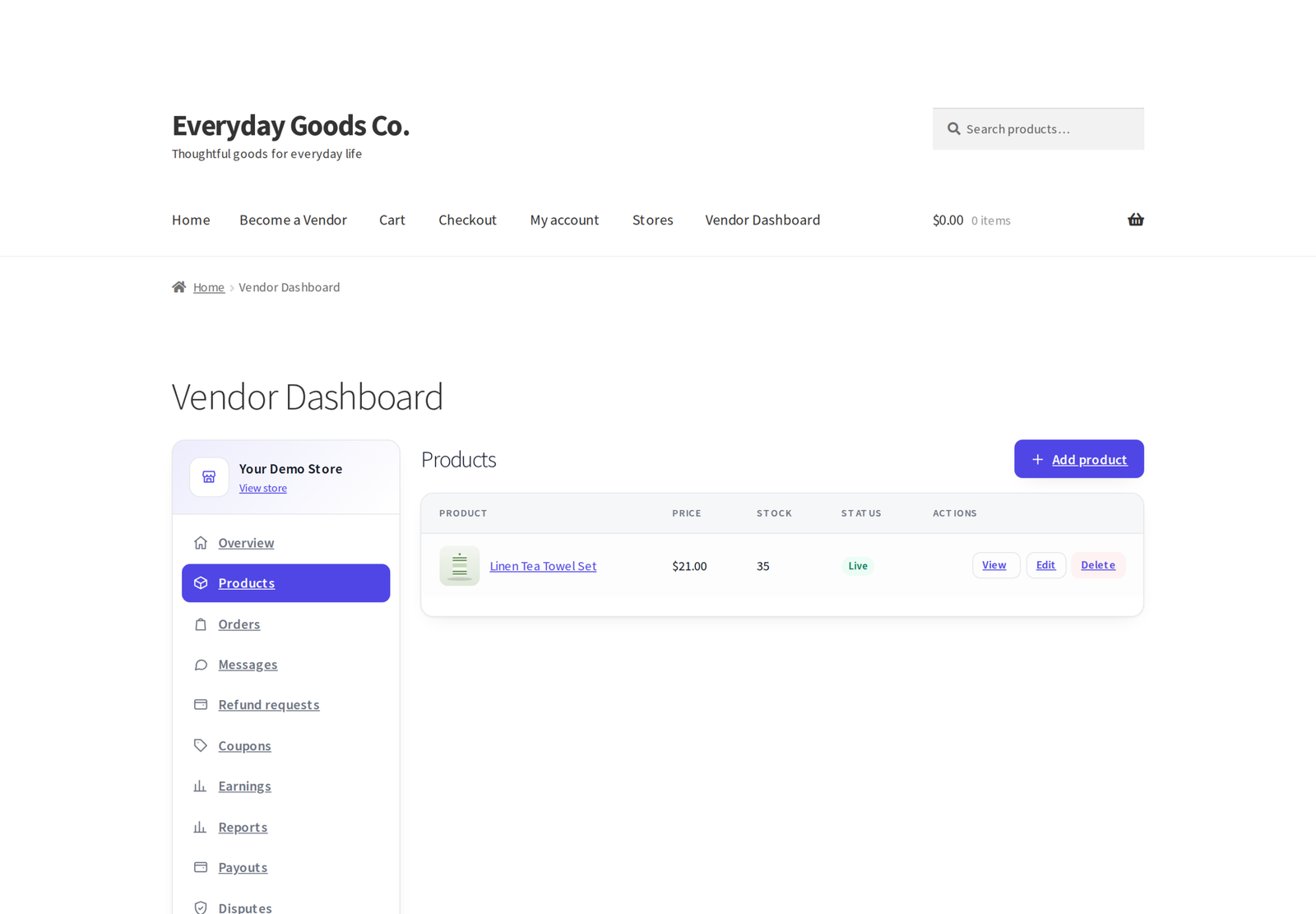
Vendors never see wp-admin. They work from a responsive Vendor Dashboard page that adapts to any theme.
- Overview with a setup checklist.
- Products: simple and variable products with per-variation price, sale price, SKU and stock, gallery images and downloadable files. Downloadable files are stored in WooCommerce's protected folder.
- Orders with status updates, shipping tracking shown to the customer, and notes that reach the customer.
- Coupons limited to what the vendor sells, including their offers.
- Earnings, payouts, reviews, announcements and store settings, plus reports, messages, refund requests, the seller plan, offers, disputes and staff screens in Pro.
- Staff accounts. Store owners invite staff and tick what each one may manage: products, orders or coupons. Staff never see earnings, payouts or store settings.
- Installable vendor app. Vendors can install the dashboard on their phone. While it is open, a new paid order triggers a system notification with a chime.
Storefronts customers trust
- A store page for every vendor at
/store/store-name/, with banner, logo, policies, products, customer reviews and a "Contact the seller" form. - Store reviews with replies. You can approve reviews before they appear, hide or delete them and see reported ones. Vendors can reply in public, and reviews from buyers show a Verified buyer label.
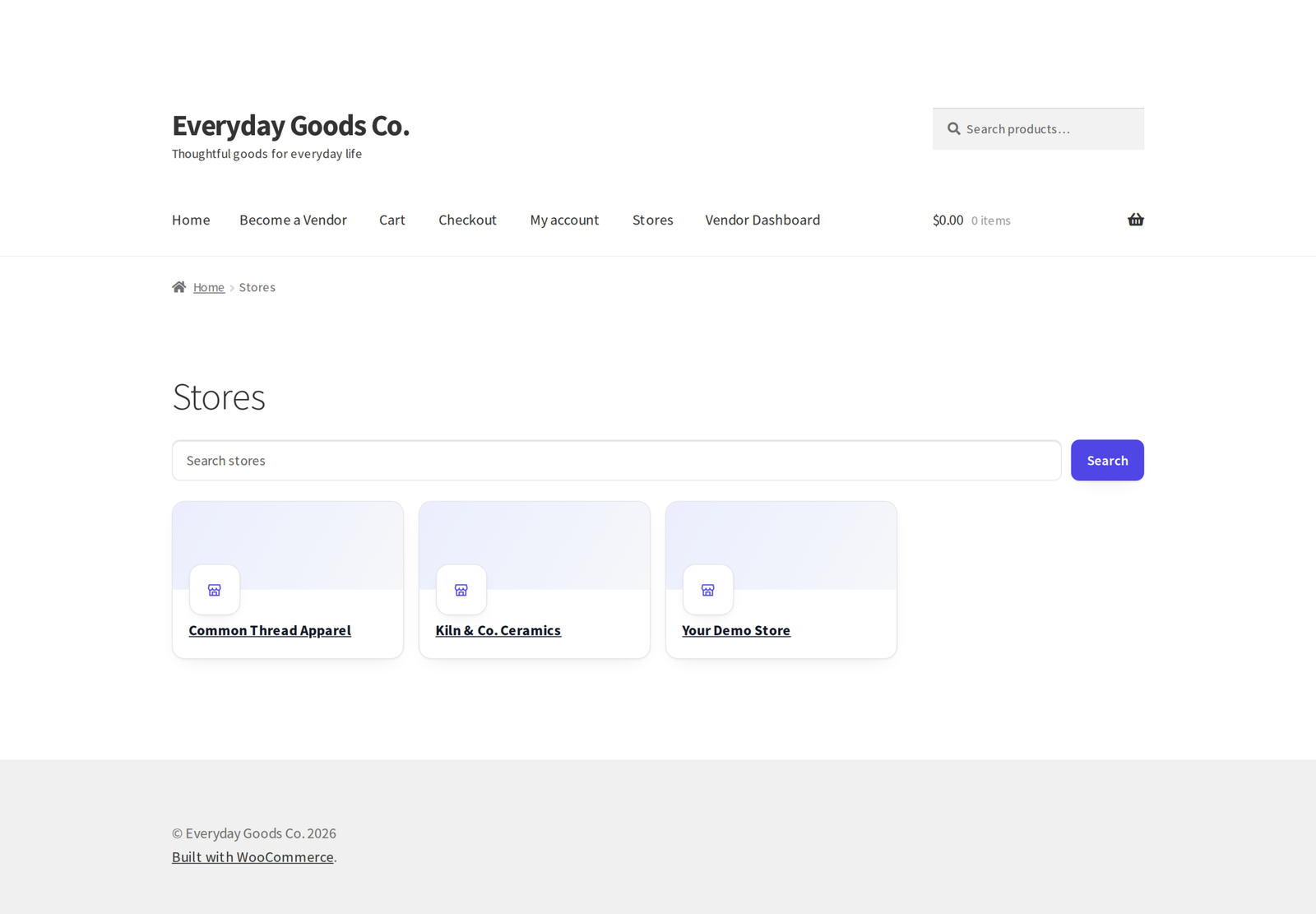
- A store directory with search, pagination and verified badges, on the Stores page or anywhere with
[[storefold_store_list]]. - "Sold by" labels on product pages, shop listings, cart, checkout (classic and block) and orders.
- Vacation mode with a custom message, so a vendor can pause sales without losing their store.
Per-vendor shipping
Add the "Vendor shipping" method to your shipping zones once. Each vendor sets up their own shipping zones in the dashboard, with flat rate, free shipping, local pickup and table rates. Checkout adds up every vendor's rate, or, if you turn it on, shows a separate shipping choice for each seller in both the classic and the block checkout. Each sub-order receives its exact share of the shipping charge and its tax, and a vendor with nothing to ship gets no shipping.
Customer disputes
Customers open a dispute from their order page, and the customer, the vendor and your team talk it through in one conversation, with optional JPG, PNG or PDF files that only the people in the dispute can open. Everyone gets an email at each step, and the customer sees the status and your decision on their order page. Resolving in the customer's favour refunds the customer through their payment method and takes the amount from the seller's earnings. You can refund part of the amount or record the refund only, and if the payment method returns an error, the dispute stays open and the error is shown. A seller can have one open dispute per order.
Refund and return requests
Customers ask for a refund or a return from their order page within the number of days you set, choosing the items, the quantity and a reason. The seller approves or declines from the dashboard, the money goes back through the customer's payment method, and the customer, the seller and you are emailed. Every request is also listed for you under Storefold.
Customer to seller messaging
Customers write to a store from its store page or ask a question from a product page. They follow the conversation under Seller messages in My Account, vendors and their staff reply from a Messages section in the dashboard, and both sides get an email for every new message. You can read and moderate conversations from wp-admin.
Reports
Store owners see sales, orders, items sold, commission, refunds and net earnings for any period, compared with the period before, with a chart, top products and CSV download. Under Storefold, Reports you get the same numbers for the whole marketplace, with every vendor side by side.
Tools for running the marketplace
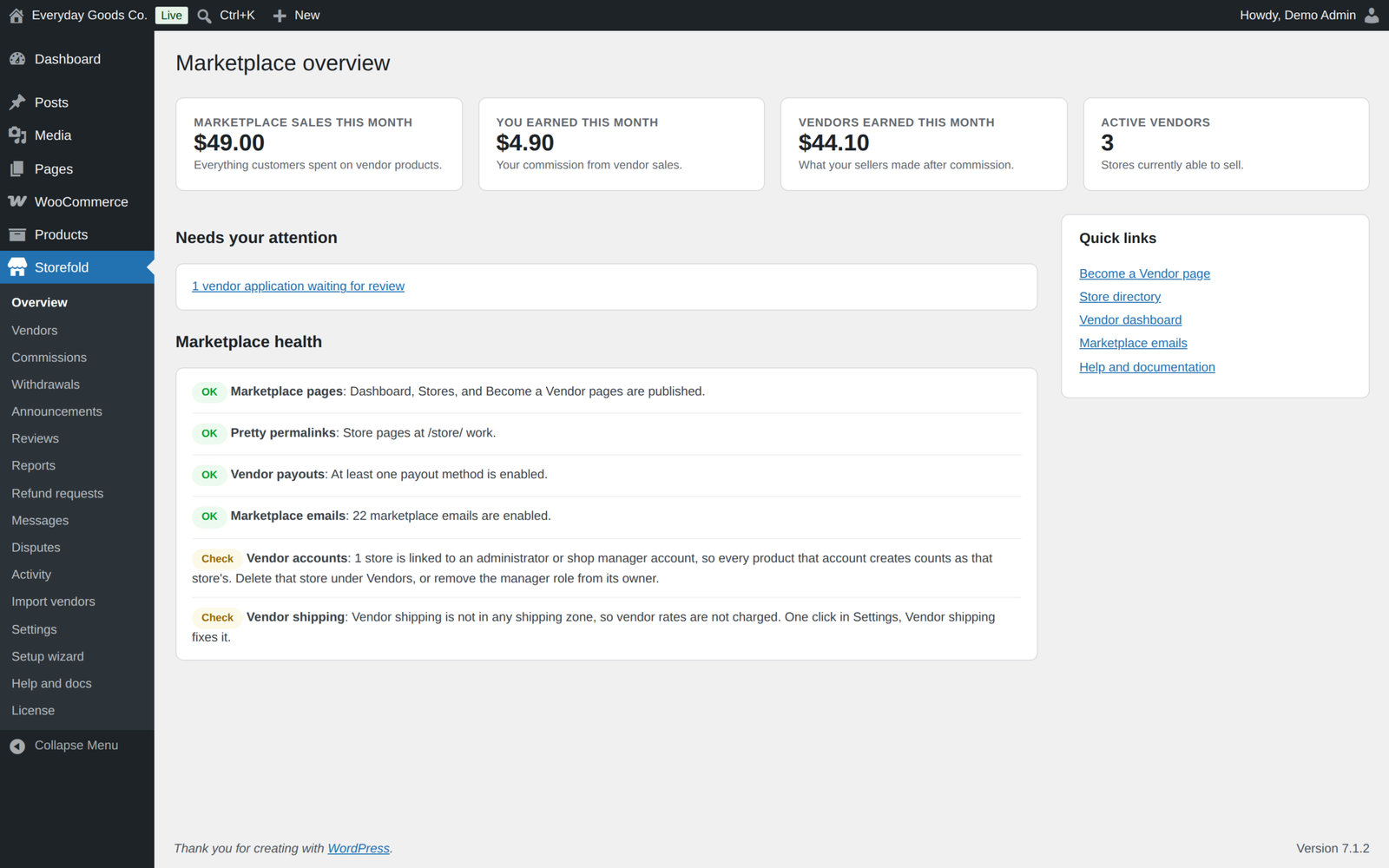
- Marketplace overview with monthly numbers, a "needs your attention" list, a Getting started checklist and health checks with plain fixes.
- Vendor column and "All vendors" filter in the WooCommerce Products list.
- Announcements to all vendors, shown in their dashboard.
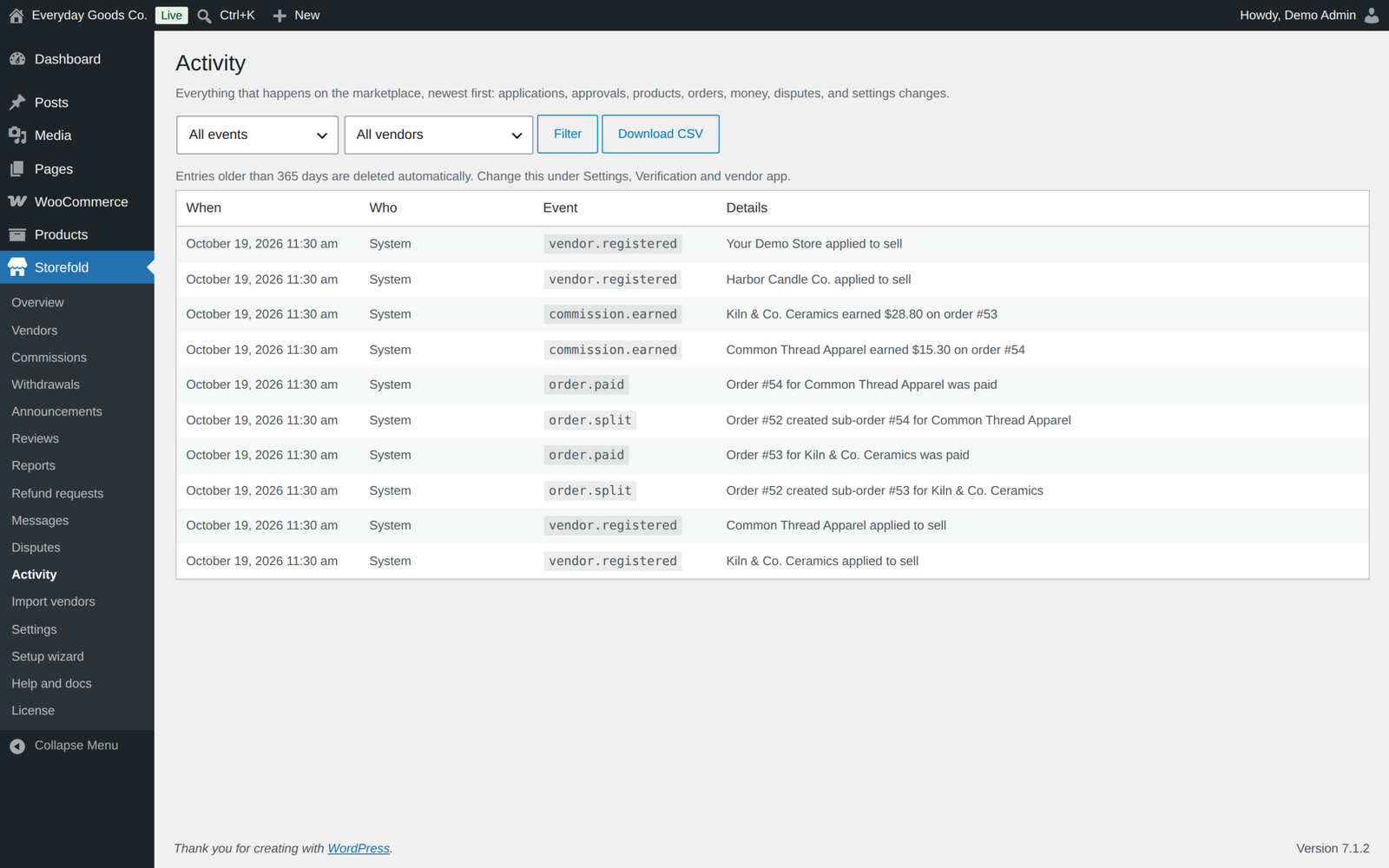
- Activity log. An append-only record of who did what on the marketplace, to which object and when, including paid orders, notes, tracking, coupons, staff permissions, refund requests, dispute messages, balance adjustments and Stripe transfers. Filter by vendor, download it as CSV and choose how long entries are kept.
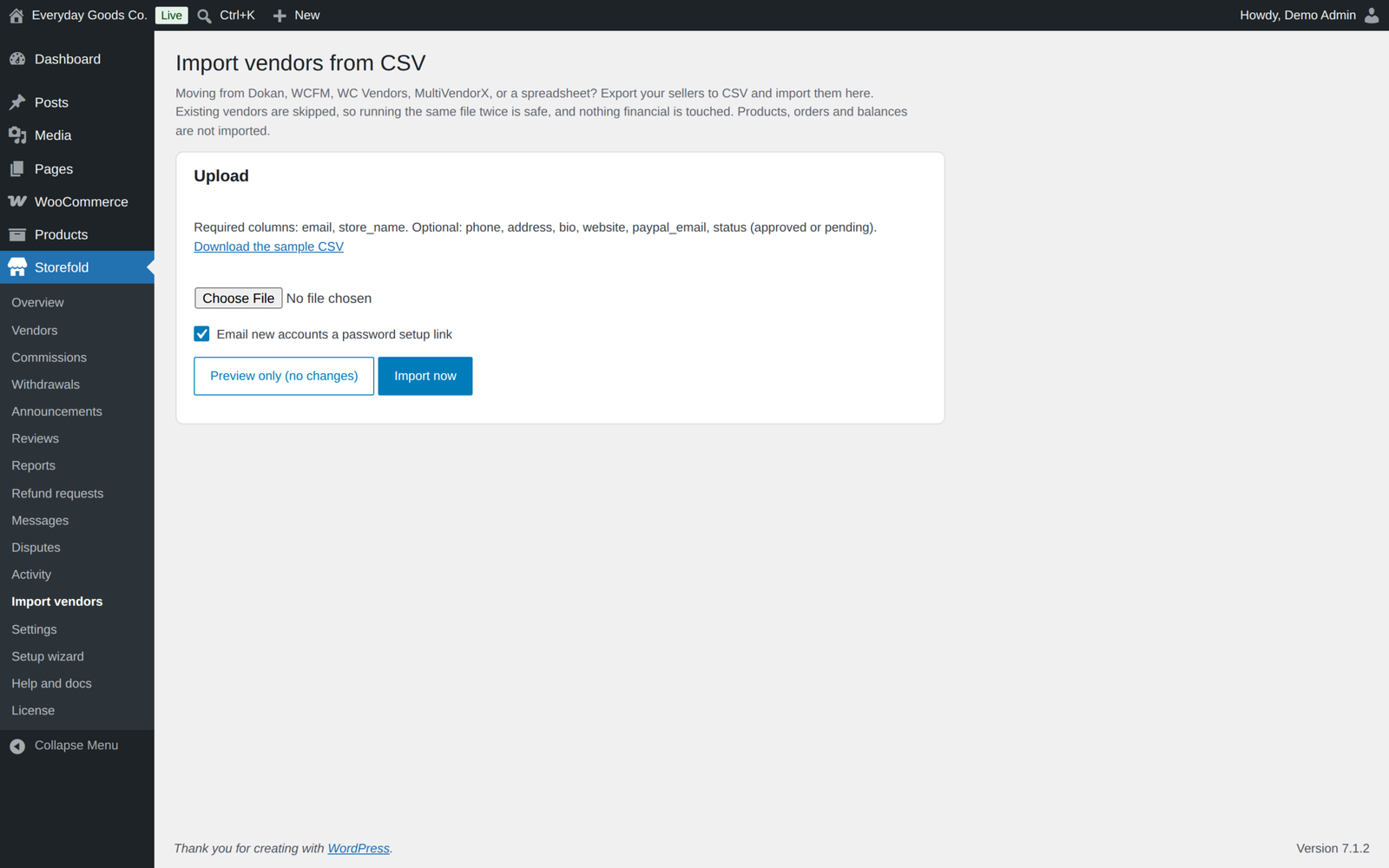
- CSV vendor import. Bring vendors in from a CSV file with their store, contact and payout details, with a dry-run preview row by row. Existing vendors are skipped and financial history is never touched.
- Setup wizard and built-in documentation. Every setting has a one-line explanation and a link to Storefold, Help and docs.
Marketplace emails
Over twenty emails, each a real WooCommerce email you manage under WooCommerce, Settings, Emails, with editable subject, heading and body text, placeholders and previews:
- For you: new vendor application, product waiting for review, withdrawal requested, new dispute and new refund request.
- For vendors: store approved, rejected or suspended, new vendor order (sent once the order is paid), product approved, payout sent or declined, plan activated, plan reminder, plan expired, identity verification decision, dispute updates, refund requests and new messages.
- For customers: dispute updates, refund request updates and replies to their messages.
- For staff: an invitation with a link to set a password.
WooCommerce's own order emails go out for the customer's order only, so customers and admins get one set of emails per order.
Integrations and developers
- Signed JSON webhooks for Zapier, Make, n8n and custom systems. Events: vendor registered, vendor approved, order created, order paid, order refunded, withdrawal requested, withdrawal paid, dispute opened and plan assigned. Each request carries an
X-Storefold-SignatureHMAC header and anX-Storefold-Timestampheader so the receiver can verify it came from your site. - REST API under
storefold/v1, with public store endpoints (including whether a store is verified) and read-only endpoints for a vendor's own profile, commissions and withdrawals. - Overridable templates. Copy any file from the plugin
templatesfolder toyourtheme/storefold/and edit the copy. - Over a hundred action and filter hooks, including
storefold_webhook_sent,storefold_plan_grace_daysandstorefold_kyc_allowed_types. - Shortcodes:
[[storefold_vendor_dashboard]],[[storefold_vendor_registration]]and[[storefold_store_list]].
Works with what you already run
- High Performance Order Storage (custom order tables), with all order access through the WooCommerce CRUD layer
- Cart and Checkout Blocks, including "Sold by" labels and separate shipping per seller in the block checkout
- WooCommerce Analytics, where a split order is counted once
- Page builders such as Elementor, where "Sold by", "More sellers" and "Ask the seller a question" still show on product pages
- Your theme, with a dashboard and store pages that adapt to it
Privacy and security
- Vendors never see wp-admin and only see their own media uploads, also through the REST API.
- Every form uses nonces and capability checks, and every database query is prepared.
- The WordPress personal data export and erase tools cover vendor data, identity documents, disputes, refund requests, staff links, the activity log, messages and store reviews.
- Stripe keys are never shown back, and CSV exports neutralise spreadsheet formulas.
- External services only when you use them: the Stripe API for Stripe payouts, the webhook URL you enter, and the ProPluginsLab update server once you enter a licence key. No other data leaves your site.
Moving from the free edition
Storefold Pro is a standalone plugin that contains the complete free edition, so you do not need both. Install and activate Pro: the free edition stays idle and shows a notice on the Plugins screen so you can deactivate it yourself. Both editions use the same tables and settings, so every vendor, order, commission and setting carries over.
Licence
Storefold Pro is a one-time payment with lifetime updates. Enter your licence key under License in the Storefold menu to get automatic updates on the Plugins screen. The licence controls updates only: every Pro feature works the same with or without it.
Requirements
- WordPress 6.4 or newer, tested up to 7.1
- WooCommerce 8.5 or newer, tested up to 11.2.1
- PHP 7.4 or newer
- For Stripe Connect payouts: a Stripe account
Frequently asked questions
Do I need the free edition as well?
No. Pro contains everything. You can delete the free edition after activating Pro.
Will I lose data when switching from free to Pro?
No. Both editions share the same tables and settings.
Does the customer see several orders?
No. The customer pays once and sees one order. Vendor sub-orders are created in the background and hidden from the customer account.
What happens on a refund?
The customer paid once, so money always goes back through the customer's order and its payment method. Refund the customer's order as usual, by item, shipping or amount, and Storefold copies the refund to the vendor orders it covers and takes the matching amount from each vendor's earnings. You can also click Refund on a vendor order: Storefold sends the refund through the customer's order for those items.
Do customers get several emails for one order?
No. WooCommerce's own order emails are sent for the customer's order only. Each vendor gets one "new vendor order" email once the order is paid.
Do vendor orders show up twice in WooCommerce Analytics?
No. Vendor orders are kept out of Analytics, so a split order is counted once. For orders placed before version 1.4.0, go to Analytics, Settings, delete the previously imported data and import the historical data again.
Can I move my sellers from another marketplace plugin?
Export your sellers to a CSV file and import them under the CSV vendor import. It brings over stores with their contact and payout details. Products, orders and earnings are not moved.
What happens to data when I delete the plugin?
Nothing, unless you ticked "Delete all marketplace data" under Settings, Data. Data is also kept while the free edition is still installed.
Changelog
Every release, newest first, with the date it came out.
Version 1.4.0 (October 17, 2026)
- New: Vendor reports in the dashboard and a marketplace report under Storefold, Reports, with period comparison, chart, top products and CSV download.
- New: Refund and return requests from the customer's order page, approved by the seller and refunded through the customer's payment method.
- New: Customer to seller messaging with Seller messages in My Account, a Messages section for vendors and staff, email notifications and moderation.
- New: Per-vendor shipping zones with flat rate, free shipping, local pickup and table rates, and an option to let customers choose shipping separately for each seller.
- New: Automatic payouts every Monday or every month above a threshold. Stripe Connect vendors are paid straight away, the Stripe transfer id is stored on the payout, and the Stripe account is checked again before each payout.
- New: Disputes are now a conversation between the customer, the seller and your team, with photos or PDF files, status and decision on the customer's order page, and emails at every step. Only one open dispute per seller and order.
- New: Emails for disputes, refund requests, new messages, identity verification decisions (with a reason), plan activation and staff invitations. Every marketplace email now has an editable body text.
- New: Plan commission can add a fixed amount per item.
- New: Activity log covers paid orders, customer notes, tracking, coupons, product and offer deletion, staff permission changes, refund requests, dispute messages, balance adjustments and Stripe transfers, with a vendor filter, CSV download and automatic clean up.
- New: Verified seller badge in the store directory, on "Sold by" lines and in the REST store data.
- New: Personal data export and erase cover identity documents, disputes, refund requests, staff links, the activity log, messages and store reviews.
- Fix: Vendor orders of a split order now carry their tax, so their totals match what the customer paid and "Tax goes to the vendor" pays the tax.
- Fix: Stock of a split order was reduced twice.
- Fix: Customers and admins no longer get an extra WooCommerce email for every vendor order.
- Fix: Vendors get the new order email only after the customer has paid, and offer stock is taken off at that point and given back when the order fails or is cancelled.
- Fix: Refunds on the customer's order now reduce the vendor's earnings, including shipping and tax refunds, and refunds started on a vendor order go back through the customer's payment method.
- Fix: Dispute refunds now send the money back through the payment method and report errors instead of marking the dispute refunded.
- Fix: An order refunded before payment no longer credits the vendor the full amount later.
- Fix: Earnings of cancelled or failed orders no longer count in totals.
- Fix: A withdrawal can no longer be paid twice by a double click or two admins at once.
- Fix: "More sellers" offers can be bought when the catalog product is out of stock, and offer stock is checked when the cart changes and at checkout.
- Fix: Vendor coupons apply to what the vendor sells, including their offers, and never to other sellers' offers.
- Fix: Staff with order access no longer see the earnings of an order. "Note to customer" now reaches the customer.
- Fix: Vendor shipping gives a vendor with nothing to ship no shipping instead of a share of other vendors' shipping. The shipping breakdown is no longer shown as raw data.
- Fix: Refunding or cancelling a plan or slot pack order takes the plan time or slots back, and plan products can only be bought from the vendor dashboard.
- Fix: Vendor downloadable files are stored in WooCommerce's protected folder.
- Fix: WooCommerce Analytics no longer counts split orders twice.
- Fix: The vendor app no longer takes over the browser's offline page for the whole site, alerts only count paid orders, and the alert switch no longer fires twice.
- Fix: Answers to custom application questions stay linked when a question is renamed.
- Fix: "Sold by", the "More sellers" box and "Ask the seller a question" now also show on product pages built with page builders such as Elementor.
- Improved: The CSV import screen no longer promises an automatic migration, and import errors are no longer read from the address bar.
- Improved: Store reviews can be checked before they appear, hidden, deleted and reported, vendors can reply, and reviews from buyers show a Verified buyer label.
- Improved: Webhooks add order.paid and order.refunded events and an X-Storefold-Timestamp header.
- Improved: Vendors only see their own files in the media library, also through the REST API.
Version 1.3.0 (October 15, 2026)
- New: "All vendors" filter on the WooCommerce Products list, to list only the products of one store.
- Change: Pro no longer switches the free edition off. When both are active the free edition stays idle and shows a notice on the Plugins screen, so you can deactivate it yourself.
- Change: identity documents are now stored in uploads/storefold-multivendor-for-woocommerce-pro/. The previous folder is moved there automatically on first use.
- Security hardening: plan and slot pack products always belong to the marketplace (existing ones are released once); the credit for unused plan time is worked out again at checkout and at activation; vendors can change the status of paid orders only; dispute replies need order access and an open dispute; payout details that a payout method stores itself (such as the connected Stripe account) can no longer be posted from the store settings form; Stripe transfers use an idempotency key; staff accounts no longer see store earnings on the overview and cannot open a store of their own; removing a staff member keeps the account's other roles; staff invitations are rate limited; category limits never fall back to "all categories"; the read-only REST endpoints for earnings and payouts are limited to the store owner; stricter checks on vendor coupons and payout cancellations; no printed script tags.
- Tested with WordPress 7.1.3 and WooCommerce 11.2.1.
Version 1.2.1 (September 2026)
- Fix: the changelog now says where to enter the license key: License in this plugin's menu.
- Tested with WordPress 7.1.1 and WooCommerce 11.1.1.
Show earlier versions (1.0.0 to 1.2.0)
Version 1.2.0 (September 2026)
- New: automatic updates. Enter your license key under License in this plugin's menu, and new versions appear on the Plugins screen like any other update.
- New: with more than one ProPluginsLab plugin installed, WooCommerce, Licenses also lists them all in one place. The Plugins screen shows a reminder until a key is activated.
- New:
wp ppl-licensecommands (list, activate, deactivate, check) for managing keys from WP-CLI. - Pro features keep working with or without an active license; the license only controls automatic updates.
Version 1.1.0 (September 2026)
- New: vendors can download their own earnings as a CSV file from the Earnings screen, with an optional date range.
- Links moved to propluginslab.io.
- Tested with WordPress 7.1.1 and WooCommerce 11.1.1.
Version 1.0.0 (September 2026)
- First release.
Details
At a glance
- Latest version
- 1.4.0
- Last updated
- October 19, 2026
- Type
- Pro plugin
Requirements
- PHP version
- 7.4
- WordPress (min)
- 6.4
- WordPress (tested)
- 7.1
- WooCommerce (min)
- 8.5
- WooCommerce (tested)
- 11.2.1
Share
You might also like
 Pro
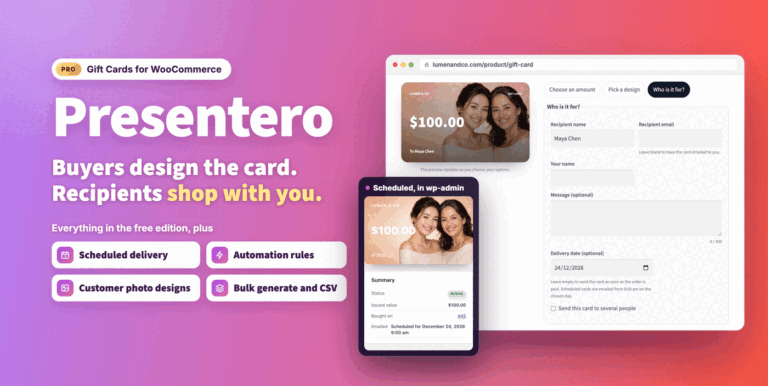
Presentero Gift Cards for WooCommerce
Sell and redeem WooCommerce gift cards online or in your shop, with PDF cards, QR codes and scheduled delivery. Includes refunds, automations and reports.
From $49.00 One-time
Live demo-
Pro
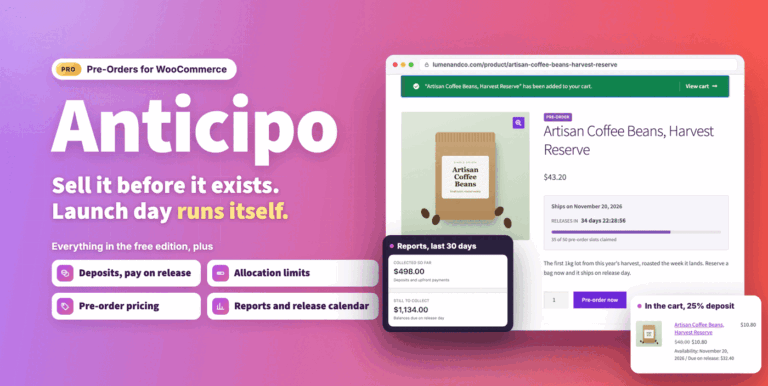
Anticipo Pre-Orders for WooCommerce
Sell products before they exist: deposits, pay on release or cards charged on release. Add allocation limits, reports and an automatic release day.
From $49.00 One-time
Live demo -
Free
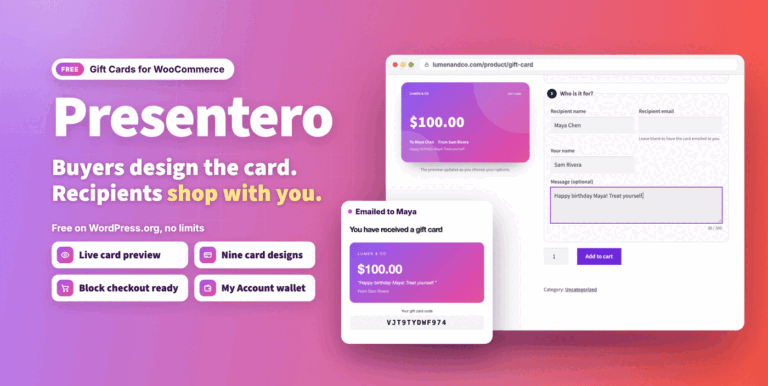
Presentero Gift Cards for WooCommerce Free
Free WooCommerce gift cards with live previews, email delivery and classic or block checkout redemption. Includes refund to card and coupon protection.
Free
Live demo