Your cart is empty.
Browse plugins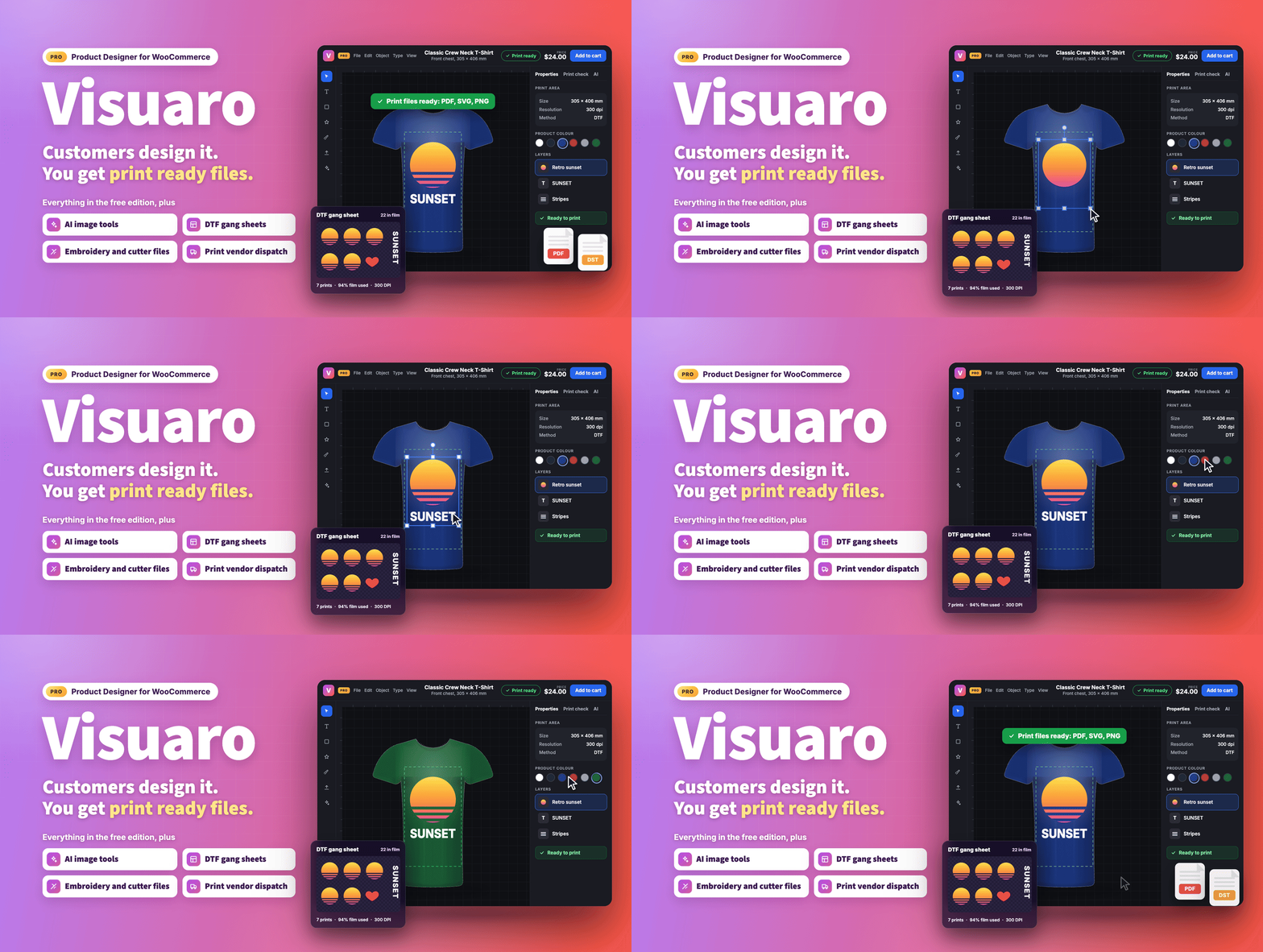
Overview
Customers design it, you get print ready files.
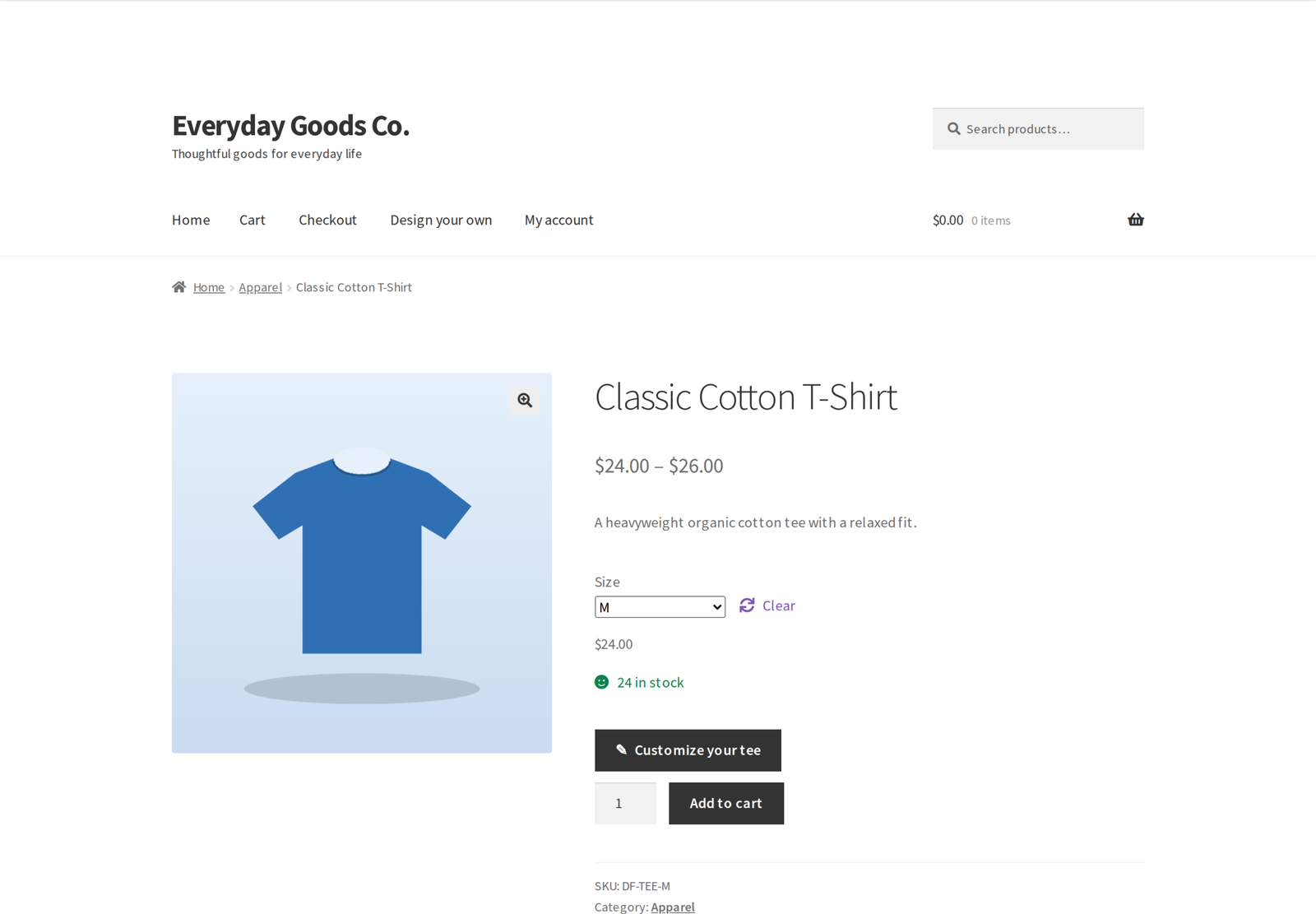
Visuaro lets your customers design their own products right on your WooCommerce product pages. They add text, upload photos and logos, pick shapes, clipart and stickers, and see the result on a realistic photo of the product in the colour they choose. When they order, you get print ready files at the exact size and resolution your printer needs, with no manual artwork preparation and no back and forth emails.
Visuaro Pro is the complete edition, built for print shops, print on demand stores and merchandise sellers who run production at scale. It includes everything in the free plugin and adds AI image tools, ready-made designs, co-editing with approvals, proof approval, team orders, ICC colour management, pricing rules, DTF gang sheets, white underbase and screen print separations, embroidery and cutter files, print vendor dispatch, design changes after ordering and cloud storage.
What's new in 1.2.0 (October 17, 2026)
- Proof approval. Customers can approve a proof of each designed item on their order page before print files are made, or tell you what to change.
- Team orders. On variable products, customers order one design in many sizes or with a name and number per item, and every name gets its own print file.
- Your own ready-made designs. Save designs as starting points for a product or a category, lock the parts customers must not change and limit colours and fonts per product.
- A real clipart library. Manage clipart with categories and bulk upload, start from 30 included vector icons and charge per clipart item.
- Safer share links. Passwords are now enforced, links have an expiry, the owner can list and revoke them, and approvals or change requests are emailed to the owner and the store.
- Print files that match the designer. Curved text, outline text, gradients and text sizes in PDF, PNG and SVG files now look the way they do in the designer.
- Every charge on its own line. Customisation, print areas, clipart and pricing rules each show as a separate line on the order, the customer's order pages and order emails.
- Vendor tracking comes back. Status and tracking from Printful, Printify, Gelato and Prodigi are fetched every hour and added to the order.
- Webhooks you can rely on. Failed deliveries are retried, the last 50 attempts are logged and there are new events for order changes, reviews, vendors and gang sheets.
- Right prices everywhere. Prices entered including tax, block themes, the Cart block and "Order again" now keep the design and charge the correct amount.
Please note: webhook receivers must now verify the signature over the timestamp header and the body. The X-Visuaro-Signature header is sha256= followed by the HMAC SHA-256 of the X-Visuaro-Timestamp value, a dot and the raw body, so update your receiver before you upgrade.
Who it is for
- T-shirt, hoodie and apparel shops (DTG, DTF, screen print, embroidery)
- Print on demand stores that send orders to Printful, Printify, Gelato or Prodigi
- Mug, phone case, poster and sticker sellers
- Sign makers and vinyl, laser and CNC workshops
- Promotional product and team wear suppliers who need names and numbers
- Any store that sells personalised gifts
The designer your customers use
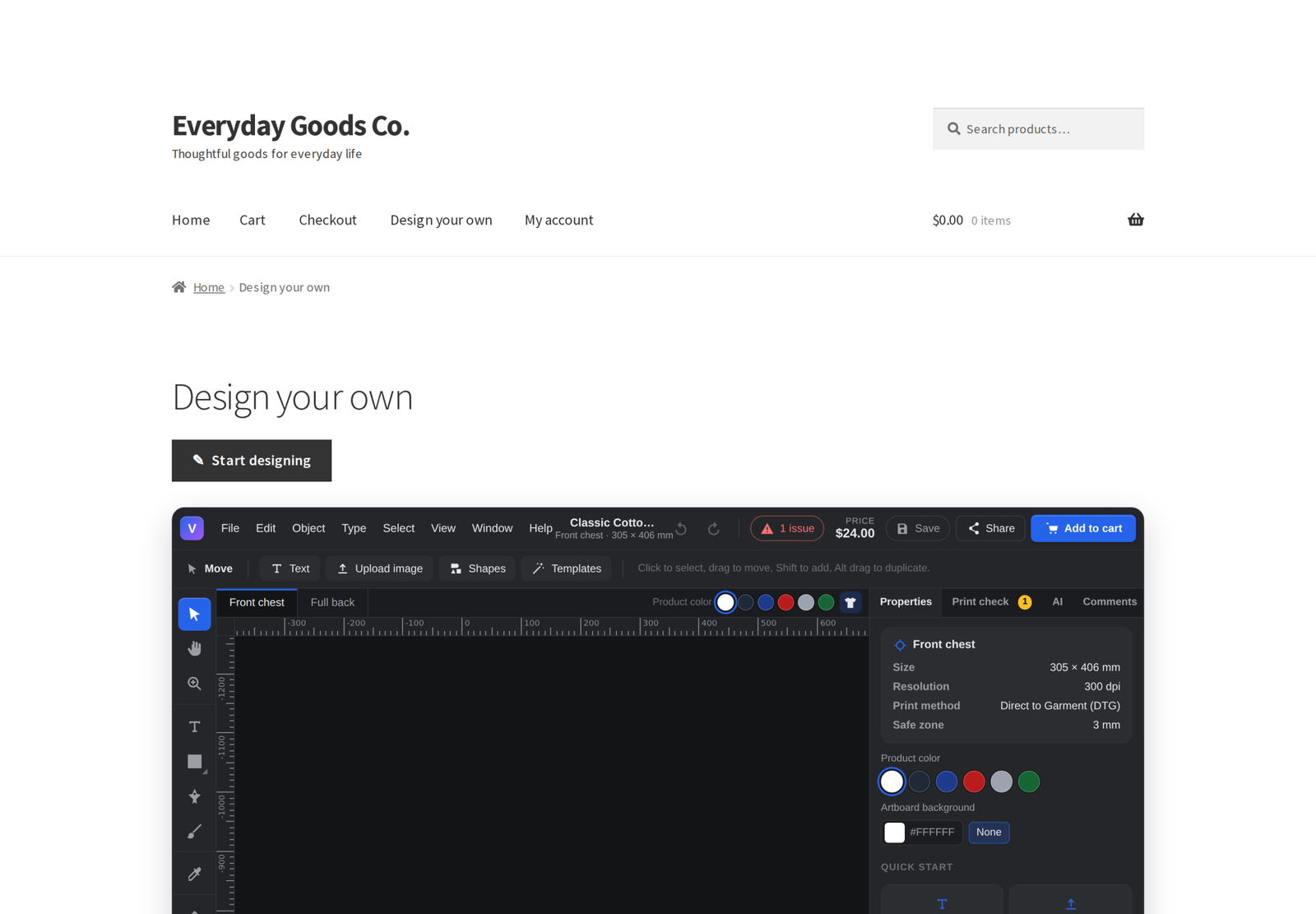
Visuaro Studio is a full design workspace that runs in the browser on desktops, tablets and phones, with bottom sheets and large touch targets on small screens.
- Text with any font, curved text, outlines, shadows, glows, gradients and ready made styles.
- Photo and logo uploads (JPEG, PNG, WebP, GIF, SVG and more) with a live print quality (DPI) indicator, crop, shape masks, borders and adjustments.
- Shapes, clipart by category with search, vector stickers, QR codes and barcodes (Code 128, EAN-13, UPC-A and Code 39, the same in the preview and in print files).
- Real design tools: select, pen, brush, shape, type and eyedropper tools, layers with groups, undo history, rulers, guides, smart snapping, align and distribute, and keyboard shortcuts.
- Live preview on your own product photos, recoloured for every colour you sell.
- A print check that explains problems in plain words (resolution too low, text too small, outside the print area) and fixes most of them in one click.
- A live price that updates as the design changes.
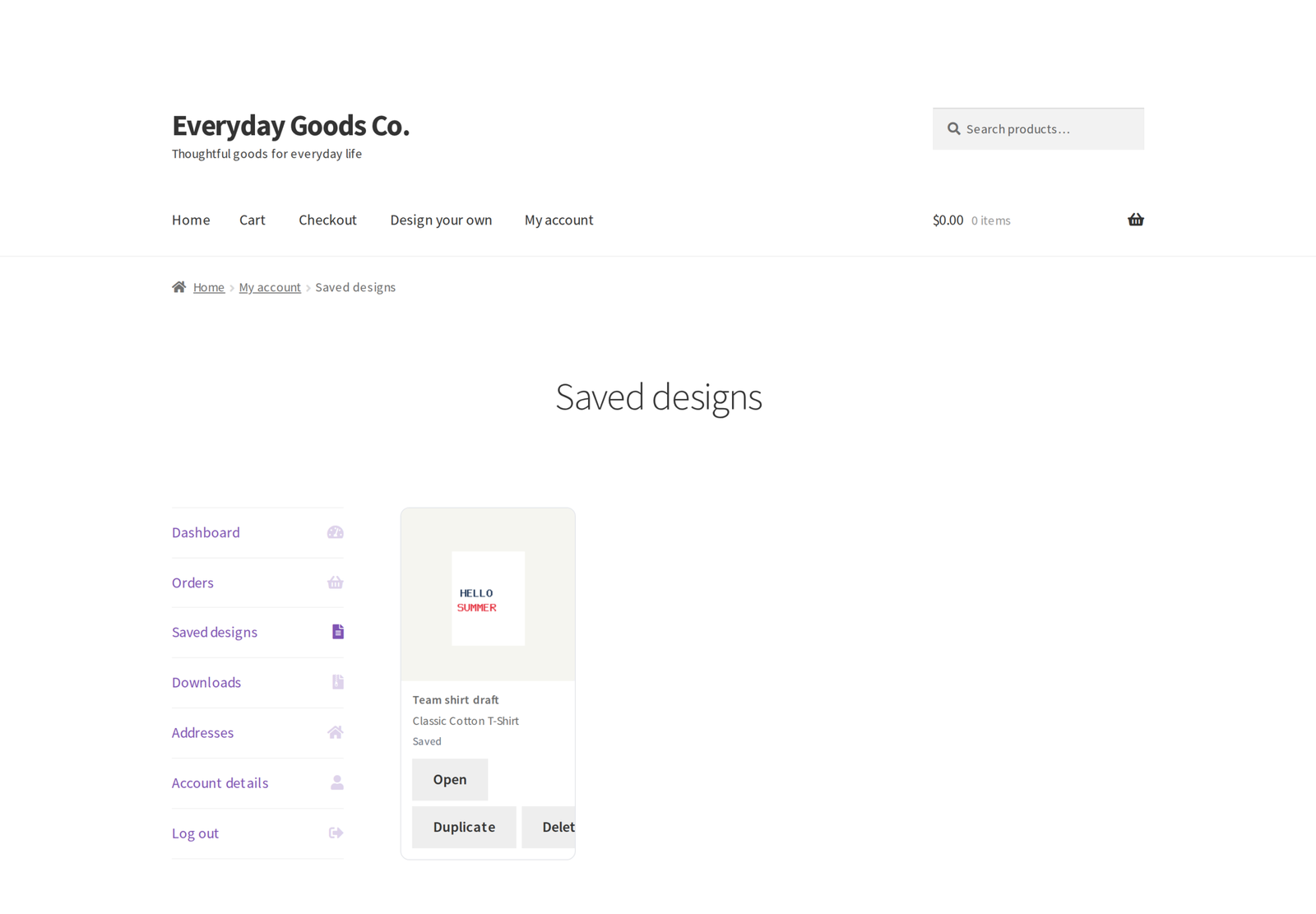
- Saved designs in the customer account that can be duplicated or deleted there, guest designs that move to the account on login, and editing again from the cart.
Everything in the free edition
The full Visuaro Studio, templates and the mockup library, the clipart library with a starter pack of 30 vector icons, PDF, SVG and PNG print files, print checks, design surcharges, the production queue with bulk generation and CSV export, the "Print files ready" email, fonts, the REST API, WP-CLI, privacy tools and the built in Help and docs. Pro adds the production tools below.
- In both editions: the designer, templates, the clipart library with its starter pack, print files and print checks.
- Pro only: proof approval, team orders, ready-made designs and every other tool on this page.
AI image tools
Background removal, upscaling, vectorising and palette extraction run on your own server, with no API key and no data leaving your site. Add your own key for OpenAI, Anthropic, Stability AI or Replicate to let customers generate images and get text ideas for their design.
You choose which service runs each tool under Settings, AI tools. Keys are encrypted before they are stored, and prompts are scrubbed of email addresses, links and phone numbers before they are sent. You can also keep paid AI tools for customers with an account and cap AI calls per day for the store and per shopper.
Ready-made designs
Save your own ready-made designs for one product, product categories or all designer products, lock the parts customers must not change, fix text fields with a maximum length, and limit colours and fonts per product. Customers find them first under Templates, and the limits are checked again at add to cart.
Clipart
Manage your clipart library with categories and bulk upload, and start from 30 included vector icons. Pro lets you charge per clipart item or per category, shown as its own line in the price.
Co-editing, comments and approvals
Share a design with view, comment or edit access, an optional password and an expiry. Collaborators see each other's cursors and changes within a few seconds, pin comments to the canvas and approve or request changes; the owner and the store get an email with the decision. The owner can list and revoke share links, and turning collaboration off also stops share links that were already handed out.
Proof approval
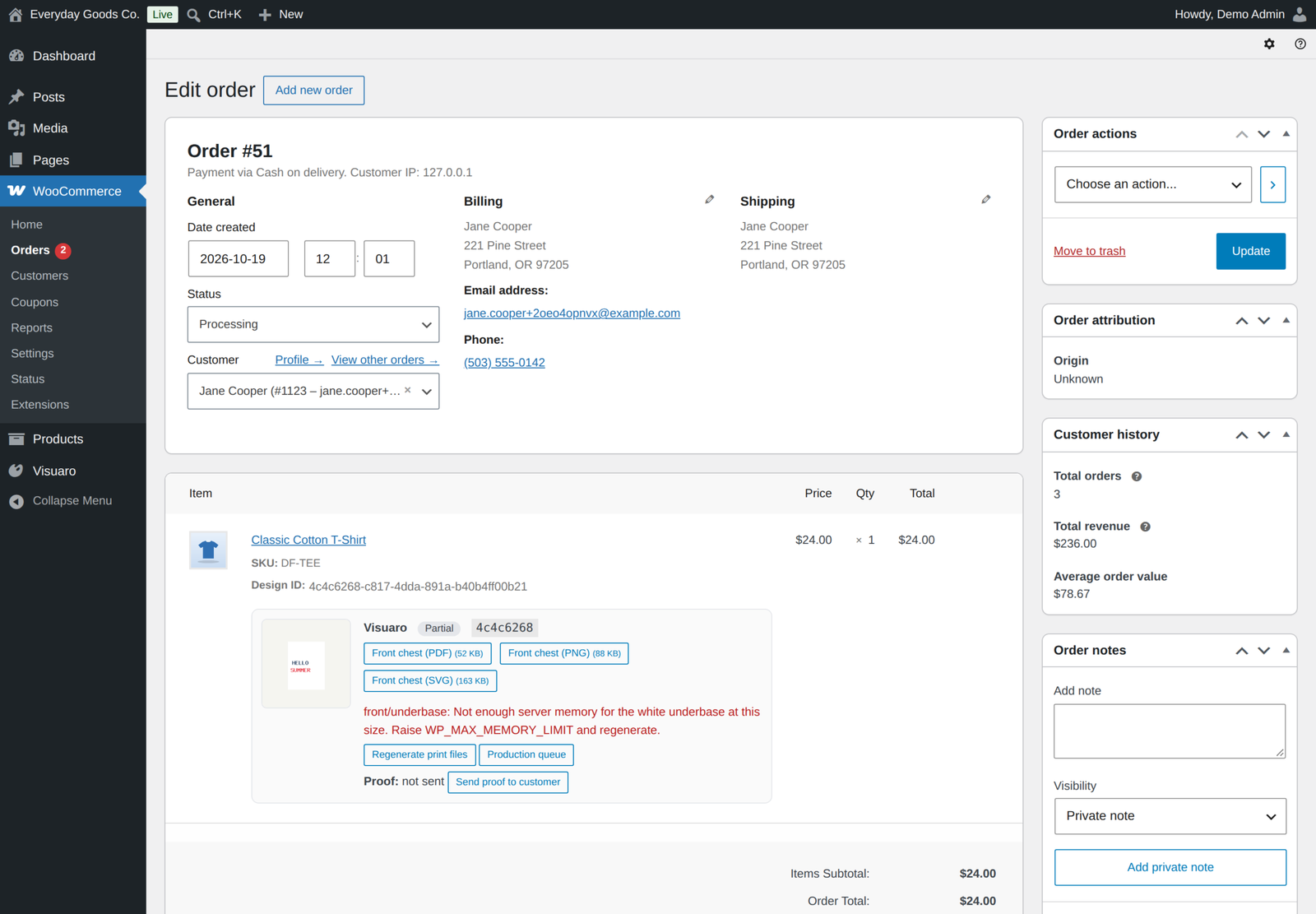
Ask customers to approve a proof of each designed item on their order page before print files are made. They approve or tell you what to change, and you are emailed either way. You can also send a proof yourself from the order screen.
Design changes after ordering
Set a customer edit window in hours, and an "Edit design" button appears on the customer's order page until the window closes, production starts or the order is completed. Saving replaces the ordered design, regenerates its print files and is recorded in the audit log. Changes that would cost more than the customer paid are refused.
ICC colour management
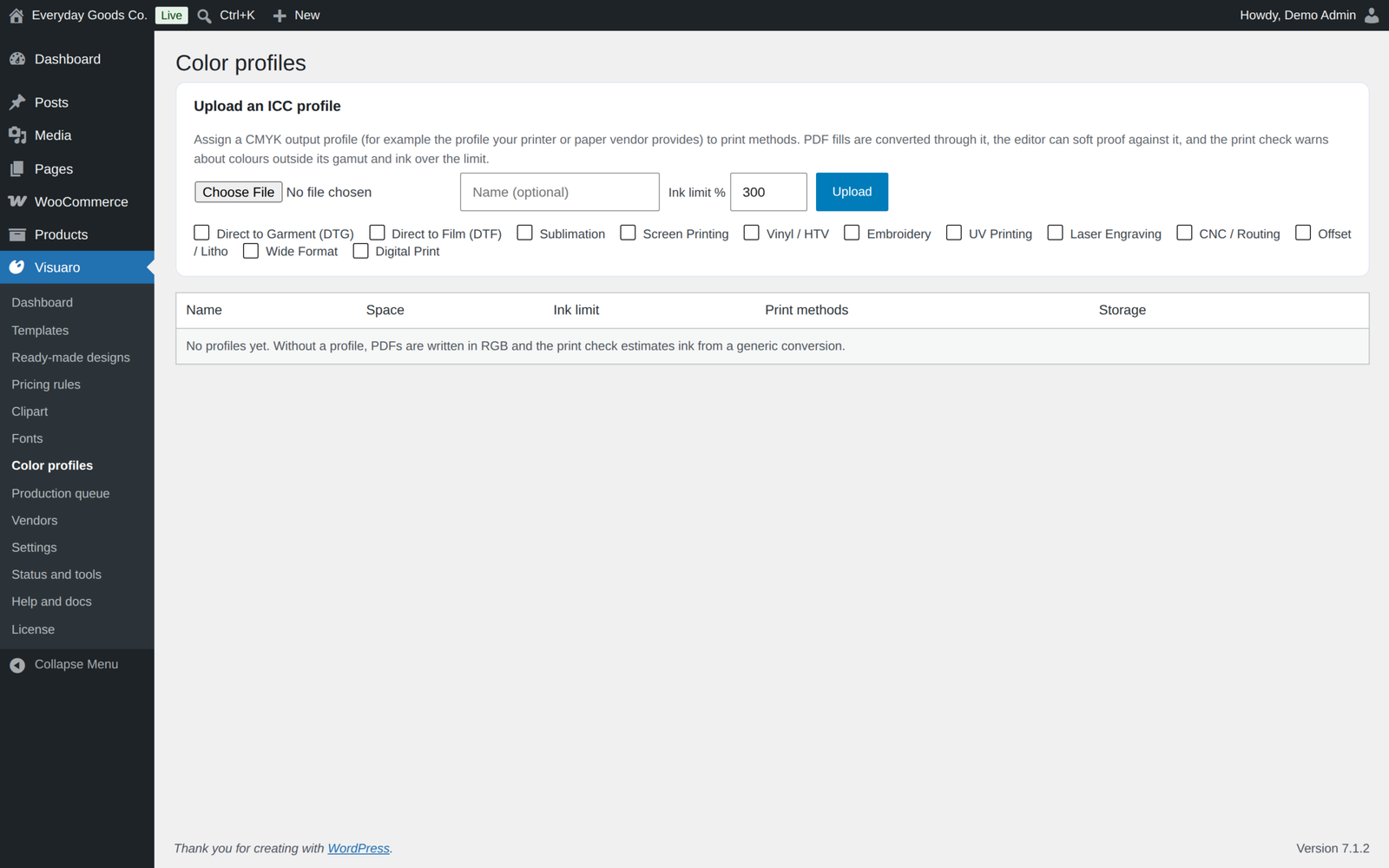
Upload your printer's ICC profiles, assign them to print methods and set a total ink limit. Text, shapes and vector artwork print in the profile's CMYK with a PDF/X output intent.
In the designer, customers can soft proof colours and match spot colours. The print check warns about colours outside the printable range or above the ink limit, and fixes out of gamut colours or too much ink in one click.
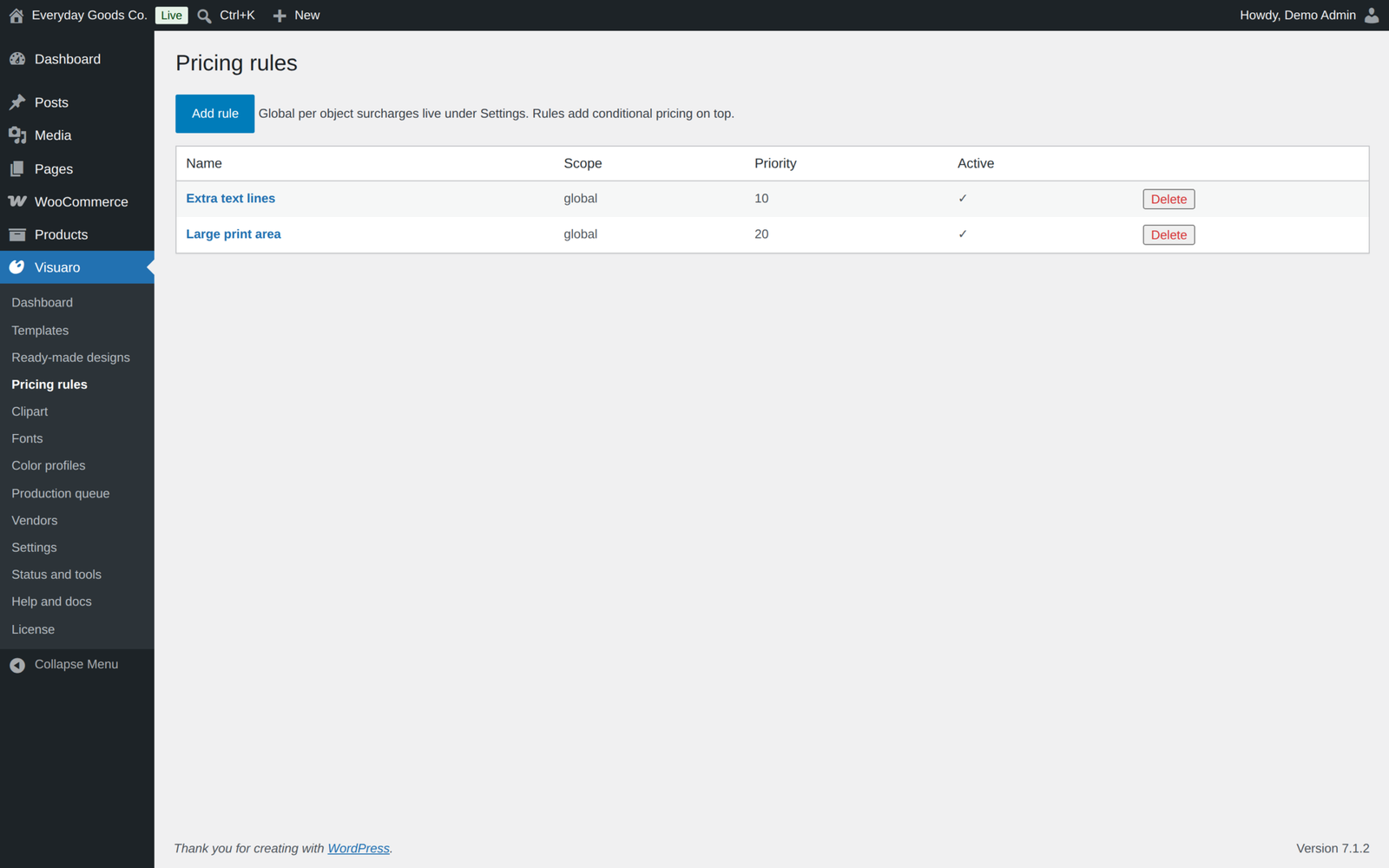
Pricing rules
Charge for what the design actually needs, on top of the design surcharges in the free edition.
- Conditions on the design: colours used, printed area, number of layers, quantity, the chosen variation and more.
- Actions: a fixed amount, an amount per unit or per metric, a percentage or a one time setup fee.
- Scope: all products, one product or one category per rule, picked from a search and applied in priority order.
- Clear for the customer: every charge (customisation, print areas, clipart, pricing rules) is shown as its own line in the designer, the cart, the order and order emails.
Team orders
Sell team kits from one design: customers pick a quantity per size, or enter names and numbers for each item, and every name gets its own print file. Each size becomes its own cart line, and a setup fee is charged once per team order.
DTF gang sheets
Tick the orders to print in the production queue, set the film width, maximum length, gap and DPI, and build gang sheets in one click. Prints are trimmed to their ink, nested at their real size and resolution, rotated when that saves film, and split over several sheets when needed. Each sheet is a transparent PNG ready for your RIP.
Pick a standard film (13, 17, 22, 24 or 36 inch, or A3) or enter any width in millimetres. Prints too large for the film are listed and left out, so nothing is silently dropped. Recent sheets stay listed for 30 days.
White underbase and screen print separations
- White underbase and highlight white. For DTF, DTG and UV prints, every view also gets an underbase PNG and a highlight white PNG.
- Screen print plates. Screen print orders get one PDF per ink with registration marks, a plate label and a halftone screen at each plate's angle (55 lines per inch).
Embroidery and cutter files
- Embroidery: DST and PES machine files, plus EXP and JEF when you tick them, with an SVG preview. The print check blocks designs above the stitch limit of the method.
- Vinyl, laser and CNC: SVG and DXF cut paths, plus EPS and PDF when ticked, with all text converted to outlines.
Variable data
Produce one set of print files per row of a CSV file, ideal for team names and numbers, name badges and event merchandise. Column names match field layers or placeholders in text layers. Upload the CSV in the production queue, or run it from the REST API or with wp visuaro variants; large runs render in the background.
Print vendor dispatch
Send orders to Printful, Printify, Gelato, Prodigi, an SFTP folder, email or any webhook; status and tracking from Printful, Printify, Gelato and Prodigi come back to the order every hour. Connect vendors under Visuaro, Vendors, then choose "Send to vendor" on a row of the production queue. Map each product to the vendor's SKU or variant once in the product's Designer tab. A failed send never locks the design, so the customer can still change it and you can send it again.
Cloud storage, webhooks and analytics
- Cloud storage: write new uploads and print files to Amazon S3, Cloudflare R2, Google Cloud Storage or Azure Blob Storage. Downloads keep using signed, expiring links and go straight to the bucket, files saved locally before the switch keep working, and
wp visuaro storage migratecopies them over. - Webhooks: signed webhooks with retries and a delivery log for design, print file, print check, order, review, vendor and gang sheet events. Each request is signed with HMAC SHA-256 over the timestamp header and the body. Up to ten endpoints.
- Analytics: forward designer open, save and add to cart events, with value and currency, to Google Analytics 4 and Meta Pixel when they are already on your site. Visuaro loads nothing itself, so your consent tool stays in charge.
- Cloudflare: purge template mockups from the Cloudflare cache when a template changes or the Visuaro cache is cleared.
Print ready output
- Vector PDF with live text, embedded fonts, trim and bleed boxes
- SVG for cutters and lasers
- Transparent PNG at the print resolution (300 DPI by default)
- Fonts: TrueType, OpenType and WOFF fonts print with your design; WOFF2 fonts work in the designer only
- Pro formats: EPS, DXF, DST, PES, EXP, JEF, underbase and highlight white channels, CMYK PDF with a PDF/X output intent, separations and gang sheets
- Automatic: files are created when an order reaches the statuses you choose (Processing and Completed by default), or after the customer approves the proof when Proof approval is on, and sent in one "Print files ready" email per order with secure download links or as attachments
Built for store owners
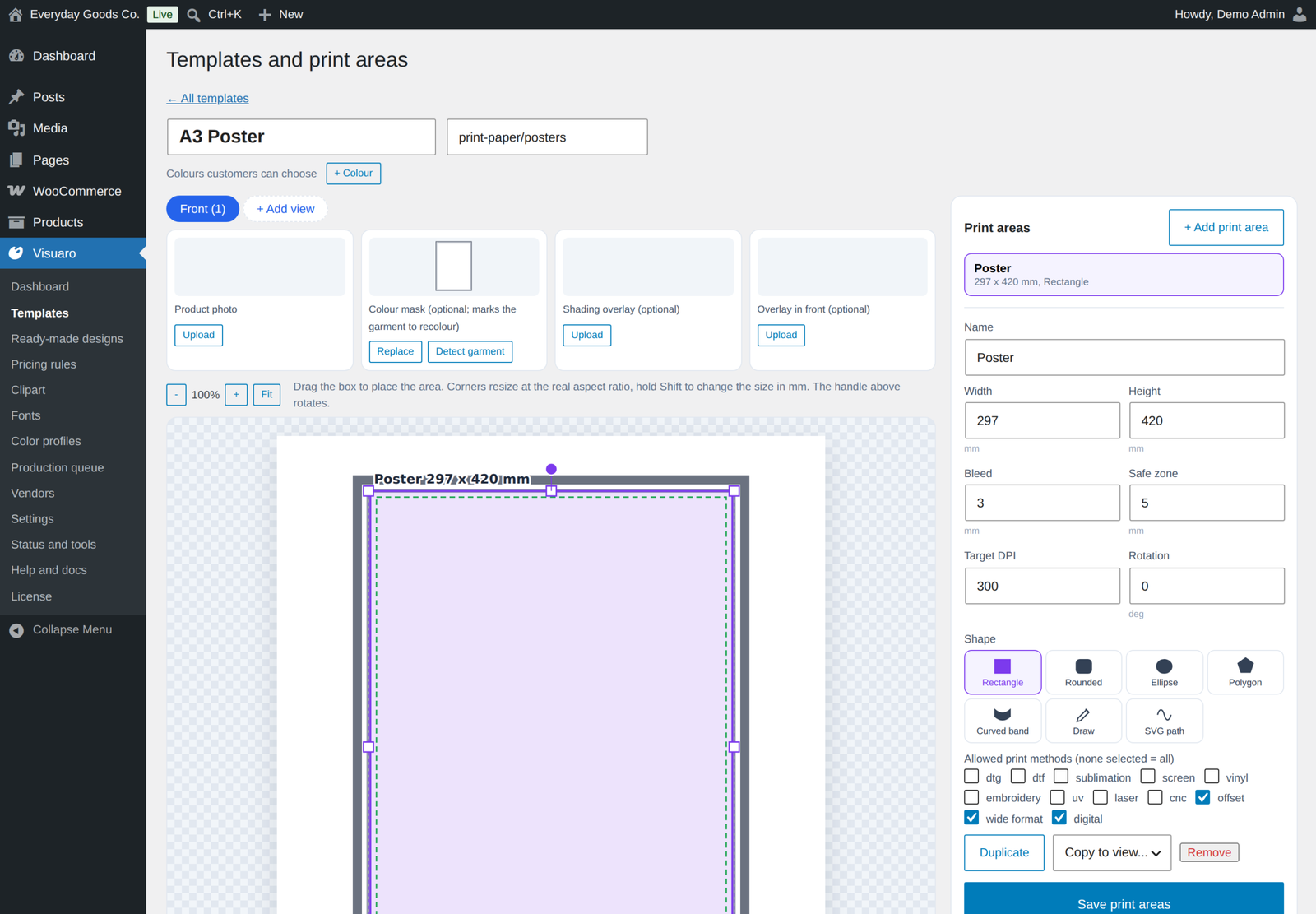
- Templates from your own product photos, with front, back and any other views, and print areas in real millimetres with bleed, safe zone and any shape (rectangle, ellipse, curved band, free form).
- A bundled mockup library for apparel, headwear, drinkware, home, print, stickers, packaging, tech, bags, signage, gifts, pets, sport and engraving.
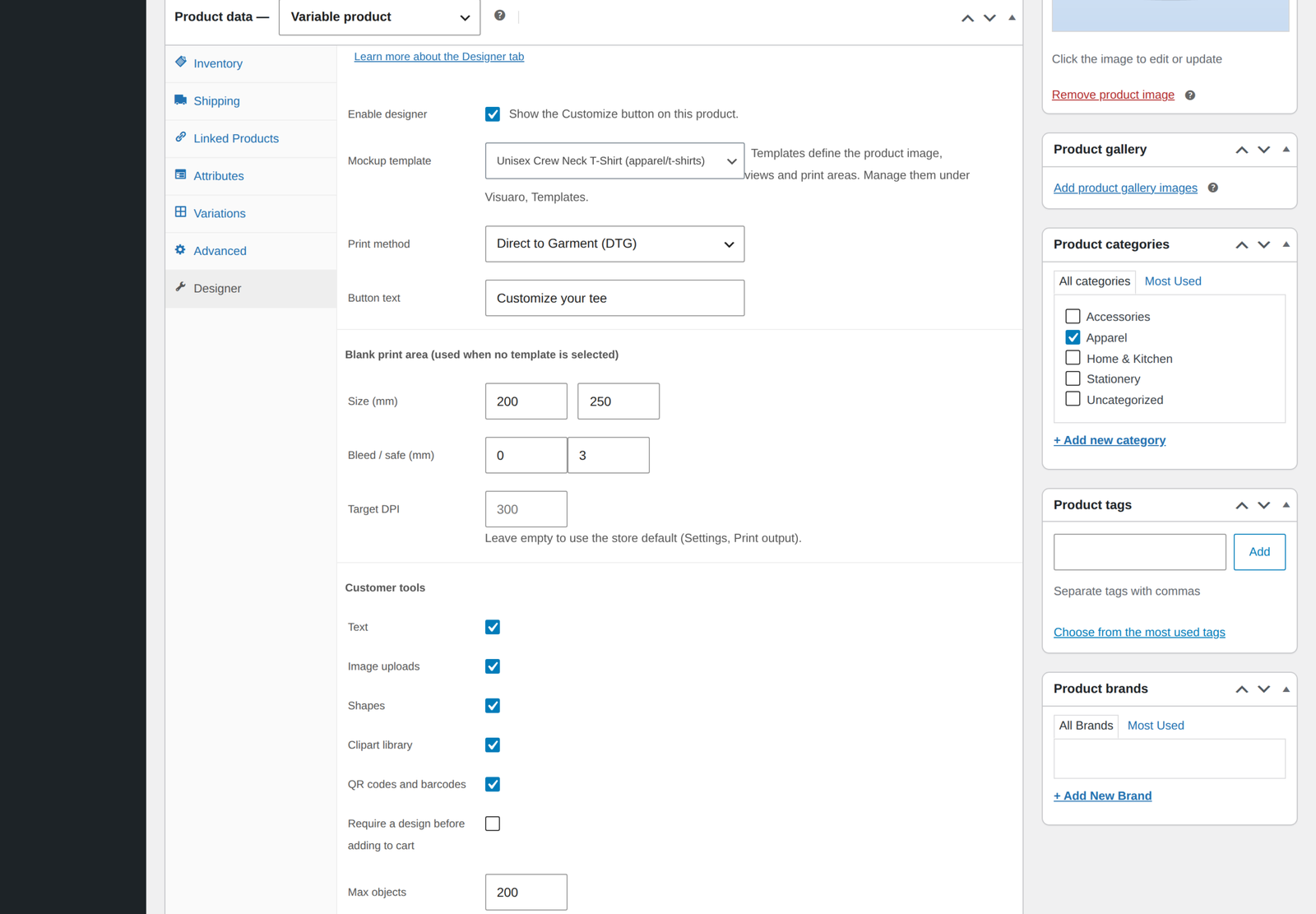
- Per product control of what customers may use: text, uploads, shapes, clipart, QR codes and barcodes, a maximum number of objects, and an option to require a design before adding to cart.
- Print method profiles (DTG, DTF, sublimation, screen print, vinyl, embroidery, UV, laser, CNC, offset, wide format, digital) that drive the print check and the Pro outputs.
- A production queue with previews, status tracking, bulk generation, regeneration, downloads, CSV export, gang sheets and vendor dispatch.
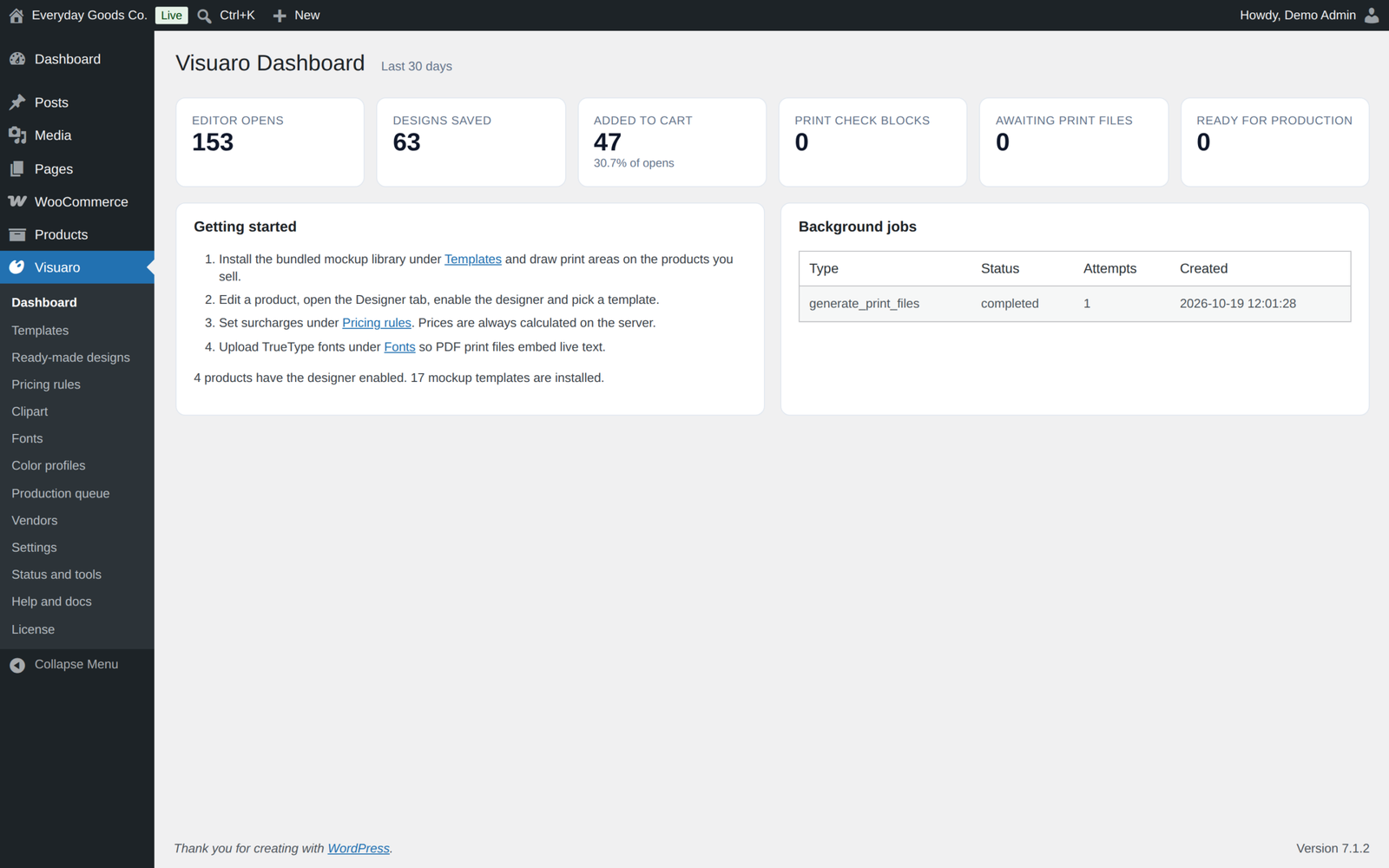
- Built in help: every setting has a short explanation and a "Learn more" link to the Help and docs screen inside the plugin.
Security and privacy
- Uploads are checked by their content, never trusted by file extension
- SVG files are rebuilt from a strict allow list, so scripts and external references are removed
- Photo metadata (GPS and camera data) is stripped
- Print files are only available through signed, expiring links
- Every request is permission checked and nonce protected, and every database query is prepared
- Personal data export and erasure, and an audit log
- A third party is contacted only when you configure a feature and it is used: AI providers, print vendors, cloud storage, Cloudflare, your webhooks, Google Fonts when you add them, and the licence server once you enter a key
Works with what you already run
- High Performance Order Storage and Cart and Checkout Blocks
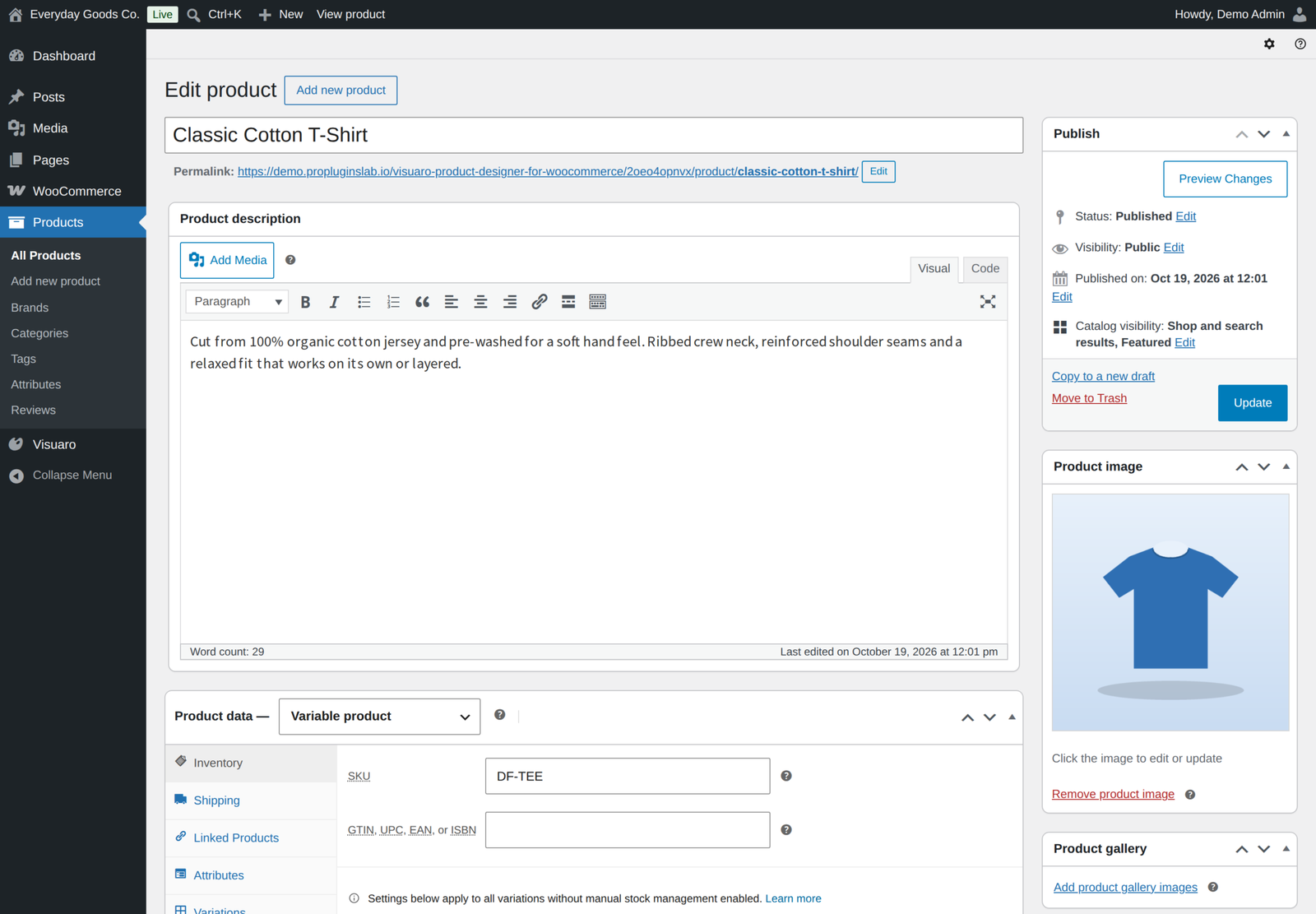
- Simple and variable products, with the chosen variation stored with the design
- WPML, Polylang and TranslatePress
- The major page cache plugins, with pages that show a personal design excluded automatically
- Elementor and Bricks
For developers
A REST API under visuaro/v1, actions and filters prefixed visuaro/, and WP-CLI commands under wp visuaro (doctor, migrate, cache, template, render, purge). Pro adds wp visuaro gangsheet, wp visuaro variants and wp visuaro storage migrate. Frontend templates can be overridden from a visuaro folder in your theme.
Requirements
- WordPress 6.4 or newer, tested up to 7.1
- WooCommerce 8.5 or newer, tested up to 11.2.1
- PHP 7.4 or newer
- Optional: your own OpenAI, Anthropic, Stability AI or Replicate key for AI image generation and text ideas, and an account with a print vendor or cloud storage provider if you use those features
Licence
Visuaro Pro is a one-time payment with lifetime updates. Enter your licence key under Visuaro, License to receive automatic updates. The licence controls updates, not features: every Pro feature works the same with or without it.
Moving from the free edition
Visuaro Pro is a standalone plugin, so you install it instead of the free edition. If the free edition is still active, it stands by and does nothing while Pro runs, and you can deactivate it from the Plugins screen. Every design, template, order and setting carries over, and deleting one edition never removes data while the other is still installed.
Demo, documentation and support
- Live demo: Pro version
- Documentation: Pro version
- Support: propluginslab.io/support
Frequently asked questions
Do I need the free edition installed?
No. Pro is a standalone plugin that includes everything in the free edition. If the free edition is active, it simply stands by.
Do the AI tools need an API key?
No for background removal, upscaling, vectorising and palette extraction, which run on your own server. Image generation and text ideas need your own key for one of the supported providers.
What happens if my licence is not active?
Nothing changes in the plugin. Every Pro feature keeps working; only automatic updates need an active licence.
Do I need Imagick?
No. GD is enough. Imagick is used automatically when present for sharper previews of SVG uploads.
Changelog
Every release, newest first, with the date it came out.
Version 1.2.0 (October 17, 2026)
- New: Ready-made designs. Store staff save a design from the designer as a ready-made design for one product, product categories or all designer products; customers start from it under Templates. Manage them under Visuaro, Ready-made designs.
- New: Per-layer constraints in ready-made designs: lock position and size, not removable, text editable only, not editable at all, maximum characters and a field label, enforced in the designer and checked again at add to cart.
- New: Per-product colour palette and allowed fonts in the product Designer tab, enforced in the designer and at add to cart.
- New: Proof approval. With Settings, Sharing and edits, Proof approval on, customers approve a proof of each designed item on their order page (or ask for changes) before print files are made; the store can also send a proof from the order screen.
- New: Team orders. On variable products the designer's add to cart can open a size table: a quantity per size, or names and numbers per item. Each size becomes its own cart line with the same design, names and numbers show in the cart, order and emails, and every name gets its own print file.
- New: Price per clipart item, set per category or per item, shown as a "Clipart (n items)" line.
- New: Share links can be listed and revoked by the design's owner, have an expiry, and are created in the Comments panel instead of browser prompts. Comments pinned to a layer show as numbered pins on the canvas.
- New: Approvals and change requests on shared designs email the design's owner and the store.
- New: Hourly vendor status and tracking sync for Printful, Printify, Gelato and Prodigi, with an order note, tracking on the order item and the visuaro/vendor/status_changed action.
- New: Webhook retries (3 attempts), a delivery log, a timestamped signature and new events for order design changes, reviews, vendor dispatch and status, and gang sheets.
- New: Direct presigned downloads from S3, R2, Google Cloud Storage and Azure, and "wp visuaro storage migrate".
- New: Edit the print methods and ink limit of a colour profile.
- New: Variable data CSV upload in the production queue; large runs render in the background.
- New: Gang sheet DPI field, a list of prints that did not fit, a recent sheets list and 30 day cleanup.
- New: Spot colour matching (nearest library colours) in the colour details.
- New: AI settings to keep paid AI tools for customers with an account and to cap AI calls per day for the store and per shopper.
- New: Screen print plates carry a plate label and a halftone screen, and keep their registration marks with little or no bleed.
- New: Pricing rules pick their product or category from a search instead of an ID, and can use the variation as a condition.
- New: Clipart library screen (Visuaro, Clipart): bulk upload PNG, JPG, WebP and SVG files, name and categorise clipart, and move or remove it in bulk.
- New: A starter pack of 30 original vector shapes and icons in 6 categories, installed once and removable.
- New: The designer's Clipart panel groups clipart by category, with filters and a search box.
- New: Each design charge is shown as its own line under the item on the order screen, the customer's order pages and order emails.
- New: Customers can duplicate or delete saved designs from My Account, Saved designs.
- New: "Store default" print method and an empty Target DPI on the Designer tab use Settings, Print output, Default print method and Default DPI; new print areas start at the Default DPI.
- Fix: The designer did not fully enforce locked, non-removable, non-editable and maximum length layers (unlocking, inline editing, emptying text, grouping and alignment).
- Fix: The barcode preview always drew Code 128; it now matches the print files for EAN-13, UPC-A and Code 39, and the barcode properties have a type choice.
- Fix: Share link passwords are now required: a protected link asks for its password before the design opens, and wrong guesses are rate limited.
- Fix: Only the design's owner can create or revoke share links; people with an edit link no longer can.
- Fix: A review through a share link can no longer change the status of a design that is in a cart or an order.
- Fix: Co-editing no longer skips other people's changes, every change is checked on the server, and changes made while the owner was away are applied when the owner opens the design.
- Fix: The AI panel keeps text ideas, colour harmonies and the print method recommendation, and generated images follow the print area's shape.
- Fix: The Proof colours shortcut is now Ctrl+Alt+Y (Cmd+Option+Y), so Ctrl+Y redoes again.
- Fix: The ink limit warning now has a working one click fix, and the out of gamut fix covers every layer that uses the colour.
- Fix: Analytics events send value and currency to GA4 and Meta Pixel and are no longer counted twice.
- Fix: Cloudflare is purged when a template changes.
- Fix: Printful text SKUs are sent as external_variant_id instead of becoming 0, every vendor send has its own reference, and a design is not sent twice unless you choose Resend.
- Fix: Gelato receives every view and Prodigi one file per print area; SFTP checks each download and can verify the host key.
- Fix: Cloud stored files, order thumbnails and colour profiles keep working after a storage switch, and remote profiles are cached.
- Fix: Variable data CSVs with a UTF-8 BOM work, a repeat run replaces the earlier variants, and gang sheets print each variant once.
- Fix: Curved text, outlines and text without an outline font are kept in DXF, EPS and embroidery files (cut and embroidery files mark text drawn with the fallback font).
- Fix: DXF files no longer close open paths, and underbase and gang sheet PNGs carry the right DPI.
- Fix: After an order edit, the charges shown on the order follow the new design, and the price check uses the price paid.
- Fix: Webhooks and the generic vendor webhook no longer follow redirects, and Replicate never sends its token to other hosts or blocks a request for two minutes.
- Fix: Copywriting replies cut off by the provider are flagged, and each AI provider choice lists only services that support that tool.
- Fix: Curved text now prints curved in PDF, PNG and SVG print files, along the same arc as the designer.
- Fix: Outline text (a stroke with no fill) prints as an outline instead of solid black or nothing; text strokes appear in every format.
- Fix: PNG text was about a third too large and lines overlapped; size, line spacing and letter spacing now match the designer, and so do PDF text shadows and glows.
- Fix: Gradient text fills every line in PDF, and underlines use the text colour or gradient.
- Fix: Layer opacity is applied in PNG print files, and group opacity and blend mode work the same in every format.
- Fix: Large PNG print files that are scaled down to fit in memory keep their physical size.
- Fix: Bold text without an uploaded bold font prints bold; WOFF fonts and CFF based OpenType fonts are used in print files.
- Fix: EAN-13, UPC-A and Code 39 barcodes are encoded correctly in print files, and barcode text appears under the bars.
- Fix: Empty personalisation fields print their label, like the designer shows them.
- Fix: Prices entered including tax were undercharged by the tax amount on designed items. Sale prices and other pricing plugins are now respected too.
- Fix: Saving a design no longer deletes the version a cart or an order uses, so the surcharge and the print files stay right. A cart item whose design is gone is removed instead of being sold at the plain price.
- Fix: Block themes and the Cart and product blocks (Store API) add the item with its design, and "Require a design" products can be added there.
- Fix: "Order again" keeps the design and its price.
- Fix: Variable products can be added to the cart from the full page designer.
- Fix: An order placed with a design that was deleted while it sat in the cart still gets its print files.
- Fix: Autosave no longer turns a saved design back into a draft, so it is not removed as abandoned.
- Fix: Page caches are purged when a template or its print areas change.
- Fix: Print check one click fixes now work for stretched images and the ink limit, and the print resolution (DPI) check and its fix account for image crops.
- Fix: WPML and Polylang translate the Customize button text, template names and print area names.
- Fix: The "Print files ready" email is sent once per order with the files of every design, instead of once per design.
- Fix: Removing clipart no longer breaks designs and orders that use it, and used stickers no longer appear twice in the Clipart panel.
- Fix: Switching between the free and Pro editions no longer cancels pending print jobs or the daily housekeeping, and the last edition uninstalled (with data removal on) removes every Visuaro table.
- Fix: Rotating the signing secret no longer makes saved credentials unreadable, and guest designs stay linked to their guest.
- Fix: Images too large to decode safely are refused before decoding, and a failed preview no longer leaves an orphan upload.
- Fix: Guest uploads respect "Allow guest designs".
- Fix: Rate limits identify visitors correctly behind a declared proxy (VISUARO_TRUSTED_PROXIES) and count atomically.
- Fix: The full page designer's Content Security Policy nonce is random per page view.
- Fix: The admin IP allow list also protects the Visuaro admin REST endpoints, and an invalid range no longer causes an error.
- Fix: Visuaro no longer removes SVG from the site's allowed upload types, and restores the XML entity loader after cleaning an SVG.
- Fix: A design only gets download links for images its owner, the viewer or store staff uploaded.
- Improved: Personal data export and erasure also cover comments, co-editing changes and share links.
- Improved: Personal data export and erasure cover deleted and abandoned designs, versions, uploaded images and audit log addresses, and page through large accounts.
- Improved: SVG print files wrap and fit text like the designer and embed the font; clipart crop, mask and tint are kept in PDF and SVG.
- Improved: The remaining designer labels, the template editor, print check messages and price lines are translatable.
- Improved: Native colour picker for the accent colour setting, and Google Fonts are imported again only when the list changes.
- Improved: Status and tools shows whether saved keys can still be read, and Help and docs covers nginx, proxies and VISUARO_ENCRYPTION_KEY.
- Improved: "Learn more" links on the product Designer tab and the template import.
Version 1.1.0 (October 15, 2026)
- New: Export the production queue to CSV (Visuaro, Production queue, "Export to CSV"), following the selected status filter.
- Change: Pro no longer switches the free edition off. When both are active the free edition stands by and does nothing, and the Plugins screen tells you that you can deactivate it.
- Security hardening: changes through the REST API to templates, clipart and the production queue (including gang sheets, vendor dispatch and variants) are accepted only from a logged in dashboard session; every route checks its capability in a named permission method.
- Security hardening: uploaded file names must carry an allowed extension, product photos and imported template images have their metadata removed, template ZIP imports read only the files that passed the size check, and pricing rule and colour profile forms sanitize their lists on arrival.
- Change: files are now stored in wp-content/uploads/visuaro-product-designer-for-woocommerce. The previous uploads/visuaro folder is moved there automatically on first use, so existing designs, uploads and print files keep working.
- Improvement: every PHP file refuses direct access.
- Readme: the External services section describes the licence and update check in full, and links to the live demo, documentation and support.
- Tested with WordPress 7.1.3 and WooCommerce 11.2.1.
Version 1.0.2 (October 2026)
- Fix: The Designer tab options (text, image uploads, shapes, clipart, QR codes and barcodes, maximum objects) are now enforced in the designer and again at add to cart, not just hidden in the toolbar.
- New: "Require a design before adding to cart" product option. The "Lock template layers" option, which had no effect, is removed.
- Fix: Full page editor mode opens the dedicated designer page instead of a popup, and the designer page loads under its strict Content Security Policy.
- Fix: The designer works on products hidden from the shop catalog.
- Fix: Turning off collaboration also stops share links that were already handed out.
- Fix: With cloud storage (S3, R2, Google Cloud Storage, Azure) switched on, designs, uploads and print files saved before the switch keep working.
- Fix: A failed send to a print vendor no longer marks the design as in production, so the customer can still change it and you can send it again.
- Improvement: When print files cannot be saved, the production queue now says why, and Status shows whether the storage folder is writable.
- Improvement: Variable data runs report render errors, and vendor settings fields can be translated.
- Fix: Ready made designs (Templates in the designer) fit their text to the print area instead of cutting off a wrapped second line.
- Links moved to propluginslab.io.
- Tested with WooCommerce 11.2.1.
Show earlier versions (1.0.0 to 1.0.1)
Version 1.0.1 (October 2026)
- Fix: My Account, Saved designs no longer shows "page not found" right after the plugin is activated.
- Fix: Saving settings while the free edition was active no longer removes the EPS and DXF print file formats.
- Improvement: All styles and scripts are loaded through WordPress (Saved designs stylesheet, analytics bridge script, delete confirmations).
- Improvement: The Pro notices use the full plugin name.
- Fix: Importing a template with the same name as a deleted template now restores it instead of failing; installing the bundled library no longer brings back templates you deleted.
- Security: Uploaded files, settings and product options are sanitized as soon as they arrive, page builder output is escaped, and WP-CLI exports are saved only in the protected Visuaro uploads folder.
Version 1.0.0 (October 2026)
- Initial release.
Details
At a glance
- Latest version
- 1.2.0
- Last updated
- October 19, 2026
- Type
- Pro plugin
Requirements
- PHP version
- 7.4
- WordPress (min)
- 6.4
- WordPress (tested)
- 7.1
- WooCommerce (min)
- 8.5
- WooCommerce (tested)
- 11.2.1
Share
You might also like
 CodeCanyon
WooCommerce Hide Products
$15.00
 Pro
Pro
Storefold Multivendor Marketplace for WooCommerce
Turn WooCommerce into a multivendor marketplace that splits orders between sellers with correct tax and shipping. Refunds, disputes and scheduled payouts are built in.
From $49.00 One-time
Live demo-
Pro
Kitero Composite Products for WooCommerce
Let shoppers build their own kits and bundles in WooCommerce, priced live. Includes logic rules, price overrides, multi choice components and a visual preview.
From $49.00 One-time
Live demo