Your cart is empty.
Browse plugins
Overview
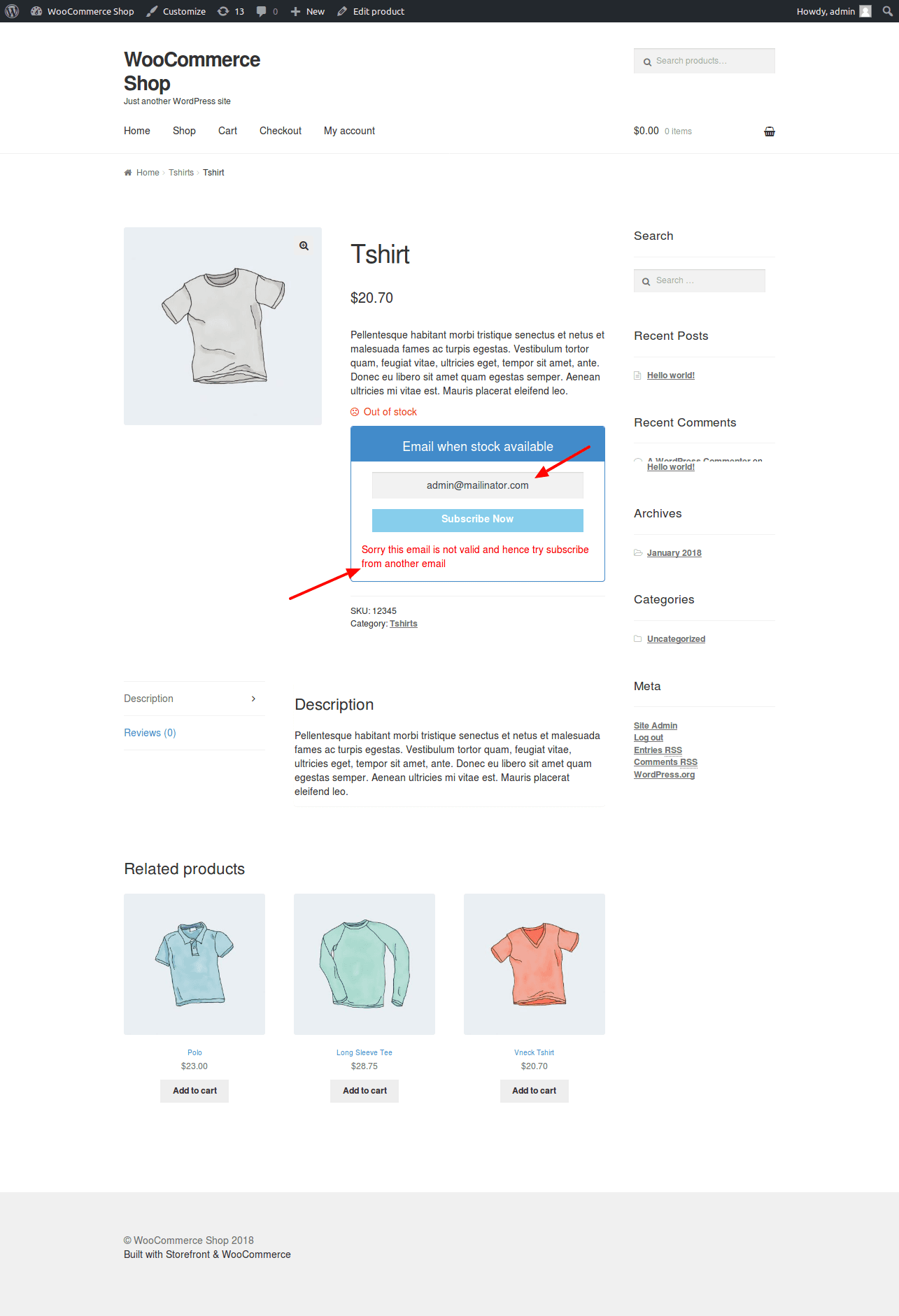
Keep junk off the waitlist: block disposable mail providers, specific domains and addresses, wildcard patterns and role accounts, with an allow list that always wins.
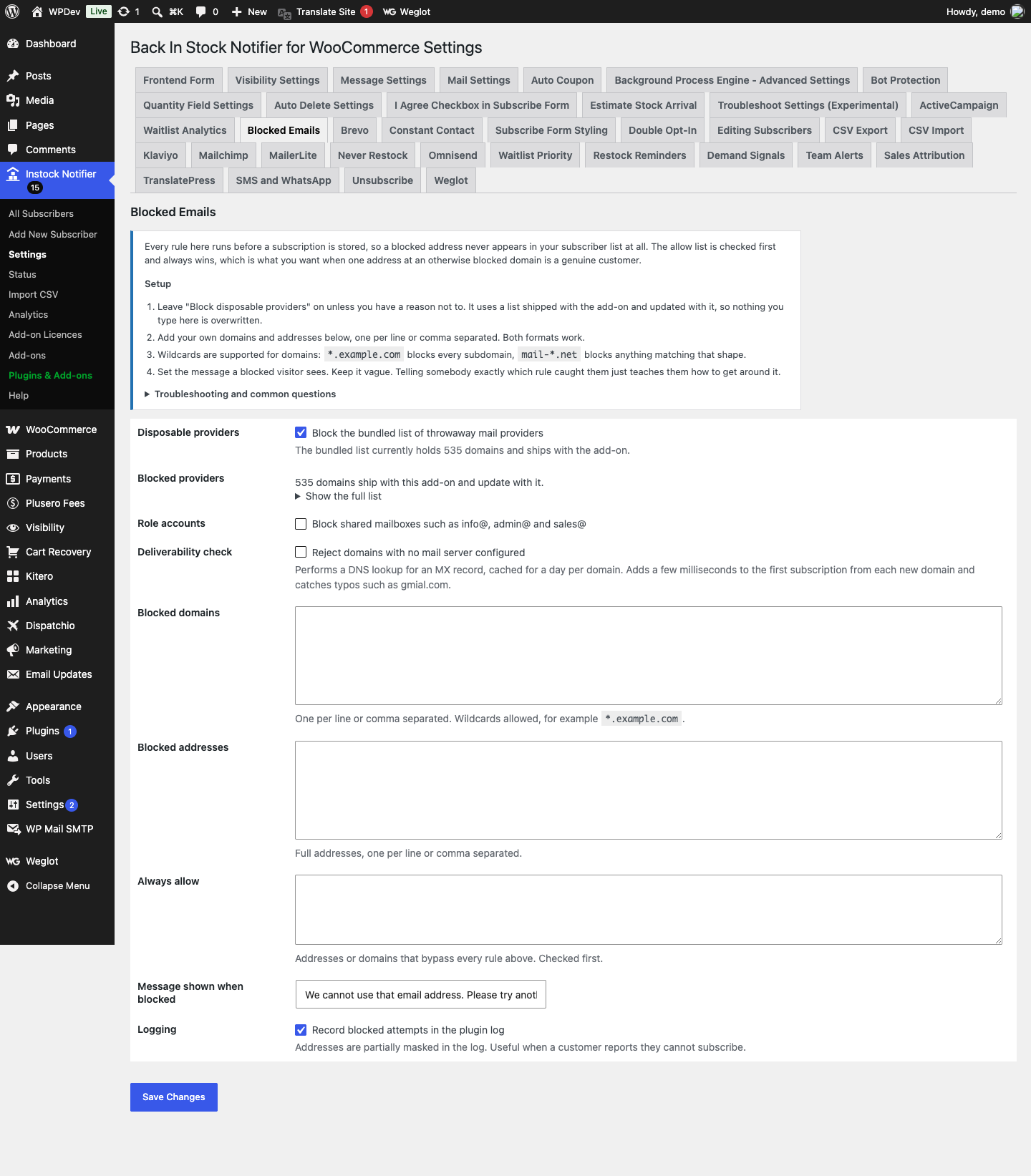
Every rule here runs before a subscription is stored, so a blocked address never appears in your subscriber list at all. The allow list is checked first and always wins, which is what you want when one address at an otherwise blocked domain is a genuine customer.
How it works
- Rules are compiled once per request into hash maps, so the check is a constant time lookup rather than exploding a settings string on every subscription.
- The allow list is evaluated first and overrides everything, which is what you want when one address at an otherwise blocked domain is a real customer.
- The shipped disposable provider list is a data file that updates with the add-on. Earlier versions kept it inside a settings textarea, so your own additions and the shipped list were the same string and updating one clobbered the other.
Setting it up
- Leave “Block disposable providers” on unless you have a reason not to. It uses a list shipped with the add-on and updated with it, so nothing you type here is overwritten.
- Add your own domains and addresses below, one per line or comma separated. Both formats work.
- Wildcards are supported for domains: .example.com blocks every subdomain, mail-.net blocks anything matching that shape.
- Set the message a blocked visitor sees. Keep it vague. Telling somebody exactly which rule caught them just teaches them how to get around it.
Common questions
A real customer is being blocked. What now? Put their full address in the allow list. It is checked before every other rule, so it overrides the disposable list, your domain rules and the role account option.
Does this affect existing subscribers? No. Rules apply at the moment somebody subscribes. Existing rows are left alone, so add a rule and then clean up the old entries from the subscribers list if you want them gone.
What is a role account? A shared mailbox such as info@, sales@ or admin@. They are usually read by several people or nobody, and they are a common source of complaints about unwanted mail.
Can I block a whole country or extension? Yes, with a wildcard domain rule such as *.ru. Be careful: that also blocks legitimate customers on those domains.
Data and privacy
- Nothing is stored per subscriber and nothing is sent anywhere.
- Blocked attempts are recorded in the plugin log with the address partially masked, which is enough to answer a customer who says they cannot subscribe.
- MX lookups are cached per domain for a day.
Details
At a glance
- Latest version
- 10.0.3
- Last updated
- November 5, 2026
- Type
- Add-on
Requirements
- PHP version
- 7.2
- WordPress (min)
- 5.8
- WordPress (tested)
- 6.8
Share
You might also like
 Add-on
Export CSV Add-on Back In Stock Notifier for WooCommerce
From $19.00 One-time
Live demo-
Add-on
Klaviyo Back In Stock Notifier for WooCommerce
From $19.00 One-time
Live demo