Your cart is empty.
Browse plugins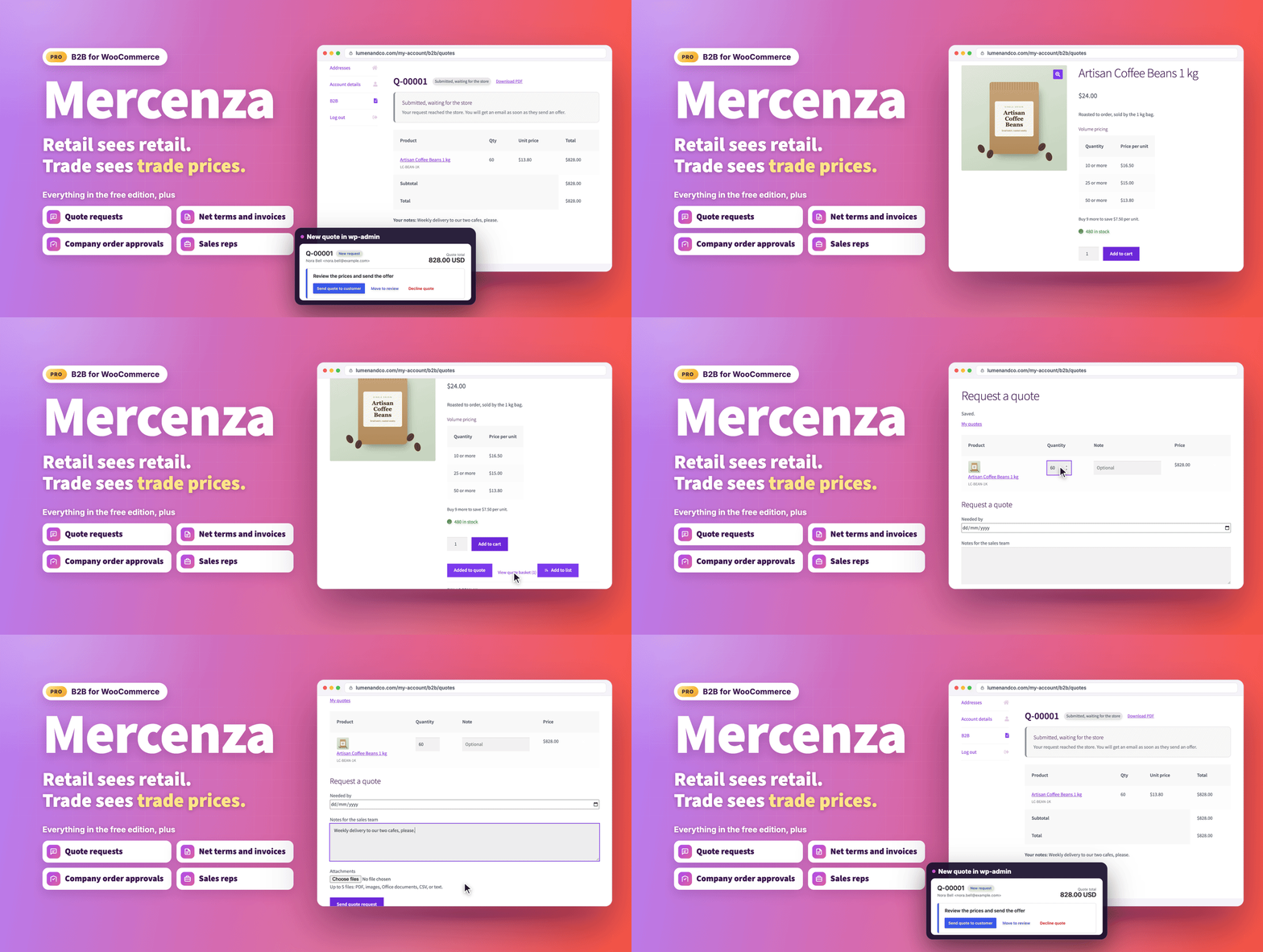
Overview
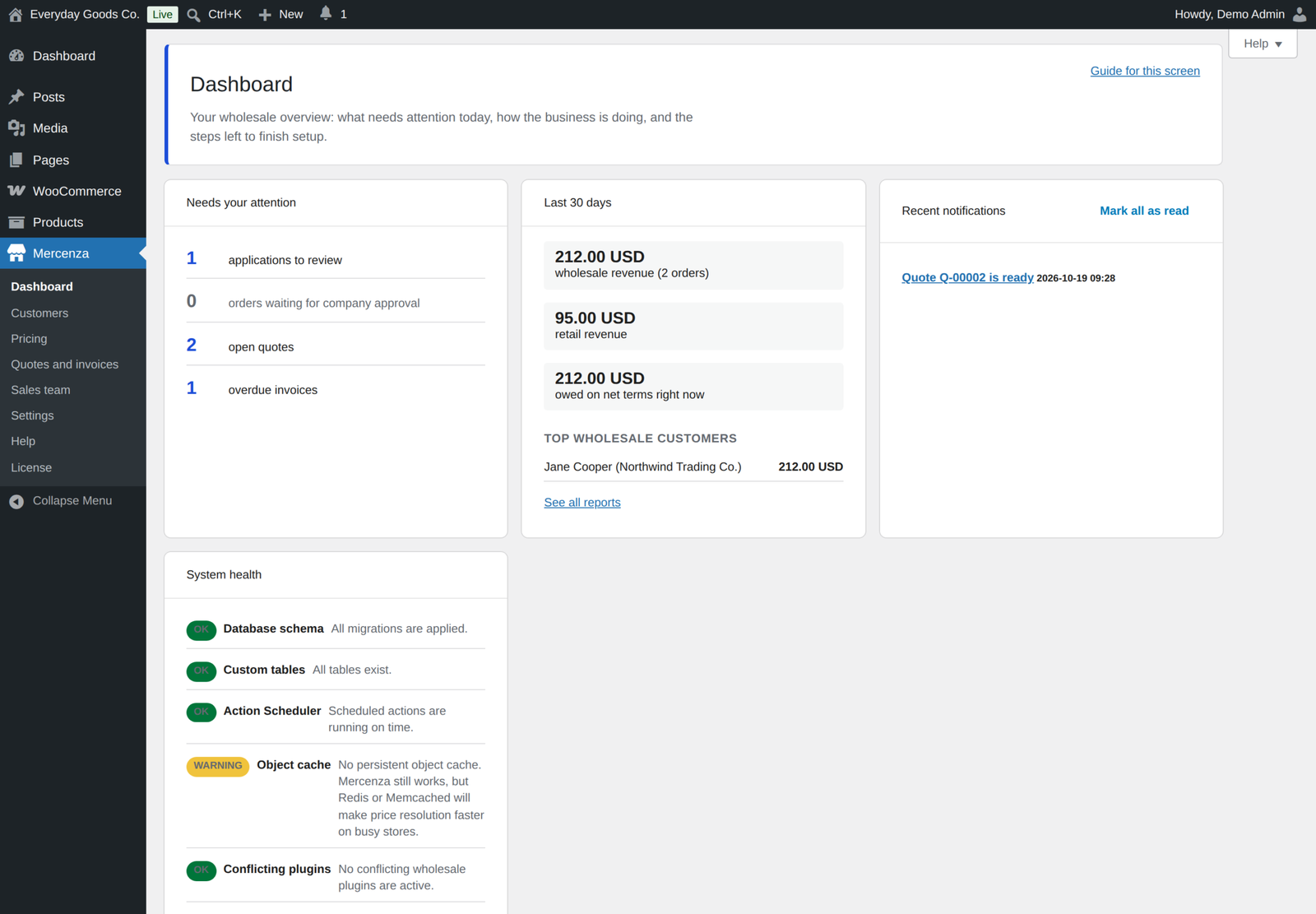
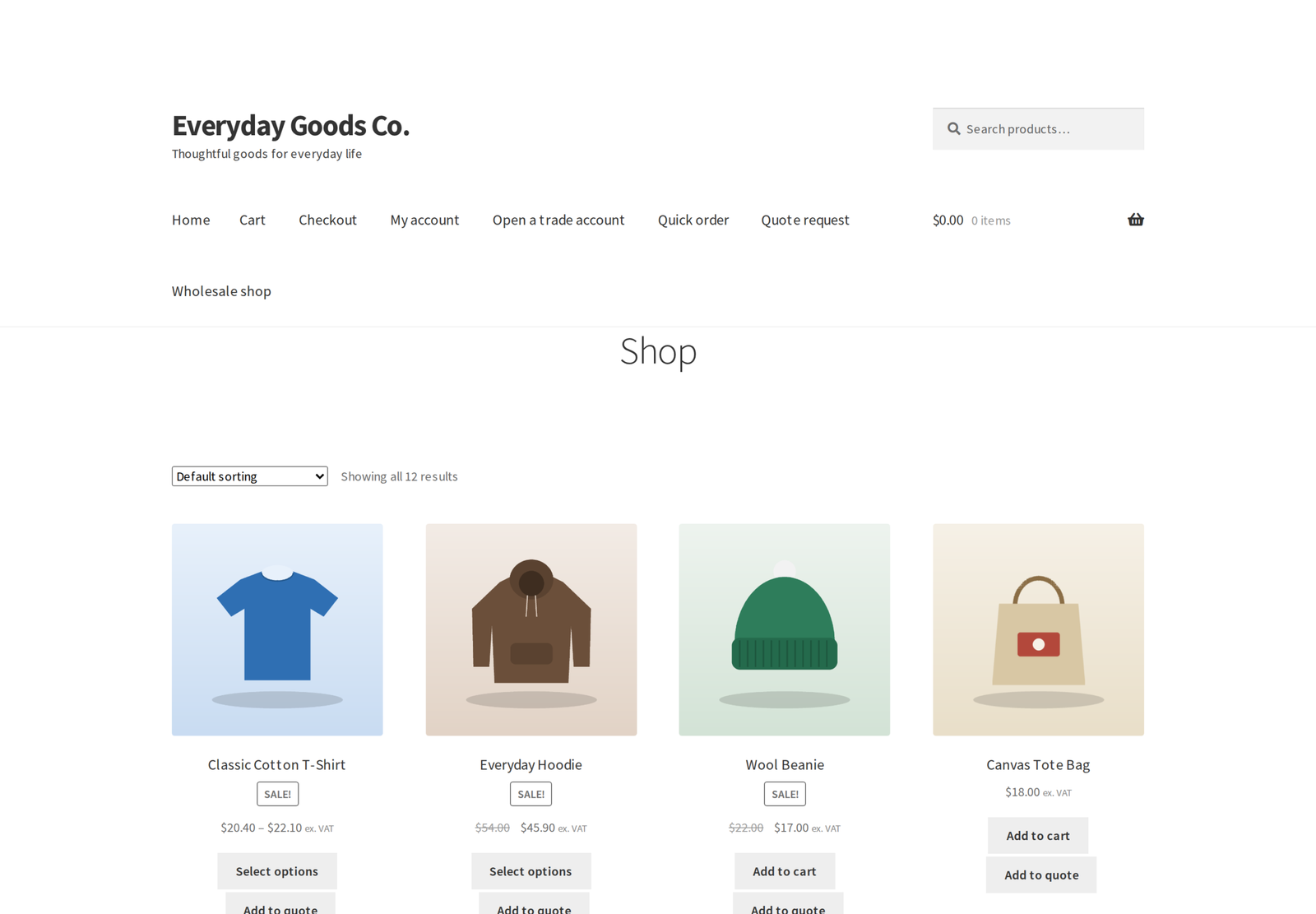
Mercenza turns a WooCommerce store into a trade counter. Buyers apply for an account, you approve them, and from that moment they see their own prices, their own minimum quantities, and only the products you want them to see. Retail customers notice nothing: it is the same shop, with a second set of rules for the people who buy from you in volume.
Pro is the complete edition. It adds everything a business needs once the wholesale side stops being a price list and starts being a relationship: quotes, payment on account, approvals inside the buyer's company, sales reps, and the tax and shipping rules that trade orders require.
What's new in 1.2.2 (October 19, 2026)
Pre-orders with group prices charge the right amount. With Anticipo Pre-Orders Pro, deposit and pay on release pre-orders now work out the deposit and the balance from the customer's group price, including quantity tiers and pricing rules. Before, a customer with a group price paid the whole price at checkout and still owed the balance.
1.2.1 (October 18, 2026) fixed an error that stopped pages loading for logged in customers who had orders.
Both follow 1.2.0 (October 17, 2026), which brought:
- Accounting and CRM sync. Connect QuickBooks Online, Xero, HubSpot or Zoho CRM with your own app, and Mercenza pushes your customers, companies, orders and invoices to it, one way.
- Company orders in My Account. The company owner and the members allowed to view company orders see and filter every order the company placed.
- Saved company addresses at checkout. Buyers pick one of the company's addresses on the classic checkout or the Checkout block, and it fills in the billing or shipping fields.
- Products for chosen customers. Show a product or category only to chosen customers and companies, or hide it from them.
- Coupons for chosen groups. A coupon can be limited to chosen customer groups or companies, or closed to chosen groups.
- Sub account rules at checkout. A viewer cannot buy, and an order above a member's own limit cannot be placed, on the classic checkout and the Cart and Checkout blocks.
- Quotes that keep their price. A converted quote charges exactly the quoted price, tax included where it applies, and both sides can attach files and see the full history.
- More on the Checkout block. Buyers can enter the PO number, upload the PO document and spend store credit on the Checkout block as well as the classic checkout.
- reCAPTCHA v2. The "I am not a robot" checkbox joins reCAPTCHA v3, hCaptcha and Cloudflare Turnstile as a registration captcha.
- Commission payouts. Payouts are recorded with batch, date, amount and reference, and commission on a cancelled or refunded order is deducted from the next payout.
The problem it solves
Selling to businesses is not selling to consumers with a discount. A trade buyer expects to ask for a price before committing, to order on account and pay at the end of the month, to have a colleague place the order and a manager approve it, and to be charged the right tax for their registration. WooCommerce does none of that on its own.
The usual answer is a second store, a spreadsheet of agreed prices, and an inbox full of purchase orders. Mercenza puts all of it in the store you already run, so one catalog, one checkout, and one set of orders serve both sides of the business.
Who it is for
- Distributors and importers whose customers buy at agreed prices
- Manufacturers selling to resellers, installers, or trade accounts
- Suppliers who quote before they sell
- Any store where some customers pay later rather than at checkout
- Shops with a sales team who place orders on behalf of customers
Pricing that matches what you agreed
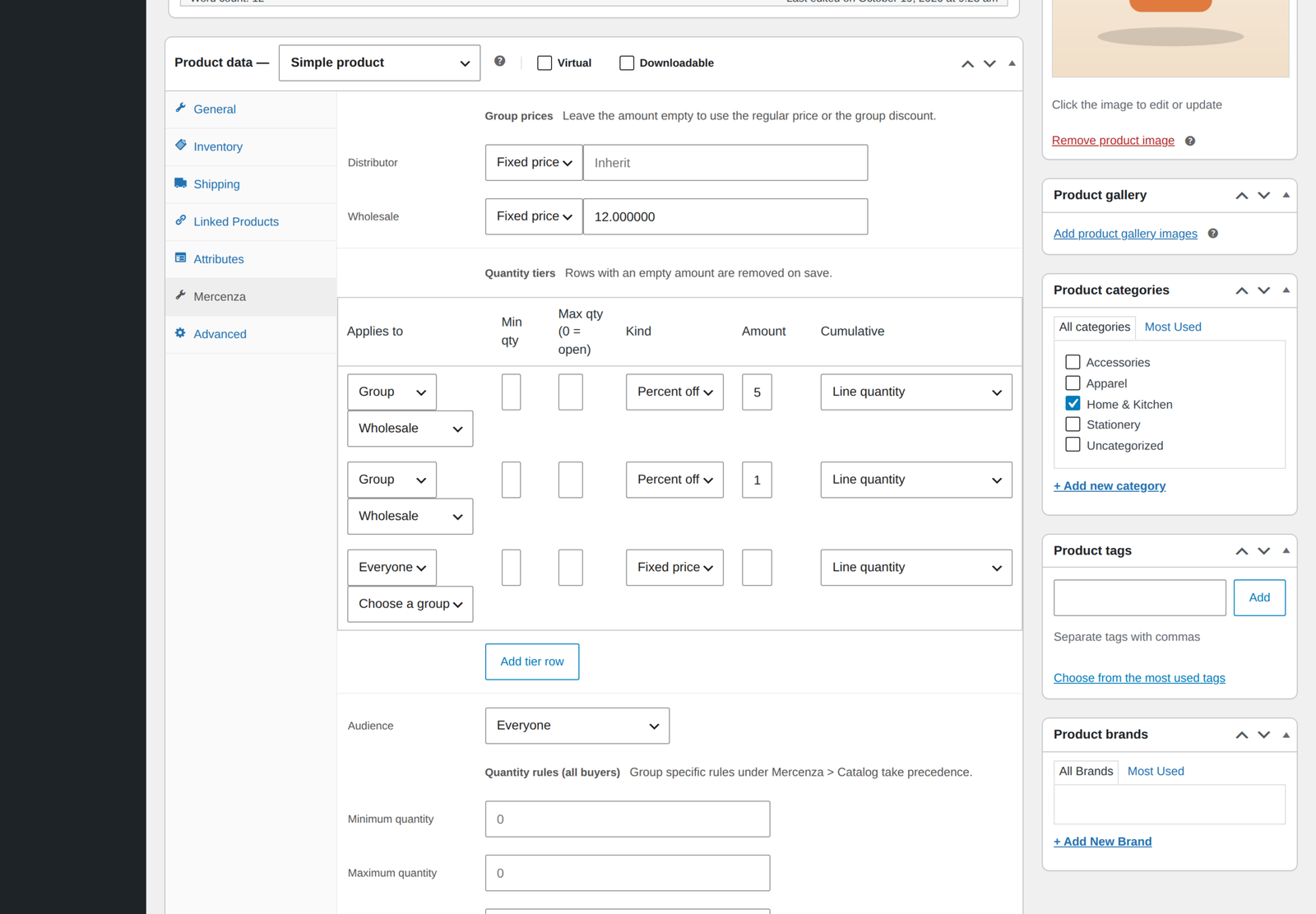
Create as many customer groups as you need and give each one its own prices: a fixed price, a percentage off, or an amount off, per product and per variation. A price negotiated with one customer beats their group price, and a nearer group beats a parent group, so the most specific agreement always wins. Each customer is in one group, their own or else their company's, and a group can sit under a parent group and set only what differs.
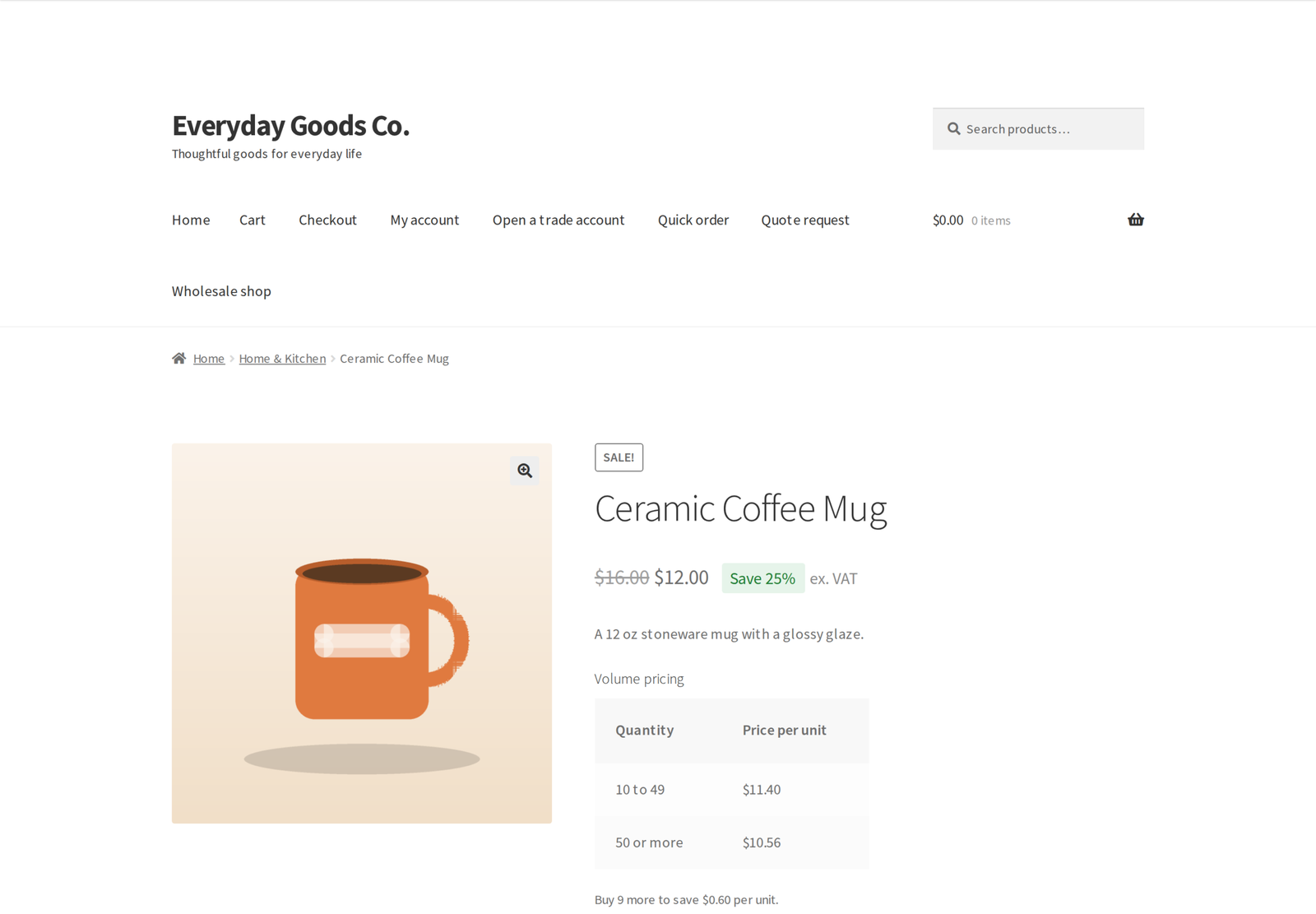
Quantity tiers handle the breaks ("10 or more: 8.50") and appear as a table on the product page. Dynamic rules cover the rest, with conditions on group, customer, company, product, category, tag, attribute, cart total, quantity, weekday, date range, order history, shipping country and currency, and actions for discounts, free shipping, and buy X get Y. You can also create coupons that only work for chosen customer groups or companies, or that chosen groups cannot use.
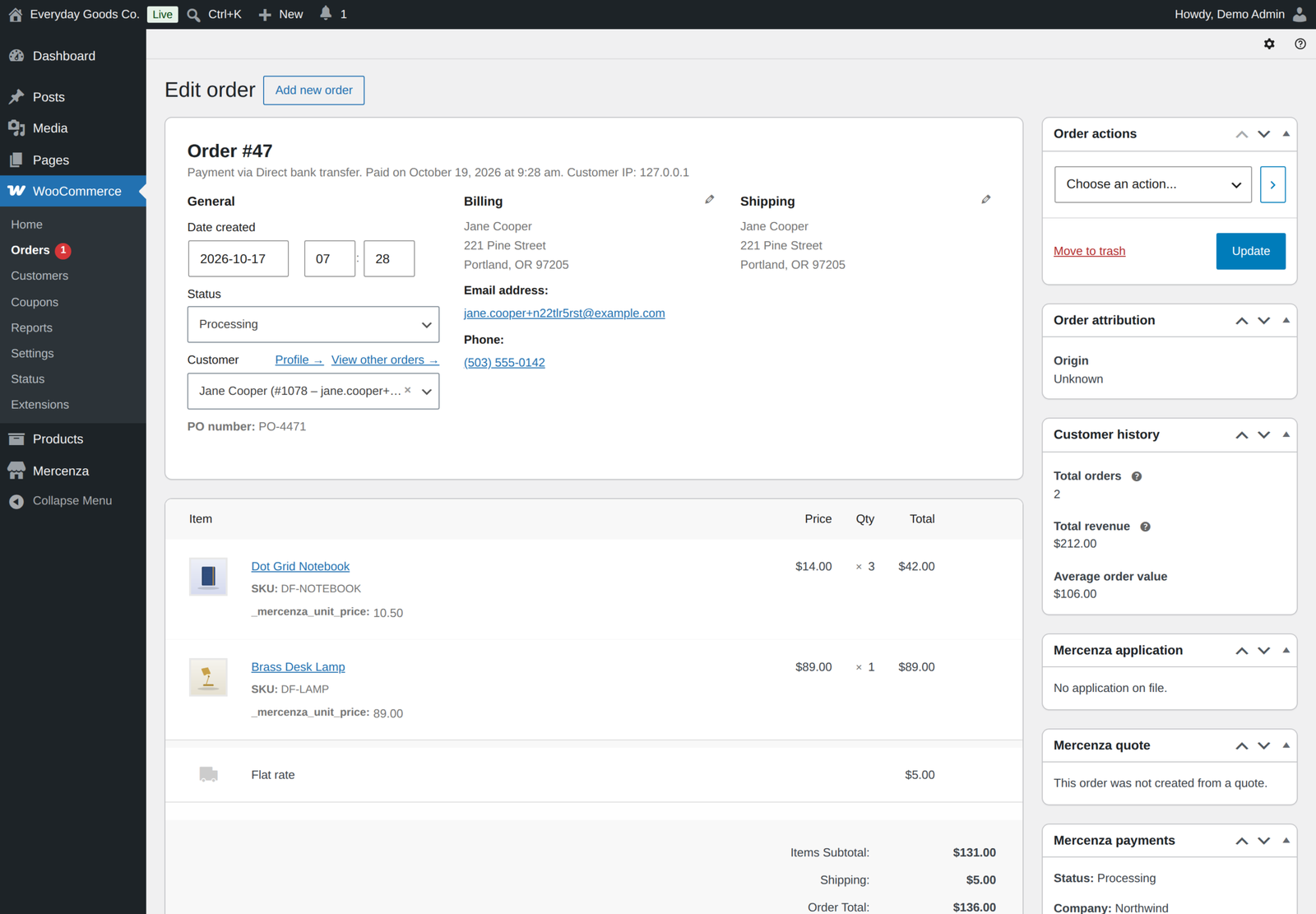
When a price looks wrong, the inspector tells you exactly which rule produced it and why. Prices are set in bulk from one editor, or imported and exported as CSV, and every order stores a snapshot of what was charged.
The catalog each buyer sees
Mark a product, or a whole product category, as wholesale only or retail only. Restricted products disappear from the shop, search, feeds, sitemaps, related products, and the REST and Store API, and a direct link returns 404. The rule is checked again when the cart is validated, so a stale link cannot be used to buy something a buyer may not see.
Visibility and purchase rules can be scoped to a group, to guests, or to everyone, and target products, variations, categories, tags, or brands. You can also show a product or category only to chosen customers and companies, or hide it from them. Minimum, maximum, step, and pack size are enforced on the product page, in the cart, at checkout, and in the Store API. A group can browse in catalog mode with no cart at all, and the whole store can be hidden from visitors who are not logged in.
Trade accounts, not just user accounts
Build the application form from text, select, radio, checkbox, country, state, address, file upload, consent, and custom HTML fields. Applications arrive in an approval queue with notes, rejection templates, and bulk actions, protected by captcha (reCAPTCHA v2 and v3, hCaptcha, or Cloudflare Turnstile), disposable email blocking, and a honeypot.
Approved buyers belong to a company: a legal entity with VAT number, addresses, and sub accounts. Sub accounts have roles (owner, purchaser, approver, viewer, or custom) and per person permissions, enforced at checkout: a viewer cannot buy, and an order above a member's own limit cannot be placed, on the classic checkout and the Cart and Checkout blocks. Each group can also have its own WordPress role, created with the group and removed when the group is deleted.
On the Company orders page in My Account, the owner and the members allowed to view company orders see and filter every order the company placed. Saved company addresses can be picked at checkout, on the classic checkout and the Checkout block.
Quotes
Buyers collect products in a quote basket and ask for a price, from the product page, the cart (classic or block), or their account area. You answer with your prices, they counter, you message back. Both sides can attach files and see the full history. Quotes carry a validity date with automatic reminders, and a PDF. An accepted quote becomes an order in one click, and the order charges exactly the quoted price, tax included where it applies. Guests can request a quote too, with their email verified first, and a guest quote can be assigned to a customer. Quote templates save the offers you send often.
Paying on account
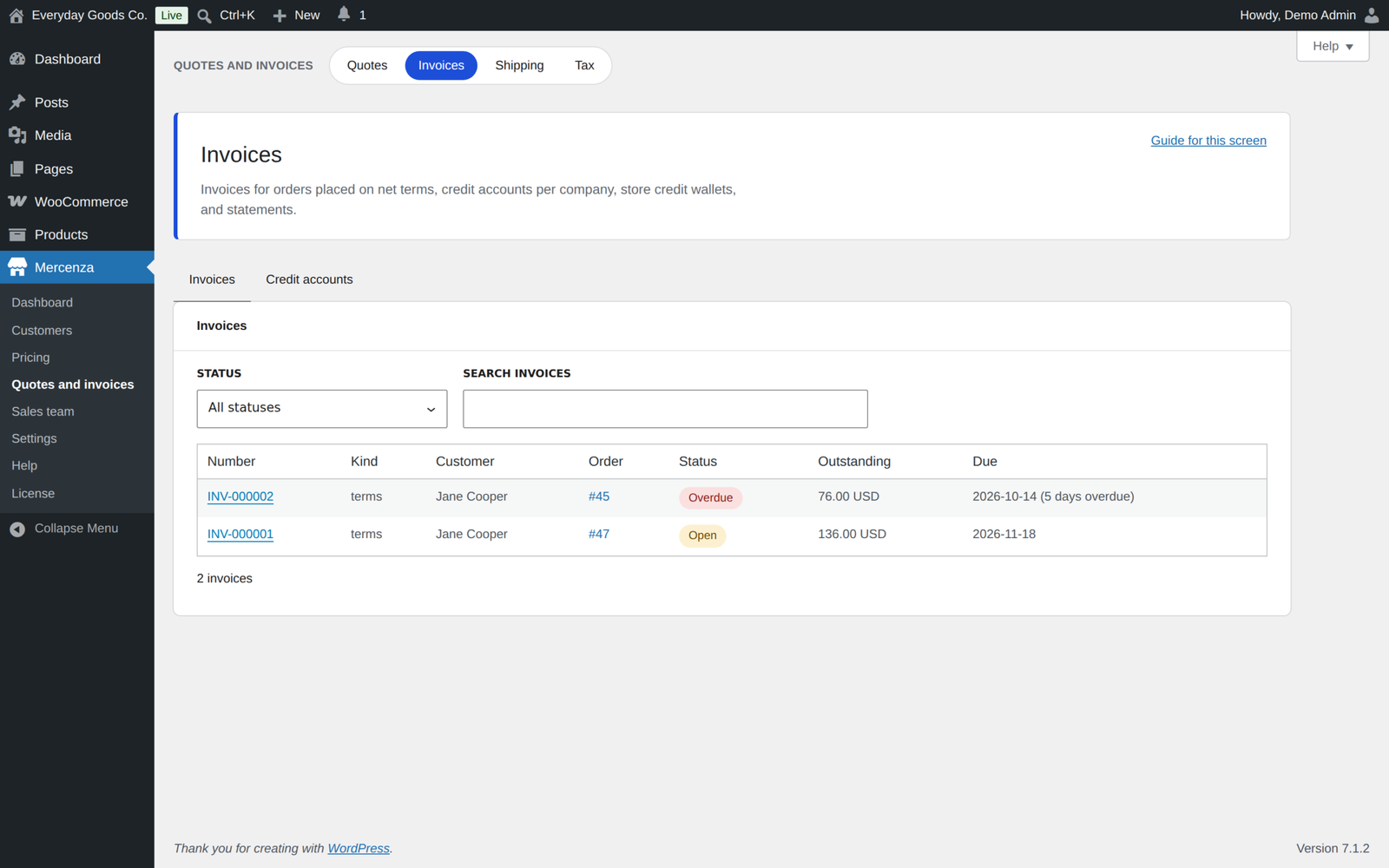
Give a company a credit limit and payment terms and the buyer can place the order on account. Mercenza reserves the credit, also while an order waits for approval, and issues the invoice with a due date. It sends reminders before and after that date, applies late fees when you want them, and records payments against both the invoice and the limit.
Four payment methods come with it: net terms, purchase orders with the PO number and PO document taken at checkout, deposits with a balance payment later, and store credit wallets that you top up and buyers spend at checkout, including the Checkout block. Each group can be limited to the payment methods you choose. Account statements cover any period, one currency at a time, and download as a PDF.
Approvals inside the buyer's company
A purchaser places the order, an approver releases it. Set a threshold per sub account, build an approval chain, and the order waits with an approval trail attached. Approvers are emailed, requests escalate when nobody acts, and the whole history stays on the order.
Tax and shipping for trade
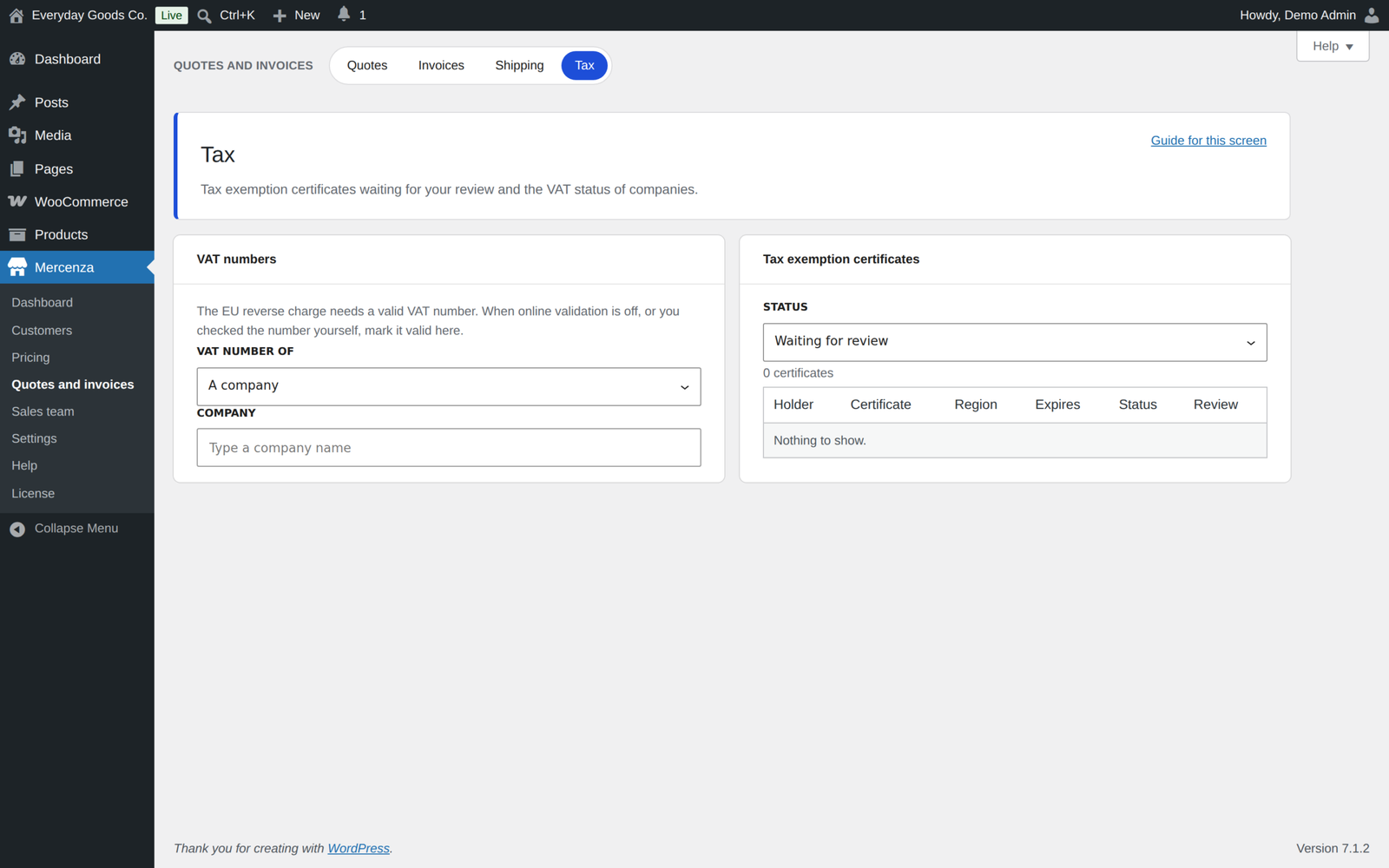
Collect and review tax exemption certificates with expiry dates, reminders, and a notice when one expires. Validate VAT numbers online or mark them valid by hand, apply the EU reverse charge by the place of supply rules with your own note on orders and Mercenza invoice PDFs, and override the tax class per group. A group can also be marked tax exempt, so customers approved into it are exempt straight away.
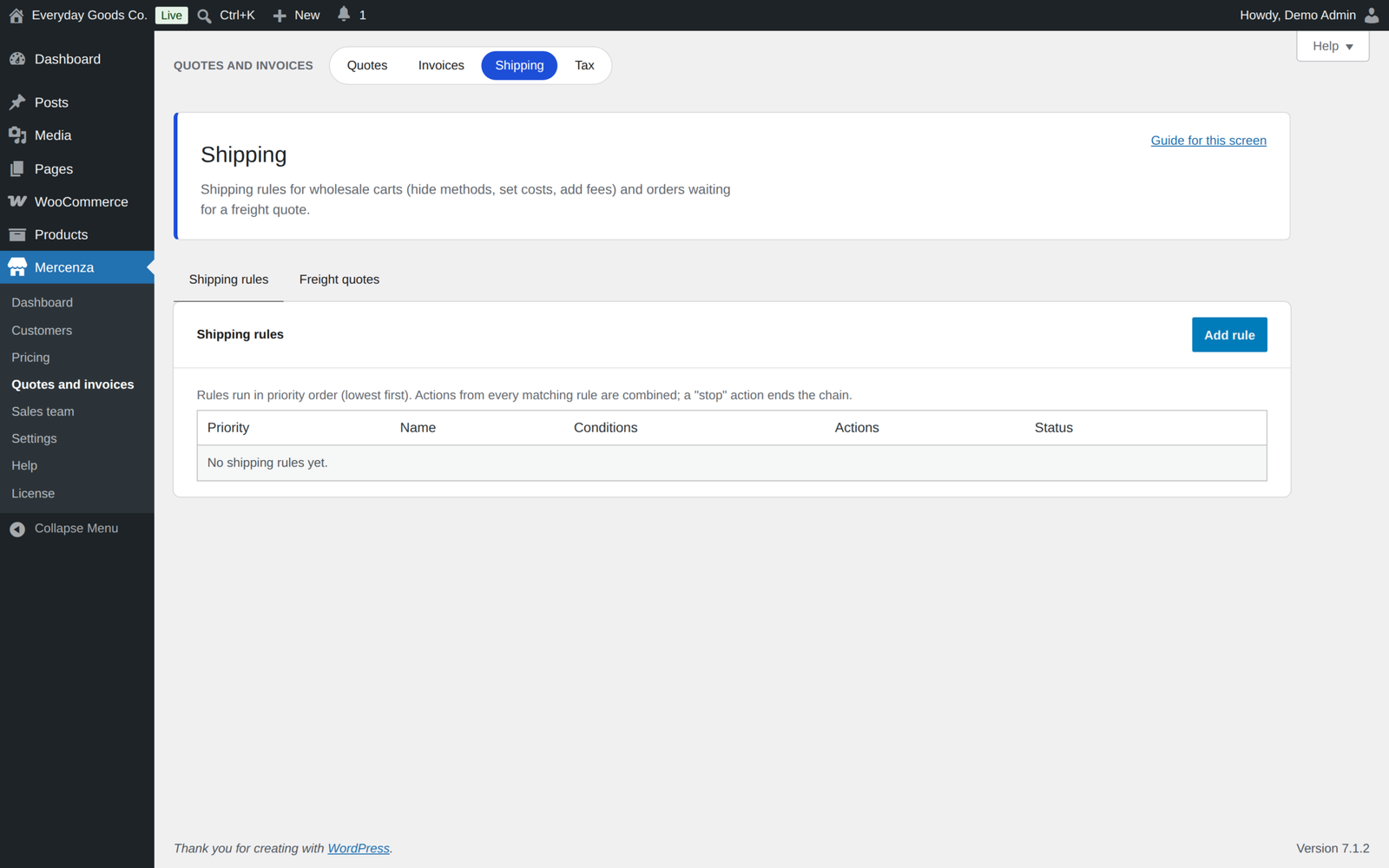
Shipping rules work per group, company, or destination. Heavy orders can ask for a freight quote instead of a rate, and the order waits unpaid until you send the freight cost. Groups can be given free shipping thresholds or restricted to certain methods, and buyers can choose partial shipments or a pickup slot.
Your sales team
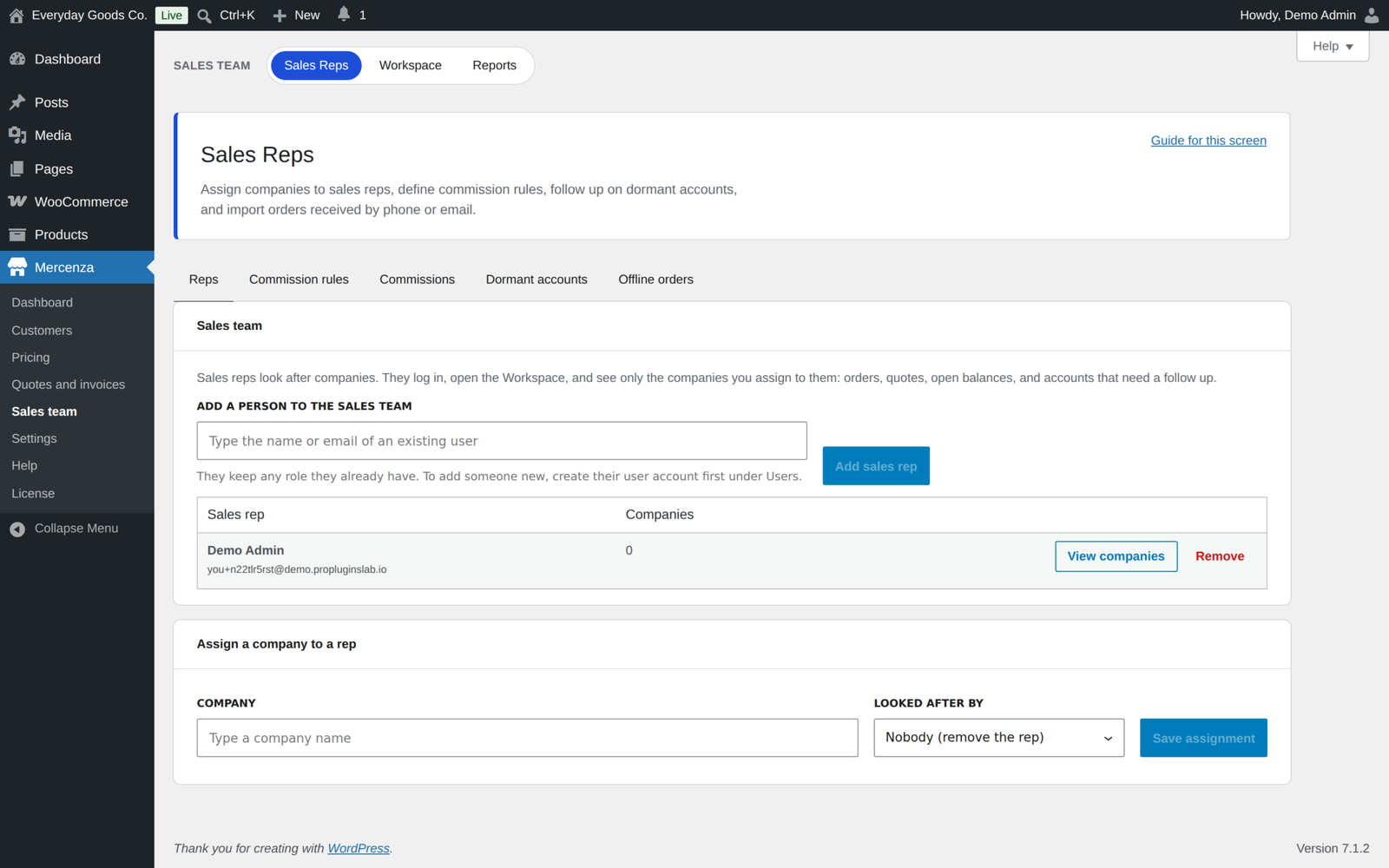
Give staff the sales rep role and assign them companies. Sales reps work from their own Workspace in wp-admin, place orders on behalf of a customer, and earn commission from rules you set, with commission payout records and clawbacks. Accounts that go quiet are flagged, and winback emails bring them back.
Reports and price lists
Seven built-in reports cover revenue, customers, products, groups, quotes, invoices, and commissions, with CSV export. Figures are net of refunds and shown one currency at a time, and a Company tab shows one company's spend. Company owners see their own numbers in their account area. Every customer can download a price list with their own prices as CSV or PDF, and you can schedule those price lists to go out by email. You also get a wholesale or retail filter in WooCommerce Analytics.
Ordering tools buyers use every week
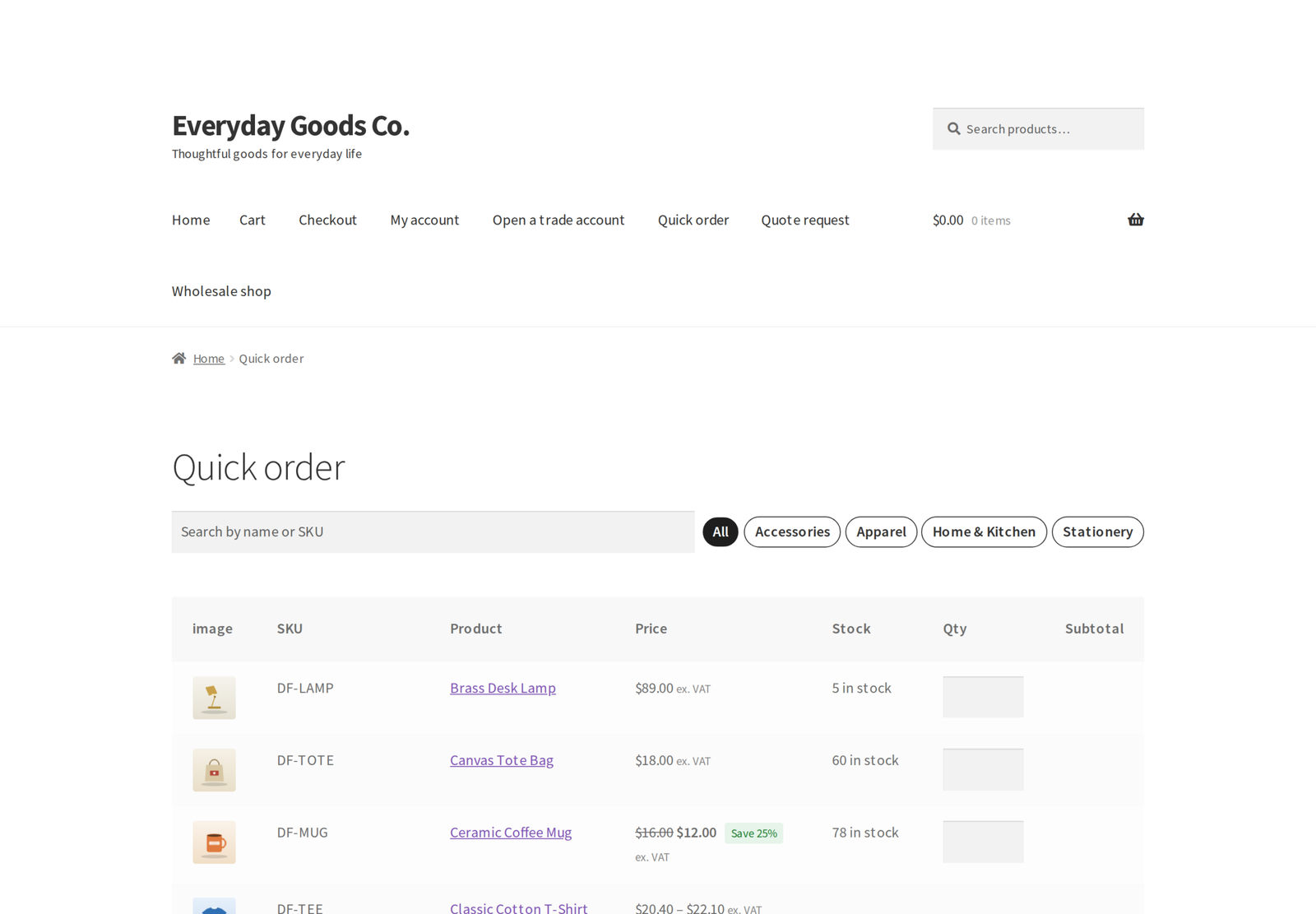
A quick order form takes names, SKUs, barcodes, or a pasted list and fills a cart in seconds. Shopping lists are reordered in one click, recurring orders run on a schedule, and past orders carry a reorder button. The B2B area in My Account follows your theme and works on a phone.
Integrations
47 integration modules detect what else you run and fit in with it. Each one can be switched off.
- Page builders: Elementor, Divi, Bricks and Beaver Builder
- Payments: Stripe, PayPal Payments, Mollie and Authorize.Net. Invoice numbers travel with invoice payments to Stripe, PayPal and Mollie.
- Documents: PDF Invoices and Packing Slips
- Languages: WPML, Polylang, TranslatePress and Weglot
- WooCommerce extensions: Subscriptions, Bookings, Memberships, Product Bundles and Product Add-ons
- Marketplaces: a vendor wholesale discount for Dokan, WCFM, WC Vendors and MultiVendorX vendors
- SEO: Yoast, Rank Math and AIOSEO
- Search: Algolia, ElasticPress and FiboSearch
- Accounting and CRM sync: connect QuickBooks Online, Xero, HubSpot or Zoho CRM with your own app and Mercenza pushes your B2B data to it automatically. Customers and companies go to all four; paid orders and Mercenza invoices go to QuickBooks and Xero; every order becomes a deal in HubSpot and Zoho CRM. Pushes retry by themselves, and failures are listed with a Retry button. The sync is one way, from your store to the service.
- Caching: WP Rocket, LiteSpeed, W3 Total Cache and Cloudflare
Built for a real store
- Every form has a nonce and a capability check, and every query is prepared.
- Sensitive fields are encrypted at rest and never written to logs.
- An append-only audit log records who changed what, with a diff view and export.
- Fine-grained capabilities for every admin action, plus log in as a customer.
- More than 30 WooCommerce emails with editable text, and in-app notifications with optional Slack and Microsoft Teams messages, sent in the background with retries.
- WooCommerce webhooks for Mercenza events, signed by WooCommerce, with automatic retries.
- A REST API under mercenza/v1 and 25 WP-CLI commands. Changes through the REST API are accepted from a logged-in dashboard session; integrations use the PHP API and actions instead.
- HPOS and Cart and Checkout blocks compatible, with a setup wizard and the full documentation inside the plugin.
Requirements
- WordPress 6.4 or newer, tested up to 7.1
- WooCommerce 8.2 or newer, tested up to 11.2.1
- PHP 7.4 or newer
Changelog
Every release, newest first, with the date it came out.
Version 1.2.2 (October 19, 2026)
- Fix: Pre-orders paid by deposit or on release with Anticipo Pre-Orders Pro now charge the right amount to customers with a group price. Mercenza put the full group price back over the deposit, so the customer paid the whole price at checkout and still owed the balance on release. The deposit and the balance are now worked out from the group price, including quantity tiers and pricing rules.
Version 1.2.1 (October 18, 2026)
- Fix: Pages no longer stop with a critical error for logged in customers who have completed or processing orders. Since 1.2.0 the checkout block fields asked for the customer's past orders before WooCommerce had set up its order types.
- Fix: A customer's order history that cannot be read no longer stops a page; rules based on past purchases simply do not match.
Version 1.2.0 (October 17, 2026)
- Fix: Mercenza no longer changes, shows, or corrects the price of a cart line it did not price itself. Lines priced at runtime by other plugins (product configurators such as Kitero, name your price such as Inputo, gift cards, product bundles and composites) keep their price in the cart, the Price column, and the order, where they could become 0.00 before.
- Fix: The PO number, partial shipment and pickup slot fields now appear on the Checkout block. They were never registered, so a group that required a PO number or offered pickup slots could not complete the block checkout.
- Fix: The WooCommerce Store API now carries the Mercenza buyer context (wholesale flag, group, price display and order rules) to the Cart and Checkout blocks.
- Fix: CSV imports from Tools and price imports no longer cancel each other. Each importer has its own background task and only runs its own jobs.
- Fix: Uploading a price CSV file failed with an error since 1.1.0.
- Fix: The sub account "Place orders" permission is enforced. A member without it, such as a Viewer, cannot add products to the cart or check out.
- Fix: The order limit of a sub account is enforced in the cart, at the classic checkout and on the Cart and Checkout blocks.
- Fix: Sales reps can open wp-admin and their Workspace. WooCommerce used to send them back to My Account.
- Fix: An order created from a quote now charges exactly the quoted prices. Where tax applies it is included in the quoted price and still shown on the order; tax exempt customers pay the quoted price unchanged.
- Fix: Saving a sent quote no longer wipes the customer's counter offer or breaks an open counter form.
- Fix: Refunding an order paid with store credit no longer credits the company wallet twice.
- Fix: The store now receives the WooCommerce New order email for net terms, purchase order, deposit, credit review and approval orders, once per order.
- Fix: Orders released after approval, and verified purchase orders waiting for payment, are no longer cancelled by the unpaid order cleanup.
- Fix: Approvals and invoice payments are recorded under a lock, so two people acting at once cannot approve a step twice or overpay an invoice.
- Fix: The company now receives its credit limit warning email.
- Fix: Partial refunds lower the open invoice and the credit exposure, and voiding a partly paid invoice keeps the paid part on statements.
- Fix: "Approve credit and place on terms" is only offered for orders held by a soft credit limit.
- Fix: Deposit orders can no longer be paid in full on top of their invoices, and unpaid deposits no longer get late fees or overdue emails.
- Fix: Payment reminders reach every open invoice, and missed reminder stages are skipped instead of sent late.
- Fix: Store credit at checkout respects coupons, and is removed from the order when the balance no longer covers it.
- Fix: Invoices in different currencies are never added together against a credit limit, use their own currency's decimals, and statements show one currency at a time.
- Fix: Statements and store credit history are limited to members who may pay invoices or view company orders, and PO documents can only be added while the order still waits for its PO.
- Fix: The group allowed payment gateways now restrict the Mercenza gateways too.
- Fix: A PDF problem no longer blocks sending a quote; the email goes out without the PDF and the error is logged.
- Fix: Values chosen for "Any" variation attributes are kept from the quote basket to the order.
- Fix: Sending, declining or countering a quote with a message no longer sends two emails.
- Fix: Quote templates without prices are now priced for the customer the quote is made for.
- Fix: Turning quotes off now also hides the Quotes screen and stops customers accepting or ordering quotes.
- Fix: Grouped and external products can no longer be added to a quote, and sent or accepted quotes can no longer be deleted.
- Fix: Deleting a user keeps their quotes with their email address, or moves them to the user their content is reassigned to.
- Fix: The store is told about a guest quote request only after the guest confirms their email.
- Fix: Accepted quotes that are never ordered now expire on their validity date, releasing reserved credit, and moving the validity date allows a new reminder.
- Fix: Quote only products show a quantity box next to Add to quote, and Add to quote on a variable product in the shop opens the product page.
- Fix: Freight quote orders are no longer charged at checkout with zero shipping; they wait unpaid until the freight quote is sent, and the customer gets one email instead of two.
- Fix: Offline and sales rep orders now apply tax exemptions and the EU reverse charge.
- Fix: Stopping a dormant account's winback now lasts until the company orders again.
- Fix: Reports subtract refunds, never add up amounts in different currencies, count the net terms, PO, deposit and balance statuses, and the commissions report honours the date range.
- Fix: The Mercenza customers filter in WooCommerce Analytics no longer serves cached results from the other filter.
- Fix: An unknown wp mercenza import type now lists the available types.
- Fix: The Company fact in Slack and Teams registration messages is filled in.
- Fix: PayPal Payments, Stripe and Mollie now receive the invoice numbers of invoice payments. The PayPal module used a hook name PayPal Payments does not have, and the numbers were written too late for every gateway.
- Fix: Weglot no longer calls a function Weglot does not provide, Polylang lists group names for translation on every admin page, and TranslatePress translates them with its own function.
- Fix: Elementor no longer registers a second registration form widget that ignored the module switch.
- Fix: Integration modules added by other plugins can now be switched off.
- Fix: The CRM payload company name is no longer blank.
- New: QuickBooks Online, Xero, HubSpot and Zoho CRM sync. Connect your own app under Mercenza > Integrations and push customers and companies, orders, and (QuickBooks and Xero) Mercenza invoices, one way, with automatic retries, a failure list with Retry, and Sync now.
- New: Company orders page in My Account for the company owner and members allowed to view company orders, with filters by member and status.
- New: Pick a saved company address at checkout, on the classic checkout and the Checkout block.
- New: Customer access per product and per product category: show it only to chosen customers and companies, or hide it from them.
- New: Coupons limited to chosen customer groups and companies, or closed to chosen groups.
- New: Google reCAPTCHA v2 (the "I am not a robot" checkbox) as a registration captcha provider.
- New: Purchase order documents can be attached at checkout, on the classic checkout and the Checkout block.
- New: Store credit switch on the Checkout block.
- New: Credit is held while an order of a terms company waits for approval.
- New: "Request a quote for this cart" on the Cart block, attachments for both sides at any time, a history of status changes and counter offers on every quote, and assigning a guest quote to a customer.
- New: Mark a company or customer VAT number as valid by hand under Mercenza > Tax, so the EU reverse charge works without online validation, and the reverse charge note is printed on Mercenza invoice PDFs.
- New: Customers get an email and an in app notice when their tax exemption certificate expires, and the store gets a notice too.
- New: Commission payouts are recorded with batch, date, amount and reference, reps see them in the Workspace, and a paid commission whose order is cancelled or refunded becomes a clawback deducted from the next payout.
- New: A Company tab under Mercenza > Reports shows a company's spend and exports it to CSV.
- New: Confirmation prompts (with --yes) for wp mercenza migrate rollback, settings import, catalog delete, price delete and credit set, plus migrate rollback --dry-run.
- New: Vendor wholesale discount field on the user profile for Dokan, WCFM, WC Vendors and MultiVendorX vendors.
- Improved: Changing anything the customer sees on a sent quote sends a revised quote with a fresh PDF and a new validity date, and quotes state that quoted prices include any tax due.
- Improved: A company's credit limit and payment terms are one value, shown and edited the same on the Companies screen and under Invoices, Credit accounts.
- Improved: The reverse charge follows the EU place of supply rules: the shipping country for shipped goods, the store country for local pickup, and the billing country when nothing is shipped.
- Improved: With partial shipments allowed, order lines that are not in stock are marked "Ships later" with the quantity.
- Improved: Slack and Microsoft Teams messages are sent in the background and retried when they fail, and failed Mercenza webhook deliveries are retried after 5, 30 and 180 minutes.
- Improved: The documentation gives the correct email template folder (yourtheme/woocommerce/emails/), describes every change above, and no longer mentions development phases.
Show earlier versions (1.0.0 to 1.1.2)
Version 1.1.2 (October 17, 2026)
- Fix: deleting a customer group now also removes the dedicated WordPress role the group created (mercenza_ followed by the group slug), unless another group still uses it. Users who still hold the role lose it, and a user left with no role becomes a Customer. Any other role is left in place.
- Fix:
wp mercenza group assign 0 <user_ids>removes the users from their group, as its help text says, instead of failing with "Group #0 does not exist". A group id that is not a number is now refused instead of being read as 0. - Docs: the readme listed allowed currencies as a group setting and brand as a pricing rule condition. Neither exists, so both were removed, and the condition list now names every condition the rules support.
- Docs: the readme, the REST API page, and the Developer Guide explain that group and membership changes through the REST API need a logged in dashboard session, and show how an ERP or CRM sync uses
mercenza()->memberships()->assign(),unassign(), and themercenza_user_group_changedaction instead. - Docs: the readme said a customer can belong to several groups. A customer is in exactly one group (their own, or else their company's), and parent groups supply the prices and settings a group does not set itself. The Customer groups list, the FAQ on group prices, the product description, and the Pricing Engine and Groups pages now say so.
Version 1.1.1 (October 16, 2026)
- Fix: when a product has both a customer group price and quantity tiers, the cart now charges the tier price for the quantity in the cart instead of the single unit group price.
- Fix: Add to quote on the product page now uses the quantity entered in the quantity field.
Version 1.1.0 (October 15, 2026)
- New: Users > All Users shows each user's customer group in a new column, with a dropdown to list only the users of one group. Visible to staff who can manage Mercenza customers.
- Security: the quote, invoice, approval, tax, shipping, sales rep, report, and integration REST routes now check the user in a named permission method, like the rest of the plugin. Who may do what is unchanged.
- Security: Slack and Microsoft Teams messages are sent with the WordPress safe request function, which refuses local and private network addresses.
- Security: uploaded price import files are stored in a protected sub folder with its own access rules.
- Improvement: the readme now lists the licence and update check under External services.
- Tested with WordPress 7.1.3 and WooCommerce 11.2.1.
Version 1.0.3 (October 2026)
- Security: changes through the REST API are accepted only from a logged in dashboard session. Application passwords and other remote credentials can read data but can no longer change anything.
- Security: every REST route checks the user in a named permission method, and routes for a customer's own lists, recurring orders, past orders, and notifications check that the record belongs to them.
- Fix: the B2BKing migration could not be previewed or run from the Tools screen.
Version 1.0.2 (October 2026)
- Security: company members who manage sub accounts from My Account can no longer give anyone the Owner role, change their own access or the owner's, or grant permissions they do not hold themselves.
- Fix: price change emails failed to send.
- Fix: the default registration form is created when the plugin is first activated.
- Fix: deleting the plugin with "Keep data on uninstall" off now removes its data and uploaded documents, unless the other Mercenza edition is still installed.
- Fix: required order notes and PO numbers are enforced on the block checkout as well as the classic one.
- Fix: the group backorder settings now apply to out of stock products.
- Fix: the group stock display "In stock or low stock only" works.
- Fix: hidden products redirect to the shop when "Redirect" is chosen instead of always returning a 404.
- Fix: a registration form can follow the "Block login until approved" default from the settings.
- Improvement: unknown choices sent to the settings and group settings APIs are refused instead of resetting the setting.
- Improvement: WP-CLI approval without --user approves at once, and several commands report clearer errors.
- Improvement: admin tables no longer widen the page on phones.
- Change: online VAT number checks with VIES and HMRC are now off until you turn them on under Mercenza > Settings > Registration > Check VAT numbers online. Turn it on again if you rely on automatic VAT validation.
- Change: Pro no longer deactivates the free edition. While both are active, the free copy stays idle and shows a notice so you can deactivate it yourself.
- Change: WP-CLI exports print to standard output, or with --output are saved in the protected folder wp-content/uploads/mercenza-b2b-for-woocommerce/exports/.
- Change: uploaded documents now live in wp-content/uploads/mercenza-b2b-for-woocommerce/. Existing files are moved there automatically.
Version 1.0.1 (October 2026)
- Fix: optional number settings, such as the deposit minimum order total and the freight quote weight, can be cleared again after a value was saved.
- Fix: the customer group form now shows the backorders, required order notes, buyer portal, and recurring orders settings, and groups the Pro settings into their own sections.
- Improvement: every value read from a request is unslashed and sanitized where it is read, and admin styles load through the WordPress enqueue functions.
- Improvement: the readme documents each external service the plugin can contact, and the built in documentation was updated.
Version 1.0.0 (October 2026)
- First public release.
Details
At a glance
- Latest version
- 1.2.2
- Last updated
- October 19, 2026
- Type
- Pro plugin
Requirements
- PHP version
- 7.4
- WordPress (min)
- 6.4
- WordPress (tested)
- 7.1
- WooCommerce (min)
- 8.2
- WooCommerce (tested)
- 11.2.1
Share
You might also like
 Pro
Pro
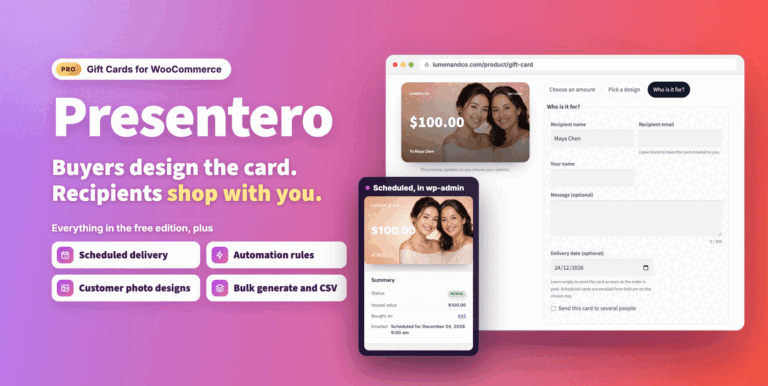
Presentero Gift Cards for WooCommerce
Sell and redeem WooCommerce gift cards online or in your shop, with PDF cards, QR codes and scheduled delivery. Includes refunds, automations and reports.
From $49.00 One-time
Live demo-
Pro
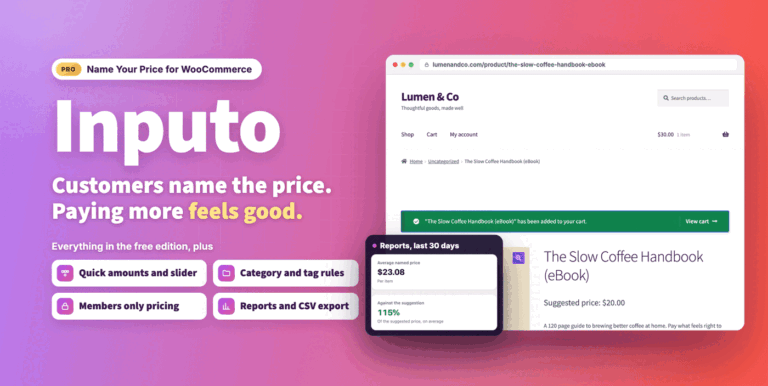
Inputo Name Your Price for WooCommerce
Let customers name their price on WooCommerce products, guided by your minimum and suggestion. Includes quick amounts, rules, Subscriptions, currency switchers and reports.
From $39.00 One-time
Live demo  Free
Free